Desertcart purchases this item on your behalf and handles shipping, customs, and support to Senegal.
🚀 Power Your Digital Life with the Ultimate Wi-Fi Upgrade!
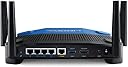
The Linksys WRT3200ACM is a high-performance AC3200 dual-band gigabit router featuring Tri-Stream 160 technology that doubles bandwidth for ultra-fast speeds up to 2.6 Gbps. Equipped with MU-MIMO, it delivers simultaneous high-speed Wi-Fi to multiple devices, perfect for busy households and professionals. Open source ready for advanced customization, it also offers robust security with WPA2-PSK, guest mode, and parental controls. Manage your network effortlessly via the Smart Wi-Fi app, backed by an exclusive 18-month warranty.


| ASIN | B01JOXW3YE |
| Antenna Location | Gaming |
| Antenna Type | Internal |
| Best Sellers Rank | #9,846 in Computers & Accessories ( See Top 100 in Computers & Accessories ) #323 in Computer Routers |
| Brand | Linksys |
| Built-In Media | Cable, Power Adapter, Quick Install Guide |
| Color | black |
| Compatible Devices | Cell Phones, Computers, Gaming Consoles, Laptops, Tablets |
| Connectivity Protocol | wi-fi |
| Connectivity Technology | Ethernet, Wi-Fi |
| Control Method | App |
| Controller Type | vera |
| Coverage | Large Household |
| Customer Reviews | 4.3 out of 5 stars 3,032 Reviews |
| Data Transfer Rate | 2160 megabits_per_second |
| Frequency | 2.4 GHz |
| Frequency Band Class | Dual-Band |
| Global Trade Identification Number | 00745883714674 |
| Item Dimensions L x W x H | 9.68"L x 2.04"W x 7.63"H |
| Item Type Name | Linksys MU-MIMO Gigabit Wi-Fi Wireless Router (WRT3200ACM) |
| Item Weight | 3.6 pounds |
| LAN Port Bandwidth | Gigabit Ethernet |
| Manufacturer | Linksys |
| Maximum Upstream Data Transfer Rate | 1300 megabits_per_second |
| Mfr Part Number | WRT3200ACM |
| Model Name | WRT3200ACM |
| Model Number | WRT3200ACM |
| Number of Antennas | 4 |
| Number of Ports | 4 |
| Operating System | MacOS (10.X or higher), Windows 7, Windows 8.1 (Works with Windows 10) |
| Other Special Features of the Product | Beamforming, Guest Mode, Parental Control |
| Router Firewall Security Level | True |
| Router Network Type | Wi-Fi |
| Security Protocol | WPA2-PSK |
| Special Feature | Beamforming , Guest Mode , Parental Control |
| UPC | 745883716876 745883714674 |
| Unit Count | 1 Count |
| Voltage | 240 volts |
| Warranty Description | 18 month |
| Wi-Fi Generation | Wi-Fi 5 |
| Wireless Communication Standard | 802.11ac |
| Wireless Compability | 802.11ac |
M**N
WRT 3200ACM A very nice product, setup was very simple
WRT 3200ACM A very nice product, setup was very simple. Overall performance verses my 4 year old WD N900 router is much better; improved signal strength, improved throughput and so far no drop outs. I started getting drop outs on the old router when we exceeded 12 devices, the WRT has run flawlessly with up to 21 devices so far. The unit runs quiet and cool – no fan needed, which is nice since fan noise can be quiet annoying. I manually configured the router (enter 192.168.1.1 into your browser) and used “Smart Setup Tool” to get connected to the internet and do a basic configuration, the setup tool makes this very easy. After that I manually edited a few parameters to “personalize” the network, simplify management and optimize performance as follows: Changed name of the 5GHz network rather than accept the default of “Name of 2.4Ghz” appended with _5Ghz. Edited the guest network names and password and turned it off, I will switch it on if needed. Renamed some of the devices on the network map so that it is obvious which device is which. This make the network map much more useful. Edited the Host Name and Network Name, personal preference. Turned off the ability to manage this router wirelessly via Linksys Smart Wi-Fi (Connectivity – Administration tab) to reduce the chance of a wireless hack. Wireless networking defaults were not optimal for our network so I made the following changes: Set the 2.4 GHz network to 802.11gn. This router does not support 801.11b so I don’t think there is a difference between the mixed setting and the 802.11gn setting. I don’t have any legacy b only devices so this is not a problem. Not supporting 802.11b avoids the 2.4 GHz radio having to do gymnastics to talk to any b devices this helps 2.4 GHz throughput and avoids the slight decrease in n or g throughput that results from a mixed (with b) setting. I thought about using n only but since g and n can play together (the overhead associated with sending a legacy preamble before the HT preamble is small and g devices can interpret the n preamble) I left g available. I left the channel width setting on auto and it selected 40 MHz i.e., twice the width and double the data rate of the legacy channels. Set the 5 GHz network to ac only to allow optimum 5 GHz performance, I left the channel width setting on auto and it selected 80 MHz i.e., four times the width and four times the data rate of the legacy channels. I am not quite sure what they mean in the advertising info with regard to 160 MHz channel width since this device only has 4 antennas and 6 are needed to get 160 MHz bandwidth. I left the channel selection on auto for both networks. Restricting the router protocols has some potential disadvantages: 1. Legacy devices that are restricted to 2.4 GHz b and/or 5 GHz a and n only will not be able to connect, so if you have older devices this might be a problem. 2. If there are devices running 2.4 GHz b and 5 GHz a and n nearby they might interfere with your network and your network router might interfere with them. I am too far away from my neighbors for this to be a problem but if your neighbors are close you should probably use mixed mode. Given that the 802.11g protocol was released in 2003 and that manufactures built 802.11g chipsets before 2003 I doubt that many people have many 802.11b devices only. I would like to know if there is a difference between the between the 2.4 GHz mixed setting and the 2.4 GHz 802.11gn setting. Does the router listen for 802.11b signals and back off to allow legacy transmission to a legacy router when 2.4 GHz mixed is selected? I called tech support but the person I spoke too did not seem to know what I was talking about. Some users have reported signal strength gains, I measured the signal strength (using a Wi-Fi Analyzer on my phone) before and after installing the new router (in the same location). On the 2.4Ghz band the signal strength increased by an average of 3dB (double the power) running g and n protocols. This is not a huge improvement but will help in areas with marginal signal strength that are prone to signal drop outs. The increase in signal strength on 2.4Ghz varied from -1dB to 8dB, in looking at the results it looks like beam forming is working and increasing the signal strength in the areas with 2.4Ghz devices with up to an 8dB increase and an average of 4.5dB. On the 5 GHz band the signal strength increased by an average of 16dB (40 times the power) running mixed mode. This made some previously unreachable (for 5G Hz) areas of the house usable for Wi-Fi and is a great gain in signal strength. The 5 GHz radio designs have probably got a lot better in the last few years and this result alone is a good reason to buy this router. The increase in signal strength varied from 11dB to 20dB and did not seem to be affected by beam forming (possibly due to the fact that phone that I used to take the measurements was on the 5 GHz Wi-Fi network when I took the measurements). It is a good idea to back up your router configuration (Troubleshooting – Diagnostics tab) to allow a quick restore in the event you have to reset your router. The Troubleshooting Status report pages are very nice to have. It would be nice if you could search the router help information embedded on the router. The user guide does not cover as much as the help information on the router and he use of screen shots in the manual limit your ability to search (e.g., you cannot find Backup or Restore by searching the user manual). I am very happy with this product.
S**G
Good unit, but it may have been factory reconditioned.
Loved my WRT1900AC for 12 years. Display lights faded away. So I bought the next generation, the WRT3200ACM while I could still get it. Box only had the router, power supply, user guide and documentation CD. No quick start guide or ethernet cable. No big deal. Setup was easy and it Works just like my old one. No learning curve. The unit looks factory new, the rubber foot pads are spotless, but Judging from the small amount of dust in the ethernet ports and a little on the power supply, I suspect it was a factory reconditioned unit. But it works.
A**R
Solved problems with firmware....Indefinite "waiting" and "2118" errors, when it allows a log in...
Problems right from the start. Non-stop 2118 errors, when logged into 192.168.1.1, while trying to click on ANY of the options to manually config. If I don't get the 2118 error, it'll show a blank screen, or "waiting" indefinitely. Have to hard reset router regularly just to get it to work for a few minutes for a manual log-in. But, router won't save any settings or it gets stuck on the blank screen "waiting" forever. Youtube videos show others can click on an option and it comes up in a second or two but mine won't. Another error is that router keeps stating that internet is down, yet I can surf from another browser window or tab, like for this review. I've tried several different laptops, desktops, browsers, and operating systems, and 'no joy' with any plugged into this router, and even created a non-needed useless linksys login identity which just won't 'link' to this router either. I will RMA this failed unit and hope that the replacement works. If the replacement works, I will update this review accordingly. UPDATE: Well, Amazon over-nighted a replacement router. Same problems. When using ANY browser(IE, Firefox, Chrome), Windows 7,8,10(and even XP) with the antivirus and any/all security settings turned off, I just can't make ANY changes to the router from its browser log in. That's 2 routers in a row that can't be adjusted using a simple browser log in. Besides regular 2118 errors and indefinite "waiting", the new router also has 2117 errors. BTW, you can manually download the latest firmware. FW_WRT3200ACM_1.0.6.181063_prod is available for download and my routers shipped with 1.0.5.175944 which didn't not allow browser settings changes. If you can't log into router, you can't update it. The automatic firmware update(via Android phone app) doesn't see the latest firmware that you can manual download to a PC. Auto update(via Android app) says no new firmware is available even though the downloadable, from the Linksys website, firmware is newer than what the router is equipped with. Additional update and review, after battling with router #2 for a couple days, I decided to do another reset and just leave it alone. After a few hours, using the Linksys cellphone app, it finally was able to update itself with the previous mentioned firmware update. I would guess that the LInksys support made that happen. That did the trick and after a reboot, router is now responding to my browsers. I was able to config/save my settings and now the wireless network is working just fine. I don't want "email" log in, Linksys membership smart-wifi log in, or auto-anything-easy-quick config by default. Loses 1 star because firmware updates took a while to go from website to router's auto-update. Loses another star because router browser settings uses stupid silly "pop-up's" instead of normal browser pages like older routers. Pop-up script can easily be blocked by a pop-up blocker or script stopper(that is, a browser with some security settings). Pop-up's can also be stopped by aggressive antivirus-settings, browser ad-blockers,...... The engineer that wanted that should be fired. In the end, this router goes from 1 start to 3 stars. I don't want a "cool" router with apps and silly config page pop-ups. I want a usable router that I can manually set up quickly, update as needed, and then put to work! Linksys, get rid of the pop-up's when clicking on ANYTHING when accessing the router's menus. What was Linksys thinking? Every browser pretty much has a pop-up killer now. Update 12/22/2018: With the latest firmware and selective router manual configurations, router has served well until drowning during hurricane Michael. I'd wager most negatives reviews are caused by either older firmware, or not choosing the proper wireless options for your network. Since it ran nonstop since the firmware update without issues, I've bumped up the rating to 5 stars. If you buy this router, learn how to log into it(no quick setups or phone ap's), and go thru each step by step option. Eliminating "B" and "G" wireless using only "N" or "A/C".... is good start, setting priorities and specific options in your phones, laptops, TV, bluray, audio receiver..... can make your WIFI super fast, well managed, and safe. I replaced my flooded WRT AC3200 with the Gaming Router WRT32X(seriously lacking options and overly dumbed downed user interface). It too works great but I prefer the config/options of the non-gaming router. And, for better reception/distance, Linksys offers high gain antennas which are about twice as tall, and provides exceptional capability an acre away in my work shed. Current Firmware for the WRT AC3200ACM is 1.0.6.186168, released in January of 2018. If the router doesn't automatically update to this firmware, do a manual update.
O**S
In response to op "Horrible Firmware - Don't buy!"
I really have to disagree with the OP stating horrible firmware. Although (s)he lays out very specific issues that were found, I really have to wonder if (s)he is as knowledgeable as is being conveyed in the post or if the problem is with the the actual router. It may also be that the OP is using the open source software to control everything - I currently do NOT have the need for the open source programs. Like the OP, I too have had this router for about 2 1/2 - 3 years and have NOT had any of the issues that the OP states. I am using an smb drive that has been formatted ntfs (the router ONLY recognizes NTFS, FAT AND HPS+ - NOT ExFAT - this IS documented in the manual). As far as security, the OP is in error that ONLY Admin has rw privileges. When you set up the share, you set up the user name, password and access (r or rw[d]). You can share the entire drive or individual folders - not sure how many folders, but a logical guess would be 256. I've had at least 4 firmware updates since I purchased this unit so unless the op flashed the firmware with an open source version I really can't understand why his router isn't updating. Finally, I believe the op mentioned that the unit was incapable if keeping assigned names, non-browser items e.g., printers, scanners etc and constantly looking at internal ip's. I have numerous "named" items that have a dedicated IP address assigned (by MAC address) and they have NOT changed nor reassigned to a different device. Maybe the op isn't assigning a static ip via MAC filter which might cause this kind of error - dynamic ip addressing could give the same device a different ip each time it assigns ip's which in turn could screw up names assigned to a specific ip. Non browser related issues, again I have not experienced this issue and I currently have several different printers, scanners etc that have dynamically assigned "static" ip's that do NOT & did Not use a browser to get setup - just assigned a dynamically assigned "static" address. Last, but certainly not least, the op stated that the router ONLY used its internal linksys dns server and constantly pinged all the attached addresses. Once again, I have NOT experienced this issue. I use OpenDNS for my dns server and the router really doesn't care - maybe the op didn't setup his dns server correctly or possibly didn't point the router to the correct STATIC address of the dns server. This "Could" possibly cause the router to be seeking a dns server on anything attached to the intranet e.g., pinging every internal ip constantly looking for a dns server and when not found resorts to a "known" dns server hard coded by linksys. The Only "possible" issue I've had with this router is the inability of Android file manager to find the smb share. No problem with Win or Mac items and I just found this issue late last night from a friend that uses an android phone. To be fair though, I really haven't had a chance to really troubleshoot the issue yet, quick search on Google regarding androids and smb on this router didn't result in any results. This is a great, rock solid router that has over performed in every area I've put it in to. It will reboot if it gets confused but in my application this has only happened 2-3 times since it was put in service (2.5 - 3 years ago). Oh, and I almost forgot, I've spoken to the linky support folks a couple of times - prior to COVID - and never had an issue and typically was on hold less than 15 mins (again, this WAS pre-Covid so it may well have changed since Covid). I have to recommend this unit if you A) are NOT needing a mesh system B) are NOT planning on using Open Source programs with this device - I really believe it would still work fine with the open source, but I have NOT tested this theory C) have researched known issues (or work arounds) with Android and smb drive D) want a corporate grade gig router with mu-mimo wifi - with the typical corporate issues regarding user friendliness during setup (unless you can deal with basic "default" settings)! Hope this helps!
L**S
6 years later review: Gonna miss this router
I've owned this router for 6 years and today I am replacing it with an ASUS router. It kinda still works but after a multi power outage from lightning (4x back to back) its taken a toll on it. Why ASUS? I am not liking what I am reading on these Mesh routers Linksys have. It's just not going to suit me very well. I also need WIRED ports more than WiFi. The Mesh systems and their reviews don't sit very well with me. Also since their settings file from this router isn't compatible with the new ones, It only makes sense if I am going to change now is the time. If I DID stay Linksys Hydra Pro Mesh WiFi 6E Router MR7500 would be my go to, however their pricing on this vs the ASUS and the less features, and wired ports it doesn't make sense to me. Not to mention its not even available unless used currently. The router has performed amazing. I am EXTREMELY hard on my routers. I transfer Petabytes of data regularly with massive Plex server and its transcodes, gaming, torrenting, working from home, wife works from home, and 3 kids gaming. Needless to say with this I know I was not getting the speeds I needed but it WORKED! Now since I moved this device and its 2000 sqft limitation on wifi I must part ways with it as upstairs I am getting complaints and the RING extender barely reaches for the AC ecoobe device up there. I gotten more than my money from this router. No hassels and tones of features in the router UI. I am gonna miss it and its UI as apparently its not the same on the new one support said. Totally worth it, and then some. Not compatible with Linksys Hydra Pro Mesh WiFi 6E Router MR7500. So you will need to screenshot your settings and modify on your next router. That being said, buy it if your home fits the square footage. For kids or anyone who games, one thing that WORKS and WORKS very well is the de-prioritization setting. You can prioritize gaming applications over other applications so when someone is torrenting or downloading it does NOT bog down the games. Of course its not full proof but it works. You can control other access controls for kids and devices as well.
W**3
Unit has physical hardware problem.
I've used linksys for years and have never had a problem. Until now. My old linksys got pulled off the table by my rambunctious dogs and shattered. So I thought I'd upgrade and purchase this. It came in 2 days as I have prime. I'm a programmer/analyst, so I know some about networking and if i ever have problems, i can call the experts at my employer. Anyway, I set it up-NO problem. It's easy to follow linksys' standard install software. I did go and find the exact figure for the MTU, but most don't need to do this. The next morning I noticed my iPhone was not on wifi, nor was my husband's galaxy.. so I rebooted the router and thought no more about it.Then about noon I went to my nest app to adjust the temp and IT was saying it was offline - so i checked the wifi on my phone and sure enuf, it was not connected. My work PC however, was plugged using ethernet and i connect to work thru a VPN, and it never dropped once, so I know that part of the router works fine. This went on for a few days so I contacted Linksys support who promptly instructed me to change a couple of things on the setup - which I did - and waited until the next day. Wifi still dropping. So they said it was "bad" and for me to return and get a new one. I did. Same problem. Wifi dropping - only worse on the 2nd router- happened multiple times a day. So I contacted Linksys support again and this time they had me do a hard reset, manually download and install the latest firmware, and wait. Same problem. Wifi drops randomly. Direct plug works ok, but I cannot plug in my iPad which is used and also required by my employer at times. So I contacted Linksys again. They promptly told me "no one else has reported this issue but we will escalate to our engineering dept and they will call you tomorrow at noon eastern". OK. At 3pm the next day, with no phone call, I boxed up this router, printed a return label (amazon) taped up the box, and took to the UPS store. Went next door and purchased a netgear, came home and have NOT BEEN DROPPED from the wifi one time. Let me repeat. Have NOT BEEN DROPPED once using the netgear router. AND I set it up with the default settings (aside from the DNS name). I must say that I am extremely happy with Amazon who promptly 1, sent the exchange and then 2, refunded the entire $180. I am TOTALLY displeased and unhappy with Linksys technical support. They obviously have a problem with this router, but for whatever reasons, just could NOT believe it had happened to the same person, 2 different units. I would NOT recommend this at all. Well, that is unless you don't mind having to 90% of the time do a soft reboot, and then the other 10, unplugging it.
S**N
Certifiably Rock Solid!
I bought this back in 2017 with the intent of upgrading a then-10-year-old Linksys WRT54G router that had served with honor and distinction through many LAN parties, firmware flashes, and general abuse. As expected, the WRT3200ACM has been the rock-solid basis of my home network ever since its first power-on event. I have only upgraded the firmware once, and that was with the stock firmware from Linksys. No OpenWRT or third-party firmware, although I vehemently support using third-party firmware. My 54G had dd-wrt on it and I loved it! When I bought the 3200 new, it was not even on the list of supported routers! Now that it is? Meh... Ain't broke, don't mess with it. The range is great! I can be in my garage about 100 feet away (no obstructions but 1 thin wall) with nearly full signal. It makes playing my wifi radio in the garage so nice! The part that makes me so happy is the amount of wired and wireless objects I can have running on the same home network. My place is chock-full of wifi stuff: wireless lighting (maybe 20 bulbs now?), a couple of Samsung TVs, two wifi radios, several phones, some Alexa units, my girlfriend's tablet, a pair of home theater PCs, and a CPAP machine, all getting along with no conflicts. That's not even counting the wired PC and printers and other various bits of equipment being wired in through a managed HP 16-port network switch. I know it says 32 wireless things is the limit, but everything is still working just fine. For now. :)
R**R
WRT3200ACM IS EXCELLENT BRILLIANT ROUTER EVEN BETTER THAN WRT1900AC
When I received this router I faced some issue with 5G Wifi in 1st day and I contacted amazon for return and as usual amazon representative was very polite and offer for me refund and return the router process already started but during this period I contacted Linksys and do firmware update and now it seems this is brilliant router and I cancelled return process so let me told you about me experience with this router especially that I am familiar with Linksys and I used wrt1900 ac v1 before this, also my review may help Linksys to solve the issue that some USA costumer have with WiFi. I live in middle east (Jordan/Amman) and I ordered Wrt3200acm from Amazon last December and I got it on 30th,Dec,2017, directly I setup the router in my home I looked at the firmware it was 1.0.3.175384 which is the initial release, I keep it as it and start doing all tests as I already read about Wifi issue before and already communicated with Linksys and they told me that lets use the router first to see if there is any Wi-Fi issue, the router worked great except with some minor bugs,although Linksys advice me to keep the firmware and not updated until they find solution for the issue, I take the risk and install latest firmware from Linksys website version 1.0.6.181063, and it seems that it's working fine. Today is the 3rd day of using Wrt3200acm with no major or even minor issue, I tested each option in router and changing all sittings. Everything still working smoothly with great performance, except one issue that all Linksys range extender cannot see 5G Wi-Fi if you leave the channel in 3200acm to Auto as in this mode the router usually used channel 149 which is DFS and all Linksys range extender not support DFS (already contacted Linksys and informed me this) so I change the channel in 5G to 36 (you can use 36 to 48) only to make extender see 5G Wi-Fi. Now let me told you types an numbers of devices connected in my home network ,8 Samsung android mobile (most of them latest devices like note8 and S8), 2 Samsung Smart TV, 1 PlayStation,4 Laptop with windows 7&10, 2 Iphone mobile and 4 linksys access point or range extender as I have very large house) and 1 DVR camera with 5 full HD camera) and everything working brilliant with ISP 100M down/Upload I got 117M download and 101M upload with ping between 2-4. If you compare wrt3200 with my previous router wrt1900 ac Ver1 there is significant improvement as I did many many tests, improvement in 2.4g in speed and range. improvement in 5G range around 25% better with 3200acm, no disconnecting happen to any device connected, also with1900ac I had problem in switching between router with extender or access point as the networking drop down then re connect now with 3200acm it's seamless like a magic no and never dropping in Wi-Fi with my mobile happened (I did within these three days more than 100 tests) even the speed and location in Linksys range extender that I have (EA6300, 1200ac) is show more speed in both 2.4 & 5 and the location between extender to router show me like I move the extender near the router), even wifi signal is STRONGLY STABLE(I am using Linksys high-gain antennas that I gave it before one star on Amazon as I used it before with 1900ac but it seems the high-gain antennas work perfect with 3200acm) , actually no thing in performance similar between wrt1900ac and wrt3200acm except externally they are the same in shape...I did many many speed and ping test the router was very stable and strong even downloading large amount of data through external hard disk connected to USP 3.0 in router was excellent speed and it did the job in short time, even connection speed between my desktop and router reach to 867.0 Mbps. also I got BONUS Linksys AC600 wifi USP adapter as free with the package. I would like to share my experience with other users and with Linksys and I mentioned where I live in Jordan/Amman that may be the hardware or software of our android devices different than US even though that My Wrt3200acm is US version as I bought it from Amazon.
R**Y
A decent home and small-business wireless router
I bought 2 of these, one for myself and one for a family member. We're experiencing solid WiFi where before we both had flaky WiFi. There's lots of good configuration options and features. For the price I think they could have gone a little further with those but it's not holding us back from normal use.
R**R
Excellent Router - Original Product (ME)
With so many options listed on Amazon, I was confused which to buy. But decided to go for this one and it turned out to be exactly the right one I was looking for ! Brand new, Middle East version. Price was significantly lower than in Carrefour or Sharad DG! Coming to router - I bought this as it was recommended by ExpressVPN. It was easy to download and flash the router. Although it limits a lot of the default features - you get 2.4 & 5 GHz bands at desired country server. Split tune long enables certain devices to have no VPN and rest to have selected VPN. The range is weak though - network doesn’t go beyond 2 thick walls.
A**.
Good router despite not being the newest model.
The product arrived within the specified delivery date and in good condition. Set up was easy and it worked perfectly. Highly recommended l.
V**7
Bad Router With Infected Closed Source OS
Do not buy this. It comes with a closed source operating system. Disgusting behaviour
S**.
Unusable in Australia out of the box. No Australian plug.
Bought from Amazon AUSTRALIA, and delivered today. However, it did NOT come with an Australian plug. Now I have to also buy a US-to-AU adapter, one that is rotated by 90° if I want to fit it into my power board, or a suitable replacement adapter with an Australian plug. Really? That just sucks. There was NO warning in the product description that it would come with a US plug only. If I buy something from Amazon Australia I think I can expect to be able to use it in Australia out of the bloody box!!!
Trustpilot
1 week ago
3 days ago