Desertcart purchases this item on your behalf and handles shipping, customs, and support to Senegal.
๐ฎ Work hard, play harder โ see every detail in stunning QHD clarity!
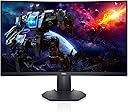
The Dell S2722DGM is a 27-inch curved gaming monitor featuring a sharp QHD 2560x1440 resolution, a fast 165Hz refresh rate, and a 1ms response time for ultra-smooth, blur-free visuals. Its 1500R curved screen enhances immersion and reduces eye strain, while AMD FreeSync Premium ensures tear-free graphics. Designed for both gamers and professionals, it offers height and tilt adjustability, multiple connectivity options (HDMI, DisplayPort), and a sleek, narrow bezel design with ambient lighting to elevate any workspace.


| ASIN | B095V23PTM |
| Adaptive Sync | FreeSync |
| Additional Features | Anti Glare Screen, Curved, Flicker-Free, Height Adjustment, Tilt Adjustment |
| Aspect Ratio | 16:9 |
| Best Sellers Rank | #42,572 in Electronics ( See Top 100 in Electronics ) #1,142 in Computer Monitors |
| Brand | Dell |
| Brightness | 350 |
| Cable Length | 6 feet |
| Color | Black |
| Color Gamut | 99 |
| Compatible Devices | Devices with HDMI, DisplayPort, or compatible headphone jack |
| Connectivity Technology | wired |
| Contrast Ratio | 3000:1 (Typical) |
| Customer Reviews | 4.6 out of 5 stars 1,876 Reviews |
| Display Resolution Maximum | 2560 x 1440 |
| Display Technology | LED |
| Display Type | LCD |
| Hardware Connectivity | DisplayPort, HDMI |
| Image Contrast Ratio | 3000:1 (Typical) |
| Included Components | DisplayPort to DisplayPort cable (ver 1.2) (1.8m), HDMI cable, Monitor, Power cable, Quick setup guide, Safety/Environmental/Regulatory Information, Stand riser and base |
| Item Dimensions D x W x H | 23.95"D x 3.79"W x 14.34"H |
| Item Type Name | Flat Panels |
| Item Weight | 5.8 pounds |
| Manufacturer | Dell |
| Model Name | Dell 27 Curved Gaming Monitor โ S2722DGM |
| Model Number | S2722DGM |
| Mounting Type | Desk Mount |
| Native Resolution | 2560x1440 |
| Number of Component Outputs | 2 |
| Picture Quality Enhancement Technology | AMD FreeSync Premium Technology |
| Pixel Pitch | 109 |
| Power Consumption | 25.3 watts |
| Processor Count | 1 |
| Refresh Rate | 165 hertz |
| Resolution | QHD Wide 1440p |
| Response Time | 2 milliseconds |
| Screen Finish | Matte |
| Screen Size | 27 inches |
| Screen Surface Description | Matte |
| Shape | rectangular prism |
| Specific Uses For Product | Gaming |
| Total Number of HDMI Ports | 2 |
| UPC | 884116388593 |
| Viewing Angle | 178 degrees |
| Voltage | 240 volts_of_alternating_current |
| Warranty Description | 3-Year Warranty |
| Warranty Type | 3 Year Warranty |
J**S
Why do the gamers have all the good stuff? This monitor is great for WORK too.
I recently tried using my 40-inch television as a monitor, and it was awful. The image was larger, true, and it offered some benefits, but the resolution, the pixel density, as well as number of colors, was not there. Plus, it was actually a little too large, like watching a movie in the front row. If youโre eyeballing your big TV and wondering how well it will work as a monitor, donโt try it. It will only be good for playing videos on the computer. I needed a real monitor, but I needed one larger than my original monitor. So once again, there I was shopping on Amazon. I settled on this one because of the size and the resolution. So many monitors these days have a max of 1080p. I remember way back in the early 2000s, my monitors going higher than that. At least, I think. Well, 2560 x 1440 is what the doctor ordered. This is not merely a gamerโs monitor. It is an animatorโs monitor, at a higher resolution. Acres and acres of screen so that I donโt really need to have two monitors any longer. I love it. Itโs just on the edge of being too large. The look and feel of the monitor is quality. This thing is serious. After a year of an ONN monitor that I didnโt really like because it didnโt have proper contrast, and a second Dell monitor that was slightly smaller, old, and dying, I was finally back to quality. Itโs almost frightening because my animations look so much better now that I hope the final product looks as good to people who see my work. The reason I use two monitors at work and at home is because thereโs not enough room on one screen for all my tools. Generally, increasing the monitor size doesnโt help, because only so much information can fit on a screen. But in this case, the screen is bigger AND the resolution is higher, so more information can indeed be placed on the screen. I no longer need two monitors! I have my two work monitors and this huge Dell monitor. Well, honestly, thereโs not much more room left on my desk for a second personal monitor anyway. Iโve only included one screen shot to impress upon you the amount of information that can be squeezed onto the screen. On a 1080p monitor, and perhaps on a 1440p monitor, but smaller, the screenshot will look crowded, but itโs perfectly comfortable now. Normally, I always have the timeline at the bottom hidden, because it takes up too much room, and I need the viewport larger. Here, everything is comfortable, and my old eyes have no problem seeing all the information. Iโm also finding that I donโt tend to go on full screen as much on YouTube, but I will probably end up switching to the dark mode, because all that white can be blinding. Itโs a bright monitor, and itโs a dark monitor. The contrast is excellent. I would buy this monitor again in a heartbeat. I almost talked my daughter into buying the replacement that I was going to send back, but she just has no room for it until she moves. Speaking of replacement, I had a rocky start though. This speaks nothing to the quality control of the hardware itself. The original monitor was just left in my driveway by USPS, just minutes before a sketchy guy came to buy my car. If the neighborโs dog hadnโt barked, I wouldnโt have stepped out to see the boxโฆ left just ten feet from an unused doorbell. But here comes the real rockiness and it sort of embarrasses me because Iโm a tech guy. Iโm NOT that customer who calls tech support because he forgot to plug in a device. I swear, Iโm not that guy! The first monitor arrived with no instructions, and I couldnโt turn it on. I checked cables, and power strips. Amazon offered only general advice for idiots on connecting a monitor and (choking) making sure itโs on. And, this is also key, it was in the box upside down. Remember! This is my alibi. A simple instruction manual or quick start guide would have shown me the nearly invisible power button on the bottom right. And now that I think of it, that power button is in the same place, invisible, on my two newest TVs, though there is a RED LIGHT to alert you that there is the button. The red light goes away when the TVs are on. This monitor has no such illumination of the power button. It only lights up when itโs ON, not off. But all I had was a warranty slip, and the power button was all but hidden on the bottom. I tried every permutation of the prominent unlabeled buttons on the back, and nothing. I thought that the first monitor was dead and called in for a replacement. The replacement came, and by sheer chance, as I tilted the properly packaged one out of the box, there was the faint gray power button! It was literally the FIRST THING I SAW! The replacement came with a no-words uni-language hieroglyphics quick guide for setup that was missing in the first one, that also had a callout for the power button. My heart sank. I went back and checked the original. There was the power button! It had worked all along. There was nothing wrong with it. The final hieroglyphic showed a disc and a hardcover book and a webpage and a down arrow. I checked with Indiana Jones, and he told me that this cryptic message meant to download the user guide from dell.com/s2722dgm for further information. Dell spent a ton of money on more than adequate packaging for this monitor. A whole tree died to deliver it. It came with an extra HDMI cable, which was nice. I would have traded the shiny box, which Iโm just going to toss out, for maybe one more 8.5x11 sheet of paper to get me up and running. There was also plenty of white space on the outside of the box for all the info I needed. Just a picture of the power button, because when you look at the back of the monitor, the joystick button makes you think it MUST be the power button. Poor packaging ended up costing Dell and Amazon. How I wish I had gone ahead and googled an online manual, but I was so depressed that it didnโt work that I just waited on the replacement. But the next debacle is all my fault. I thought that the replacement was defective. I couldnโt insert the HDMI into the HDMI 1. The problem was my orientation. I had my head upside down, looking, and then righted myself, my mind inverted left and right, and I was trying to insert into the display port and not the HDMI port. I used HDMI 2 and loved it. So, when I returned the perfectly fine replacement, I mentioned that the HDMI 1 was damaged, when it wasnโt. Some guy at the Amazon returns department is going to call me an idiot. One had to be returned, so it wasnโt a real issue. But overall, I love this monitor. Iโm spoiled to it, and donโt want to go back to regular monitors. It shouldnโt be called a gaming monitor. Itโs a workstation monitor. Love it to death.
R**E
Great quality and great price.
Great quality computer for gaming. Itโs a pretty good size as well. The color quality is great for the price. Definitely would recommend.
M**L
Affordable gamechanger for those used to 1080p 60fps monitors
For the picture: This is white because I painted it and broken because of user error, this is a really good monitor for its price. I actually bought this a year ago and just recently bought a used replacement from amazon since I broke mine (MY FAULT), and I love this monitor! As someone who's stuck with 1080p 60hz monitors for most of my life, this was such a jump in terms of smoothness, quality, and comfort (due to the curved screen). I have had zero issues with this screen at all. I don't play FPS or other fast paced games so I'm not sure about the response speed, but I do draw and play casual games like BG3 and genshin and I think they look stunning. When using, remember to take advantage of the 165hz speed by right clicking on your desktop > display settings > advanced display settings > set the refresh rate to 165hz. Otherwise, you'll be stuck at 60fps by default and won't get that higher fps feature you paid for. Since I bought the used version from Amazon warehouse, I did notice that there were a lot of scratches and marks that looked like it was from sandpaper on the back casing. Luckily that wasn't an issue for me since I was planning on painting it white anyway. But I did plug it in and it worked as expected. This monitor is black but I painted my old one white. Also ignore the broken monitor part of the picture, that was my fault (do not hold that thing face down with your fingers digging into the screen) and I'm working on getting the replacement painted!
R**H
Dont think about it! Just do it!
I love these monitors so much that I have 3! Worth every dime! I use them for Gaming/School/Work. I have not encountered any Lag or pixeling when Play on them. I play everything from COD, Black Desert, WoW, to Stardew Valley and the Sims. All at Max Resolution and never encountered an issue Regardless of how many hours I play.
P**L
Fantastic monitor, highly recommend.
There's not much to say, other than how great it works. I am quite thrilled with the 165hz capability, it feels absolutely incredible after using a 59hz TV as my monitor. Very smooth. Also one last thing, you may hesitate to buy this over an IPS, but honestly, the colors are fantastic and deep, and rich. Nice, solid, rich blacks, you'd think the screen was off. If you're looking for great contrast, this is your display. One weird thing I noticed, not a problem, just weird, is there is a blue light in the middle of the bottom edge of the display. It's touch to turn it on. I don't really know why that's a feature, but it's maybe useful if your keyboard doesn't light up? One last thing to note, make sure you look at the display configuration to fully take advantage of the power of the display. Also if you want to use the full 165hz, you have to set it in Windows Display Settings.
E**.
Full screen videos don't look quite hd.
I recently built my first gaming pc. I game at 1440p, and I'm not an experienced pc gamer by any means, but it looks good to my eyes, nice and crisp. Nothing to complain about there, but... I have recorded some gameplay, might do youtube as a hobby, and the videos just don't look quite 1080p which is what I record at. Thought it was just obs, or something, but it's the same issue when watching YouTube videos full screen at 1080p. It's not unbearable, but it's just not as sharp as it should be. So I don't know. It's great for gaming, but be wary it might not look as great for videos. I'm rocking a 5800x3d and 6800 xt, so hardware shouldn't be the issue. Or I'm just too used to 4k TVs and 1440p gaming lol.
T**J
Amazing upgrade from traditional Monitor-Use proper cable
Upgraded from a 24" 1080p monitor to this and wow what an upgrade! The picture quality is just superb, almost feels like a plasma screen as much as the colors pop on it, and the curved just makes it feel like your almost in a VR set. Note to folks, while HDMI is great and all, you will get higher refresh rates and better picture quality when using DisplayPort, rule of thumb, computers like DP and everything else likes HDMI. Using DP to HDMI cable isn't the same as DP to DP. Also, setting monitor to SuperFast seems to be a good happy setting.
L**S
Best. Monitor. Ever.
I would be surprised if there was a day we havenโt used this monitor since we bought it. This monitor has great graphics for gaming with really vibrant colors. The size of the screen is not only great for gaming, but is also a great size to work from home with and easily compares to having two monitors. The price was great based on other monitors we have seen that compare, and we are so glad we bought this.
K**D
Great Monitors for my needs
I had the dell ultrawide already and wanted side monitors that were the same hight. I like the response time, brightness and color accuracy. Decent gaming monitors for the price.
F**Z
I loved this purchase. I have been using this with my Alienware.
Z**P
Not 4K but for that price it's very nice.
I got this monitor for 350$ + tx. It's sold for 560$ + tx on DELL.ca. For a 27'' 1440p for less than 400$ it'S very good. I remove only 1 start, the stand is too short. I had to put something under the stand to be at the same height. Also they provide 2 x hdmi cable, no dp port so I had to buy one.. Beside of that I'm shocked. The image is really nice and clean. 2 x hdmi and 1 x DP so I can plug my personal desktop my MacBook Pro and my work laptop. Better than my previous Asus. So I really recommend this monitor.
K**S
Not as expected
The Dell S2722DGM is a disappointment. The curved screen has too much back light bleeding. How can someone enjoy the nice black contrast if random white spots are on the screen. It also came with a stuck green pixel. My other G2724D had 5 green pixels so I think this is a regular pattern from Dell quality control. The panel has a really bad motion blur ghosting in dark colours. The extreme setting didn't do anything and not even an inverse ghosting with the white trail effect. Motion sickness is imminent if the game has a dark scene and panning the camera a lot. I might be able to disregard the pixel and bleeding if ghosting wasn't bad. It has a basic packaging. Dell used egg carton style inserts instead of styrofoam which is better for disposing but not for padding shipment. Soft foam is located only on the face of the screen. Display and power cables are folded instead of coiled so good luck trying to straighten it out without snapping the insulator. The only good features are the easy access power button, blue accent lighting and the adjustable stand that can make the screen almost sit flush with the desk.
E**K
Low angle of color accuracy, but good for gaming!
Trustpilot
4 days ago
1 month ago