


🚀 Upgrade your WiFi game with Edimax’s AC1200 Dual-Band USB Adapter!
The Edimax EW-7822UAC is a high-performance dual-band wireless USB 3.0 adapter delivering up to 1200 Mbps speed. Designed for desktop users, it offers reliable, certified connectivity with seamless switching between 2.4 GHz and 5 GHz bands, ensuring fast and stable internet access for professional and home use.


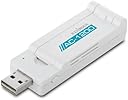
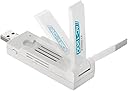

| ASIN | B00BXAXO7C |
| Brand | EDiMAX |
| Brand Name | EDiMAX |
| Compatible Devices | Desktop |
| Country of Origin | USA |
| Customer Reviews | 4.1 out of 5 stars 156 Reviews |
| Data Link Protocol | USB |
| Data Transfer Rate | 1200 Megabits Per Second |
| External Testing Certification | CE, FCC |
| Global Trade Identification Number | 00568981909281, 05053959221182 |
| Hardware Interface | USB 3.0 |
| Item Height | 1.5 Inches |
| Item Weight | 91 g |
| Item Weight Unit of Measure | 91 g |
| Manufacturer | Edimax Computer Company |
| UPC | 702375781200 172304354605 568981909281 132017776231 649659022959 731215280658 753459169858 616268689484 898029711577 803982889713 |
S**H
conecta muy rapido a cualquiera wifi
no me gusto el tamaño, esta un poco gordo y ancho. si lo conecta al puerto, no se puede conectar nada al otro puerto. Pero su funcionamiento esta muy buena
C**C
Tech Radar
Tech Radars Top performance 5G adaptor
C**I
Linux-kompatibler AC-Adapter
Der Edimax EW-7822UAC Wireless Adapter USB 3.0 hat den Datentransfer zwischen meiner FritzBox 7490 und meinem PC deutlich verbessert. Wie in anderen Produktbewertungen bereits geschrieben ist der USB-Stick bestens geeignet. Hier noch ein kleiner Hinweis für die Installation des Treibers unter Ubuntu 13.10: Der von der Edimax-Seite heruntergeladene Treiber ließ sich leider auf meinem System nicht korrekt installieren. Auch vermisse ich eine kurze Anleitung für die Installation unter Linux/Ubuntu. Deshalb habe ich aber keinen Stern abgezogen, da das Produkt an sich Spitze ist. Mit dem im Internet herunterladbaren Master-Treiber ist die Installation dann auch schnell erledigt: 1. Datei im Downloadverzeichnis entpacken 2. Im Terminal auf das entpackte Verzeichnis der heruntergeladenen Datei wechseln 3. Nacheinander die folgenden Eingaben mit Administratorrechten (SUDO) vornehmen: sudo make sudo make install sudo modprobe 8812au Der Master-Treiber ist schnell gefunden. Die Suche unter GOOGLE 'Master driver ew-7822uac' führt hier schnell an das gewünschte Ziel. Sollte einmal ein Kernel-Wechsel erfolgen, so ist im Downloadverzeichnis der Treiber neu zu kompilieren. Deshalb dann unter 4. make clean eingeben und anschließend die Schritte unter 3. wiederholen. Schon funktioniert es wieder!
J**R
Very reliable. Does excatly what you would hope and expect.
Very good quality, very good performance, very simple to setup by following instructions. Good signal, good range. Very easy to turn off and on again if there's a connection issue (which is rare). My only issue with it, is that unlike all other wireless adapters I've used, this one causes Windows 8 (and now 10) to think that there is some external media connected and will not hide the 'safely remove hardware and eject media' icon from the bottom right of the taskbar. I've learnt to deal with it but it does bother me as I like a clear desktop. I paid £30 and in my opinion it's worth the slight extra over other brands that don't offer as high a signal as AC1200
A**S
perfecto
envio muy rapido,y el producto,de momento cumple bien el cometido por el que se compro de momento todo bien y
Trustpilot
2 months ago
2 weeks ago