Desertcart purchases this item on your behalf and handles shipping, customs, and support to Senegal.
🔗 Bridge the tech gap — connect legacy gear with modern ease!
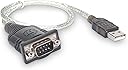
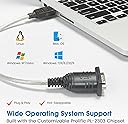
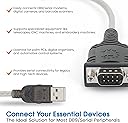
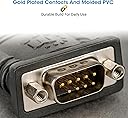
The Manhattan USB-A to Serial Converter Cable (45 cm) features the reliable Prolific PL-2303RA chipset, enabling seamless USB to RS232/DB9 serial port conversion. Compatible across major operating systems including Windows, Mac, and Linux, it supports a wide range of legacy and industrial devices. Its compact, durable design and lifetime warranty make it an essential tool for professionals needing dependable serial connectivity in a modern workspace.


| ASIN | B0007OWNYA |
| Best Sellers Rank | #107,745 in Computers ( See Top 100 in Computers ) #437 in Serial Adapters |
| Brand | Manhattan |
| Built-In Media | switch/conversion connector/conversion connect/monitor arm & stand/USB cable/ |
| Color | Black/Silver |
| Colour | Black/Silver |
| Compatible Devices | Modem, PC, Scanner |
| Compatible devices | Modem, PC, Scanner |
| Connector Type | DB9, USB |
| Connector type | DB9, USB |
| Customer Reviews | 4.6 out of 5 stars 922 Reviews |
| EU Spare Part Availability Duration | 1 Years |
| External Testing Certification | Não aplicável |
| Finish | Matte |
| Global Trade Identification Number | 00766623205146 |
| Item Dimensions | 45.7 x 3.8 x 5.1 centimeters |
| Item Part Number | 205146 |
| Item Type Name | MANHATTAN USB - Serial Converter Pl - 2303Ra 45 Cm (205146) |
| Item Weight | 0.2 Pounds |
| Item dimensions L x W x H | 45.7 x 3.8 x 5.1 centimeters |
| Manufacturer | Manhattan |
| Mfr Part Number | 205146 |
| Model Number | 205146 |
| Number of Items | 1 |
| Number of Ports | 1 |
| Package Quantity | 1 |
| Power Plug Type | No Plug |
| Smart Home Compatibility | Not Smart Home Compatible |
| Specific Uses For Product | personal, gaming, business |
| Specific uses for product | personal, gaming, business |
| UPC | 072091724653 163120683468 766623205146 |
| Unit Count | 1 Count |
| Warranty Type | Lifetime |
A**S
Good cable, works well in Linux
This cable works well in Linux and should work well in most any modern OS. The manufacturer provides drivers for Linux, Mac and Windows on the included mini CD and on their web site. In Linux at least, the driver is included in any kernel above 2.6.9, so no driver should need to be installed. You just plug the cable into a USB port and the system will detect it as a pl2303 device and attach it to /dev/ttyUSB0. Dmesg reports: [60253.000715] usb 4-1.3: new full-speed USB device number 4 using ehci_hcd [60253.086957] usb 4-1.3: New USB device found, idVendor=067b, idProduct=2303 [60253.086962] usb 4-1.3: New USB device strings: Mfr=1, Product=2, SerialNumber=0 [60253.086965] usb 4-1.3: Product: USB-Serial Controller D [60253.086967] usb 4-1.3: Manufacturer: Prolific Technology Inc. [60253.087312] pl2303 4-1.3:1.0: pl2303 converter detected [60253.089056] usb 4-1.3: pl2303 converter now attached to ttyUSB0 I used this to back up a 21-year old Casio SF-4300B digital diary on a computer without a serial port, using the XLink/Win program in Wine. When using this cable in Wine, you have to link the Linux device to the Windows serial port COM1, with the command "ln -s /dev/ttyUSB0 ~/.wine/dosdevices/com1" as regular user, as mentioned at [...]. Then, any Windows software that runs in Wine should be able to access your serial device. I don't currently know of any native Linux software than can back up these Casio diaries. The 13 inches of cable in this converter were practical with the Traveling Software serial cable I used it with.
K**E
Works very well. Automatic plug and use for Windows 7
Works as advertised. On windows 7, driver will download automatically and create a virtual port. The virtual port acts like a physical port for all applications.
H**I
Adapter von seriell auf USB
Das Teil ist wirklich brauchbar. Das Kabel ist zwar kurz, macht aber nichts, wenn man z.B. eine Telefonanlage konfigurieren will, schließt man nicht das Adapterkabel direkt an die Anlage an, sondern zunächst das zur Anlage gehörende serielle Kabel (9 Pin-Stecker - sofern noch vorhanden) und dann daran das Adapterkabel. Wenn dann der Treiber ordnungsgemäß installiert wurde, wird beim verbinden automatisch die COM1-Schnittstelle belegt. Da die USB-Anschlüsse aber in der Regel nicht COM1 sind, muss der Anschluss in COM1 umbenannt werden. Dazu geht man in den Gerägemanager, ruft den Anschluss auf und muss sich dann soweit durchklicken (bis erweitert), bis man dahin kommt wo umbenannt werden kann. Dann funzt alles einwandfrei. Ich bin mehr als zufrieden.
R**R
veri good product.
veri good product....... Packet has to be before it was opened! But the stuff is the best thing right now online stuff Mgana risky!.पैकेट लेने की पहले ही खोला जा चूका था ! मगर सामान सही था अब ऑनलाइन सामान मगाना जोखिम भरा होसकता है !
D**P
Funzionamento 100% al primo colpo (Win10 e Ubuntu 18.04LTS )
Nessun problema con Windows 10 64-bit: appena inserito nella porta USB del mio portatile con Windows 10, esso è stato riconosciuto automaticamente dal sistema operativo, senza quindi inserire alcun CD o scaricare driver. Riconosciuto automaticamente anche da Ubuntu 18.04LTS 64-bit. ***PRECISAZIONE***: il cavo seriale che viene emulato è "diritto", come del resto tutti gli adattatori USB/RS232, quindi se avete necessità di un'emulazione "incrociata" occorre anche un classico cavo seriale DB9/DB9 femmina/femmina, ma di tipo "null-modem", che trovate sempre qui su Amazon sui 2-3 Euro. Vi ricordo che il cavo "null-modem" è richiesto nella programmazione, per esempio, di switch. Nel mio caso l'ho usato senza alcun problema per programmare uno switch HP Procurve 2520: ho usato Putty con connessione seriale 8-N-1 XON/XOFF e ha funzionato al primo colpo; ricordatevi sempre di battere un paio di INVIO per iniziare la connessione, diversamente vedrete sempre la schermata nera. Se ci dovessero essere problemi, impostate anche la COM emulata su Windows 10 (es. COM4) con gli stessi parametri 8-N-1 XON/XOFF.
Trustpilot
3 days ago
2 months ago