Desertcart purchases this item on your behalf and handles shipping, customs, and support to Senegal.
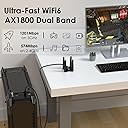
๐ Upgrade your desktop WiFi game with WAVLINK AX1800 โ speed, stability, and security in one sleek package!
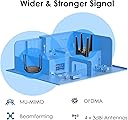
The WAVLINK AX1800 USB WiFi 6 Adapter is a dual-band wireless adapter designed for Windows 10/11 desktops, delivering up to 1800Mbps combined speed via 2.4GHz and 5GHz bands. Featuring USB 3.0 connectivity, 4x3dBi high-gain antennas, WPA3 security, and a magnetic base with a 1-meter cable, it ensures fast, stable, and secure internet access ideal for gaming, streaming, and professional use. Includes built-in drivers for easy setup and backed by a 2-year warranty.


| ASIN | B094NB9RN6 |
| Best Sellers Rank | #34 in USB Computer Network Adapters |
| Brand | WAVLINK |
| Built-In Media | 1 x Quick Start Guide, 1 x USB3.0 Cable, 1x AX1800 Wireless Dual Band USB3.0 Adapter |
| Color | AX1800 |
| Compatible Devices | Desktop, Laptop, Router |
| Compatible Operating System Family | Windows |
| Customer Reviews | 4.2 out of 5 stars 1,410 Reviews |
| Data Link Protocol | USB |
| Data Transfer Rate | 1800 megabits_per_second |
| Hardware Interface | USB 3.0 |
| Item Dimensions L x W x H | 5.43"L x 4.21"W x 4.21"H |
| Item Type Name | USB WiFi Adapter |
| Manufacturer | Wirelessforce |
| Mfr Part Number | WN693A5 |
| Minimum Required Operating System Version | Windows 10, Windows 11 |
| Model Number | WN693A5 |
| Number of Items | 1 |
| Product Dimensions | 5.43"L x 4.21"W x 4.21"H |
| Unit Count | 1 Count |
| Warranty Description | 2 Year Warranty |
S**H
eXcellent value and performance
The WAVLINK AX1800 WiFi 6 Dual Band Adapter got my attention from a YT review. After a recent high end Nighthawk usb adapter fail, I decided not to pay top dollar for a new adapter however I wanted to get something that still offered performance. After viewing the favorable review I purchesd the WAVLINK, it was delivered the next day. I connected the adapter via the included USB cable, the device was detected by my OS Windows 10. I was able to choose se the 5GHz option and connect to my wireless Internet signal that is fiber optic rated at 1 gig. I ran a speed test (see below photo) the download and upload speeds were more than enough to support internet gaming, and live streaming at 1440p. With the price point and performance this WiFi Adapter was a winner for me. The 4 antenna device looks pretty cool too.
D**X
This adapter upped the signal strength significantly and no more lost connections.
I have a new 6500 TP-Link router to replace an older one of the same brand that had gotten pretty slow. The new router kept dropping connections every few minutes on a desktop computer I had setup in my kitchen. Tried 3 different wifi adapters but they all gave the same symptoms. Last evening I ordered one of these WAVLINK adapters based on the favorable comments in the reviews. I plugged the USB cable in and the install instructions automatically started up on the computer (there was no installation disc present). That was a new one on me ! Anyway, as mentioned, there are no fancy glowing antennas like the ad shows, but the process went exactly as it should and the computer has not lost a single connection and the signal strength is way higher than any of the other adapters could provide. Of course this is early-on in my use of it, but I am VERY happy with it so far. The computer shows it as a Realtec driver.
M**A
Way faster internet
Awesome product. Fast,shipping. My internet is way better and faster. I had the USB wifi with no antennas. I would get 40mb up and down. A massive improvement and highly recommend it
D**.
Windows 10 Install, So Far So Good With One Caveat - UPDATED X 2
First off... I sure hope the people giving this a bad review because it doesn't light up with flashing blue colors don't vote. haha Alright, so I've had this plugged in for a few hours... We live out in the sticks, so our only option for Internet was DSL. My PC is not a dinosaur, but it's old enough that it doesn't have a Wifi adapter. (It does have USB 3.0, at least lol). So my PC was connected to our router via ethernet, and the entire rest of the devices in the house connected to the router over Wifi. Well the other day we got T-Mobile home internet, and the only spot it got good cellular reception was downstairs and my PC is upstairs on the opposite side of the house. No way to run a long ethernet cable to it, so I had to find a Wifi option for my PC. After much reading, I settled on this one. I liked that it had 4 antennas, and a cable so it wasn't just something stuck right in the back of my PC. I liked that with the cable it had some flexibility to move it around and set it up on my desk. As the title states, I have Windows 10 and I can verify this thing is truly plug and play. I didn't disconnect my DSL, just plugged this thing into a free USB port and in no time when I clicked Networks on the task bar suddenly I could see our current Wifi and the T-mobile one. Suprisingly good signal from the T-mobile one, too... which as I said is downstairs on the other side of the house from me. I'm guessing 50 feet away through several walls and the floor. Clicked on the T-mobile Wifi, typed in the password, and it immediately joined and I suddenly had Wifi access on my PC. I was shocked how easy it was. I'm one of those people that always expects there to be a problem and something to go wrong. But no, it just worked immediately and connected immediately with no driver downloads or fiddling with settings. Now... in the title I said there's a caveat and there is. Using Speedtest.net, on my PC with this adapter I get slightly faster apparent download speeds than my iPhone 11 testing on the same server and right next to this adapter. But my upload speeds, for whatever reason, are noticeably slower and seem to consistently be so test after test. Testing on my iPhone I'll get, say, 38 Mbps down and 9 Mbps up. But on my PC with this adapter (once again, both here in the same room) I'll get 41 Mbps down but only like 3 or 4 Mbps up. For some reason I just can't get the same apparent upload speeds using this, and perhaps there's a technical reason or something a computer expert would understand... but that's above my paygrade. But honestly, I don't care. With our DSL I got 5 Mbps down and .6 Mbps up. Yes, *point* six up. So in my particular case, I'm thrilled even if I don't get the same upload performance as my phone seems to get. Just be aware if you're used to really fast upload speeds with other wi-fi devices, you may not get them with this adapter. So as I said, it's only been a few hours. I've restarted the PC several times just to make sure there's no issue with it re-connection on power up and there hasn't been. I'll update later as time goes on if anything changes, but if you never see me edit this review again then suffice it to say it's working and working well. I'm still in shock how easy this was on Windows 10, and I don't see why Windows 11 would be any different. UPDATE 9/12/21: After several weeks of this thing working flawlessly, I've suddenly developed the issue several other reviewers mentioned of constantly losing the connection. Every other Wi-Fi device is fine, so I know it's just this adapter. I was so happy with it that I've requested a replacement and I'll give it one more try, hopefully just got one with some faulty hardware that didn't hold up. UPDATE 9/15/22: Just received the replacement adapter, immediately plugged it in and I have a solid connection again that isn't dropping out every few minutes. Fingers crossed the other one was just a bad egg, because otherwise these things are really slick. Fast connection and super easy to set up. Will update again if either 1) this one starts dropping out, or 2) a good amount of time has gone by and it's continued to perform perfectly. UPDATE 2/8/2023: 5 months later, and it's worked almost flawlessly the entire team. Every so often upon booting up my computer, the adapter upon powering up will fail to connect to the wi-fi... but a quick unplug from the USB and back in and almost every time it immediately connects that second try. But this doesn't happen all that often, so I'm not worried about it. This adapter has been excellent for the price, utility, and ease of installation. Definitely recommend.
R**S
Works Great
I needed a USB WiFi adapter. This worked great. I was getting 300mpbs, which is about all you can ask for on WiFi! And it was super easy to install, I didn't have to do anything other than plug it in.
D**N
Amazing for PC Gamers!!!
If you're reading this, that means you probably want a top tier WiFi adapter that will actually work. I have a gaming PC that needs a WiFi adapter and have had a bunch of internet issues as a result. I've tried ASUS and Netgear WiFi adapters and neither one worked the way I needed it to. They would constantly lose connection to my router and sometimes not work at all. Even when they did work, I would only see speeds as fast as 1 MBs which is abysmal in this day and age as a gamer who wants to play an online game and talk to friends as well as even stream from time to time without access to ethernet. These things are expensive and should work the way they are advertised! However, all of my problems went away when buying this WiFi adapter. This WiFi adapter kicks butt! It does its job and then some. It has totally exceeded my expectations. I went from 1 MBs to about 40 MBs! What an upgrade! It's super easy to set up and install. Two steps: Plug it in and download the drivers. Done! Finally, the hunt for an actually good WiFi adapter that isn't just a hunk of plastic that you plug into your computer and sometimes works, no, this adapter is the one! No more lag and no more slow internet speeds! Pros: Significantly faster speeds Great for gaming and streaming Easy installation Aesthetic design Possibly the best on the market Cons: The magnetic base could potentially harm computer components if placed on top of a computer tower.
J**O
New 6G Routers need new 6G Adapters
Recently purchased an Amazon refurbished CPU that came with the generic WIFI plug in that couldn't hold my new 6G router. Did a direct connect with this to the CPU and that fixed the problem and then some! Blazing speed.
T**D
works fine, but slow as hell.
I used to think 60mbps was normal. That's what I was getting with my motherboard wifi 6 built-in adapter. luckily the motherboard wifi adapter broke 6 months after buying the motherboard. I decided to get the Netgear 7500 usb wifi dongle for 50 bucks, i thought it was cheap. I thought it was going to be temporary since it's so damn ugly. But it was the only thing i could immediately buy at walmart, the nearest best buy was another 20 minutes away. I did a speed test with it and was blown away when i was getting....600 mbps with ookla?! that can't be right. I was so used to the 60mbps limit that i've been getting with all other motherboards and wifi dongles. But the netgear 7500 is damn special. So anyway 2 days later, i finally get this in the mail and boy is it beautiful. But the ookla speed test showed that it only gave me 60mbps again. Damn, I am disappointed, but I will keep it as backup. Edit: after support reached out to me, i discovered that for some reason this thing was only using the 2.4ghz band and not the 5ghz. So after some fiddling, i finally got it to take the 5ghz band. bandwith is now 350mbps. not 600 like the other one but much better now.
R**T
Almost great
Hello At First this was a great and economical usd wifi adapter. connection was fast and stable but to get these results I had to install it like a table, with antennas down (see picture). When installed as suggested, with the antennas up, I had a very unstable connection and speed was lower than my pc integrated wifi card After six months, I started having issues with spotty connection, contacted the seller, got some suggestions, applied them and all was ok for another 3 months. Now, this thing is completely useless, internet is slow and spotty. Manufacturer will not respond and could not get a re[;acement Why is it that new porducts do not last long enough to at least make the cost worthwhile Had same issues with Netgear
Trustpilot
3 weeks ago
1 week ago