Buy anything from 5,000+ international stores. One checkout price. No surprise fees. Join 2M+ shoppers on Desertcart.
Desertcart purchases this item on your behalf and handles shipping, customs, and support to Senegal.
🖨️ Print smarter, not harder — stay ahead with Brother INKvestment!
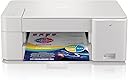
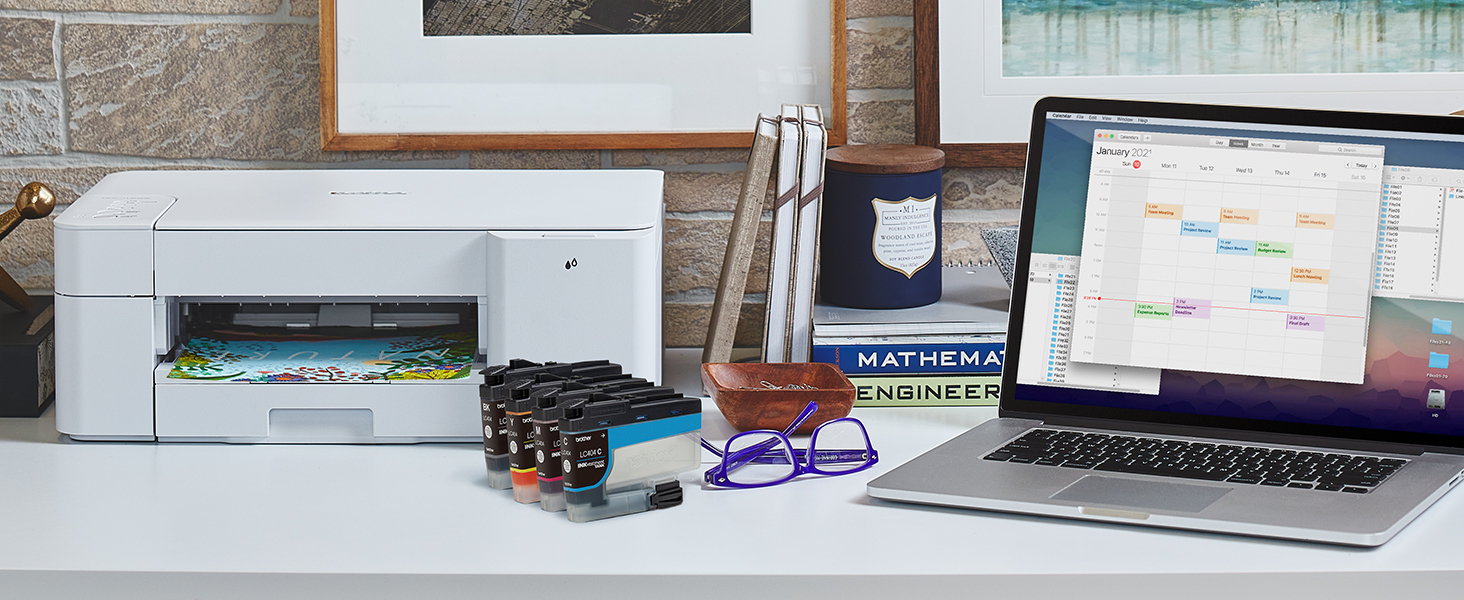
The Brother MFC-J1205W INKvestment Tank is a compact, wireless multifunction color inkjet printer designed for busy professionals. It delivers up to one year of uninterrupted printing with high-capacity ink cartridges included in-box, supports mobile printing via the Brother Mobile Connect app, and offers versatile connectivity options including Wi-Fi, USB, and Alexa voice control. With a 150-sheet tray and sharp print resolution, it balances efficiency, convenience, and quality for home or office use.


| ASIN | B092YXNZT6 |
| Additional Printer Functions | Copy, Scan |
| B&W Pages per Minute | 16 ppm |
| Best Sellers Rank | #8,087 in Office Products ( See Top 100 in Office Products ) #60 in Ink Tank Printers |
| Brand | Brother |
| Built-In Media | Brother MFC-J1205W, Black Cyan and Yellow Starter Ink Cartridges, Quick Setup Guide, Product Safety Guide, Reference Guide, Warranty Card |
| Color | White |
| Color Depth | 8 bpp |
| Color Pages per Minute | 9 ppm |
| Compatible Cartridge | LC404BK, LC404C, LC404M, LC404Y, LC4043PK |
| Compatible Devices | Laptops, PC, Smartphones, Tablets |
| Connectivity Technology | USB, Wi-Fi |
| Control Method | App, Touch |
| Controller Type | iOS |
| Customer Reviews | 4.0 out of 5 stars 2,411 Reviews |
| Display Type | LED |
| Dual-sided printing | Yes |
| Duplex | Manual |
| EU Spare Part Availability Duration | 1 Years |
| Hardware Interface | USB 2.0 |
| Initial Page Print Time | 15 to 20 seconds |
| Ink Color | Cyan, Yellow, Magenta |
| Item Dimensions D x W x H | 14.1"D x 17.1"W x 6.3"H |
| Item Type Name | Multifunction Printer |
| Item Weight | 12.3 Pounds |
| Manufacturer | Brother |
| Maximum Copies Per Run | 150 |
| Maximum Copy Resolution Black and White | 1200 x 600 dpi |
| Maximum Copy Resolution Color | 1200 x 600 dpi |
| Maximum Copy Speed Black and White | 16 ppm |
| Maximum Media Size | 8.5 x 11 inch |
| Maximum Print Resolution Black and White | 1200 dpi |
| Maximum Sheet Capacity | 150 |
| Maximum print Resolution Color | 1200 |
| Model Name | MFCJ1205W |
| Model Number | MFCJ1205W |
| Model Series | MFC-J |
| Number of Trays | 1 |
| Other Special Features of the Product | Network-Ready |
| Output sheet capacity | 150 |
| Paper Size | 8.5 x 11, 8.5 x 11.7 Inches |
| Print media | Envelopes, Glossy photo paper, Paper (plain) |
| Printer Connectivity Type | USB, Wi-Fi |
| Printer Output Type | Color |
| Printer Type | Inkjet |
| Printing Technology | Inkjet |
| Processor Count | 1 |
| Resolution | 1200 x 600 |
| Scanner Type | Flatbed |
| Series Number | 1200 |
| Special Feature | Network-Ready |
| Specific Uses For Product | Office |
| Total USB 2.0 Ports | 1 |
| Total Usb Ports | 1 |
| UPC | 012502663867 |
| Unit Count | 1.0 Count |
| Warranty Description | 2-Year Limited |
| Warranty Type | limited warranty |
A**.
Simple, easy to set up and use printer that does what I need
Set up was easy. Downloading the app took most of the time. Prints much faster and quieter than my failed expensive printer but that is relative. I like the boxes of ink. It is a basic printer but it does everything I need. It is compact which I like. I am going to buy another for the wife's office. Edit: I would remove 1/2 star from my rating if I could for the Brother feature app. I could never get scan to work. I did find the Windows scan app worked perfectly and it was already there. I love the printer. It is quiet, fast and inexpensive to use. The paper magazine is clunky to use but fine for home use. Edit: I had to uninstall the "iprint&scan" app as it inundated with upgrade requests. Works just fine with the windows drivers. For such a simple printer the upscale app is unneeded. Love the printer-it just works well for a very inexpensive printer-fast and quiet.
S**S
Fits the need
After years of not having a printer at the house since my last died, finally had to bite the bullet to get another. While not a whole lot of printing happens at the house, it became clear that going to the local library to print things off when needed was annoying. The price of the device was fair. I found it pretty easy to set up and be able to print to, modify default settings, etc. The print quality is not the best, but I also wasn't looking for something with premium print quality. Not to say that I have found the quality to be poor, because it is not, it does a fine job.
B**S
Great printer. Setup is not so great
I can only give it four stars because the setup was a mess. I did get it working, but it was so not intuitive. I spent a career as a computer professional, and many years doing desktop support. I'm not exactly a novice. I was installing on a MAC and sometimes the support for MACs just isn't stellar. Sometimes I was flying by the seat of my pants with years of experience. I did, however, get it working :). The quick guide is kinda sparse. Too sparse. It says "now install the ink cartridges" which is mostly intuitive only they did not tell me if I needed to remove the tape from the cartridge first. I did and I still don't know If it was what I was supposed to do. And no clue how to turn the thing off ... really, nothing in the instructions on how to turn it off. I printed a test page of something that has intensive colors and detailed graphics (a geological thin section in XP view). It took FOREVER to print, but I guess that is ok. It was really color intensive. I hid under the table half the time looking for the X-wing fighters. It seriously sounded like a full on Star Wars assault on the battle star. Pew, Pew, Pew ... no kidding. I'm ok with that, just thought it was interesting. I was amused. Having said all that I'd probably buy it again. My comments are 1) hey, it's a 99 dollar color printer. I can do without the multi-function stuff as I have other devices. It will meet my needs. I don't need fast, I just need reasonable color resolution, 2) It was cheap :) If you are considering this (or any other color inkjet for laser) for your primary printer - just don't do it. That is a bit of free professional advice. The consumables will break the bank. You just can't feed a color printer of any description as a primary printer and come ahead. It will eat your pocketbook. And it's slow as molasses. 3) read carefully before you buy. Way too many companies now want to snag you into that subscription thing. You have got pay them to keep the thing working. Great business model for them, not so great for you. And don't buy a service agreement ..... serious money maker for companies. If it works out of the box, it will likely work for years. That goes for cars as well, but that is another story for another time 5) Brother is a great company and makes great printers as does Canon. You get a lot of bang for your buck for ninety-nine bucks. Just don't buy it as your only printer. OK, off my soapbox. Sorry for the rant. Chose wisely.
M**A
Dubious
I was worried about the software not being designed for the printer. The software that is downloaded to pc says to press the wireless button, but there isn't any wireless button. I searched on google for the wireless button for that model and google suggests there isn't one. The cell app similarly says I must press the wireless button, but there isn't any button that says wireless on the printer. Youtube says to download the app, and press the 'stop' button so the printer shows on the cell app. But the cell app finds out what my printer model is, and won't let me proceed unless I press the wireless button. The app forces me to lie about pressing the wireless button to proceed. I was later able to find the wireless button. The wireless icon on the button was the same color as the button, and was quite difficult to see. The software then worked. Under a month after purchase, my wireless router randomly switched the passwords, disconnecting all my gadgets, and costing my many hours on tech support resetting everything, likely for the 3rd instance of my AT&T router resetting all the passwords and costing me many hours on tech support with other organizations whos gadgets no longer worked. My Brother printer stopped working because the AT&T router was entitled to switch the passwords about to mysterious passwords. I could not reset the wireless information on the brother printer using any guides on google or in other searches. When I tried to contact Brother, the brother-usa.com website didn't actually have any way to reach anyone. The contact us button confirmed that there was chat and phone, but no buttons were obvious that were the actual chat or phone. Google listed a mysterious phone number. Position in Que: 25 Estimated Wait Time: 19 minutes ------ ------ On 2-5-23 I located a file associated with a Brother printer I bought on Amazon, and was able to erase part of the file, and this allowed my wireless internet to work decently for the first time since a 7pm 2-3-23 crash of my internet that I reported to IC3. But, the Brother files keep re-appearing, and are associated with wireless traffic that I cannot control. I had returned the Brother printer quickly, a few days ago, after I noted that their customer service was not available, and after the printer could not sync with my wireless in numerous days of attempts. "Software update notification" was impossible to uninstall despite returning the printer. It was associated with a cantonese or japanese script error message during a force deletion of some of the files in the folder. My google maps suddenly started working, slightly, at more locations, with the Brother file partially removed. But on 2-5-23 a 4:15 pm, I was again not 'allowed' to use internet, a common effect for me as a disabled person, where in I am targeted first in cyber crimes for being disabled. I was able to force close Steam, and the wireless was working again. But at 7:00 pm on the 5th, the wireless was again not working, with no access to websites, or IC3, and I was able to get it working by erasing another Brother file, in programfiles(x86)/Browny02. Again, I was not allowed to erase the file completely. But, deleting the componants that I was allowed to delete did then mean I was allowed to use the internet despite being disabled.
S**E
Seems like a good home-use choice
This inexpensive print/copy/scan printer is for our low-volume home use, replacing a similar-level HP printer. The HP has been very frustrating, performing extremely sluggishly, and in one in every three attempted prints it has to be unplugged/replugged to restart it and reconnect with the home wifi network. The Brother installs easily in less than an hour to unbox, set up, fully connect, download/update all the software, and create an account and register. It is not fast (a typical color page might take seconds), but it starts printing promptly, the quality is good, and it has not dropped connection. It is immediately visible and usable by the Windows and Android devices on our home network. The plastic tray and page catcher are flimsy, but this seems to be the norm these days. The control buttons and the accompanying software are simple and clear. The ink cartridges claim to last a long time - and for our volume of printing does not warrant the automatic ink replenishment service that we found so unnecessarily expensive with the HP machine. The Brother has no two-sided printing, but for us this is rarely an issue. So at this point it looks like a good, simple, cost-effective choice for us, if it proves reliable over time.
J**N
Faster than C---n.
Simple to set up. Has very clear written instructions! Paper loads and is stored bottom front. Copy exits in front. All good!
L**R
Before you buy
Will it print sometimes? Yes. It will. It will give you a headache trying to get a simple task done. But it will accomplish it on its own terms and time. This thing will continuously throw errors. Unplugging it and plugging it back in is you best friend so keep that in mind for set up. I know and understand most home printers are annoying and have their own issues and this one does too. I will it does do well on ink management though which is nice. And when you can get it to print it does high quality work. Printing pictures look really good.
C**0
Prints nice
Prints nice Easy hookup
C**J
Good printer
I love this printer. It prints fast and the Colors are bright. It runs with WIFI. Ink cartridges are easy to install.
E**E
Wrong power cable supplied
Came with a US plug which is not helpful when I live in the UK
U**S
Easy set up, good quality prints
I have owned a Brother laser printer before and was hoping their inkjet printers were of the same “it just works” quality and dependability. So far, so good! The set up is easy: • unpack • plug in • load paper • install ink cartridges • go make a coffee while the printer goes through its routine and spits out a test page • download the Brother mobile connect app for your phone and it walks you through the wifi setup. Print quality is very good and I don’t think you can go wrong for the price.
K**S
Good value for this price
The printer works well, a little noisy but at this price point it's acceptable. Simple to install and the blu tooth works great, over all i'm happy with it so far.... I'll wait to rate it a 5 once i see how many sheets it prints.... My only issue is not with the printer it's with amazon not having a price match policy for their own sales. Amazon reduced the price on this machine the day after i ordered it but would not reduce the price that i paid. I did contact Amazon and the help agent i texted with assured me that he cancelled the order but the machine was delivered and i was forced to return and reorder at the lower price. Oh well....
S**7
Deeply, deeply flawed
The WORST printer I have ever owned. Completely functional and even user-friendly at the start. Easy wifi connectivity; decent print quality; good scan quality. App connectivity is solid and even good. Problem arises when replacing ink. As is common with cheap printers, this thing eats ink at a faster pace than is reasonable, so one must purchase proprietary replacement cartridges. Unfortunately, *every* time I replace with new colour cartridges (purchased *directly* from Brother), the printer no longer accepts them and will no longer print in colour. This has happened more than once now. The first time, Brother replaced the printer (while not compensating me for the cartridges (which cost nearly as much). This time, I cannot even get through to their live chat (the only support function they have).
Trustpilot
2 months ago
3 weeks ago