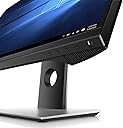
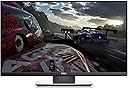
🎮 Dominate your game with Dell’s ultra-responsive QHD powerhouse!
The Dell S2417DG is a 24-inch gaming monitor featuring a vibrant QHD 2560x1440 LED-lit TN panel, 165Hz refresh rate, and 1ms response time. Equipped with NVIDIA G-SYNC technology and preset gaming modes, it delivers smooth, tear-free visuals tailored for competitive gaming. Designed for professionals and gamers seeking high performance and crisp visuals in a sleek black and silver design.


| ASIN | B01IOO4SGK |
| Adaptive Sync | G-Sync |
| Additional Features | HD Audio |
| Aspect Ratio | 16:9 |
| Best Sellers Rank | #578,768 in Electronics ( See Top 100 in Electronics ) #11,139 in Computer Monitors |
| Brand | Dell |
| Brightness | 350 |
| Color | Black with Silver Base and Back |
| Compatible Devices | Laptops, Desktops, Gaming Consoles |
| Connectivity Technology | DisplayPort |
| Contrast Ratio | 1000:1 |
| Customer Reviews | 4.4 out of 5 stars 1,270 Reviews |
| Display Resolution Maximum | 2560 x 1440 pixels |
| Display Technology | LED |
| Display Type | LCD |
| Global Trade Identification Number | 00672773735252, 00884116234494 |
| Hardware Connectivity | 3.5mm Audio |
| Image Contrast Ratio | 1000:1 |
| Included Components | Dell Laptop |
| Item Dimensions D x W x H | 7.09"D x 21.28"W x 19.44"H |
| Item Weight | 13.4 pounds |
| Manufacturer | Dell Marketing USA, LP |
| Model Name | S2417DG |
| Model Number | S2417DG |
| Mounting Type | Wall Mount |
| Native Resolution | 2560x1440 |
| Number of Component Outputs | 1 |
| Picture Quality Enhancement Technology | G-Sync |
| Processor Count | 10 |
| Refresh Rate | 60 hertz |
| Resolution | QHD Wide 1440p |
| Response Time | 1 milliseconds |
| Screen Finish | Anti-glare, Hard coating (3H) |
| Screen Size | 24 inches |
| Screen Surface Description | Anti-glare, Hard coating (3H) |
| Series Number | 2417 |
| Shape | Rectangular |
| Specific Uses For Product | business, personal |
| Total Number of HDMI Ports | 1 |
| Total USB 3.0 Ports | 2 |
| Total Usb Ports | 4 |
| UPC | 672773735252 884116234494 |
| Unit Count | 1 Count |
| Viewing Angle | 170 degrees |
| Voltage | 33 volts |
| Warranty Description | 1 |
| Warranty Type | Limited Manufacturer Warranty |
H**D
Great for the price
EDIT 6/26/2020 Alright. For anyone wondering about durability and reliability, It's been nearly two years that I bought it. Granted I do take almost obsessive care of my things, but the monitor is still in perfect shape. No dead pixels, scratches, or anything that might suggest wear. I was worried about quality due to it being an already old model back in 2016, but it does not cost as much as it does for nothing. It was a high-end monitor during its time, and it shows. I love this monitor. It has been a great pairing with my PC. New picture attached. For more in-depth review, scroll down to my original review. =================================================================================== EDIT 9/21/2018 It's been a few months. Monitor is doing great despite it was probably very old stock. It requires a lot of setting up, trial and error, but once you get it going, it is a fantastic gaming monitor. I suggest going to the Nvidia forum as well, to properly set Gsync. It's not as easy as just turning it on. ---------------------------------------------------------------------------------------------------------------------------------------------------------------------------------------- Okay... It was a very difficult choice whether or not to get this monitor. At the price point, you will NEVER find a gaming monitor with G-Sync with a 1440p resolution and a 165hz capability. I mainly bought this monitor to experience a resolution higher than 1080p, and finally get a taste of G-Sync. those two things have definitely exceeded my expectations. 1440p isn't really that different from 1080p, but you will notice it. It is crystal-clear and some details stand out when compared to 1080p. As for G-Sync... That is the absolute way to play a game! Breathtaking... ZERO tearing, ZERO stutter and ZERO input lag. You will not game any other way once you experience it. Now, for the monitor. I mean, it is a nice monitor and it feel well-build. The appearance may not be for many, as it does look like an office monitor. Compared to my ASUS vg248qe, which looks absolutely beautiful. But that, at the end, is superfluous... Image wise. This monitor is not the best when it comes to colors. It didn't really take me more than two minutes to set it up, compared to other users that report up to two days of tinkering and changing options. Colors feel dull... there is no saturation, and the gamma is a bit weird. ghosting and invert pixels are horribly noticeable when response time is set to "Fast." I had to turn it to "Normal." Another thing that bothered me as soon as I got the package was how old and worn the box looked. This unit was sold as new, but it was definitely used before. There was dust at the back of the panel, and some scratches where the mount goes. this monitor was at least used as display at some point. However, I am willing to ignore that, as at least it did have protective plastic still on, which tells me it wasn't really used for too long. But mainly because of the price. All in all, I'm just impressed on the G-Sync feature and the 1440p resolution.
A**S
Great Monito For Gaming.
I'll give it 5 stars for now because I'm loving it, but I have only used it for couple of days so far. The monitor came in really quick in a day so kudo to Amazon. Items in a box would be a typical Dell's inventory: Monitor, stand, base, CD, and cables. The base and stand are easy to assemble; it has a thumb screw which would require no tool to assemble. Vesa mount for those who want to mount them on with their Vesa mount set up. Upon running few different games, I have noticed in FPS performance improvement. The most improvement that quite noticeable is Rainbow Six Siege. Everything run much smoother with no tears or stuttering. I turned on G-Sync and overclock the monitor to 165Hz which make the game performance much better. The color doesn't pop as much as IPS but that is to be expect, however, I think it's easier on the eyes then gaming on IPS monitor. The color isn't too bright or too crisp where it feels like the screen is stabbing your eyes. This monitor feels mellow and soft. PROS: - Easy to assemble; require no tools. - High refresh rate and response time; FPS improvement with very much noticeable difference for fast pace game like first person shooter. - User friendly OSD menu. It was easy to overclock to 165Hz. - Useful USB hub (4 USB ports); This is really great because I'm about to run out of USB port and I didn't really want to use front USB port for aesthetic. I use it to extend my gaming keypad which locate the furthest away from the tower create more slack and better looking cable management. I also use it to charge my wireless headset; if the monitor is on power saving mode, the monitor will turn off the screen but still provide power to USB hub. - Good cable management stand; I can hide the cable through pass-through hole and down under my desk. It looks nice and neat. - Subjective pros: I think TN panel is much easier on the eye for long gaming session due to the screen is not as bright or crisp as IPS. For gaming, I can deal with the color accuracy, it's not a big deal for gaming. CON: - The color is not as bright or sharp compare to IPS panel (this is to be expect of TN panel, I put it down as a con since some people does see it as a negative of TN vs IPS) - Viewing angle is smaller compare to IPS so you'll have to be in front of the monitor to see best of it. (This is a nature of TN panel so it's to be expected.) - Lack of manual. This is really just a nit-picking point. It's not really that big of a deal because you can always download user manual from the internet at anytime, but it can be useful to have printed copy manual to look up some initial settings (there's a quick setup guide but that just shows you how to hooks up everything.) Then again, not many people read manuals anyway. It would just waste of resource and money to produce printed user manual. Conclusion: This is a great monitor with the quality and price range. It's hard to find 24" monitor with 2560x1440 resolution and 144Hz under 400 dollars. The quality is great so far, I'll update later if there's any deterioration in quality. I would recommend this monitor for gamers rather than content creator. It would benefit most with fast pace games, I don't think you'll see that much improvement playing Leagues of Legend or simulation games. (In the picture, the monitor is the one on the left and on the right, it's Acer IPS monitor. Both 2560x1440 resolution)
D**.
Fantastic monitor at a fantastic price
I will be reviewing this monitor with the price I paid in mind, not the current price, so take this review with a grain of salt. - First things first, before I judged this monitor, I used a calibration I found online, which you should do as well. The link is in the comments Before calibration, the colors were washed out, but still better than my old monitor. With calibration I can't even tell it is a TN panel. The color reproduction is fantastic, and the viewing angles (sides) are on par with many IPS panels. The worst by far is viewing it from a downwards angle, but even that is not very noticeable. I can clearly view the picture from almost anywhere in my dorm without much distortion. I have never seen a TN panel with viewing angles or color reproduction this good, I would easily mistake it for an IPS screen. The color reproduction and viewing angles will never match the BEST IPS panel, but it can match the majority of GOOD IPS panels, without the drawbacks of IPS panels, namely, backlight bleed, higher cost, and generally lower refresh rates. I opted for the 24" model, as I find it to be an ideal size, and also because it was much cheaper. The stand is very clever, you don't even have to remove the mounting screws to install it, it simply clicks into place, and can be easily attached and removed in a matter of seconds. It has all the adjustments I desire, and looks classy at the same time. The monitor has all the features I was looking for, and then some. It looks gorgeous, and it could look good almost anywhere. I appreciate the lack of a "gaming" aesthetic, as it gives the monitor, or any peripheral for that matter, a universality that allows it to work, and look good in any role. It does have a G-Sync sticker, but that can be easily removed. Overall, a fantastic monitor. I would be willing to pay the full list price, but knowing that it does go on sale, I would wait until it goes on sale again. I purchased this item when it was on sale for 409.99, at that price it was a phenomenal buy. However, four days later, the price dropped to 359.99; $60 cheaper than what I paid. After a few calls, I was able to obtain a 20% discount on the price I paid, to compensate me for the price drop. There is no longer price protection for purchases on Amazon, apart from TV's, which this is not classified as, so YMMV. With the $81.99 refund, the cost I paid was $328. For that price, this monitor is unbeatable. Other monitors in this price range make compromises, either a lower resolution, lower framerate, lower quality panel, a lack of G-Sync, or a lack of creature comforts, such as USB ports, dual ports for input (HDMI and DP). Do your research though, find what features you need/want, and make a decision based on that.
H**W
Great Monitor, Needs to be Calibrated. (24 Inch Version)
So much for such a low price: the overclocking to 165hz, the picture quality (after calibration), 1440p resolution, G-Sync, this monitor screams value. I built a PC about a month ago and got tired of using a 1080p 60hz monitor when I have a just under $2000 build that can handle way more. I did some research and came across this monitor. Boy am I glad I bought it. Only complaint I have is that mine came with a stuck green pixel in the top right of the screen. Luckily it's just a stuck pixel and will most likely fix itself over time. Even if it doesn't it's not really a deal breaker or anything, love everything else about this monitor and don't want to deal with returning it. Before you calibrate it make sure you install the driver on the disc the monitor comes with. The color calibration I ended up using was the monitor set to 65 brightness, 75 contrast, and colors set to "cool" and in Nvidia control panel brightness set to 50, contrast set at 55, gamma at .80, and digital vibrance set to 50 and make sure you click on "Use NVIDIA Settings." I think this makes the monitor look perfect. I tried some of the other recommended calibration settings but they looked way too dark, try these settings if you like a brighter image but still with excellent colors and rich darks. If it wasn't for the stuck pixel it'd get 5 stars all day every day.
J**.
All the tech you need with a great TN panel
This monitor has the best TN panel I've ever used, but is marred by some pretty terrible out of the box color configuration. There is still some color-shifting when viewed from off-angles, but when viewed straight on the color reproduction is fantastic (again, once you have messed with some settings). I've tried many of the different configurations I've found recommended online, and I'll share my favorite at the end of the review. The stand is probably the best I've seen, with height & tilt adjustment, screen rotation, and rotation of the vertical stand against the base. There's even a hole for cable management. In a world with 1440p smartphone displays, 1080p on a computer monitor just isn't acceptable anymore. This display is just an absolute pleasure to do anything productive on compared to my old one, and games look incredible. The 24" size means everything looks that much crisper than the standard 27" size, and it's perfect for the size of my desk. The 144Hz refresh rate is honestly the best part of the monitor though (The monitor has onboard overclocking that can push it up to 165Hz, but my particular monitor refuses to overclock that high so I leave it at 144Hz). As someone who had never experienced a display running above 60Hz before, the difference was mind-blowing. In games that will run that fast, animations look ridiculously smooth. G-Sync helps round out the package, completely eliminating screen tearing and keeping your frame rates consistent. Playing games with jerky, inconsistent frame rates stresses me out, so I love G-Sync. To take advantage of the high refresh rates at this resolution, you NEED to buy a DisplayPort 1.2 or higher cable. HDMI will not work. The ONLY downside to this monitor that is that its not an IPS panel, but like I said before, it's just about the best example of a TN panel that I've seen. My color calibration is as follows: In monitor settings: - Brightness: 50% - Contrast: 72% - Red: 95% - Green: 95% - Blue: 100% Nvidia Control Panel settings (or AMD's equivalent): - Go to "Adjust Desktop Color Settings" - Click "Use NVIDIA settings" - Brightness: 50% - Contrast: 50% - Gamma: 0.86 - Digital Vibrance: 60%
C**.
GREAT monitor that deserves great praise
I believe this monitor doesn't get the praise it truly deserves. I had researched monitors for a week and a half to almost 2 weeks looking for the "perfect" monitor. I looked at overpriced IPS panels that were much higher than this one and other TN panels. Well this one the S2417DG was the one that really caught my eye but the reviews were hit and miss saying TN panels are bad ect. Well for the older panels this may be the truth but this monitor is amazing. The viewing angle is great unless your looking at the monitor at such an extreme angle, which from what I tested would have to be extreme and unrealistic angle. The picture right out of the box to me was great and with the tweaking that you can find in these amazon reviews will make the picture even better. The set up was super easy and straight forward. This monitor I feel is the best monitor for the price for what it comes with which is the gsync, 1440p gaming and monitor OC option. When I bought it 01/2017 for $430 is a GREAT deal for those looking for 1440p monitors with gsync and all the stuff that the overpriced IPS panels come with. If your even slightly interested in this, seriously consider this monitor. I will definitely be getting 2 more for a 3 monitor set up one day but till then this will be a great single monitor. I don't do reviews unless they are very good or very bad. I don't do intermediate product reviews so for me to do this review it is a product that I am EXTREMELY happy with and glad I bought the monitor.
T**S
An incredible Gaming monitor
This is simply an amazing monitor, 4 3.0 USB ports once you hook up an upstream cable to the type B slot and the G-sync and 144Hz refresh rate (which on most units can be overclocked to 165Hz, I didn't since I didn't see a point to Overclocking) make literally anything feel butter smooth, even at lower frame rates. The resolution looks fantastic especially since the monitor is just a bit smaller than the average 1440p monitor. The mount for it is fantastic too and it has some interesting options in the monitor to mess with too. To get the bug bear out of the room, yes, it is a TN panel, but it recreates colors extremely accurately for a TN panel and at the end of the day, the average person will still enjoy the TN panel and the viewing angles are great for a TN, you'll honestly only have issues if you're trying to create issues with it or you have the most asinine setup imaginable. Also, the buttons on the bottom of the monitor are maybe just a tiny bit less than perfect for a monitor of this price, but most users should be just fine. Overall, I love this monitor and intend to use it until it dies. Would recommend to anyone who wants to start doing some serious gaming.
S**N
Great Monitor for gaming, poor quality from personal experience of 2+ years.
I bought this monitor mid-2017 for everyday use and playing games on. The image quality is sharp being a 2560x1440 resolution, but being a TN panel, I didn't expect the greatest color gamut and was okay with that. For gaming, it is a very nice monitor and enjoy using the 165hz option of overclocking (has to be enabled within the monitor menus). The monitor worked exceptionally well until last month of this review (March 2019) when the monitor self-enabled the factory burn-in option and won't revert back. Also, the monitor will not work at 165hz when overclocked via monitor menus and had to manually revert back to 144hz since no picture would project. I got in contact with Dell for a warranty replacement and were glad to offer a replacement. That's where it went down hill, it took 3 painful weeks of emails with a support advisor, customer support live chats and calling their service number (took almost 2 hours) just to receive miscommunications on the shipment of a new replacement. I was warned that passed 30 days of initial purchase I would receive a refurbished replacement which I was perfectly okay with, but upon receiving it, it came with a damaged screen. I attempted to use the 165hz option only to work once and had terrible ghosting, then stopped working again after 1 attempted. I hate to say this since I really enjoyed Dell products, but I'll recommended looking at other monitors, it's not worth it. EDIT: I called once more and they insured me my replacement monitor is in good condition and my refresh rate works and I'm not properly using my monitor correctly when I have knowledgeable experience in computer repair. Dell treats you like a clown and they don't care about the damages. Please save your time and look for another monitor from a reputable brand. EDIT 2 (Update): Dell has sent a new monitor after an additional week and a half of headaches. I hate being THAT person to complain to the customer support team, they did a good job helping and trying to resolve this problem. Originally gave a 1 star review, but having to call 3 times complaining and waiting 6 weeks for a proper replacement is not acceptable.
P**V
Muy bueno por el precio
Gsync+2k+1ms de respuesta. Para ser un panel que no es IPS, tiene excelente reproducción de color. La mejor calibración (según Toms Hardware) es: Brightness 200cd/m2 66 Brightness 120cd/m2 34 Brightness 100cd/m2 27 Brightness 80cd/m2 19 Brightness 50cd/m2 8 Contrast 68 White Balance Red 96, Green 99, Blue 100 Hay que calibrarlo así porque de fábrica se ve un poco raro cualquier contenido, pero con esta configuración es una belleza.
J**I
El monitor perfecto por ppp, y calidad visual/rendimiento
Llebaba tiempo detras de un monitor 1440p 144 gsync de 24", para cambiar el mio que tenia 1080p 144 gsync. El monitor me llego el dia que tenia que llegar, bien embalado, y en perfectas condiciones, sin pixeles muertos ni nada. Un monitor con 123ppp que hace que los dientes de sierra no se vean ni en low. Colores bastante buenos para ser tn, con un poquito de sangrado de negro como todos los TN. Y poco mas que decir. Si tienes equipo para 1440p y no tienes sitio para 27" o quieres tener mas ppp, este es la mejor opcion. Añadir que haciendo overclock a 165hz el gsync no funciona, pero entre 165 y 144 fps no hay diferencia, o es inapreciable.
D**A
Lack of sound
The inability to produce sound when pressing the sound button spoils it's otherwise good features. Help to rectify this fault would be appreciated
A**R
G-sync un rêve
Après pas loin d'un an de test je me décide a écrire mon commentaire. 1er écran Gsync, 1er écran chez dell, le prix est salé certe ! Mais la différence est là ! Dans les FPS ou jeux de survie, c'est super, les chutes de framerate violente que l'on peu avoir ne donne plus l'effet de sacadement que l'on peu ressentir habituellement. Résultat plus de headshot sur Fortnite, un up de ranking hallucinant sur overwatch et une fluidité incomparable sur ark LE JEU où tu passes de 90 fps a 40fps en une fraction de seconde avec le chargement de gros build. le 144HZ est un vrai plus si on ce donne la peine de configurer la configuration des jeux pour envoyer les images/s nécessaire pour l'apprécier. Le 2K est un vrai plus et ne change pas trop l'interface des logiciels comparer au 4K qui actuellement peu encore les rendre flou ou étirer Un peu peur de recevoir un écran par colis, mais tout c'était bien passer. L'écran le plus chère que j'ai acheter, mais c'est aussi le plus belle écran que j'ai jamais posséder ! Ce faire plaisir a un coup, mais la joie procurer sur cet année en valais la peine. je recommande ce produit a 200%
G**A
Ottimo monitor G-Sync, immagini senza scie né overshoot
Monitor molto bello, elegante e sobrio, a differenza di prodotti gaming simili. Le cornici sono molto sottili e le regolazioni del pannello ampie. Nella scatola, oltre al monitor, sono forniti il fondamentale cavo DP, il cavo di alimentazione ed il cavo che abilita le USB del monitor. Non è incluso un cavo HDMI, anche se il monitor presenta questo ingresso insieme al DP. E' inoltre presente un CD con i driver del monitor ed un profilo ICC Dell. Il montaggio è semplice ed estremamente rapido. Per essere sfruttato al massimo, il monitor richiede una connessione tramite cavo DP ad una scheda grafica Nvidia, in modo da poter sfruttare la tecnologia G-Sync. In questo modo, il monitor lavora ad una frequenza di aggiornamento variabile con gli FPS generati dalla scheda video, assicurando un'immagine priva di tearing (linee di "spezzettamento" orizzontali), stuttering (scatti) e con input lag ridottissimo. La frequenza massima del monitor (e quindi anche del G-Sync) è, di default, pari a 144 Hz, ma tramite le impostazioni del monitor può essere aumentata fino a 165 Hz. Utilizzato con una GTX 1080, l'esperienza di gioco è esaltante (giochi provati: The Witcher 3, Wolfenstein 2, Shadow of War). Provenendo da un "classico" schermo 1080p @60Hz, i miglioramenti sono radicali: immagine molto definita grazie alla risoluzione 1440p su una diagonale di 24'', pannello con luminosità uniforme (no glow, backlight bleeding molto ridotto), nessuna scia né overshoot (la cosiddetta "ritenzione" dell'immagine). Col G-Sync che modula il refresh rate del monitor in base agli FPS erogati dalla GPU, l'esperienza di gioco è sempre fluidissima, sia a FPS elevati che a FPS ridotti. Una volta provato, è impossibile tornare ad un monitor privo di tale tecnologia. Con la calibrazione di fabbrica, i colori possono apparire un po' spenti. Questo a causa della gamma e del contrasto non tarati correttamente. Nel mio caso, io ho usato le seguenti impostazioni per migliorare la resa: - scaricato e attivato profilo ICC proposto sul sito "PC monitors" nella pagina di recensione del monitor in esame - contrasto impostato a 60 (luminosità a piacere, in base all'illuminamento della stanza) - modalità colore Custom (R 100, B 93, G 93) Non sarà un IPS, ma la resa ottenuta tramite calibrazione mi sembra comunque molto buona. Consiglio, inoltre, di lasciare il Response Time su Normal, in quanto Fast può causare overshoot e non migliora la resa con le scie che restano comunque assenti. Per concludere, consiglio caldamente questo monitor a chi piace giocare su PC e ha una GPU Nvidia sufficientemente veloce.
Trustpilot
1 month ago
2 weeks ago