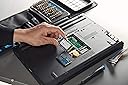
🚀 Upgrade your speed, secure your data, and own the future of storage!
The Kingston 512G KC600 mSATA SSD delivers 512GB of high-speed storage with up to 550MB/s read and 520MB/s write speeds. Its compact mSATA form factor is perfect for embedded and small form factor systems, while advanced 3D TLC NAND technology ensures reliable performance. Featuring AES 256-bit hardware encryption and TCG Opal 2.0 support, it offers robust data security. Compatible with SATA 3.0 and backwards compatible with SATA 2.0, this SSD is an ideal upgrade for professionals seeking fast, secure, and compact storage solutions.
| ASIN | B08ZNSQYXS |
| Additional Features | Hardware Encryption |
| Best Sellers Rank | #491 in Internal Solid State Drives |
| Brand | Kingston |
| Built-In Media | 1 * SSD |
| Cache Memory Installed Size | 512 |
| Color | Black |
| Compatible Devices | Desktop, Laptop |
| Connectivity Technology | mSATA |
| Customer Package Type | Deposit Crate |
| Customer Reviews | 4.5 out of 5 stars 549 Reviews |
| Data Transfer Rate | 6 gigabits_per_second |
| Digital Storage Capacity | 512 GB |
| Enclosure Material | Nand |
| Form Factor | mSATA |
| Global Trade Identification Number | 00740617315998 |
| Hard Disk Description | Solid State Drive |
| Hard Disk Form Factor | 2.5 inches |
| Hard Disk Interface | Serial ATA |
| Hard Disk Rotational Speed | 7200 |
| Hard-Drive Size | 512 GB |
| Hardware Connectivity | SATA 3.0 Gb/s |
| Hardware Platform | Laptop, PC |
| Installation Type | Internal Hard Drive |
| Item Dimensions L x W x Thickness | 2"L x 1.18"W x 1.18"Th |
| Item Type Name | SSD Kingston KC600 MSATA 512GB SATA3 RW: 550/520MB/S, XTS AES 256-BIT ENCRYPTION,3D TLC |
| Item Weight | 9.07 g |
| Manufacturer | Kingston Digital, Inc. |
| Media Speed | 520 |
| Mfr Part Number | SKC600MS/512G |
| Model Name | SSD KINGSTON KC600 MSATA 512GB SATA3 RW: 550/520MB/S, XTS AES 256-BIT ENCRYPTION,3D TLC |
| Model Number | SKC600MS/512G |
| Number of Items | 1 |
| Read Speed | 550 megabytes_per_second |
| Special Feature | Hardware Encryption |
| Specific Uses For Product | Business, Multimedia, Personal |
| UPC | 740617315998 |
| Unit Count | 1 Count |
| Warranty Description | 5 years |
K**C
261MB/s benchmarked speed, easy install on t-420
Been upgrading an old T420, this was a nice cheap drop-in that gave it plenty of storage. Be warned that there are faster and better SSD's out there (the main drive i'm using is a samsung 850, which twice as fast), but this is a great balance of cheap and fast-enough. And at any rate, it's far better than a spinning platter drive. Benchmarked at 261MB/s on Mint's built-in disk benchmark tool, on the t420 in question itself.
R**E
Great product but not Plug and Play
I've been using this chip in my Lenovo Idea Pad Yoga for a few months now with no issues. It effectively quadrupled my computers memory and gave it new life. For anyone not aware, it's important to note that this is not a Plug and Play device. The installation requires that you use an appropriate app to transfer Windows (or other operating system) along with all the data from your old memory chip. There are YouTube videos showing you how to do this quite easily for those not familiar with the procedure. With this memory boost you also have the capability to upgrade to a more current operating system if that is your goal. The Kingston KC600 has performed flawlessly in my computer since I installed it and I use my old chip for additional storage.
J**F
Just what I needed
Looked at several different SSDs, but decided on this one because I always had good luck with Kingston products and the price was really good. It's been in a automobile scanner with Windows 10 for over 3 months now with no problems. Cloned my old SSD put it on this one with alot more storage space. I'm totally satisfied.
C**I
Easiest extra 500 GB to add to my laptop
Pretty much plug an play, I just had to mount the drive.
A**W
Remarkably small, but...
I wanted to upgrade my elderly laptop with a larger hard drive and it seemed SSD was the way to go rather than HDD. Partly for speed and lack of moving parts, and partly because I wanted to go to 4TB and that wasn't an option with a regular HDD. But a 4TB drive that's rated for the kind of use I'm expecting to give it runs to some $500, so I decided to test the waters first. Enter the mSATA drive. Yes, I know mSATA is smaller and slower but figured it would not only be faster than my existing HDD but also potentially work as a boot drive so I could have my entire SSD as a data drive, or as a backup volume for things small enough to be copied locally. In any event it's cheap enough that if I didn't like the speed boost I got I'd know to explore a new computer rather than dropping more $$$ on improving the one I have. Having never seen an mSATA drive before it was remarkably small. Installing it was trivially easy - I first installed it into a USB enclosure and cloned my boot volume onto it, then fitted it into my laptop. It took longer to get the back off my laptop than it did to fit the drive - it's literally a case of plugging it in, pushing it into place and securing it with a screw. It works a lot faster than my old HDD, which is nice. It gives me a larger boot volume than I had before, which is also nice (you can get this thing in a range of sizes, I went for 512GB and configured it as a 256GB boot volume, a 200GB encrypted data partition, and the rest as swap space. The only real downside of it is that it seems to get quite hot. The Kingston software that manages their SSDs reports it running at about 25C as soon as it's fired up and it warms to around 50C (122F) after a fairly short time even when it's not used hard. When I generated a 200GB encrypted volume on it and copied some files into the encrypted volume the software reported it reached 68C. My laptop has pretty good fans in it, and this feels like the sort of temperature that's not necessarily a good thing. So far it hasn't affected the performance but I've only run it for about 25 hours in total so far. From the top of the laptop there's no obvious evidence of anything spectactularly warm, and I haven't gone as far as running it with the back off and checking the temperature with a thermal camera, so it may be the software is reporting a temperature higher than the reality. I mention it because if you're running something that's already pushing heat limits you may want to know. It seems like the kind of situation where a fan would help, but adding a fan would mean it wouldn't fit into a regular mSATA slot any more. So overall I'd like to give it five stars but hold back a little because the temperature is mildly concerning.
J**N
Quality
Excellent product. Always buy made in Taiwan electronics. Not like the Orico garbage being sold here from China.
J**H
Upgraded Dell XPS18-1810
Beach Audio delivered promptly. Packed securely. Installed in minutes. Problems solved. This unit upgrades the 32gb board installed. Mine has issues. Computer runs like new. Also allows for downloading larger programs requiring temporary space. You will want to set Win 10 for new apps and storage on the D drive. Tip: Install the new SS drive ONLY to load Win 10. After it is loaded and operating correctly, then reinstall the D drive.
C**N
Too hot to touch
it runs really hot, not suppose to be that hot on light weight laptops, and will burn excessive battery. I will return it.
Y**A
到着が遅過ぎ・・製品は合格
到着期限に一日遅れで届きました。 てっきり上海あたりからの送付と思っていたら、発送先と返送先の住所はイギリス、ただポストカードはスウェーデンでした。 KingStonの製品はSDカード(速度300MB)を何枚も使用中であり、信頼のおける製品でしたので、こちらも心配なく購入しました。 今迄のSSDが満タン寸前で心配でしたので、急遽早く届く他のSSDも購入しました。 結果、1つは??、1つはOK(販売が国内の会社)でしたが、総合性能でKingSton製品に分がありましたので、こちらを採用しました。 他のSSDも同様ですが、ファイルがRAWのままではPCは認識しません。 コントロールパネルのシステムの詳細からデスクを見つけ、フォーマットをすると問題なく認識します。 AOMEI Backupper Pro でクローンを作り、今迄のSSDを取り外し、このSSDを取り付けました。 PCは問題なく起動し、順調に使用出来ています。 写真1はUSBで接続時の速度、 写真2は組み込み後のSSDの速度です。 PCに組み込みSATA接続になってからが若干早いようです。
E**S
Muy buen msata
Es muy eficiente rapida
K**F
Good
Good Product
A**N
It works OK
Good item at a good price and prompt delivery.
O**X
Bon produit mais non évalué dans le temps
Vitesse relalive au type de sata
Trustpilot
3 weeks ago
4 days ago