Desertcart purchases this item on your behalf and handles shipping, customs, and support to Senegal.
🔒 Elevate your security game with UltraHD precision and AI smarts — don’t just watch, protect like a pro!
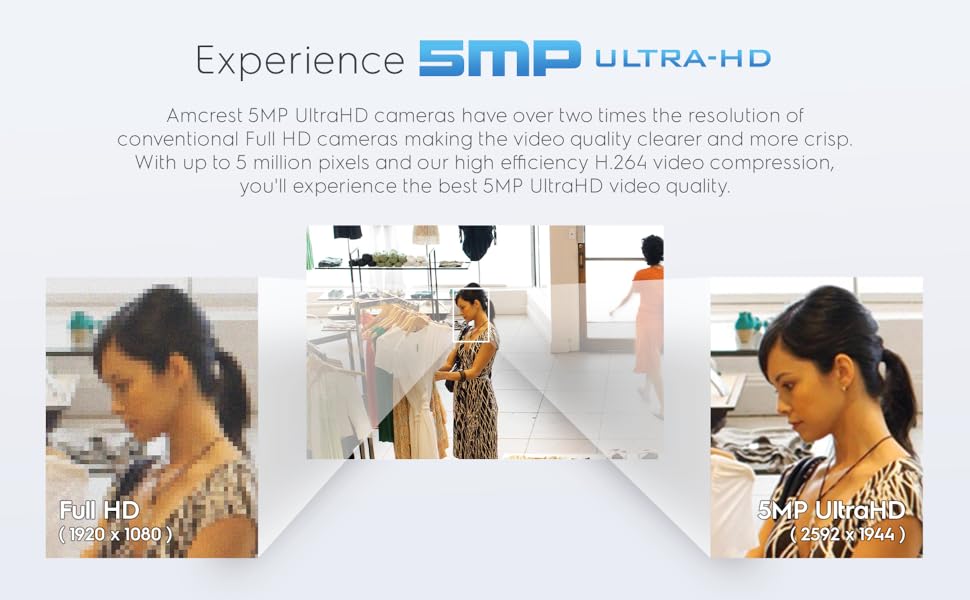
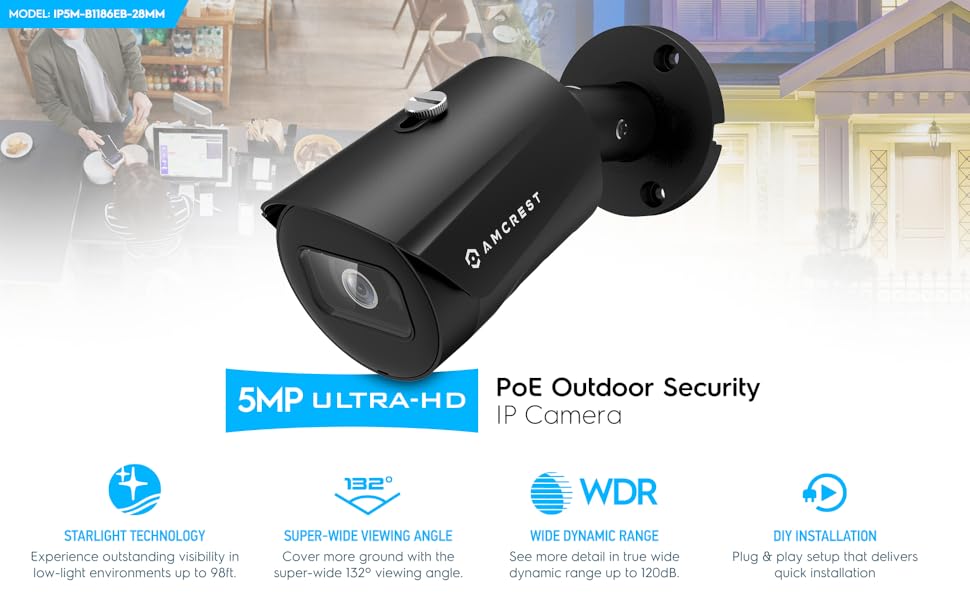
The Amcrest UltraHD 5MP Outdoor POE Bullet IP Camera delivers professional-grade 2592 x 1944p video with advanced AI human and vehicle detection. Featuring a rugged IP67 metal housing, 132° wide-angle lens, and night vision up to 98.4 feet, it ensures reliable 24/7 outdoor surveillance. Compatible with Amcrest Cloud, Alexa, and multiple NVR systems, it offers flexible remote monitoring and secure cloud backup, making it an ideal choice for modern smart security setups.


| ASIN | B08K1M34ZQ |
| ASIN | B08K1M34ZQ |
| Alert Type | Motion Only |
| Antenna Location | Night Vision |
| Are Batteries Required | No |
| Brand | Amcrest |
| Built-In Media | Quick Start Guide |
| Color | White |
| Compatible Devices | Desktop, Smartphone |
| Connectivity Protocol | Ethernet |
| Connectivity Technology | Wired |
| Control Method | App |
| Controller Type | Amazon Alexa |
| Customer Reviews | 4.4 4.4 out of 5 stars (1,047) |
| Customer reviews | 4.4 4.4 out of 5 stars (1,047) |
| Date First Available | 21 December 2019 |
| Department | All Ages |
| Effective Still Resolution | 5 MP |
| Effective Video Resolution | 1944 Pixels |
| Enclosure Material | Metal |
| Focus Type | Manual Focus |
| Form Factor | Bullet |
| Frame Rate | 20 frames per second |
| Global Trade Identification Number | 00850011990919 |
| Indoor Outdoor Usage | Outdoor |
| Installation Type | Screw In |
| Item Dimensions | 16.5 x 7 x 7 centimeters |
| Item Weight | 581 g |
| Item model number | IP5M-B1186EW-28MM |
| Light Source | Infrared |
| Manufacturer | Amcrest |
| Manufacturer | Amcrest |
| Model Name | Amcrest UltraHD |
| Model Number | IP5M-B1186EW-28MM |
| Mount Type | Wall Mount |
| Night Vision | Night Color |
| Night Vision Range | 98 Feet |
| Number of Channels | 1 |
| Number of IR LEDs | 1 |
| Number of Items | 1 |
| Other Special Features of the Product | Motion Sensor, Night Vision |
| Photo Sensor Resolution | 5 MP |
| Photo Sensor Technology | CMOS |
| Power Source | Corded Electric |
| Product Dimensions | 16.51 x 7.01 x 7.01 cm; 580.6 g |
| Room Type | Classroom, Kitchen, Living Room, Nurser |
| Shape | Bullet |
| Specific Uses For Product | Surveillance |
| UPC | 850011990919 850007530785 |
| Unit Count | 1 Count |
| Upper Temperature Rating | 60 Degrees Celsius |
| Video Capture Format | MP4 |
| Video Capture Resolution | 5-Megapixel |
| Viewing Angle | 132 Degrees |
| Voltage | 12 Volts |
| Water Resistance Level | Water Resistant |
| Waterproof Rating | IP67 |
| Wattage | 6 watts |
| Wireless Technology | Ethernet, Wired |
| Zoom Type | تقريب رقمي |
R**.
Great bullet IP security camera for the price
I have been learning and getting into PoE cameras and have purchased a Netgear GS308EPP PoE switch for it. Purchased this Amcrest with a lower price for testing purposes to see how IP cameras work with a PoE switch. After I installed their IP Config Software named ConfigTool, I honestly did not understand it, so I I sent a long email with the steps that I was taking and the error message I was getting "invalid username or password", no matter what I did it would not work. I read on their forum someone mentioned to removed the screws and hit reset which I did and after that I was able to login with the default user/pass. The next day I called support and spoke to Sofia ( I still have not received a reply for my long email ) and explained to her what was happening, and what I did during the night which was resetting the IP camera, and after that I was able to login, but I still had issues understanding the ConfigTool application. The rep asked if she could connect to the computer remotely and that was OK with it. Once she saw the software open, I explained the issues that I had and the rep responded and assisted me understanding their ConfigTool application. Quality: The camera has great colors during daylight and great view at night. It does not have a direct white spot in the middle from the infrared, its just perfect view at night. The quality of the camera itself seems great and its not plastic, the case is metal. No connectivity issues once I was assisted with their ConfigTool application. Once the program is running, it displays the IP address assigned to it and you make the changes like the user/password and connect to it to view it. There is a small glitch on the application and it is one of the icons ( I think its Chrome ) to connect to the camera, when the admin clicks on it, it displays the following error message: Whoops, our bad... The page you requested was not found, and we have a fine guess why. If you typed the URL directly, please make sure the spelling is correct. If you clicked on a link to get here, the link is outdated. Clicking on the E icon ( me thinking it would open Edge ) will open the default browser on your computer, so clicking E will open Chrome if you have Chrome as your default browser, and clicking on Chrome icon on the application does not open the page, it gives you the error mentioned above. Other than that, I am happy with the camera. Thanks to Sofia from customer support and her assistance with the application and Steve from tech support for following up on email.
H**Y
Calidad perfecta para exteriores. Robusta.
Esta marca es muy conocida y la verdad está muy bien hecha para exteriores lo instalé y funcionó tipo plug and play (obvio estaban bien ponchados los conectores y el cable). Lo recomiendo para los NVRs
R**Y
Great Bullet Camera
This camera is very solidly built. It was much heavier than I expected in a good way. Really appreciate the SD door. I did utilize the SD slot with a 64GB card. While I was fortunate to be installing the card pre camera install, I really do appreciate the screws with preventing fallout backing and the lanyard attached to the SD/Reset button access. There have been several times where I would need to make a change after the camera was installed and losing a screw or a cover would be horrific. With this foresight though, it is not a concern I have. While I do prefer turrets to bullets, the area I wanted to cover, this made more sense. Connecting to the camera once on the network was very quick and simple. Adjustments like IP, time, etc. were simple and easy to find. After getting its new IP, formatting the SD card and all other adjustments I brought it into my Blue Iris. This too was rather quick and displayed almost instantly. I also utilized the sub stream for my motion and the main stream for recording. The image was amazing and the night vision made the view very clear. Compared to my other Amcrest cameras (IP5M-T1179EW-28MM) this gave me an equally great image. Overall, I really like this camera and it has a permanent spot outside unless the spiders get too interested, then it will move indoors. Things I really liked: Video quality Night vision (No supplemental needed) Solid construction POE SD/reset button Door Access to the camera directly works well through Chrome and Firefox. No need for IE, plugins, etc. GUI was very user friendly Things I wish were a bit different: More available sun-shield adjustment
I**R
Initial impressions: Seems solid and I did get it to work (sort of) with an AvertX NVR.
These are my initial thoughts after getting it setup and working with my NVR (PorConnect A800+), but not installed. I got this camera to replace an AvertX camera that bit the dust after a disappointing short almost 6 years in use. The AvertX system from Costco came with 4K HD POE cameras (8MP). This system has been great, but in the last year 2 of the cameras have died and one more seems a bit on the way out. The replacement cameras from AvertX are $280. So, I hadn’t replaced those cameras immediately until I looked into my choices as I wasn’t really eager to spend $600 for three cameras. This camera feels real solid as far as weight goes, equivalent to the AvertX cameras that came with my system. The camera housing is metal. The mount is plastic. A couple things to note, that I have discovered as part of setting this up in my house for later installation outdoors: 1. This is not a 4K camera and the ratio is different. The ratio with my Avertx cameras is 16:9 (3840 x 2160) like true HD. This camera is 4:3 (2592 x 1944). 2. It is a little tricky to get the password changed. The AvertX software would not connect directly to the camera. I had to connect the camera Ethernet cable to my switch and then power the power injector dongle with a 30-year-old wall wart Radio Shack AC Adapter (Cat No 273-1662) set to 12V that had multiple connectors one of which actually fit the dongle. With that setup, I was able to use the Amcrest recommended network config tool (Amcrest_ConfigTool_Eng_V3.20.10.T.180715) to get the IP address of the camera and put that in my Chrome browser to directly connect to it. Once this was accomplished, I could actually change the default user ID and password. There are a lot of other settings in there as well, many of which are not accessible from within my AvertX user interface to the camera. 3. Since this is not an AvertX camera, it appears I do not have the ability to change many of the settings of the camera using their software. See the pictures showing what is available with the AvertX camera vs. the Amcrest camera. Also, note that the AvertX camera capture has a Connect Directly to Camera link while the Amcrest does not. 4. So far, I have not been able to figure out how to connect directly to the Amcrest camera while it is connected to my AvertX NVR. I have not tried any of the phone apps that Amcrest mentions in their documentation. So far, I have had to do the process in #2 to connect directly. For an almost $250 price savings (after taxes) over the AvertX camera, I am happy so far. It looks like I am giving up some setup conveniences for that savings and we’ll only know if it is worth it once 5 or 6 years have elapsed, to see if this one lasts as long. There are 4 AvertX cameras left and one of those has already changed as far as video quality goes. It may be on its last legs although the first two to die just quit without warning. The Phoenix desert heat has got to be brutal on these things. If this one works out over the next few months, I will probably feel more comfortable splurging for the Amcrest 4K version of this one (IP8M-2496EW-AI-V3) which seems to be regularly priced at about $100. I’ll update this review with my longer term findings after a few months.
J**B
Great PoE security camera for Frigate and Home Assistant
Using it with Frigate and Home Assistant. It works great. Multiple streams so one can be used for viewing / recording and the other for detection. Two minor gripes. First is the extra power cable just hanging there when running PoE. Second the cap for the network cable isn't large enough to fit the cable through if it even has a small boot. The view angle is slightly narrower than a blink camera. The image quality is better.
Trustpilot
2 weeks ago
1 month ago