Desertcart purchases this item on your behalf and handles shipping, customs, and support to Senegal.
🚀 Upgrade Your Connection, Own the Future of WiFi!
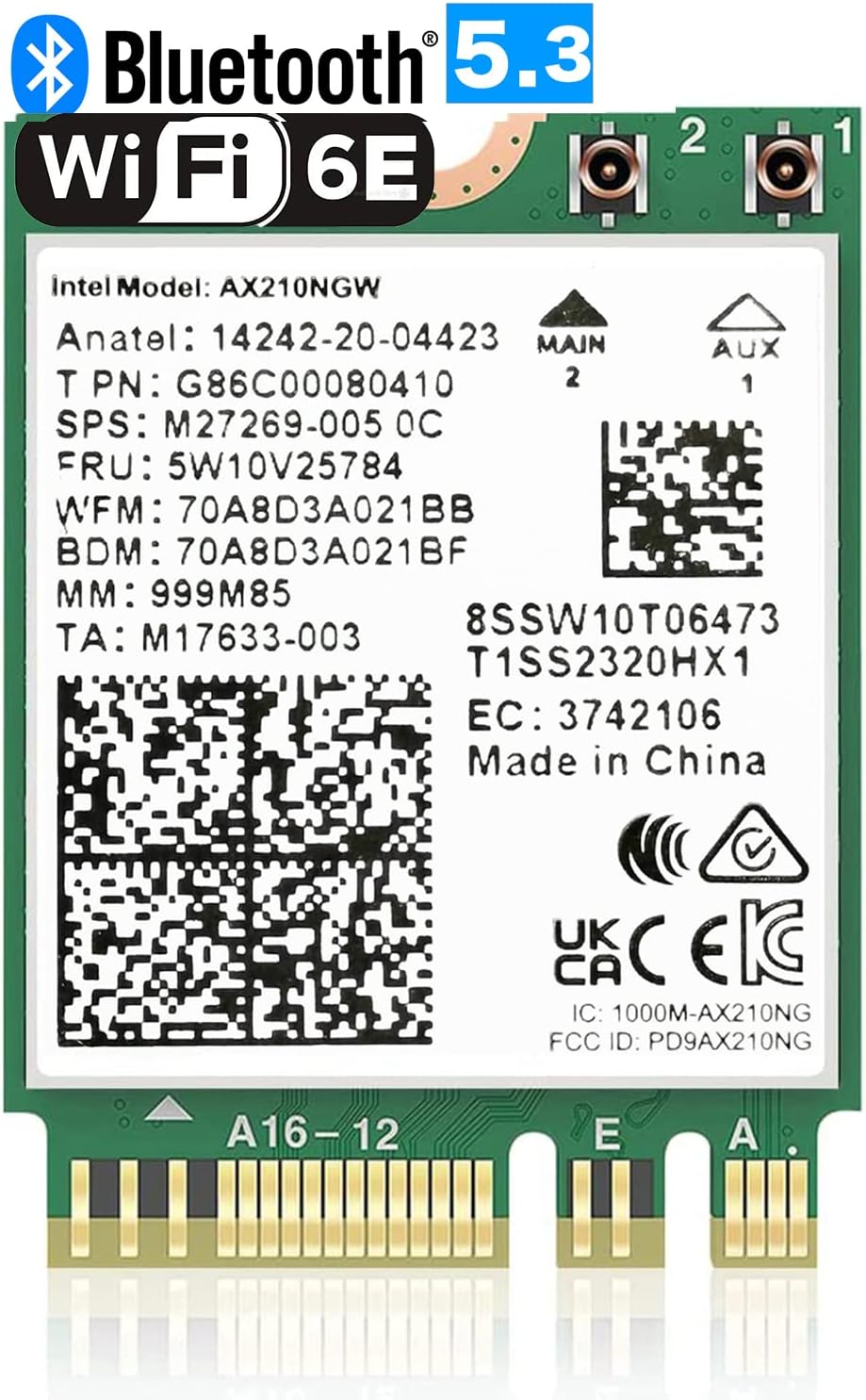
The OKN WiFi 6E AX210 NGW is a cutting-edge M.2 2230 wireless card designed for laptops, delivering tri-band WiFi 6E speeds up to 5400Mbps and Bluetooth 5.3 support. It features ultra-low latency, WPA3 security, and 40% improved power efficiency, compatible with Windows 10/11 64-bit systems and Intel or newer AMD CPUs. Perfect for professionals demanding fast, reliable, and secure wireless connectivity.


| ASIN | B08MJLPZPL |
| Best Sellers Rank | #39,668 in Computers ( See Top 100 in Computers ) #81 in Network Cards |
| Brand | OKN |
| Color | Green: AX210 M.2 WiFi 6E |
| Colour | Green: AX210 M.2 WiFi 6E |
| Compatible Devices | Laptop |
| Compatible Operating System Family | Windows |
| Compatible devices | Laptop |
| Customer Reviews | 4.6 out of 5 stars 981 Reviews |
| Data Link Protocol | 6GHz, BT 5.3 |
| Data Transfer Rate | 5400 Megabits Per Second |
| Data link protocol | 6GHz , BT 5.3 |
| Hardware Interface | 802.11 ac/b/g/n |
| Hardware interface | 802.11 ac/b/g/n |
| Item Dimensions L x W x H | 30L x 22W x 2H millimeters |
| Item Type Name | M.2 ngff wifi card |
| Item Weight | 14 Grams |
| Manufacturer | UFON |
| Mfr Part Number | AX210 |
| Minimum Required Operating System Version | Windows 10 |
| Model Number | AX210 |
| Product dimensions | 30L x 22W x 2H millimeters |
| UPC | 650728511977 |
| Unit Count | 1 Count |
M**N
The item was exactly the same as I ordered.
Received with thanks.
O**A
لا ياتي معها انتينا
لا يأتي معها انتينا
F**S
Perfect for Lenova Legion 5
Before purchasing a Lenova Legion 5, I read several reviews of the PC. Among the many positive reivews, several people commented on problems with the original WiFi card dropping it's connection with no apparent reason. However, there were also recommendations for a good replacement of the WiFi card. As predicted, I did have problems with the original WiFi card. It would disconnect from a perfectly good connection, then jump from one connection point to another without ever regaining a good connection. Our streaming TV would be running continually throughout this same time, so it was apparent that there was no problem with the WiFi signal or our primary connection point. After doing some research regarding the best replacement WiFi card, I decided to order this card. The installation went fairly smoothly (see notes below), and whatever drivers were required seemed to load automatically. The WiFi card was immediately operational and the WiFi connection now seems very stable. And to my surprise, this new card seems to be faster than the original card. A win-win situation. While highly recommending this card for the Legion 5, I also recommend watching one of the Youtube videos to learn how to remove the bottom cover of the PC, and to learn how to replace the WiFi card. The whole process is resonably easy, but there is a specific technique for removal of the bottom cover--especially the vent hole areas along the sides. Additionally, the WiFi card antennas connections are very small and I found them to be a little difficult to reattach--but all was well in the end.
A**R
Great wireless nic with ASUS G14 Zephyrus 2024 AMD cpu
Works great with 2024 ASUS Zephyrus G14 GA403UI I wanted to replace the default mediatek wireless card on the laptop because it just seemed slower and had odd disconnect issues. I heard that the AX210 chip would work on AMD Zen3 or higher laptops so I purchased this card. Before when using the mediatek wireless nic, my speed test was coming in around 250mb/s. In the same location under the same circumstances, this intel wireless nic has boosted my download to 460mb/s. It just feels snappier and downloads are incredibly fast. Performed a steam download for a 4.4gb file in about 1 minute with a 1000mb internet connection. Random tips: —Remember to download the WiFi and bt driver first before swapping out the nic --Don't worry if the laptop doesn't boot up after you replace the wireless nic. It has to be plugged into a powercord before it'll power on again --I recommend removing all bluetooth devices before swapping it out. I didn't and now old BT devices are ghosted and unremovable in my BT device list --If you're using a Google Nest Pro router, I had to remove the 160mhz range setting and enable use WPA3 from advanced network settings. While this was 160mhz was enabled, i was getting incredibly poor wifi signal and sometimes even the router refused to let me connect. Once I changed those settings I had more reliable connections and faster speeds. Hope this helps future buyers and I hope ASUS and AMD will use a better wireless NIC than mediatek in the future.
C**R
Great replacement for chip for Linux Bluetooth+Wifi
Replaced my motherboard's built-in wifi/bluetooth chip with this one. The swap was easy and it fit right in. Compatible with Linux (Bazzite, but should work for other distros). Also works fine with my AMD CPU. Wifi works, although I don't use it. Bluetooth works great, good for gaming.
S**R
Works as expected on Windows 11 Pro.
I installed this in a MSI GF65 Thin laptop as an upgrade from Wi-Fi 5 to 6 to be compatible with my home network. Installation went smoothly and after I logged on to Windows 11 Pro, the drivers were automatically installed, however, I went to Intel's site and downloaded the latest Wi-Fi and Bluetooth drivers. I've run some speed tests and I've had no issues with this device to date. I recommend this for anyone looking for a Wi-Fi 5 to Wi-Fi 6 upgrade. I'm happy with the speeds I get on my 300Mbps up/down connection on my mesh network.
Trustpilot
2 months ago
3 weeks ago