


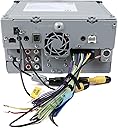


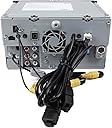

JVC KW-V820BT 6.8-Inch CarPlay Receiver Double DIN BT In-Dash Stereo with XM, iDataLink Maestro, Dual Zone
Product ID: 30734425
📱6.8" Touch Panel
📻Wide Frequency Range
🔊Built-In Bluetooth
🎶 Drive Your Soundtrack!
The JVC KW-V820BT is a cutting-edge 6.8-inch CarPlay receiver that combines a vibrant WVGA display with built-in Bluetooth for seamless connectivity. Designed for the modern driver, it offers a wide frequency range and versatile media options, ensuring an immersive audio experience on the go.
| ASIN | B01BIKAFSW |
| Audio Encoding | Stereo |
| Audio Output Mode | Stereo |
| Audio Output Type | Speakers |
| Brand | JVC |
| Built-In Media | Car Stereo, Vehicle Cd Digital Music Player Receivers |
| Color | BLACK |
| Compatible Devices | Smartphone, Speaker |
| Connectivity Technology | Bluetooth |
| Connector Type | 3.5mm Jack , USB |
| Control Method | Touch |
| Controller Type | IOS |
| Customer Reviews | 3.7 out of 5 stars 25 Reviews |
| Format | WAV, WMA |
| Global Trade Identification Number | 00046838073069 |
| Item Weight | 2000 Grams |
| Manufacturer | JVC |
| Mfr Part Number | KWV820BT |
| Model Number | KWV820BT |
| Number of Channels | 4 |
| Other Special Features of the Product | Touchscreen |
| Output Wattage | 50 Watts |
| Special Feature | Touchscreen |
| UPC | 841992103481 841992107106 046838073069 |
| Wireless Technology | Bluetooth |
A**.
Love this radio!!!!!
I had this radio installed in my 2004 Infiniti g35 and I've really enjoyed it. This radio makes my car feel like it's brand new. I was thinking about getting rid of my car but this upgrade as made me rethink my stance. The Bluetooth works great, I have never had any problems with connectivity. The radio sounds very clear and is major upgrade from my stock. The CarPlay function works great and I rarely have any problems with it. The touch screen on this head unit is very responsive and the display looks really good! I have nothing but good things to say about this radio and highly recommend it. If your looking for Apple CarPlay, this unit works great and is a fraction of the price of the ones pioneer and alpine makes.
S**N
Amazing for iPhone users!
Love this product! The user interface is very well thought out. If any Apple users would like a headhunt to mirror their phone, you should get this. The music application works very well and the Maps application is great. I've had no issues with this. I installed this in my 2014 Tacoma and have had no issues with steering wheel controls and backup camera. Make sure to order the right cables for your vehicle. I have this setup with 4 Rockford speakers and a Rockford amp + 10" subwoofer. Very great product!
G**S
CarPlay is Good, Hardware & Software Have Problems
[Update after September 2016 firmware update. The new firmware took about 15 minutes to install and fixed the Tokyo time clock issue. Other than that, the only noticeable change is to further cripple watching USB hosted video files; now you can't watch video when a CarPlay phone is attached even if the parking brake is on.] [Update after Christmas 2016. I bought a Sony XAV-AX100 CarPlay receiver which is superior in just about every way other than the lack of a 2nd USB port and an optical drive. I'd recommend getting that instead, as I'm sort of jealous of my wife now.] I spent a long time deciding on a CarPlay receiver for my 2003 Honda Civic. And the feature set of this one won me over. It has some fairly unique, but welcome features such as: • 1.5A USB ports. Every other CarPlay receiver I've researched has 1.0A ports. That isn't enough for a modern phone. I should say that my USB Ampmeter only shows it drawing 0.97A with both my iPhone 5S and iPad Air 2, so maybe that spec is incorrect. • GPS. Even though this is not a navigation receiver, and doesn't have built in maps, it has a GPS which can be used by my iPhone to more quickly lock on my location. • GPS time set. I don't have to set the time, just the time zone. (You'd think they could set the time zone because of the GPS, but OK). BTW, the price of this thing varies substantially from day to day. You may want to keep an eye on it There is a bug where after every restart the non-Carplay displays give me the time in Tokyo instead of East Coast U.S. time. This is true whether or not I set the time manually or via the GPS. Thus, when it's 6PM here in New Hampshire, the clock will read 7AM. I purchased a wiring harness for my Civic and a bit of trim to fit the opening left by my old OEM stereo. I soldered and shrink tubed everything that made sense to the corresponding wire provided on the bundle from JVC. I don't have a steering wheel remote, and I had to bring out the parking brake sensor all the way to the parking brake. The included microphone made its way above my rear view mirror, while the GPS antenna and its metal pad ended up just under the windshield. I bought a special yellow RCA cable that incorporated a trigger wire for the backup camera; it took a bit of doing navigating the trim in my car, but I brought the wire to the trunk lid, where I wired the trigger wire to the reverse light in the trunk. I installed a cheap backup camera above the license plate. As the camera had its own distance markings, I disabled those generated by the JVC. And it works well. When I put my car into reverse with receiver on, it will immediately switch to the backup view. I didn't have any use for the external amp connections, the Sirius XM, or the iDataLink, but I'm sure people will find uses for them. Total installation time 4-5 hours, might have wanted to go to a professional installer. Bootup time (after the first time) is about 9 seconds, which is quite quick and makes the backup camera a useable feature. There is an annoying, useless safety warning dialog that you have to dismiss overtime you start the unit, but at least the backup camera overrides it temporarily. This has a resistive screen and it feels a bit odd and old fashioned compared to a modern phone screen. It has a bit of plastic sheeting give to each tap. But it's reasonably responsive and looks fine for what it is. I'd have preferred a dedicated hard Siri button, and a volume control knob, but I guess they ran out of room. There is a column of dedicated soft buttons along the left hand side, and holding down the home button will bring up Siri if CarPlay is enabled. You do not want to have to use this screen with the sun coming in the rear window, you will literally see nothing but reflected sunlight. Phone quality is OK, although I just have Honda original speakers so it sounds a bit hollow. People I talk to say it sounds fine. The microphone looks low end, but I'm unlikely to rip up my dash again to replace it. I chose to do the safe thing and wired up the parking brake sensor. I know that the Internet and Amazon is filled with hacks to get around it, but I cannot imagine safely playing a DVD on this thing while moving, given its position. I've got my kids to think of. And yes, there is a DVD player which I doubt I will ever use, although it was sort of funny putting a copy of Wayne's World in and watching a few minutes on my dash. It's a low resolution display, but it approximately matches the output of a standard DVD. Controls take some getting used to but work. Only one of the 2 USB ports are active for CarPlay. The USB ports are at the end of a custom cable which you will probably want to baby as you'll have to go back to JVC for a replacement. The iPhone port recognized my Lightning cabled iPhone 5S right away, my phone asked me if CarPlay should work with a locked device, and I was off. This is my first real experience with CarPlay and it is limited but easy to use and just what I need in a commuter vehicle. I purchased an auto USB port and cut a hole in the middle of my console for it, so it looks reasonably professional but I'd have preferred shorter cable runs. I put a good sized USB stick with some favorite audio tracks and a few videos. In the odd case of being out of cell tower range, waiting parked in the car, this might be marginally useful. However, the video player is missing even the basics of a scrub bar or chapter skip button, so I guess you are supposed to watch videos end to end like our caveman ancestors did. The receiver is not doing wonders with my stock speakers but I finally found the equalizer and punched it up a bit, so it sounds pretty good now. Also, no HD Radio. The radio is hard to figure out how to tune. I don't know why this product's description mentions HDMI, there isn't an HDMI port as far as I can see. I'm happy with this now that it is installed, and enjoy listening to Podcasts on my upcoming commutes and calling people with the hands free setup. The other receiver I was looking at was the AVIC 5200NEX, but while built in mapping would be nice, especially when driving away from cell towers, I was not looking forward to paying for map updates. If you are looking for a current generation CarPlay receiver on a budget, this is a decent choice.
S**S
Not ready yet.
The screen is not 6.8" but only 6". The part on the left is NOT par of the screen. GPS Time feature doesn't work at all. The sound has a very noticeable hiss unless you turn it up. Not shortcuts to just the sound. The UI can't be adjusted like the lower models and also lacks the HDIM input too. No way to see the camera unless you are backing up. I wanted to Call JVC to see if they were planing on fixing any of the problems with a firmware update but the don't have a working customer service number. JVC KW-V820BT 6.8" Double DIN BT In-Dash Stereo with XM, HDMI, iDataLink Maestro, Dual Zone & Apple CarPlay/Android Auto
R**Y
DO NOT BUY THIS UNIT FOR ANDROID AUTO.
I bought this radio because it stated it was compatible with android auto. It is very limited to what you can do with a Galaxy S7 or above. Mirror link support via HDMI cable is not there after Galaxy S6. You can blue tooth Audio and Phone calls. Android auto does work some what but not correctly. You can use speech to text and it works ok with Google assistant but again all visual for text and mapping are on your phone but audio is over the radio kind of defeats the purpose. I am constantly being asked to set up the audio. Bluetooth audio seems to drop out often and I have to redo settings. I did a firmware update but it did not add much function. If you plug in an Android device it will continually cycle and say unsupported device. As far as sound quality in my 2006 Hummer H3 with factory Monsoon amp I give it an 7 out of 10. The factory navigation unit was louder but this unit is clearer and you have more range in sound. Now I did borrow a family members I-phone and if you are an I-phone user it interfaces beautifully and you have full control mirroring of the phone on the radio display. Plug it in and store your phone away. every thing from your phone appears on the radio screen.Audio also seems to be a lot more clear with an I-phone. Anyway I will be getting a different head unit.
S**.
It works well and sounds good, but the interface is UGLY
It works well and sounds good, but the interface is UGLY. They should have taken a cue from Apple when designing their menus. JVC needs to hire some better graphic designers.
G**N
I love this radio
I love this radio, I used to have an IPhone 5C and I had a lot of issues between it and the phone but since I upgraded to a IPhone 7 plus, I have had ZERO issues. I would recommend this radio, the install is not for those light hearted garage mechanics and installer, so we some basic skills and understanding of electricity and running wires you can do this easily. the connection kit is an absolute must!!!
L**O
Good bang for the buck.
So far, all works as expected. CarPlay is very cool.
Trustpilot
5 days ago
4 days ago