Desertcart purchases this item on your behalf and handles shipping, customs, and support to Senegal.
🚀 Upgrade to the SSD that’s redefining speed and reliability — don’t get left behind!
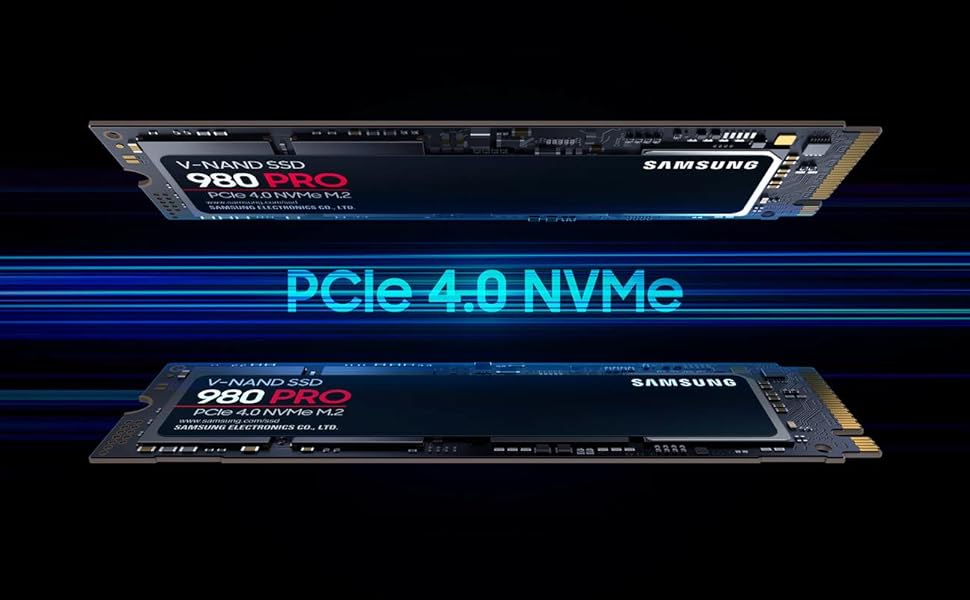
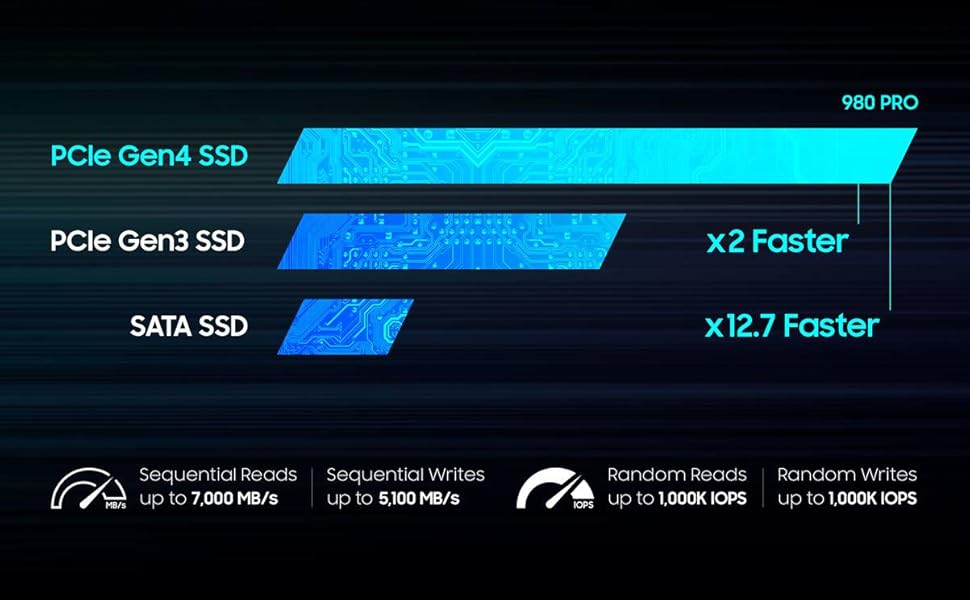
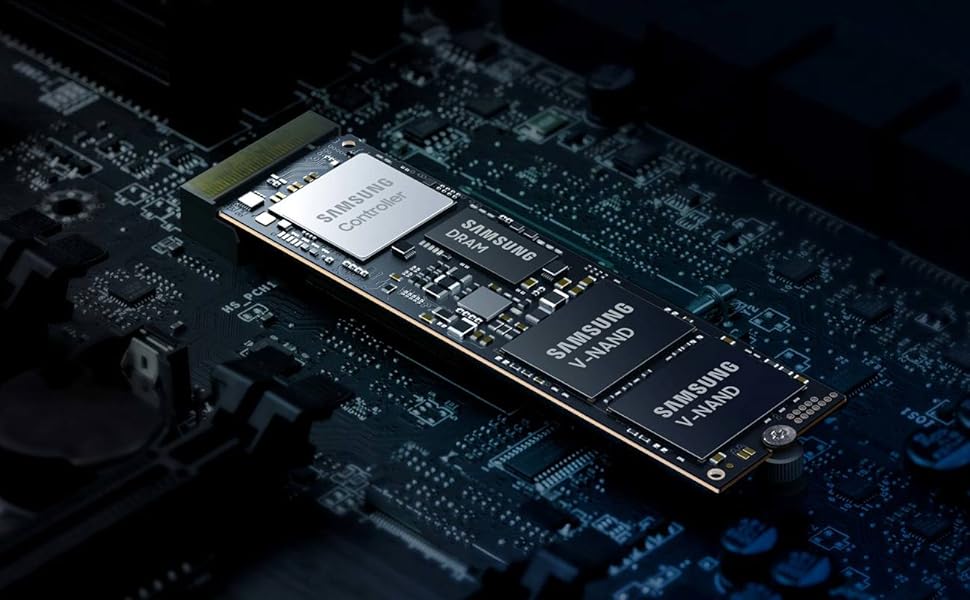
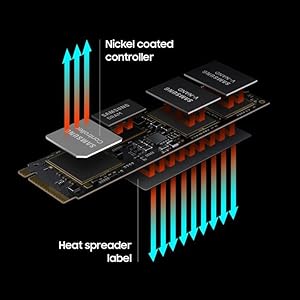
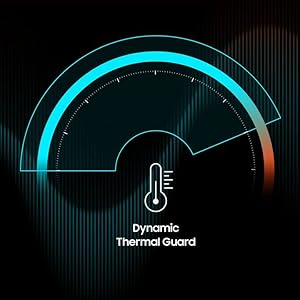
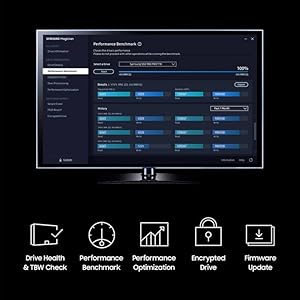
The Samsung 980 PRO 1TB is a cutting-edge PCIe 4.0 NVMe M.2 SSD delivering up to 7,000 MB/s read speeds, designed for gamers, tech enthusiasts, and professionals. Its advanced thermal control and compact form factor ensure sustained high performance and easy integration into modern systems. Backed by Samsung’s 5-year warranty and Magician software, it offers a reliable, future-proof storage solution that accelerates workflows and gaming experiences alike.


| ASIN | B08GS7748F |
| Best Sellers Rank | #24,570 in Computers & Accessories ( See Top 100 in Computers & Accessories ) #155 in Internal Solid State Drives |
| Box Contents | Solid state drive, Quick guide |
| Brand | Samsung |
| Brand Name | Samsung |
| Cache Memory Installed Size | 114 |
| Color | Black |
| Compatible Devices | Desktop, Laptop |
| Connectivity Technology | SATA |
| Country of Origin | China |
| Customer Reviews | 4.6 out of 5 stars 52,311 Reviews |
| Data Transfer Rate | 7000 Megabits Per Second |
| Digital Storage Capacity | 1000 GB |
| Enclosure Material | samsung |
| Form Factor | M.2 |
| Global Trade Identification Number | 00887276394541, 08806090295546 |
| Hard Disk Form Factor | 2280 Inches |
| Hard Disk Interface | Solid State |
| Hard Disk Type | Solid State Hard Drive |
| Hard-Drive Size | 1 TB |
| Hardware Connectivity | PCI Express 4.0 |
| Hardware Platform | Linux, Mac, PC |
| Importer Contact Information | Samsung Electronics Pvt.Ltd., 6th Floor, DLF Centre, Sansad Marg, New Delhi-110001 |
| Installation Type | Internal Hard Drive |
| Item Dimensions L x W x Thickness | 8L x 2.2W x 0.2Th Centimeters |
| Item Type Name | Internal SSD |
| Item Weight | 9 Grams |
| Manufacturer | Samsung, Samsung Electronics Co., Ltd. Semiconductor Business Test & Package Center, #158 Baebang-Ro Baebang-Eup, Asan-city Chungcheongnam-Do, 31489 Republic of Korea |
| Manufacturer Contact Information | Samsung Electronics Co., Ltd. Semiconductor Business Test & Package Center, #158 Baebang-Ro Baebang-Eup, Asan-city Chungcheongnam-Do, 31489 Republic of Korea |
| Manufacturer Part Number | MZ-V8P1T0BW |
| Media Speed | 7000 |
| Model Name | 980 PRO |
| Model Number | MZ-V8P1T0BW |
| Network Connectivity Technology | SATA |
| Number of Items | 1 |
| Packer Contact Information | Samsung Electronics Co., Ltd. Semiconductor Business Test & Package Center, #158 Baebang-Ro Baebang-Eup, Asan-city Chungcheongnam-Do, 31489 Republic of Korea |
| Product Features | Fast Speed |
| Read Speed | 7000 Megabytes Per Second |
| Special Feature | Fast Speed |
| Specific Uses For Product | Business, Gaming, Multimedia |
| UPC | 887276394541 753459498361 747832206605 |
| Unit Count | 1 Piece |
| Warranty Description | 5 year manufacturer |
P**R
Best Quality SSD
First time it take only 10-15sec to boot. I was surprised that it just take very less time, when i clone my old ssd with new 980 1tb. Performance is good enough… 2300mbps write and read speed on standard mode(Samsung magician app). I was not tested on performance mode. Free space 931gb out of 1000gb(1TB). I face no heating issue. 38-45 Celsius on December. 980 doesn’t have dram but 980 plus have..
A**T
Good Product
Good Product
K**N
Don't worry about the heat, it can be optimized using Samsung Magician
Though this Drive transfers the data at high speeds, in case you are worrying about the heat, it can be modified based on your requirements. Below are the observations: 1. if you are checking for the budget SSD, yes you can opt for any other as the SSD speeds are required only in case your requirement/job is moving data daily multiple times, else go for this otherwise, as most of the time Samsung 980PRO can be faster in OS loading 1 Sec and Game loading time just by 1-5 seconds more when compared to WD SN350 NVME PCIe Gen 3.0. 2. By default the SSD will be in standard mode not in full performance mode, we need to select the performance and restart the PC to get high-speed transfers enabled. 3. For coding and programming damn sure this SSD is not required. 4. I was not aware that heat issues can be optimized and settled for 1 TB instead of 2 TB. 5. If your requirement is more data storage, choose high-capacity SSDs and optimize it to standard mode and it can be enabled to performance mode when the transfer speed is actually required. 6. If you are upgrading your existing SSD/HDD, Clonezilla is the open-source software to clone/copy the old SSD as it is to the new one without any Windows OS-related issues. The original OS can be migrated using this. But we need to be careful as this is not UI-friendly when compared to Samsung's Data Transfer Application. 7. I opted for Clonezilla as I am upgrading my WD SSD to Samsung 980PRO and Samsung's Data Migration software did not work for me. Clonezilla cloned 300GB data in 20 mins and the entire process took only 30 mins. 8. Though the 980PRO is in standard mode the transfer speed is around 3500 MB/s according to Crystal Disk Mark. If the performance mode is enabled for sure the speed will increase. ((Again the CPU and system requirements will affect the data transfer speeds. I am getting around 145 MB/s while transferring 9GB data (not a single large file) from a USB 3.2 Sandisk Ultra pendrive using a Type C - 10GB/s port, observed these speeds when the SSD is in standard mode)). I tried to share the information which I was not aware of, other details are already covered in other reviews.
J**E
Boot time reduced from 15mins to 18 secs. Works fantastic. Easy to install and use.
It is easy to install. I bought this for my laptop, Asus vivobook 15, before I had Toshiba HDD which was very slow FYI. It took around 15 minutes to boot and when windows update starts laptop totally lags and not able to use anymore. After installing SSD, the boot time is 17 seconds. The packaging is good. Value for money I would say. System is not heating like before it is good. This is my initial review. Let me use it for some more time and give you a better review. (P.S they don't provide the screw to lock your SSD, you have to arrange it)
H**A
fast and durable
its good, works fast and have not found any issue or what so ever
S**I
M.2 Ssd
Best M.2 Koi Nhi Takkar Mei Ek Brand Hei Rate Bhi Uske Kam Hei But Quality Service Mei Fail Hei Wah
A**9
Faster Than You Think
Samsung’s 980 is an inexpensive M.2 SSD that lacks DRAM, but it packs the company’s fastest flash yet. Samsung’s 980 is a very fast DRAM-less M.2 NVMe SSD that runs both cool and efficiently. For those penny pinchers on the hunt for a solid PCIe 3.0 x4 M.2 NVMe SSD, Samsung’s 980 is a good choice. - Pros + Competitive performance + Large, fast-recovering dynamic SLC cache + Attractive design + AES 256-bit hardware encryption + Software package + 980 Pro-like endurance and 5-year warranty - Cons - Slow write speeds after the SLC cache fills The Samsung 980 non-Pro was announced end of March 2021 and made waves because it is a DRAM-less SSD, a design choice usually reserved for value drives without maximum performance, yet Samsung picked the "980" name, which is used on their flagship "980 Pro." Under the hood, the Samsung 980 in today's review uses a relatively new controller called "Pablo," or S4LR033—a 4-channel PCIe Gen 3 controller design we've seen on some external Samsung SSDs before. The flash chips are 128-layer 3D TLC, same as on the Samsung 980 Pro. As mentioned before, a DRAM chip is not present, which is a cost-optimization measure, but has the drawback that random write performance is reduced.
S**.
Easiest way to Glow up your PC
I went for 980 500GB variant, as it seemed to be most value for money... especially considering my HP pavilion supports PCIE Gen 3, so going with 980Pro which was costlier and is PCIE gen4 made no sense. For those who don't know, even though Gen4 is backward compatible, it actually performs at lower read write speed on a Gen3 motherboard than an actual Gen3 SSD. I used Hasleo clone tool to clone my HDD to the SSD and continued with the GPT partition, my motherboard supports EFI booting. I had to choose the Bootfile during booting from the SSD as there was no way to change the priority, then it logged into the windows on the SSD, then I deleted and recreated the HDD windows partitions..And now the laptop directly boots into the SSD windows. Took me 30 minutes for the entire process including SSD installation, partitioning and Windows cloning. The laptop is pretty fast now. Even my download speed has increased significantly, which I didn't expect, probably because of some buffer being used by the Windows which was earlier on HDD and now on SSD. I mean, I downloaded the Samsung Magician, which is a 307 MB file, it downloaded instantly and i am using Airtel 5g mobile network. I would suggest everyone to install Samsung Magician, it not only tells you different parameter such as temperature and health of your SSD, but lets you perform different diagnostic scans. But, most importantly it allows you to do "Over Provisioning" on your SSD, which is basically allocating certain percentage of your SSD, which will increase the life of the SSD. So, if you have no space issue, you can allocate about 5-10% of your SSD which is supposed to drastically increase the performance and health of the drive. I got the 500GB, so I allocated 10%, which decreased my drive capacity by 46GB.
ب**د
منتج ممتاز جدا جدا وانصح بشرائه
J**L
Solid drive
Fast SSD, just make sure you're updated on firmware.
F**M
Die Samsung 980 M.2 NVMe SSD - Eine High-Speed-SSD für ultimative Leistung
Die Samsung 980 M.2 NVMe SSD (MZ-V8V500BW) hat mich mit ihrer herausragenden Leistung und Geschwindigkeit beeindruckt und ich kann sie uneingeschränkt empfehlen. Als begeisterter Gamer und anspruchsvoller Benutzer war ich auf der Suche nach einer schnellen und zuverlässigen SSD, um die Leistung meines Systems zu maximieren, und die Samsung 980 hat meine Erwartungen übertroffen. Mit einer Lese-Geschwindigkeit von beeindruckenden 3.500 MB/s bietet die Samsung 980 eine blitzschnelle Datenübertragung. Das Laden von Betriebssystemen, Anwendungen und Spielen erfolgt in Sekundenschnelle, und die allgemeine Reaktionszeit meines Systems hat sich deutlich verbessert. Die Leistung der Samsung 980 NVMe SSD ist einfach beeindruckend und ermöglicht ein flüssiges und reaktionsschnelles Benutzererlebnis. Die Installation der Samsung 980 war kinderleicht. Dank des M.2-Formfaktors und des PCIe 3.0-Anschlusses passte die SSD problemlos in meinen M.2-Steckplatz auf dem Motherboard. Die Einrichtung war schnell und unkompliziert, und die Samsung Magician Software ermöglichte es mir, die SSD einfach zu verwalten und Firmware-Updates durchzuführen. Die Zuverlässigkeit der Samsung 980 ist ebenfalls bemerkenswert. Samsung ist bekannt für seine hochwertigen SSDs, und die 980 ist da keine Ausnahme. Die SSD arbeitet stabil und zuverlässig, ohne dass es zu Datenverlusten oder Leistungsabfällen gekommen ist. Ich habe volles Vertrauen in die Sicherheit meiner Daten auf dieser SSD. Das Preis-Leistungs-Verhältnis der Samsung 980 ist ebenfalls herausragend. Mit 500 GB Speicherplatz bietet sie ausreichend Platz für Betriebssysteme, Anwendungen und Spiele. Der Preis ist angemessen für die gebotene Leistung und die Qualität des Produkts. Zusammenfassend lässt sich sagen, dass die Samsung 980 M.2 NVMe SSD (MZ-V8V500BW) eine erstklassige Wahl für alle ist, die nach einer High-Speed-SSD suchen. Mit ihrer beeindruckenden Geschwindigkeit, einfachen Installation und Zuverlässigkeit erfüllt sie alle Anforderungen an eine erstklassige SSD. Ob Sie Gamer sind, produktiv arbeiten oder einfach nur die Leistung Ihres Systems maximieren möchten, die Samsung 980 wird Sie nicht enttäuschen. Ich gebe dieser SSD mit voller Überzeugung fünf Sterne und kann sie jedem empfehlen, der nach ultimativer Leistung sucht.
P**R
Still using it!
Used it for a few years now, strong, high speed storage. I bought a 2TB for in my laptop now, and use this drive in a portable enclosure. Be aware that you always need an external backup with ssd drives, since they loose their content when malfunctioning. However, this is prone to all ssd drives and hardly happens.
F**K
Perfect.
Perfect. Werkt de dag van vandaag nog steeds!
Trustpilot
2 weeks ago
2 months ago