Desertcart purchases this item on your behalf and handles shipping, customs, and support to Senegal.
🚀 Elevate your workspace with LG’s 27” UHD powerhouse — clarity, color, and connectivity in one sleek package!
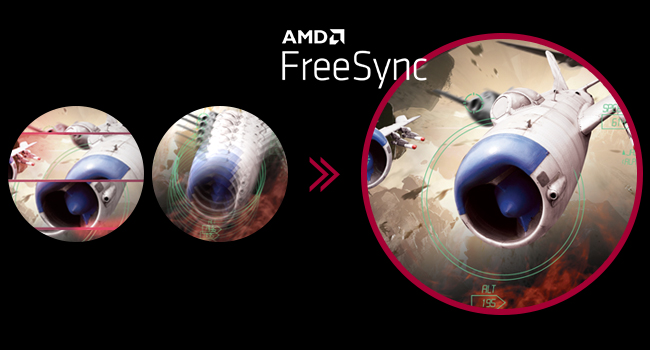
The LG 27UP850-W is a 27-inch UHD (3840x2160) IPS monitor featuring VESA DisplayHDR 400 and 95% DCI-P3 color gamut for vivid, accurate visuals. It offers versatile USB-C connectivity with 96W power delivery, a virtually borderless 3-side design, and an adjustable ergonomic stand (height, pivot, tilt). AMD FreeSync ensures smooth motion, making it ideal for professionals seeking a premium, eye-friendly display with seamless device integration.


| ASIN | B08YJMMYBX |
| Adaptive Sync | FreeSync |
| Additional Features | Anti Glare Screen, Height Adjustment, Pivot Adjustment, Tilt Adjustment |
| Aspect Ratio | 16:9 |
| Best Sellers Rank | #33,173 in Electronics ( See Top 100 in Electronics ) #904 in Computer Monitors |
| Brand | LG |
| Brightness | 400 cd |
| Color | Silver |
| Connectivity Technology | DisplayPort, HDMI |
| Contrast Ratio | 1200:1 |
| Customer Reviews | 4.3 out of 5 stars 334 Reviews |
| Display Resolution Maximum | 3840 x 2160 |
| Display Technology | LCD |
| Display Type | LCD |
| Hardware Connectivity | DisplayPort, HDMI, USB 3.0 Type C |
| Image Contrast Ratio | 1200:1 |
| Included Components | HDMI, DisplayPort, USB-C Cables, Monitor, Power Cord, Stand, Warranty Card & Owners Manual |
| Item Dimensions D x W x H | 22.4"D x 24.2"W x 11.5"H |
| Item Weight | 13 pounds |
| Manufacturer | LG Electronics |
| Model Name | 27UP850-W |
| Model Number | 27UP850-W |
| Mounting Type | Wall Mount |
| Native Resolution | 3840x2160 |
| Number of Component Outputs | 3 |
| Picture Quality Enhancement Technology | VESA DisplayHDR 400, DCI-P3 95% Color Gamut, AMD FreeSync |
| Power Consumption | 96 watts |
| Refresh Rate | 60 hertz |
| Resolution | 4K UHD 2160p |
| Response Time | 5 milliseconds |
| Screen Finish | Matte |
| Screen Size | 27 inches |
| Screen Surface Description | Matte |
| Specific Uses For Product | Business, Personal |
| Total Number of HDMI Ports | 2 |
| Total USB 3.0 Ports | 2 |
| Total Usb Ports | 2 |
| UPC | 195174007754 |
| Viewing Angle | 178 degrees |
| Voltage | 240 volts |
| Warranty Description | Limited: 1 Year Parts & Labor |
| Warranty Type | Limited |
B**A
High-quality resolution without eye strain
Really good monitor. The image quality is as good as my macbook. It has a broad range of brightness settings to find something that doesn't strain the eyes without altering hues. I physically swivel between landscape and vertical orientation way more than normal folks and its not breaking or loosening the firmness. The stand is aesthetic and very stable.
M**N
Impressive Display
After checking out many online reviews of this model versus others from LG and Dell, I decided on this one to use with my 2019 MacBook Pro. I am impressed with the vivid colors and crisp resolution so far. It is almost indistinguishable to my aging eyes from my 27" 5K iMac's display. The onnly issue so far has been some wonkiness about the USB-C connectivity. I initially connected it to the MacBook using the supplied USB-C cable. At the time I first turned on the monitor using that cable, it said there was a firmware download needed. But after the firmware installation, I could no longer get the monitor to check for firmware updates or use the USB ports on the back of the monitor. Don't know if that was LG's cable, their monitor software/firmware, or an Apple issue. Some online suggested using a Thunderbolt 4 cable instead. So, after connecting via a Thunderbolt 4 cable it still didn't seem able to do firmware checks or make the USB ports available. Then I saw a suggestion to restart the monitor while the Mac is connected. Viola! That was the trick. Now the USB ports are working fine and LG's software is able to check for firmware updates! Assuming that solves the issue for the long term, I'm totally pleased with the monitor.
T**A
READ THIS - GREAT MONITOR, VERIFY YOUR HDR WORKS
Great new released monitor, performs as advertised, very happy. However, one of the two units recevied failed to operate in HDR mode and this is an HDR monitor, so a defect in one unit. Performed a factory reset, swapped GPU port, no change in outcome - HDR remained failed. I ordered other and replaced it with a third unit, all worked fine. Make sure to check that your monitor works in HDR mode in your windows display settings before you verify your unit is fine. HDR is fantastic btw - a must have! I rate 5 stars still, thing happen.
A**H
Great 4K monitor for PC, not so great for Mac
This 27” 4K monitor works perfectly well with Windows PC or Mac running Windows with absolute clarity of text/font/window. All looks very well in 150% scaling in Win10. The fineness degrades with 125% or native res. But the browser texts looks amazing at all scaling. This has something to do with how Windows is handling resolution. But not so great for Mac world. It is no where near comparable to what Windows could do in this 4K monitor. For some reason Mac sees this monitor as 61”. Probably it is a bug in macOS or Monitor. I have tried different scaling options and even use native resolution. But at any scale, the fineness was missing. With this price range and with Mac being primary machine perhaps this is not a good investment. But if Windows is primary machine then this will be an easygoing purchase. Final word! This is perhaps not this monitor issue rather how macOS is handling resolution. I would rather go with a 32” size for Mac machines.
K**J
Excellent for iMac
I attached two of these monitors to my 2025 iMac (4-port) and they are really great quality for picture. I set the picture to ‘vivid’ as the best match to the iMac. For the price, really can’t go wrong. Even though the iMac is a 24 inch, the height adjustment makes them align perfectly.
R**S
Great 4k Monitor but...
Does the job with 4k, brightness and color. Usual IPS glow was tolerable as well. Used this monitor for PS5, PC, and Amazon fire stick watching. Surprisingly decent speakers compared to my Acer predator monitor. I gave this to my wife for her to use with a macbook/mac mini. It worked well for that. Unfortunately when setting her up the USB-C port literally disconnected from the PCB and fell out of the monitor. Super bummer since i was over the 1 year warranty by like 6 months, but everything else worked fine. Overall I was happy using this monitor.
B**N
Great Monitor, Great Brand.
I like how well these monitors are packed. I have had 8 of them delivered to me and all have been perfect. Easy to put together, maybe 5 minutes and you are up and running. Easy hookups in the back, 2 hdmi's and a powered USB-C for charging the Mac Book Pro. Colors look great with a fantastic near borderless screen. Lots of functionality with tilt and up and down along with changing to portrait mode rotating 90 degrees. I will continue to purchase as I need them.
S**D
Macbook Pro M1 and Dell and HP PCs
I did a lot of research on panels. I'm very pleased with this LG product. Excellent stand that is very adjustable and facilitates Portrait and Landscape modes. The quality of the colors and crispness of text is very very satisfying. I'm still learning how to maximize the utility between my Mac M1 PowerBook, and one of two PC's as I don't have a switch unit. If you want a very high quality 27" monitor, you cannot do better than this one. One more thing - the back of this monitor is white not black. It adds a level of sophistication to my office.
L**A
Mal soporte
A los 2 meses de adquirirlo le salió una raya negra y no me brindaron soporte ni Amazon ni LG ya que me encuentro en Mexico
P**O
Great monitor for my macbook and color accurate.
It is one of the best monitors I have. After researching a lot to get my first and new monitor, I went for this. As a video editor, I wanted a color-accurate display, which worked with my MacBook. The only con is its stand which comes with it. It takes a lot of space on the desk but getting a monitor arm solves the space problem. Speakers are meh, go for a sound bar or table speakers. The clarity is good as well, comes very close to Mac's retina display.
V**A
Great monitor for Mac Studio
Choosing a monitor for your new M1 Mac mini of Mac Studio is difficult if you’ve already ruled out the Studio monitor because of the price. I agonized over this for a long time, read HUNDREDS of reviews of many different alternatives. I was confused by the many comments about scaling the resolution, how it would interact with my Mac, controlling such things as volume, brightness etc. All things that, on my previous iMac, were not an issue. I hope that this review will help anyone in the same situation feel more comfortable with buying a non apple monitor. First of all, the ergonomics of this monitor. The stand is excellent, height adjustment is so simple, the stand looks great and installing it to your monitor is literally a matter of seconds. The 1 cable connection using the supplied USB-C cable is very tidy and works perfectly. Out of the box, with the display parked beside my wife’s 5K iMac screen, this monitor is slightly less crisp. However, after some tweaking using the very functional joystick/toggle on the bottom of the display, the difference is minimal and more than acceptable to me. I saw several reviews talking about problems waking from sleep on the previous UN model; the problem does not exist here. Monitor sleeps right after I put my Mac to sleep and promptly turns back on when I wake my Mac up. As far a scaling goes, I was confused as to what that was going to do do the sharpness and all round look of the display. It’s totally a non issue. You can change the display resolution in you system preferences to whatever is easiest for you to see and the screen looks awesome. I set the Mac sound output to use the monitor’s audio and I control it just like I always have, from the keyboard. As for brightness, even though this display is speced as 400 NITS, it is plenty bright, I generally have my brightness set at minimum and it’s great. Colours are great and everything is crisp and sharp. The downloadable On Screen Control (OSC) is not quite perfect for this monitor, but adjusting this monitor with the joystick works well. Hopefully LG will update the OSC software. There is a free app available on the web called Monitor Control that lets you control brightness and contrast from your keyboard and it seems to work well. I hope this helps anyone who was as confused as I was. This monitor works great with my Mac Studio and I am very pleased with my purchase. Highly recommended.
F**I
Great 4k productivity monitor. Really good picture quality.
I wanted to get a monitor with USB-C power delivery. I had shortlisted a couple of options, all of these have USB-C PD : BenQ EX3203R 32 Inch - QHD@32 inches, 144hz, USB-C. 144hz would be nice, but QHD at that size would look pixelated. The only plus point was that it was cheaper. SAMSUNG S80A - Same specifications as the LG but was a bit pricier. LG Libero - Comes with inbuilt detachable webcam, 27-inch QHD 60W USB-C PD. A really cool and unique monitor. I would have bought this if it was 4k instead of QHD. After considering these options I finally decided to go with the LG 27UP850-W since I used to own the LG ultra-wide 29UM69G. The 27UP850-W I received had no dead pixels or blooming so quality control is good. It's bright enough for my room. I have placed my setup right next to the window and I usually set the monitor to 70% brightness during the day, which is more than enough. I use my setup for coding and some content viewing and the LG excels at both of those things. 4k resolution gives you huge real estate for multitasking. You can have multiple windows open side by side and see more content without loss of detail. Picture quality is exceptional and the text is really crisp which reduces eye strain. The 96-W power delivery, image quality, and 4k sealed the deal for me. The 2 additional USB ports in the back are a nice feature. If you're looking for a productivity monitor then you should definitely buy this. Don't buy this if you're looking for good HDR as it barely supports it because it just can't get bright enough for HDR content. You can notice the difference between HDR and non-HDR content but it's not worth it. It's not even half as good as my OLED.
W**Y
Versatile and powerful
I bought this monitor for image editing, since it has a nearly full colour gamut (well beyond sRGB), but also to pair with a 2021 MacBook Pro, as it has very high power over USB. I have to say, I haven't been disappointed. It charges and connects to the laptop with one cable which I didn't even realize was going to be included in the box. And those longer, high power, high bitrate C to C cables are Not cheap, so that's great. The screen was reasonably well calibrated out of the box, but I still calibrated it myself once it was installed. My one qualm with the screen is it is more reflective than expected. My old 2020 iMac screen that this replaces was a glossy screen, while this is a matte screen. One would think that this screen would have less reflections, but it actually has more. I can see the wall behind me if I don't close the curtains. I've since angled the monitor to cut down on this.
Trustpilot
1 month ago
3 weeks ago