Desertcart purchases this item on your behalf and handles shipping, customs, and support to Senegal.
🚀 Boost Your Signal, Boost Your Life!
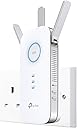
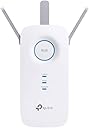
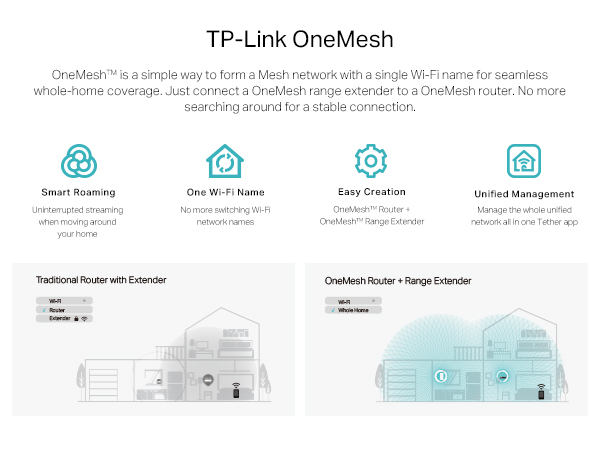
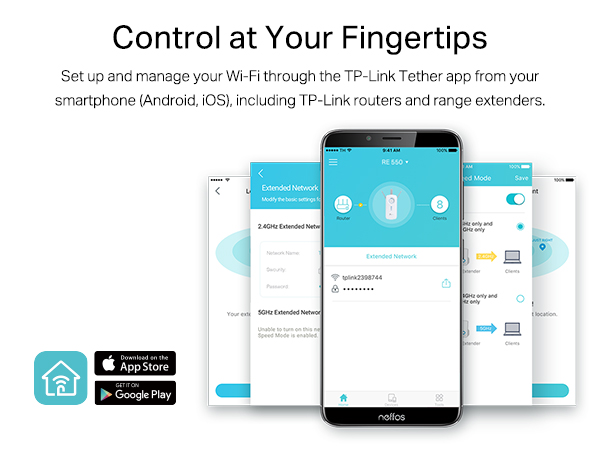
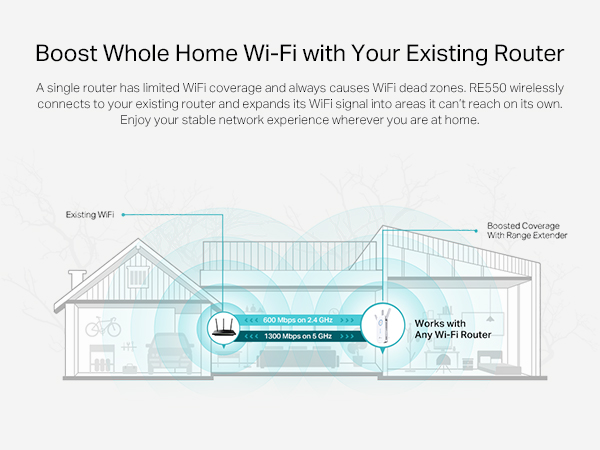
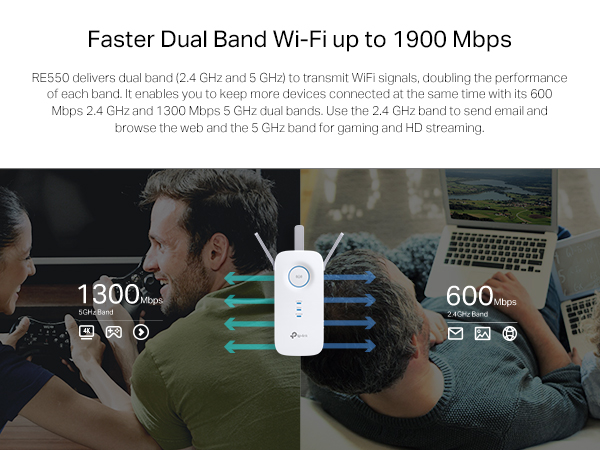
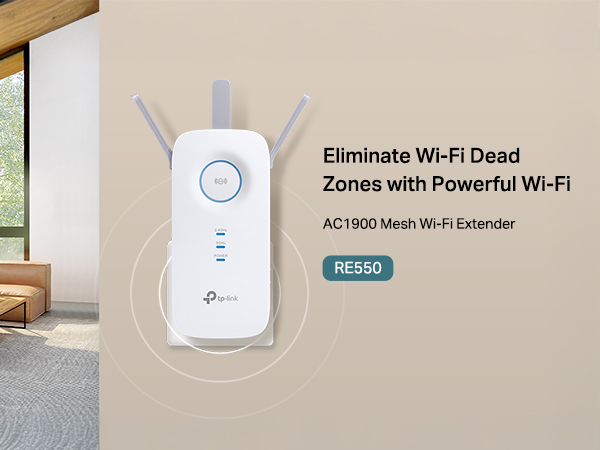
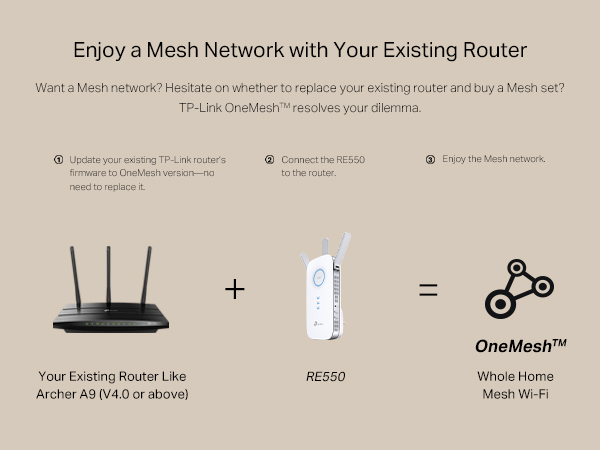
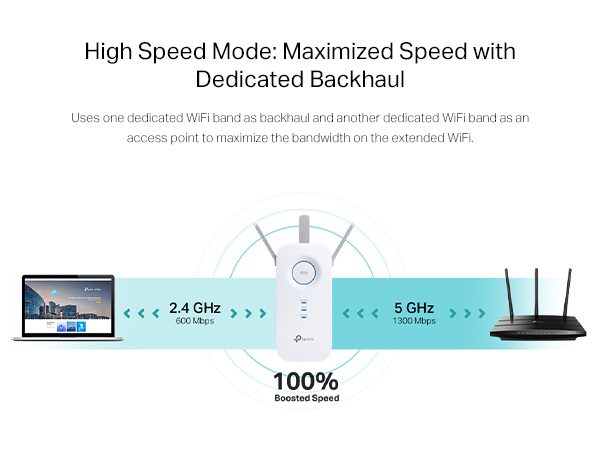
The TP-Link RE550 AC1900 WiFi Extender is a professional-grade dual-band booster designed to eliminate WiFi dead zones across up to 12,000 sq.ft. Featuring three high-gain antennas, a gigabit Ethernet port for wired devices or AP mode, and smart mesh compatibility, it ensures fast, stable connections throughout large homes or offices. Easy setup via WPS or the TP-Link Tether app makes it ideal for busy professionals seeking seamless, reliable internet coverage.


| ASIN | B08Y5YB5D1 |
| Best Sellers Rank | 291 in Computers & Accessories ( See Top 100 in Computers & Accessories ) 4 in Network Repeaters |
| Box Contents | Quick Installation Guide, Wi-Fi Range Extender RE550 |
| Brand | TP-Link |
| Brand Name | TP-Link |
| Colour | Oro Antic |
| Compatible Devices | Any Wi-Fi enabled device operating on 2.4 GHz or 5 GHz frequency bands |
| Connector Type | RJ45 |
| Country of Origin | China |
| Customer Reviews | 4.4 out of 5 stars 15,160 Reviews |
| Data Transfer Rate | 1301 Megabits Per Second |
| Data transfer rate | 1301 Megabits Per Second |
| Frequency | 2.4 GHz |
| Frequency Band Class | Dual-Band |
| Frequency Bands Supported | 2.4 GHz, 5 GHz |
| Frequency band class | Dual-Band |
| Item Dimensions D x W x H | 6.6D x 8.6W x 16.3H centimetres |
| Item Weight | 12.7 Ounces |
| Manufacturer | TP-Link |
| Manufacturer Part Number | RE550 EU-2 |
| Model Number | RE550 EU-2 |
| Product Warranty | 3 Years |
| Range | 12,000 |
| Special Features | Access Point Mode, LED Indicator, WiFi Mesh, Wireless |
| Special feature | Access Point Mode, LED Indicator, WiFi Mesh , Wireless |
| Unit Count | 1.0 count |
| Wireless Compability | 2.4 GHz Radio Frequency, 5 GHz Radio Frequency |
| Wireless communication standard | 2.4 GHz Radio Frequency , 5 GHz Radio Frequency |
R**D
Easy to set up and very stable
I have used a fair few signal repeaters over the years and also have used old routers as repeaters. Recently I was lucky enough to get fibre to the premises broadband from a small supplier. This in theory gives be 300MBS upload and download. However it soon became apparent that the router supplied had pretty poor wi-fi capabilities and the signal was rather weak in the lounge. I decided to try one of these range extenders, It suits my purpose perfectly. Very easy to set up and I cant see anyone having a problem. WPS pairing worked but I then changed the SSID to match the rest of the network which worked well as roaming devices tend to pair to the strongest signal. The advice with this extender was to place it halfway between the router and the problem area. This is logical enough but I was able to place the device behind the TV in the lounge (blue light on the device shows this placement is fine) which meant I could use the ethernet socket for my PVR. This all works perfectly. Unlike previous extenders I have used this one is very stable and I have not had to reboot the device yet. Its important to realise that because of the way repeaters work you will not get the same speed as you would next to the router. There are endless clear explanations for this on the internet but in simple terms the repeater has to collect the signal and then pass it on so you might in theory half the bandwidth. So if your actual internet speed from the provider is slow this may not be the solution you are hoping for. My upload/download (just checked) is about 140 MB from the 300. What you will get though if the device is placed correctly is a very strong signal strength, exactly what wifi dongles such as the firestick require. Based on my experience of ease of setup, usefulness and importantly stability its five stars all the way from me.
G**S
Quick install, effective for WIFI->LAN
Very nice item for providing LAN connection in a different location to the BT Hub. Installation was very easy with the app, and simply providing the Wifi credentials was enough to make this work. In fact it was so easy, I thought I must have overlooked disconnecting the long ethernet lead I had jury rigged in place. It just simply worked out the box. It's probably not much of a struggle for it being one floor above the WIFI source, then I ran a ethernet to my existing gigabit switch. I've been using it all day, the speeds I am getting don't seem to be any lower than the direct LAN connection without it. There are probably cheaper solutions, but this just works so I'm happy.
S**H
Easy to setup but be aware of issues.
One of the things you will probably use this for maybe Zwift? Or, something else you use out of range and maybe in a garage or shed down the garden. I did have an old version of a TP-Link device which I had been struggling with for a while. It wasnt supported in the App, so made things difficult assessing the right place to put it etc. So I use Zwift in my garage at the bottom of the garden which is about 60ft away. Its good that the wifi has EXT at the end so you know you are connected. I have to say I was probably disappointed with the extended range overall this gave me given its size and antennas. Also good in the app you can turn off either the 2.4 or 5 GHz broadcast. I found 2.4Ghz signal interfered with the signals from the Tacx cycle trainer to my iPad... But only using the 5GHz signal you have to have good line of sight, walls especially block 5GHz signals, so its best position seems to be in the upstairs bedroom window, to just get 2 bars of wifi in the garage. Its probably not massively better than my old unit, but that was less customisable. Also I didnt know if I was connected to it. Same wifi name. I tried to get what I thought was the best model, but TP-Link's products, are, so many and difficult to choose which one is right for you. I seem to have now what is a workable system but not as simple as I thought and who wants a wifi repeater on their window sill? Any socket I try has to be away from appliances, not easy in the rear facing kitchen, and preferably not through a wall....! The other main idea for this in a larger house. This maybe an easier thing to setup, but there will still be issues with walls etc. But its trial and error, the app is good, you have to delve deeper to find the wifi picture testing graphic, which is probably quite good, it also tells you have many devices are connected to it.
S**B
Speed and ease of setup with Gigabit LAN and full capacity WIFI
Speed and easy to setup. If you are in any doubt that this is worth the cost then put that to one side. This is worth every penny! I have used some TP kit before and was using one of their basic repeaters which still works and does the job fine. But, as with most things, files get bigger, more stuff to copy around, more info/content to stream, etc, and so I needed more speed. Also, given that a lot of IoT devices, doorbells, Alexa, TAPO plus and so on, tend to use 2G (and some use 5g) speeds, a faster 2g boost was needed. This thing flies! I have 500GB BBand and I can 'repeat' from my Virgin Media router to this over 5G and get the same 'Speed Test' results at a PC plugged into the ethernet port and over 5g WIFI, ie I get the full 500GB speed at the booster end. Its a doddle to setup, just use the Tether App, instructions are clear and this is a breeze to get going. I had an external hub (modified router) in the garden shed for WIFI, but this booster is indoors and outperforms the external hub by a mile and so that's gone. I plugged by PC into the ethernet port, no messing with any setup, it just connected to my network and off I go! The ethernet connects at Gigabit speeds, 1000 Mbps, and so you get the full capacity of the broadband connection and the full 1000 on the LAN port (as the 5G is running at the full 1300Mbps). I wish I had got one sooner - the time this has saved me moving files around. A 5 Star product and great value for money!
J**E
It worked for me!
I had a dead zone in my garden and the back of my kitchen. I would listen to music via Apple Music on my iPhone and it would constantly drop out. I had 1 WiFi bar and it would constantly go to 5G. I installed this wifi extender as per instructions and I now have a solid 2 WiFi bars. Can use social media and stream music no problems in my garden now. It is a bit expensive but it works. So I am happy. Worth the cost if you are having connectivity/weak wifi signal issues because it just works. Am writing this review from my garden. I couldn’t do that before on wifi.
R**H
Pleased with the performance
Very pleased with this extender. It replaced an older version which was struggling after upgrading to full fibre broadband. Coverage is much improved as is speed. Very easy to setup and the app is available to monitor performance and connectivity. So far it has proven to be totally reliable.
J**E
Not sure it really works
I've had this for a few years now, it was pretty easy to set up, but I can't say it really does much. We struggle a lot with wifi connections in our room and this didn't really help, it says five bars but the connection is still iffy and my boyfriend found he lagged more on his xbox when it was connected to this then when it wasn't.
C**N
Good, but....
I bought this to boost my WiFi signal to the garage, a distance of around 8 metres from an upstairs bedroom, across a garden with no obstacle in between except two walls, one being of a typical house wall and one being single skim garage wall. It connects very easily to the TP LINK router that I have in the lounge through the mesh network, it was actually seemless. I was very impressed at how easily this is set up and how easily devices around the house switch to it without actually telling them to. The device looks great plugged into the wall, I like the blue light it emits in my daughters bedroom, it's also a bit of a night light and the brightness can be changed. Now, the garage, I was dissapointed in this respect, a relatively short distance across a garden and the signal was poor, it wasn't stable enough to run a WiFi camera in the garage itself. I divulged into the setting and changed betewwn 2.4ghz and 5ghz but this didn't make any difference and as such rendered it pretty much useless. All in all, it's great for boosting the signal around the house, I didn't need it for that but it works however doesn't do the job I bought it for. I have kept it, it's nice to see full WiFi signal on the firestick and laptops etc but disappointing for the actual reason I bought it.
M**V
No more dead zones
This extender is excellent and has brought wifi to our dead zones in the lower rooms of the house. We have a double brick, multiple spilt level home, I recommend this product, over wifi booster if you have wifi dead zones and connection and set up to router was easy.
M**E
Keine Mesh-Funktionalität & Ständige WLAN-Unterbrechungen
Der TP-Link RE650 AC2600 Dualband Gigabit WLAN Repeater hat einige beeindruckende Spezifikationen und bietet viele Funktionen, die auf dem Papier sehr ansprechend wirken. Leider konnte das Gerät in der Praxis meine Erwartungen nicht erfüllen. Vorteile: 4x4 MU-MIMO-Technologie: Diese Technologie ermöglicht eine höhere Datenübertragungsrate und verbessert die Performance bei mehreren Geräten. In der Theorie sollte dies für eine stabile und schnelle Verbindung sorgen. Beamforming: Diese Funktion konzentriert das WLAN-Signal direkt auf die verbundenen Geräte, anstatt es in alle Richtungen zu streuen. Dies sollte die Reichweite und Signalstärke verbessern. Dualband-Unterstützung: Der RE650 kann gleichzeitig auf den 2,4GHz- und 5GHz-Frequenzen arbeiten, was für eine flexible Verbindung sorgt und Engpässe im Netzwerk vermeidet. Signalstärkeanzeige: Eine praktische Funktion, um den besten Platz für den Repeater zu finden. Nachteile: Keine Mesh-Funktionalität: In einer Zeit, in der Mesh-Netzwerke immer beliebter werden, ist das Fehlen dieser Funktion ein erheblicher Nachteil. Mesh-Netzwerke bieten eine nahtlose WLAN-Abdeckung und sind besonders in größeren Häusern oder Wohnungen sehr nützlich. Der RE650 kann nicht nahtlos zwischen verschiedenen Zugangspunkten wechseln, was die Benutzerfreundlichkeit beeinträchtigt. Ständige WLAN-Unterbrechungen: Trotz der fortschrittlichen Technologien, die der RE650 bietet, hatte ich regelmäßig mit Verbindungsabbrüchen zu kämpfen. Diese Ausfälle traten sowohl im 2,4GHz- als auch im 5GHz-Band auf und waren sehr frustrierend, insbesondere bei Streaming und Online-Gaming. Einrichtung und Bedienung: Obwohl die Installation im Allgemeinen einfach ist, fand ich die Benutzeroberfläche des Verwaltungsportals nicht sehr intuitiv. Es dauerte länger als erwartet, alle Einstellungen korrekt zu konfigurieren und zu verstehen. Fazit: Der TP-Link RE650 AC2600 WLAN Repeater hat viel Potenzial und einige nützliche Funktionen, jedoch enttäuscht er in der Praxis durch fehlende Mesh-Funktionalität und häufige Verbindungsabbrüche. Für den Preis hätte ich eine zuverlässigere und benutzerfreundlichere Lösung erwartet. Wenn Sie auf der Suche nach einem stabilen und nahtlosen WLAN-Erlebnis sind, könnten andere Modelle, insbesondere solche mit Mesh-Unterstützung, eine bessere Wahl sein.
M**S
Plugue da tomado no padrĂŁo europeu
Plugue de tomado no padrĂŁo europeu, equipamento devolvido.
K**L
Good Range
I find the product very useful and good
S**E
RANGE-EXTENDER TP-LINK MOD. RE650 AC2600 … COMPRATELO SENZA INDUGI!
Signori, 5 stelle meritatissime per questo gioiello di Range-Extender della TP-LINK, il modello RE650 AC2600. Consegna Amazon puntualissima, secondo programma. Il dispositivo, una volta estratto dal pacco (confezionamento impeccabile), appare in tutta la sua grandezza ed “imponenza”, visto che stiamo parlando di un Range Extender con 4 grosse antenne laterali apribili e regolabili, un dispositivo elettronico che se paragonato ai “fratellini di fascia medio-medio/bassa” risulta essere di dimensioni più che doppie – quasi triple - rispetto a questi. La qualità costruttiva è alta (plastica di ottima fattura) e dà un senso immediato di robustezza e “potenza”. Installazione assolutamente accessibile a tutti, semplicissima, come dalle poche righe del manuale per utente, fornito nella sola lingua inglese (la “Quick Installation Guide”). Nella scatola è presente anche un piccolo manuale multilingua, compreso l’italiano, ma che sconsiglio per coloro che, oltre ad essere miopi, non sono molto ferrati in materia di PC e procedure di installazione Software. Di seguito una procedura passo-passo per l’installazione/configurazione del Range Extender RE650 AC2600 (mi perdonino gli esperti, ma come facevo notare sopra, scrivo soprattutto per coloro che non masticano molto la materia dell’informatica e degli accessori ad essa collegati). In pochissimi passi: 1. Inserite il repeater RE650 AC2600 in una presa vicino al vostro Modem/Router ed attendere che si accenda il led "Power" (acceso); 2. Premete sul Modem/Router il tasto WPS (in pratica si copia e si invia automaticamente al repeater RE650 – via wireless - la password del vostro Modem/Router); 3. Subito dopo andate a premere per un secondo il grosso tasto circolare al centro del RE650 ed attendere che si colori di luce azzurra (connesione OK). A questo punto il dispositivo è configurato. 4. Staccate il Range Extender dalla presa vicino al Modem Router e trasferitelo in un altro punto della casa dove avete la necessità di estendere il segnale, possibilmente ad una distanza intermedia fra il modem/router ed il vostro PC da collegare tramite Wi-Fi. 5. Inserite il Repeater in una presa a muro nella stanza dove deve fungere da “Estensore di Segnale”, accendetelo ed aspettate che il grosso tasto circolare si accenda di luce blu. Noterete che oltre a questo si accenderà il solo Led della frequenza a 2.4 Ghz ed il Led “power”. ATTENZIONE: la procedura appena descritta fa in modo che il Range Extender si agganci in prima battuta sulla sola frequenza di segnale a 2.4 GHZ, pertanto ancora rimane scoperto sul fronte delle altre frequenze a 5 GHZ. Staccate il Range Extender dalla presa e riportatelo nuovamente nella stanza dove è posizionato il Modem/Router e ripetere di nuovo la procedura, dai punti 1 a 5. Vedrete che quando riattaccherete nuovamente il Range Extender nella stanza dove lo collocherete alla fine, si accenderanno tutte e quattro le luci blu: il tasto circolare grande del segnale, il Led della frequenza a 2.4 GHZ, il Led della frequenza a 5 GHZ, il led del segnale di potenza (acceso). 6. Adesso andate al vostro PC che dovrete collegare all’Extender, cliccate sull’icona in basso a destra delle reti telefoniche disponibili, selezionate la vostra rete (Es.” TIM-2329XXX”), tasto destro del mouse e cliccare su “Connetti” ed inserire la Password del vostro Modem/Router. IL GIOCO E’ FATTO. NOTE SUL FUNZIONAMENTO DEL RANGE-EXTENDER MOD. RE 650 AC2600. La mia casa si sviluppa su due livelli, con il modem/router (mod. TIM HUB+) posizionato al primo piano ed il PC nel mio studio al piano terra. La distanza in linea d’aria è di circa 6-7 metri, separati dal solaio e da due muri interni della casa a piano terra. In precedenza avevo installato un Range Extender di “discreta” qualità (sempre marca TP-LINK – Modello TL-WA855RE), ma niente di neanche lontanamente paragonabile al presente modello RE650. Un esempio pratico: in download con un pc game di grandi dimensioni, prima la velocità massima si attestava mediamente sui 3 MB/s, con “punte eccezionali” intorno ai 4 MB/s. Adesso: segnale ancorato stabilmente sui 13-15 MB/s, tenendo condo che sono agganciati sul router di casa anche altri dispositivi (due smartphone nel momento in cui scrivo). Allego due foto scattate durante il download di alcuni pc-game (Call Of Duty Warzone e Call Of Duty Vanguard). In conclusione: RANGE-EXTENDER TP-LINK MOD.RE650 AC2600 … COMPRATELO SENZA INDUGI.
Trustpilot
2 months ago
2 weeks ago