Buy anything from 5,000+ international stores. One checkout price. No surprise fees. Join 2M+ shoppers on Desertcart.
Desertcart purchases this item on your behalf and handles shipping, customs, and support to Senegal.
🚀 Elevate your WiFi game with power, speed, and control — because buffering is so last decade.
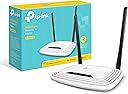
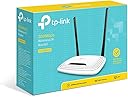
The TP-Link N300 Wireless Extender TL-WR841N delivers up to 300Mbps on a reliable 2.4 GHz band, boosted by dual 5dBi high-gain antennas for enhanced range and stability. It supports multiple modes including Router, Extender, Access Point, and WISP, making it versatile for home or small office setups. With fast 10/100 Mbps Ethernet ports, WPA2 security, guest network, and parental controls, it balances performance with safety. Easy to install and backed by 24/7 support and a 2-year warranty, it’s a budget-friendly solution trusted by millions for seamless streaming, gaming, and multitasking.


| ASIN | B001FWYGJS |
| Antenna Location | Gaming |
| Best Sellers Rank | #5,956 in Computers & Accessories ( See Top 100 in Computers & Accessories ) #223 in Computer Routers |
| Brand | TP-Link |
| Built-In Media | 300mbps Wireless N Router |
| Color | White |
| Compatible Devices | Personal Computer |
| Connectivity Protocol | wi-fi |
| Connectivity Technology | Ethernet, Wi-Fi |
| Control Method | App |
| Controller Type | vera |
| Coverage | Standard Home/Small Office Coverage |
| Customer Reviews | 4.2 out of 5 stars 78,130 Reviews |
| Data Transfer Rate | 300 Megabits Per Second |
| Frequency | 2.4 GHz |
| Frequency Band Class | Single-Band |
| Has Internet Connectivity | Yes |
| Is Electric | No |
| Is Modem Compatible | No |
| Item Dimensions L x W x H | 4.6"L x 6.9"W x 1.3"H |
| Item Part Number | TL-WR841N |
| Item Weight | 8.82 Ounces |
| LAN Port Bandwidth | 10/100 megabits per second |
| Manufacturer | TP-Link |
| Maximum Upstream Data Transfer Rate | 300 Megabits Per Second |
| Mfr Part Number | TL-WR841N (UK) |
| Model Name | TL-WR841N |
| Model Number | TL-WR841N |
| Number of Ports | 5 |
| Operating System | 0, Microsoft Windows 10/8.1/8/7/Vista/XP/2000/NT/98SE,MAC OS, NetWare, UNIX or Linux |
| Other Special Features of the Product | Access Point Mode, WPS |
| Router Network Type | hybrid |
| Security Protocol | WPA2-PSK, WPS |
| Smart Home Compatibility | Smart Home Compatible |
| Special Feature | Access Point Mode, WPS |
| UPC | 845973051242 |
| Unit Count | 1.0 Count |
| Warranty Description | 2-year warranty |
| Wi-Fi Generation | Wi-Fi 4 |
| Wireless Communication Standard | 802.11b, 802.11g, 802.11n |
| Wireless Compability | 802.11b, 802.11g, 802.11n |
E**Z
Priced right and works in minutes
Just received this Home Router with the ARRIS / Motorola SB6121 DOCSIS 3.0 Cable Modem and it took no time at all to hook everything up, sync with cable company and enjoy faster speeds than I was seeing before. The problem started when an aging DOCSIS 2.0 modem/router combo kept dropping internet connection randomly and frequently. Speeds used to be reasonable at 20 Mbps download and 10 Mbps Upload but then after the cable company activated some new cable boxes by sending a signal to the home the problem began and speeds (when working) dropped down to 7 Mbps down and 7 Mbps up. I had attached a separate older router to the modem/router combo which did increase speed but with the constant dropping of internet this was not the solution. I have a Linksys WRT54G2 router that I bought a few years ago and it worked great but now with newer technology and higher demand for wireless this router is not adequate enough for what I need. Signal started to be a problem with this router as it lacks external antennae but when I lived in a 1 bedroom apartment it was fine. I saw the TP-Link TL-WR841N Wireless N300 Home Router was not only more than what I needed but highly liked and reviewed as well as extremely reasonable in price. My old router still costs 3 times as much as this router does. Set-up was super simple. The signal was recognized by my phone, I connected to the network using the password printed on the bottom of the router and went to the set-up page that the quick install directions had instructed me to do. The quick install was very quick without needing any software. Like I said I set up the wireless network from my smart phone. You just have to set an SSID, put in a new password, and save everything and your done. The process was less than 5 minutes including opening the package and plugging everything in. Signal strength was the first thing I noticed as being strong to very strong even two stories above the router which is in the basement. The second thing I noticed was speed. I did not run this router with the older modem so I can not say that it is faster in comparison but the top speed is 300 Mbps which I do not subscribe to but I was getting 40+Mbps download (50 Mbps subscription) and about 15 Mbps upload. This is more than enough to play on XBOX live and stream HD videos to multiple devices without hesitation. I am very happy with this product. ***UPDATE*** After 2 months of use I am still happy with this product. I still regularly see speeds in the 40+ Mbps for download but I average about 35 Mbps, and I see speeds up to 15 Mbps for uploads but average about 13 Mbps. I use the OOKLA app on my Samsung GS4 more often then my other devices, and I am quoting my average and top speeds based on that device but I will note that my iPad and my Mac Mini see slightly higher speeds as I believe the wifi radio is better in those devices. I do see better results also when I am above the wireless router (located in the basement) then when I am at the perimeter of the house. This is actually great news for me as I was worried about the signal not being able to penetrate through 2 floors and remain strong but I see better speed test results in my bedroom (2nd floor) where my Mac Mini, Xbox reside then in the living room (1st floor)where my iPad and GS4 usually are at. More often with my phone lately I am having problems with my wifi dropping because it is telling me that an authentication error occurred. I merely just reselect my home wifi from the list and it connects but then randomly it will give me that error. I looked into it and it appears GS4 phones have this problem but mine just started doing this. I will reset the router and my phone and see if that solves the problem which is a common solution. Other than this small issues, which sounds like my phones problem, I really like this router. For the price it is hard to beat.
I**!
A respectable router, particularly if price is a major factor for you.
When I recently paid for higher internet speeds, I realized I was capping my speeds due to my old router. It was making my Google Chromecast HDMI Streaming Media Player nearly useless with constant buffering, and it could not keep up with all of the devices in my household. I bought this TP-LINK N300 as a replacement. I was drawn to it because the price was right, but the specs also seemed appropriate for what I was doing. At any given time in my house, I am using a smart t.v. (hooked straight to the router), a laptop, multiple phones, a Chromebook, and the Chromecast. I don't mean I, personally...there are other people in the house. In addition, I sometimes sit outside and away from the router. My old router was great for distance, but otherwise needed an upgrade. This router has been able to handle the capacity issue. As soon as I set it up, I was getting speeds of 30 Mbps or more pretty quickly. The lag and buffering of my Chromecast also reduced by quite a bit. For a router on a budget, this worked fine for speed and just handling bandwidth. The range on it was not nearly as good as I hoped. Even from my bedroom, I would sometimes drop from wifi on my phone. I tinkered with wifi settings, but it was clearly just a distance thing. I am not a billionaire real estate tycoon with a 75 room mansion. I live in a modest three-bedroom house, so there is not much distance between the router (on one end of the house) and my bedroom. As I mentioned, my old router handled distance **much** better. Nonetheless, for the most part I was always connected. Setup was a breeze, and I feel like TP-LINK setup is a bit easier than some other brands. If you know what you are doing, anything is going to be fine, but when I was setting this up I kept my parents in mind. It was easy enough that they could do it, and that is saying something. This is a nice, efficient model that is probably best for the casual user with a few devices. I wanted something a bit nicer, but the price was right. I am speaking in past tense throughout some of this review because I ended up upgrading to D-Link DIR-813 AC750 Wi-Fi Router last week and have moved to that. I prefer it, particularly because it has a 5 gHz band for my phones. Still, this TP-LINK worked efficiently. You get a bit more than what you pay for with it, in my opinion. Still, it has a few shortcomings that might be worth considering. If price is a major factor to you, then definitely go with this one!
K**G
Like Mikey says: "Try it. You'll like it.".
For what ever reason, the WiFi environment in my living room recently changed. I live in a high rise in Manhattan. Think lots of concrete and steel. MY ISP's modem and my router (Linksys/Cisco E3000) are located in a back bedroom. The Wifi signal in the living room was weak to nonexistent. I bought a Netgear WiFi extender and that pretty much gave me enough signal strength to stream HD video on my or my wife's iPads & phones. Worked fine for well over a year. But like I said something recently changed and I was getting little to no signal from the extender. At first I thought the extender had fried but that doesn't seem to be the case. My wife and I had just recently signed up for HBO Now so we could stream Game of Thrones. I'd connect an iPad to my TV with an adapter and HDMI cable. An occasional glitch here and there but the it was still watchable but then it went to hell. I'm thinking that one of my neighbors is running some 2.4 or 5.0 Ghz device that's interfering with my WiFi signal. I had to find a way to get a robust signal out in the living room and in a hurry. I get a LAN ethernet signal to both my TVs, two Blue-ray players, two Roku boxes and my Tablo DVR (highly recommended by the way) via a Netgear Powerline AV500. Slow as I am, it dawned on me that if a buy another Powerline module I can get an ethernet signal at any electrical outlet in the living room. I bought the TP-Link Powerline adapter because I had purchased one for our primary bedroom over a year ago and have had no complaints/problems with it. It truly is plug and play; plus, it seems to run cooler than the Netgear Powerline module (and it's smaller as well). So now I needed to find a router to use as an access point. Went on line (here and other places) and this unit seem to come with a slew of good reviews. Admittedly there are some clinkers in there as well but for $19.99 I thought: "What the hell.". Let me say that on a scale of one to ten (one being the lowest) in computer savvy, I rate about a four. Yeah, I can set up a router and a couple of other rudimentary things but I don't try to push it. But I found a couple of questions answered on this sight and others that made me think this was within my range. The support page on TP-Link also has detailed (detailed for me anyway) instructions on how to use this unit in several different ways including how to set it up as an access point. After the third or fourth try (all my fault as I didn't understand setting up the IP address range) the unit fired up and I was getting 24 Mbs download in the living room. I only pay my ISP for 25 Mbs. Needless to say, I was happy as a pig in poop. That night my wife & I streamed two episodes of GoT flawlessly. Not a hitch. Not even a hiccup. As good a signal as I get through the ethernet. Some of the biggest complaints that I've seen about this router is it's longevity. I've only had this thing up & running for about 2 weeks now and so far no problems. I have it in a spot where I think it shouldn't get too hot so hopefully that'll help. If this thing fails prematurely, I'll be sure to post an update. But my thinking right now is: "$19.99! You can't beat that with a stick.".
C**R
Nice Router, Easy Setup, Replaced Horrible Comcast wi-fi
I bought this router to circumvent the horrible wi-fi that comcast provides with their combo router. It serves that purpose very well, especially considering the purchase price of 20 dollars. The set up is easy, taking easily less than 10 minutes. Here are the steps I followed: 1) Rotate the antenna's to vertical, connect the power cord and plug in. 2) Connect an Ethernet cable from cable router to TP-Link WAN port (colored blue on mine) 3) Connect a computer to the TP-link using an Ethernet cable 4) Open a browser to http://tplinklogin.net a) Others have reported problems with this url, you can use 192.168.0.1 instead. Both worked for me 5) For UserID, enter: admin For Password, enter: admin 6) My router went immediately to Quick Setup, if yours doesn't, you can select it from a list on the left side of the page 7) Click "Next" to take you to wireless settings 8) Make sure Wireless Radio selection is set to "Enabled" 9) Make up an SSID name (your access point name) and enter it where it says Wireless Network Name, I like to use VIRUS ALERT: Infected Network 10) Pick a password you can easily remember and enter it 11) Finish It says you are done, but you are NOT DONE 12) From the main menu, select System Tools, this reveals sub-selections, pick Password 13) Change the userID and password to something other than admin. Why? You may be susceptible to "man in middle" attacks if you don't. You can google "man in the middle attacks TPlink", and you will might be a little frightened. Hackers can access your router remotely with the default password then sniff all your traffic, inserting themselves in the middle, potentially grabbing your online banking credentials or other invaluable information. TP link says it has closed the security holes, but this step and the next one is for your extra peace of mind. 14) Logout, close your browser, restart your computer. Apparently there are some sites that can grab the new userID and passowrd from your browser, even if you said not to save the password, if you happen to navigate there after selecting the new password. This vulnerability lasts until you close your browser after setting the new password. Is this true? I read it on the internet, so it must be true. Anyway, restart seems a small price to pay for a little more peace of mind. Call me paranoid. Now you are DONE (yay) My results: My horrible comcast wi-fi, which I was trying to get around, was clocking in at speeds ranging from as slow as 0.1 Mbps to rarely above 2Mbps according to the cnet internet speed test. I am paying for 25 Mbps, which I can achieve when connected to the comcast router via Ethernet cable. With the comcast wi-fi disabled, and this router attached via one of the comcast ethernet ports, I am seeing wifi speeds ranging from 5 Mbps to 22 Mbps. Keep in mind that comcast caps my speed at 25 Mbps. I mainly use wifi for working remotely, attaching to unix/linux servers back at the salt-mine where I am employed. I don't need super fast streaming speeds, but latency is very important to me, and they tend to go hand in hand. When my comcast wi-fi dropped below 0.4 Mbps, my connection to work became unbearable, with keyboard lag in the 10's of seconds, and finally lost connections. With the TP-link router I have had none of those problems, 5 Mbps performance is great, no perceptible difference from being physically at my office. Just for kicks, I also tested netflix on my laptop with it connected wirelessly. I streamed "House of Cards" at a crystel clear 080P with no buffering. We have multiple smart phones, laptops, and a wireless printer all connected wirelessly with no problems. We have ROKU and a VOIP phone connected to the TP-LINK via an Ethernet cable. All are working fine. We are staying in an apartment complex with many wireless access points, so I suspect there is lots of clutter on the 2.4 Ghz wi-fi frequency, and I blame the slower than expected TP-LINK wi-fi speeds on that clutter. Maybe I am letting TP-LINK off the hook too easily, but I would have given 5 stars if I reliably got speeds of 16 Mbps, which seems to be the norm based on other reviews. I don't, so, only 4 stars. If I later experience the need to frequently recycle power, as other reviewers have reported, or something else bad happens, I will edit this review. Otherwise, you can figure that I am still happy and sitting at 4 stars.
E**C
Great unit for a great price. What's not to like? Instructions for setting up as a repeater / range extender
Instructions for setting up the TPLink WR841N wireless router as a repeater: This is a great unit for a ridiculously low price. It can be used as a repeater (a.k.a. WiFi range extender). Setting this unit up as a repeater is pretty simple, but the manufacturer doesn't provide step-by-step instructions. I noticed some other instructions posted in these reviews had a number of steps that were not necessary, and were missing some steps. Being an Engineer, I couldn't help but proposing an improvement... These instructions assume you are connecting to a WiFi access point (AP) with a working Internet connection. Abbreviations: [example] = example values used during my setup. Yours might be a bit different. SOURCE-AP = the access point / router generating the wireless signal you want to repeat. REPEATER-AP = the access point / router repeating the wireless signal, the one that we are setting up. SOURCE-NET = the SSID (network name) of the wireless signal you want to repeat. REPEATER-NET = the SSID (network name) of the repeated wireless signal. Before starting, gather the following information: - the LAN/wireless side IP address of the control interface for the SOURCE-AP [192.168.3.1] - the subnet the SOURCE-AP is using on the LAN/wireless side. [192.168.3.x] - the SOURCE-NET name [GROUND] - the encryption type and password [WPA-2 PERSONAL, xxxx] - the channel the wireless signal to be repeated is on. [3] To determine the LAN/wireless IP address and subnet of the SOURCE-AP, look at the IP address and default gateway of a device directly connected to the SOURCE-AP. (Open the Network connections folder, click change adapter settings, and view status and then details in Windows). For the channel, it is preferable to go to the SOURCE-AP and set the channel to 3 instead of "auto" so it does not change, and uses an unpopular channel likely to have less interference. If you don't control the SOURCE-AP (e.g. you are connecting to your neighbor's WiFi), you can find out what the channel is during the setup steps below. Here we go: 1. Plug the power into the REPEATER-AP. If any settings have already been changed on the device, press and hold the reset button on the back for ten seconds until all lights are illuminated to indicate reset happening. Reset is not necessary if the unit is fresh out of the box. 2. Plug a PC into a LAN port on the REPEATER-AP with the supplied LAN patch cable. I used my laptop. Make sure the LAN adapter is set to get an IP address automatically. (Open the Network connections folder, click change adapter settings, and view properties in Windows). Make sure the LAN adapter is the only one enabled. Disable the wireless adapter. 3. Open a browser and go to tplinklogin dot net (replace dot with a . - amazon doesn't allow URLs here...) or 192.168.0.1, the default address of the control interface of REPEATER-AP. The default username, password is admin, admin. Don't do the quick setup. 4. Click "Wireless" on the left column menu. On the Wireless Settings page that appears: a. Under the dropdown list for "Channel", select the channel the wireless signal to be repeated is on. [3] If you don't know, skip this step and the unit will force you to select the correct one after the "Survey" step below. b. Click the "Enable WDS bridging" checkbox. c. Click "Survey". A list of SSIDs appears. Click "connect" on the one that is SOURCE-NET. [GROUND] All of the fields are automatically populated except for the password. d. Enter the password and click Save. Wait ten seconds for the processing to finish. e. At the top of the page beside Wireless Network Name, enter an name for REPEATER-NET [R1] and click Save. 5. Click "Wireless Security" on the left column menu. Select Personal WPA2-PSK, AES encryption and enter a password for REPEATER-NET. 6. Click "DHCP" on the left column menu. Click the DHCP disable radio button. Click Save. Ignore the reboot warning. 7. Click "Network" on the left column menu. 8. Click LAN. Change the IP address to one in the SOURCE-AP subnet that is not being used by any other device and click Save [192.168.3.200]. A reboot warning will appear. Click OK and let the unit reboot. 9. The address in the browser will magically change to the IP address you entered in the previous step. This is the new IP address for the control interface on REPEATER-AP. You will be prompted to log in again. You should now have Internet connectivity! There is no "half-hour waiting period" others have noted. Perhaps that was due to misconfiguration. Open a new tab in your browser and go to news.google.com to verify. Wireless devices can now connect to REPEATER-NET. Wired devices can connect to REPEATER-AP. Both get Internet access through SOURCE-AP. Ain't life grand? Troubleshooting: It is possible that it may take some time to negotiate the wireless link between SOURCE-AP and REPEATER-AP. Wait two minutes, then refresh the news page. If that doesn't work, power REPEATER-AP off and on. Try news.google.com again. If that doesn't work, wait two minutes, then refresh again. If it still doesn't work, enter the LAN/wireless side IP address of the control interface for the SOURCE-AP [192.168.3.1] in a browser and hit Enter. If you see the control interface for SOURCE-AP, the wireless link is working! Try entering an Internet IP address, like [...] (one of my sites). If you see a page with content loaded, you have Internet connectivity (hooray), but your computer needs to be told a DNS server to use. In Windows, open the Network connections folder, click change adapter settings, properties, IPv4 properties, advanced, and in the Gateway area type in the IP address of the SOURCE-AP [192.168.3.1], click OK, OK, Close and try again. But none of that should be necessary. I have written these instructions with the unit beside me, following my own instructions and it worked first time. I have actually gone beyond these instructions to set up a chain of four of these units to provide wireless coverage from the basement to the fourth floor of a 150-year-old church with stone walls. And it worked! Good luck! P.S. Don't forget to go back in to REPEATER-AP and change the password. The menu item is hiding under System Tools on the left.
S**H
WARNING: DO NOT TRUST THESE REVIEWS
The reviews you are reading are most likely not for the product you are looking at [or maybe they are, see edit2]. At least 3 different products have had their reviews all dumped together here, and there are multiple versions of each of those 3 different products. Each of those products has different chipsets, CPUs, flash chips and RAM, and even between version 8 and version 9 of one the N300 2T2R they used an entirely different brands of CPU, chipset, etc. Be sure to verify you are reading a review of the EXACT model you are looking at. I just bought a N300 2T2R hoping to upgrade it to dd-wrt, but it is v9 and dd-wrt only supports N300 2T2R (TL-WR841N) v8. Edit: v9 may be supported now? When I wrote this review there was no support and no plans to support TL-WR841N v9, and the "reason" was v9 was a "China-only model," which it clearly is not. Since then several commenters have posted that support has been added and it is (partially?) working for them. However, when I go to [...]and a search for TL-WR841N version 9 support doesn't come up. Personally, I returned this unit and bought another, and then turned a EeeBook into a router when I got impatient waiting for it to arrive, so I can't comment from personal experience. Edit 2: Amazon may have fixed the issue with the reviews being mixed together, I'm not sure how to confirm this. It can't hurt to double check as you read reviews. I also wanted to say that the 3 stars was due to the review mix-up and the version/hackability issue of the router I ordered. I have no other complaints, so if you are planning to use this router as-is with stock firmware consider this a 5 star review. RCN gave me one of these when I signed up for service and it's worked great. Rarely it needs rebooting, but that may be the modem's fault.
A**R
*UPDATE* 03/30/15 DD-WRT absolutely works great on the v9 hardware - can't imagine a better bang for the buck than this router.
For all those that are concerned because the V9 hardware won't support DD-WRT - stop it. DD-WRT supports the V9 version of this router. It really does. Just go to the DD-WRT site and use the router database search feature and search on TP-Link or something like that to to find the DD-WRT build for the TL-WRT841 V8 version. Yes, I said v8. It will take you to a download page for v8. Then choose "Other downloads", then there are folders broken up into years. Then choose the 2014 folder, and look for the latest release date. Once you select that, a number of router models will display (which seems counterintuitive, I know) - find the link to "tplink_tl-wr841ndv9". That will lead you to the factory-to-ddwrt.bin you need. I installed the 06-23-2014-r24461 package. That is for V9 hardware. And a few seconds later - wham! A super cheap DD-WRT router. I have purchased a number of routers, and although I use an Asus RT66U AC1750 router mostly in my house, I do have a TP-Link range extender (using powerline networking to feed it) and a TP-Link travel router - and I really like both of those - which led me to purchase this router. Unlike the Asus, which commands a premium price, the TP-Link equipment seems to lead the bang for the buck category, giving solid, reliable performance for not much money. 80% of the performance of my Asus for 15% of the price. Anyway, I only flashed the router last week and turned it over to my daughter, so I am not able to comment on the longevity, but I absolutely like what I see so far, and I'm a fairly picky fellow when it comes to these sorts of things. I'm thinking of buying 1 or 2 more for spares. For $20, this is an unbelievable deal. *UPDATE* 09/26/14 A month or so later, this router still works great. Please note, I recommended this router to a friend, and he had issues, and they came down to simply not doing the 30-30-30 reset when he flashed. You MUST DO THIS. Every router, every flash, just follow the 30-30-30 reset rule (Google it). *UPDATE* 03/30/15 Router still works great - good throughput, rock solid, never needs to be cycled. One note of caution - my daughter called me and said the router stopped working right around the time she got a new printer. I asked her if she used the WPS feature to try and set up the new printer and she indicated she had. Problem is, one button on the back does double duty - press it for under 5 seconds and it initiates the WPS feature. Press it for longer than 5 seconds and (you guessed it) you will enjoy a factory reset to defaults. One of the truly stupid ideas in terms of design engineering. Really, I'm speechless. That being said, since I've never dreamed of using WPS and would never trust it, I suppose it wouldn't matter to many people who feel like I do about WPS, but it's something to think about. Also, reference a recent comment, I certainly didn't mean to suggest that you should use dd-wrt version r24461 as an absolute - it was the latest available at the time of my deployment, so it was appropriate to use and name specifically. I would think most people who feel comfortable enough to think about flashing their router with dd-wrt would understand that it is somewhat implied that one should start with the latest version of any software (assuming it's in the same release class, not alpha versus RC, for example). The latest version I found for that router as of today is r25697 (dated 12-22-14).
P**M
Does the Job for Which it Was Purchased
My cable company provided us with the usual low quality combo cable modem/wireless router unit, and it started failing after two years. It lasted another four, but the loss of connection between the modem and the cable required me to restart it regularly, this past month averaging about 30 restarts a day. I was schooled on this sort of tech by a friend and was told that many combo units are slow and either the router or the modem part end up failing over time. He strongly suggested I separate the two tasks with dedicated boxes. I bought a much simpler (and more highly rated) version of the one I had that only had the modem function. I purchased this wireless router to pair with it. So far, so good. I have had this router working with my new ARRIS / Motorola SurfBoard SB6141 DOCSIS 3.0 Cable Modem for about a week now and neither have required a single restart and both stay connected properly and do their jobs well. My wireless signal is stronger than with the old Motorola SurfBoard modem/router provided by the cable company. I have experienced zero loss of connection while I have been online. I am happy with this setup. The modem was about $80 or $90 bucks here on Amazon, and this device cost me like $19 (an excellent price for this router, IMHO). I know tons about computers (especially Apple laptops) but know comparatively little about modems and routers (networking, in general, I guess). After consulting with a trusted geek friend and doing a bit of reading online I decided on this wireless router as being "not great, but good enough for my needs" and I would say that I nailed it in this regard. It is not a feature-laden unit with all the bells and whistles and a coffee machine built in. It is simple, and it probably will last for a number of years because of this. If you simply want to connect a few computers to your in-home network this is an excellent router. If you want to run your printer or home stereo through it or have sneaky security needs - well, this is the wrong review for that sort of info. I just do not know. And I just do not care. I am not into these things. This router might be good with all sorts of other stuff. It might suck in that regard. But for my iMac and our three MacBooks it is perfect, with a strong, clear signal throughout our 2,300 sq ft house. Not bad for under twenty bucks...
S**H
Very good
Very good
P**N
Bra produkt!
Allt fungerade som det skulle! Snabb frakt och bra produkt!
H**1
Inmejorable
Este router neutro TP-Link TL-WR841N es perfecto para usarlo en casa. Dado el precio y el público al que va dirigido, tengo que decir que es un equipo inmejorable tanto en precio como en prestaciones. Mención especial al Wi-Fi, pues ofrece una señal inalámbrica de gran alcance. Pasando a analizar el firmware, diría que el que viene de origen ya ofrece muchísimas más opciones que cualquiera de los routers que ofrecen habitualmente las compañías de telecomunicaciones. Al parecer, para un uso más profesional, quizás este firmware se queda algo corto. Según he leído por internet este router cuenta con un hardware estupendo que de cierta manera queda un poco desaprovechado por el firmware que lleva instalado de origen. Así que podría llegar a considerarse casi obligatoria la instalación de alguna versión del famoso firmware de DD-WRT que es completamente compatible y amplia muchas de las posibilidades de este router. Pros: - Fácilmente configurable. - Señal inalámbrica de gran alcance. - Económico. Realmente es un precio de derribo. - Soporta OpenWRT y DDWRT. Ideal para aquellos a los que les gusta trastear. Contras: - No lleva ningún puerto USB, por lo que no podremos crear un NAS o compartir una impresora. - Tanto los cuatro puertos ethernet para LAN como el puerto WAN, son 10/100Mbps (son Fast Ethernet, no Gigabit Ethernet). La necesidad de comprar un router me vino dada a una serie de viajes que iba a realizar, en los que sabía que sólo iba a disponer de una sola toma de ethernet y que obviamente no iba a ser suficiente para cubrir mis necesidades de conectar más de un dispositivo (tanto por ethernet como por Wi-Fi). Valoré la adquisición de un router de viaje, sin embargo el sobrepeso y las mayores dimensiones de este frente a las diferentes opciones diseñadas exclusivamente para viaje, no me suponían mucha diferencia, ni en lo relativo a lo económico, ni a lo relativo a las prestaciones. Por ello, me decanté por un router completamente funcional como este, y que bajo mi criterio personal no supone unas dimensiones ni peso exagerados para llevar (obviamente depende de la naturaleza del viaje, que en mi caso era establecerme en varias residencias de estudiantiles).
C**S
Routeur de très bonne qualité
Je cherchais un appareil pas trop cher faisant routeur Wi-Fi et switch Ethernet, et je l'ai trouvé ! Ce routeur est bon marché, de bonne facture, il propose un mode "point Wi-Fi" qui crée un réseau Wi-Fi amplifié à partir de celui de votre foyer ! L'installation se fait très facilement : vous n'avez qu'à brancher le câble d'alimentation ainsi que le câble Ethernet fournit avec à une prise CPL ou à votre box Internet et voilà le travail ! Ce routeur convient très bien pour les lignes ADSL ou VDSL mais si vous avez la fibre, il faudra se tourner vers un autre modèle, plus "puissant", pour pouvoir profiter de la fibre au maximum de ses capacités, car celui-ci ne transmet qu'une vitesse sans fil de 300 Mbps maximum (même si, à cette vitesse vous n'aurez aucun problème). Pour finir, je dirai que ce routeur a un très bon rapport qualité/prix et convient très bien, comme dit plus haut, pour les lignes ADSL ou VDSL.
R**L
Excelente compra
Cumple su función , por el precio es muy bueno , mi módem sólo tiene salida ethernet pero con este TP-LINK puedo conectar muchos aparatos vía wifi y jala excelente, distribuye muy bien el internet aparte de que tiene más salidas para aparatos vía ethernet, llegó en tiempo y totalmente nuevo y en caja sellada, así que recomiendo ampliamente a el proveedor y a Amazon, tiene varias funciones como la de escoger que aparatos wifi (con la Mac de cada aparato) se conecten a internet y también puedo seleccionar que aparatos no quiero que se conecten a internet, además de que su configuración es sencilla, y se puede poner en español para configurarlo, hasta la fecha ya a más de un mes de usarlo funciona excelente. Por el precio la verdad estoy feliz de haberlo comprado, no es un repetidor hasta donde tengo entendido, como les comento, lo conecte vía ethernet para que mis aparatos que usan wifi puedan tener internet y recalcó que distribuye bastante bien el internet , aparte de que uno puede seleccionar la frecuencia a la que llegue el internet.
Trustpilot
1 day ago
1 month ago