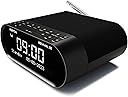
Desertcart purchases this item on your behalf and handles shipping, customs, and support to Senegal.
โฐ Wake up smarter, stream louder, live charged.
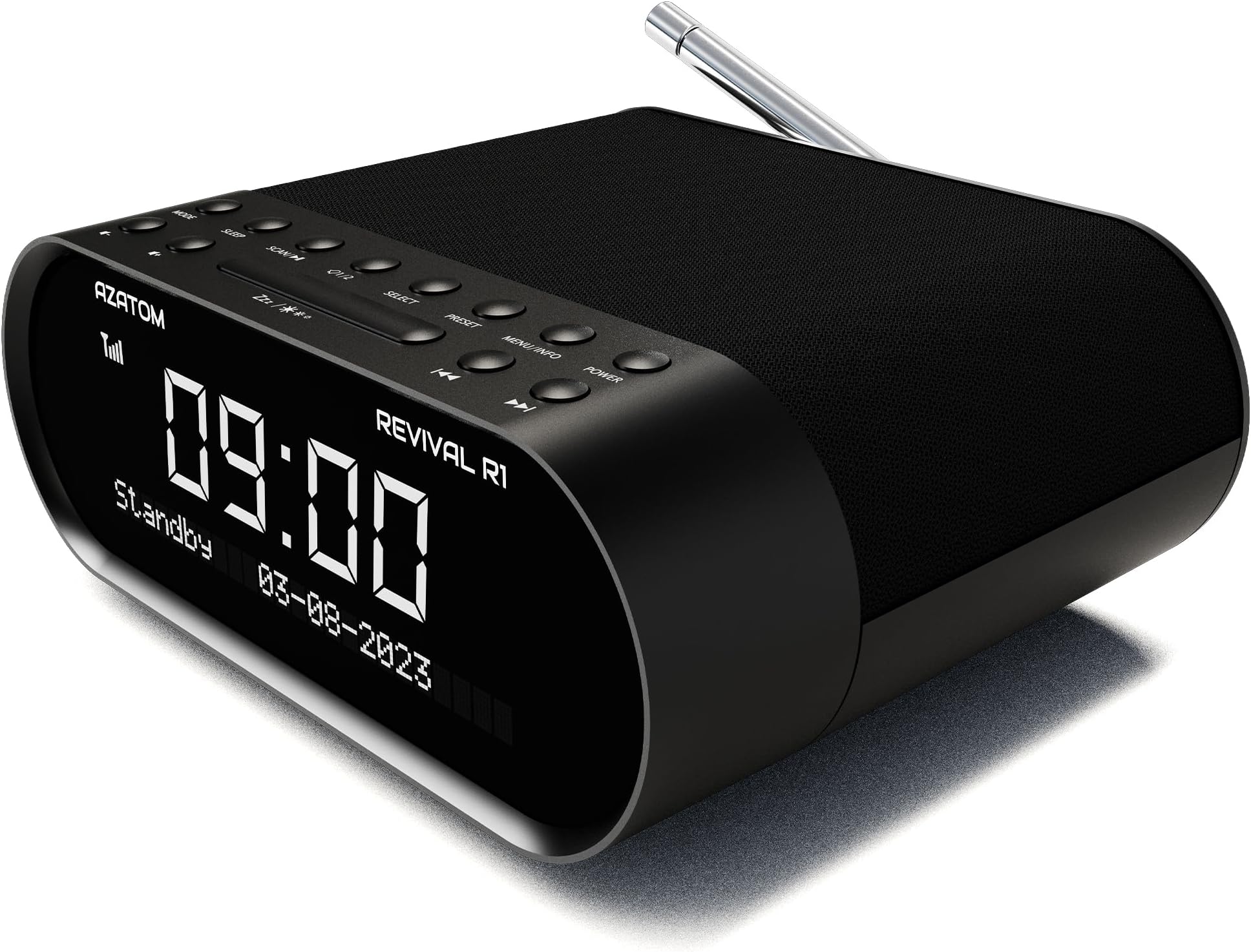
The AZATOM Revival R1 is a sleek, mains-powered bedside digital radio featuring advanced DAB+ and FM reception with 60 station presets. It offers dual customizable alarms, a sleep timer, Bluetooth wireless streaming, and a USB charging port to keep your devices powered. Designed for superior sound with dual drivers and tweeters, it combines modern convenience with premium audio quality, making it the perfect bedroom companion for professionals who demand clarity, control, and connectivity.


| ASIN | B08WWXTZT2 |
| Best Sellers Rank | 46,218 in Electronics & Photo ( See Top 100 in Electronics & Photo ) 143 in Clock Radios |
| Box Contents | Mains Power, USB Phone Charger |
| Brand | AZATOM |
| Brand Name | AZATOM |
| Colour | Black |
| Compatible Devices | Headphone, Smartphone, Tablet |
| Connectivity technology | Auxiliary , Bluetooth, USB |
| Country of Origin | China |
| Customer Reviews | 4.2 out of 5 stars 518 Reviews |
| Display Technology | LCD |
| Display Type | LCD |
| EU Spare Part Availability Duration | 3 Years |
| Enclosure Material | Plastic |
| Frequency | 87.5 MHz |
| Hardware Interface | USB |
| Item Dimensions L x W x H | 16L x 6W x 15.5H centimetres |
| Item Weight | 480 Grams |
| Manufacturer | AZATOM |
| Manufacturer Part Number | R1 |
| Model Number | R1 |
| Network Connectivity Technology | Auxiliary, Bluetooth, USB |
| Power Source | Corded Electric |
| Product Features | Bluetooth, Built-In Clock, DAB+ FM, Scrolling text, USB phone charger |
| Product dimensions | 16L x 6W x 15.5H centimetres |
| Radio Bands Supported | FM |
| Special feature | Bluetooth, Built-In Clock, DAB+ FM, Scrolling text, USB phone charger |
| Style Name | Classic |
| Tuner Type | DAB + FM |
| Tuner technology | DAB + FM |
| UPC | 739601795830 |
| Voltage | 5 Volts |
D**Y
Excellent alarm radio
Having seen reviews that say "the display lights up the room" I have to say I don't find this. I leave it on full during the day and dim by one click of the sleep bar at night. Auto scans for stations when you plug in and turn on, tune DAB and then switch to FM and scan again, following instructions. Alarm is easy to set, but you must have your preferred station selected, DAB or FM, just scroll sideways through the scanned stations. Menu options come up on the screen and select the one you want. Any changes must be made when setting the alarm, volume, duration etc, as once the alarm is in operation it sticks to its settings. It can be set for up to 90 minutes duration, if you want to lay in. Presets are easy, again scroll through stations and select, store and repeat for next preset. Settings are saved in memory if power goes off, but no batteries are needed. Radio can be turned on at any time outside alarm time, just by the power button, which also cancels the alarm and turns off the radio. The instructions are easy to follow, intial impressions are very good.
S**L
Great piece of kit for a very reasonable price
Great product, very easy to set up. The sound quality is surprisingly good and the display is very clear and features a three stage dimmer. Would highly recommend.
M**N
Everything works as it should - and very well
I did a lot of searching before deciding on the clock radio to purchase and initially purchased the version with the built in phone charger. However, in the box was the non-charger version (this one) but only found out after I had tuned it all in, saved stations and set alarms. I returned it but immediately reordered the non-charger version because, having tried it for size, I did not like the idea of my phone just sitting on top of the radio. Too easy to bump off, I thought. With the new item delivered, I re-did the tuning, saving and setting procedures and found again that everything operates as it should. It is not the most intuitive to use but the sound quality is decent enough for this type of unit, the alarm works well and the display brightness is great, imho. I have it on the highest brightness and even that is not enough to disturb sleep. The thing I have found most awkward is turning off the alarm if you hit the snooze button first. The snooze button itself is big and easy to locate so initially used it to mute the alarm. It then seems to take several presses of buttons to get the alarm off, whereas if you don't snooze and simply get awake enough to press the power button, it's a one-touch off alarm, which actually suits me better than snoozing. Overall, I am very happy with it, despite the early model hiccup.
M**W
Yabba Dab-a-do (buy one).
Absolutely chuffed to bits with this Dab+ clock radio. My previous one, although adequate, had a wire for an aerial. It wasn't great. This radio has a proper telescope aerial and, upon simply switching it on, promptly found all of my favourite stations, plus many, many more. It's the new Dab+ format too so GB News is available and so will Classic FM be when it moves to Dab+ in January. It looks very stylish with its modern black cloth finish and blue digits. I've no call for alarms but there are simple instructions should you need them. Scanning and storing stations to preset numbers is quite simple and the display shows plenty of information. The date is displayed when in off mode and the time is set automatically! Sounds good and no more messing around with wired aerials to get rid of interference. Radio has come a long way. Really glad I opted for this model. Easily recommended.
V**P
Worthwhile DAB radio with necessary features.
Having looked variable DAB radios. I decided to by this product. Compact size, good quality sound, stylish and build quality. My only slight criticism is ease of setup it can be fiddly. Once you get hang of it is easy to setup. Another good thing about this product it comes with actual ariel not some poxy wire. Great reasonable priced product from British a company.
P**A
Thought it was a great little clock, but with longer use, I realise the flaws outweigh the good
Edited review to take off stars. Originally I had it as a four star item, despite problems listed in first review because I found solutions and I was initially happy enough. Since then, to add to things, I have found that it constantly loses time, and does not even reset itself if you power on and change station - the only way to make it do so, is to unplug it for a few moment. Even more irritating, is that it did not automatically change the time when the clocks went back for end of daylight saving. Again, I had to unplug it to force it to do so. When the clocks go forward, it will be even more of an issue, as it failing to change itself would mean could not rely on it for accurate alarm for work. Another more minor irritation is that the buttons are so tiny, and close together, its hard to operate at night, in low light conditions. I wanted to love it - but too many flaws for me now. Read the other one star reviews, and take note - I wish that I had done so. Original review follows - "This is a great looking radio - nice shape and compact but with a large, clear, easy to read, display which can be dimmed or turned off. The options are very bright, bright, dimmed down, and display off. In a fully dark room, the dimmed display is still a little bright for my fussy taste but if I dont get used to it, I can easily sort that with some LightDims film over it. In a light room, the display is perfect as it is at the moment. Now, the biggest problem out the box for me was reception. I live in an area with poor DAB reception generally and wasnt expecting great things but to my horror, even after several attempts and much moving around of the arial and even the whole radio, - all it would pick up was a measly five DAB stations. Just five. Two previous DAB radios in the same spot had picked up tons more than that. I then tried FM and could only pick up ONE very weak crackly signal. Nothing more. Makes the 60 possible presets very funny. I also hated the very tinny sound, which I acknowledge is probably as much the fault of the DAB stations as it is the radio. It was, at least, very clear. Just lacked any umph at all. I love bass in my music and this has less than zero with no equalizer to try and tweek things. There is a BUT though, and a single solution to both issues. I added a pair of Creative pebble speakers via the headphone jack, which vastly improved the sound, and because of the wires, (after re-scanning) I suddenly had at least 30 DAB stations to play with. (Lost count ) The FM was also greatly improved too with clear signals. Now I dont know for sure how having speakers plugged in would affect the alarms but I assume it would work through them ok, as long as the speakers were kept turned on. I dont use the alarms myself so cannot comment on ease of setting those up. but I can still definitely recommend adding some speakers like I did. I havent tried bluetooth or aux in yet so cannot comment on those either at the moment. Build quality seems ok. Good even - but only time will tell if that is actually so. There is a three year guarantee on it at the moment, so hopefully that means it is expected to last a few years at least. That being so, its worth the money spent. Will update this review if there are issues down the road."
B**B
A very practical clock radio
I've had the Revival R1 clock radio for five days now and I really like it. Admittedly, as other reviewers have pointed out, the instructions are tricky to understand and certainly not 100% correct. But I find that's often the case with other modern gadgets too, so finding my own way around a new device has become the 'norm'. Things I like about it: - Tidy size: Front width 16cm, Depth 13cm (15cm including bits at the back), Height 6.5cm - Less clutter: I no longer need separate clock and separate radio. - Has a telescopic aerial (essential for DAB) instead of a thin, floppy wire as some clock radios have. - Lovely bright, sharp, adjustable display (others I've had in the past were too dim). - Alarm starts off quietly, then volume increases gradually. Much nicer than 'full blast' start. - Buttons are evenly spaced, which I find makes it easy to operate the radio PRESETS in the dark. - Looks quite modern and stylish, has USB-C power input socket, and a black fabric top. - When you first plug it in, the clock time is set automatically. - It doesn't need a battery to store your settings in memory. I'd say this gadget is first and foremost an alarm clock rather than a piece of Hi-Fi equipment. Having said that, it has ample volume for bedtime listening (2 x 1.5watt). I never need the volume higher than a third of its total range. With regards to the alarm, I had to write down my own simplified instructions on how to operate it. I'll put them here in case someone else finds them useful: There are five buttons to operate the alarm: 1) ALARM (back row, 4th from left) 2) SELECT (back row, 5th from left) 3) BACKWARDS (front row, 2nd from right) 4) FORWARDS (front row, 1st from right) 5) SNOOZE (front row, long button in the middle) How to check what time the alarm is currently set for: - Press the ALARM button. >Alarm 1< is displayed on the screen. (If >Alarm 2< is displayed, press the ALARM button again to toggle back to >Alarm 1<) - Press the SELECT button. The alarm time such as >On time 6:00 AM< is displayed on the screen. To exit the screen don't do anything. Just leave it and it will time out by itself. How to switch the alarm on or off: - Press the ALARM button. >Alarm 1< is displayed on the screen. - Press either the BACKWARDS or FORWARDS button to toggle the alarm on or off. - Press the SELECT button. The word >Saved< appears on the screen. How to set the alarm time: - Press the ALARM button. >Alarm 1< is displayed on the screen. - Press the SELECT button. The "HOUR" digits flash. Press the FORWARDS or BACKWARDS button until the alarm "HOUR" you require is displayed. (Brief press to move one digit at a time, or press and hold to move quickly) - Press the SELECT button. The "MINUTES" digits flash. Press the FORWARDS or BACKWARDS button until the alarm "MINUTES" you require is displayed. (Brief press to move one digit at a time, or press and hold to move quickly) - Press the SELECT button. The AM/PM indicator flashes. Press the FORWARDS or BACKWARDS button to toggle to AM or PM. - Press the SELECT button 6 times. The word >Saved< appears on the screen. The alarm time is now set. How to stop the alarm when it is sounding: - To stop the alarm temporarily, press the SNOOZE button. - To stop the alarm permanently, press the ALARM button.
A**.
Cracking DAB Radio Alarm
Had this about a week now and really like it. The Downside - The alarm(s) - 2 of them - were a bit tricky to set up initially as the instructions are wrong/misleading but it wasn't difficult to resolve. Choose Alarm 1 or 2 on 'alarm' button then use 'select' the scroll through the options of time/frequency/source/length of alarm/volume whilst using the Fwd/Back Frequency buttons to actually change the setting. Once you have sussed it once it seems obvious. The Upside - everything else. As a bedside clock the brightness control has four settings with the lowest only visible in pure darkness. No keeping anybody awake with being too bright. The power is supplied via a mains adapter with a USB C fitting (input). The output is via USB A fitting - allowing you to charge a phone or other device through a normal usb cable (not supplied), it's no megafast charger (input is only 1 amp) but fully charges my phone overnight (6/7 hours sleep). I use the unit mainly to listen to the radio when dropping off to sleep and use the earphone socket to avoid annoying the better half. Handy that the radio mode selector is the far left hand rear button as i sometimes toggle between an FM and DAB station in the dark - easy to work out which one to press. Sound quality suits my needs. When selecting this item I was looking at this or several other from more 'known' brands that were 50% more at best. Glad I took the chance as there were zero ratings on Amazon for this item at that time.
Trustpilot
1 day ago
2 weeks ago