⌨️🖱️ Control Your Digital Domain—Anywhere, Anytime!
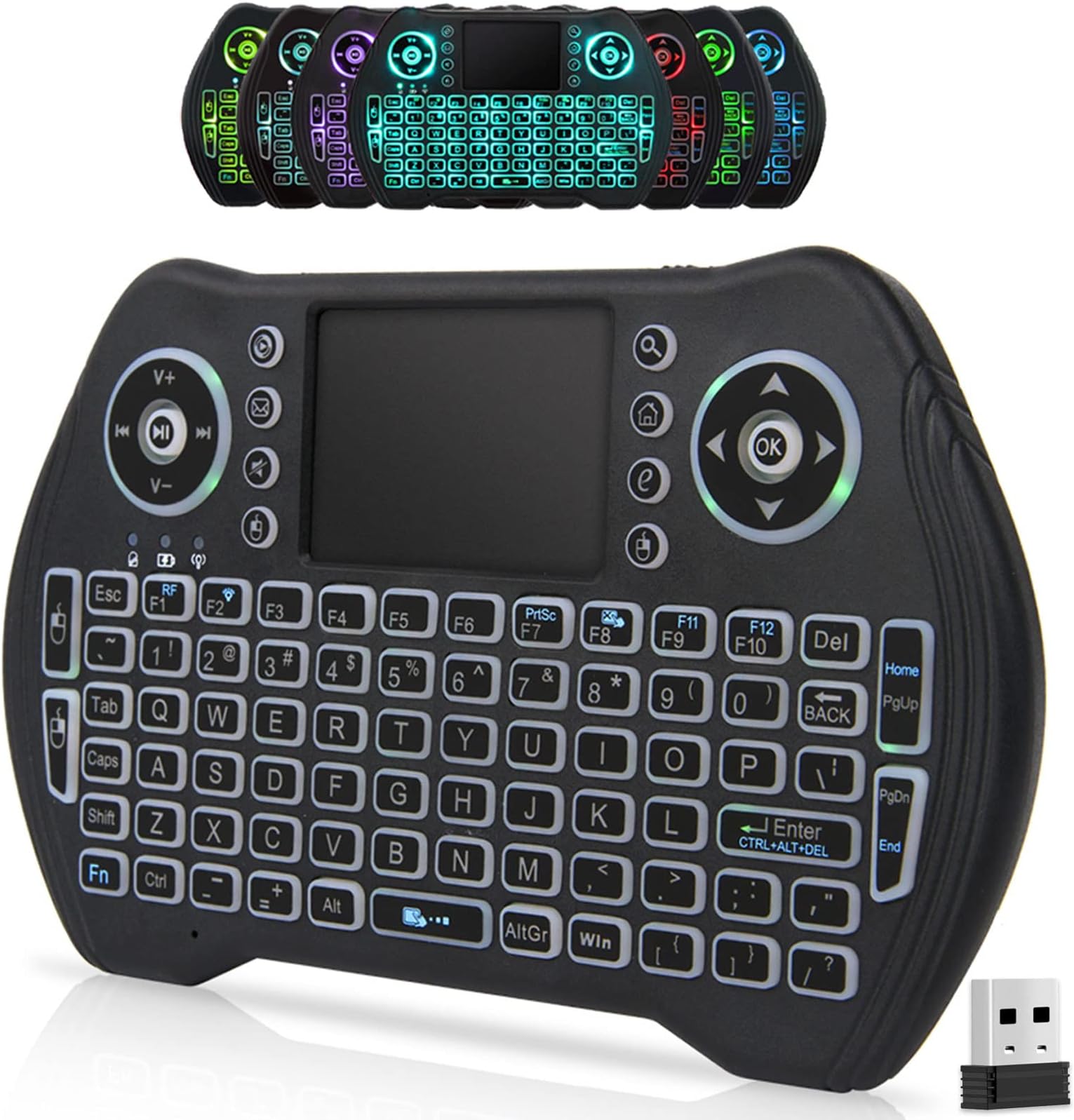
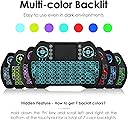
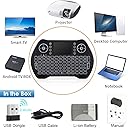
The BL Mini Wireless Keyboard Remote Control is a compact, rechargeable 2.4GHz wireless keyboard with an integrated multi-gesture touchpad and 7-color backlit keys. Designed for seamless plug-and-play use with Android TV boxes, smart TVs, PCs, Macs, Xbox, and more, it offers ultra-portability and long battery life with an auto-sleep feature, making it the ultimate all-in-one remote for modern media control.


| ASIN | B08TM6132G |
| Batteries | 1 Lithium Ion batteries required. (included) |
| Best Sellers Rank | #540 in Computer Keyboard & Mouse Combos |
| Brand Name | BL |
| Color Name | Multi-color |
| Customer Reviews | 4.1 4.1 out of 5 stars (2,108) |
| Date First Available | January 21, 2021 |
| Item Weight | 3.88 ounces |
| Product Dimensions | 5.78 x 3.84 x 0.75 inches |
| Special Features | Backlit, Ergonomic, Portable, Rechargeable, Touchpad |
M**Z
Compact, Convenient, and Works Like a Charm!
I’ve been using the BL Mini Wireless Keyboard Remote Control for a few weeks now, and I’m really impressed with its performance. It’s compact and lightweight, making it super easy to handle and perfect for navigating my smart TV and Android box from the couch. The keyboard is surprisingly responsive for its size, and the touchpad works smoothly for scrolling and clicking. It connected instantly to my device via USB dongle no setup hassles at all. The battery life is also solid; I’ve only had to charge it once so far with regular use. This is a great little tool for anyone who wants a more intuitive way to control their media devices without juggling multiple remotes. Definitely worth the price and highly recommended!
D**S
Good deal. Uses for my bl5c batteries.
Well, it works pretty good. I'm writing this review with the keyboard. Lol! I don't think it's a great substitute for a real keyboard, but hey it'll work in a pinch. I love that it works with the bl5c batteries too. It only comes with a 300mah battery, but I use it as a fallback so oh well. I bought 3000 mah versions that are 11.1 watthour so I guess they're what they say they are. I bought a radio that works with them too. I figured if the radio worked with them, why not buy a bunch of stuff that work with the batteries. Lol! The only problem I'm having is the only shift button being on the left side. If I need to type a secondary button on the left, it becomes awkward. Also, I love how swiping up or down on the mousepad on the right side scrolls the whole screen faster than using arrow keys.
S**S
Works well enough
I'm amending my previous review. When I got the first unit, the keyboard worked fine but the mouse was terrible and jumped all over the screen, making it impossible to use. After writing that first review, the company reached out and offered to send a replacement device at no charge. Their customer service was greatly appreciated and my problem seems to be fixed. After having some time to use it, the keyboard and mouse work pretty well, it's plug-and-play with no driver installation required, and as a nice touch you can toggle the backlight color of the keyboard. I think for most people it will work well. I also use it with flight sim games as the small size of the keyboard makes it easy to set alongside my joystick and operate with one hand. There are two main downsides to this: -Unlike my Rii keyboard, this keyboard does not register with the computer until after the OS is booted. For most people that's not a problem but if you want to access the BIOS or you run a dual-boot system, this can present a bit of a headache. I haven't figured out a way to fix this issue yet. -Range is limited so if you're using it in a large living room you could have problems losing signal. Obviously, it's better if you put the USB receiver on the front of your computer so that there is a clear line-of-sight between transmitter and receiver.
E**K
Best one I,ve Bought
I have purchased quite a few of these types of keyboards over the years (different brands) and I would say that this is the best one so far and surprisingly it is also the cheapest one too. the first thing I love about it is the light. it's a nice pretty blue and it is actually bright enough that I can see the letters very clearly. My other keyboards were too dim for the light to be of much use. The next thing I love about this keyboard is the physical size and position of the keys. for instance on my previous keyboard I was constantly getting the comma and the apostrophe confused with each other, not so with this one... the keys are very readable and their position makes sense. It's a real challenge to jam all of those keys into such a small space and these people did a good job with it. all of those things are great but the really huge win is the mouse pad!! I hate the mouse pads on these things (but not this one). the first keyboard I bought (different brand, similar style) the mouse pad was so insensitive that it was barely usable, it just did not detect finger motion. My last keyboard - which recently stopped working, also a different brand -- the mouse pad was so hyper sensitive that every time I wanted to position the mouse it was a struggle to keep the pad from interpreting it as a click. Not so with this pad, so far I have not had a single false click. Also for the first time ever 2 finger scrolling actually works, none of my other keyboards ever managed to do that correctly. My only complaint is that it scrolls too far/fast and is difficult to control but with more practice I think it will be okay. I finally figured out how to change the colors the directions don't bother to mention it... hold down the Fn key and push F2 Cons: the directions are completely worthless and are too small to be read anyway. apparently this unit does not come already paired with the receiver, when you first turn it on nothing will happen for awhile except the blinking yellow light. I almost thought it was defective but after several minutes it started working. the directions say nothing about this. the CAPS lock is too easy to hit and there isn't a light to tell you it's on when trying to figure out how to change the color I tried pushing Fn+space and it did something funky to my monitor... I still have no idea what it was trying to do but my monitor ended up switching modes and my wallpaper was removed... weird.
A**A
El artículo no sirve la verdad es una perdida de dinero pero en fin
Trustpilot
2 weeks ago
1 month ago