

Desertcart purchases this item on your behalf and handles shipping, customs, and support to Senegal.
📡 Cut the cord, keep the clarity — your digital TV upgrade awaits!
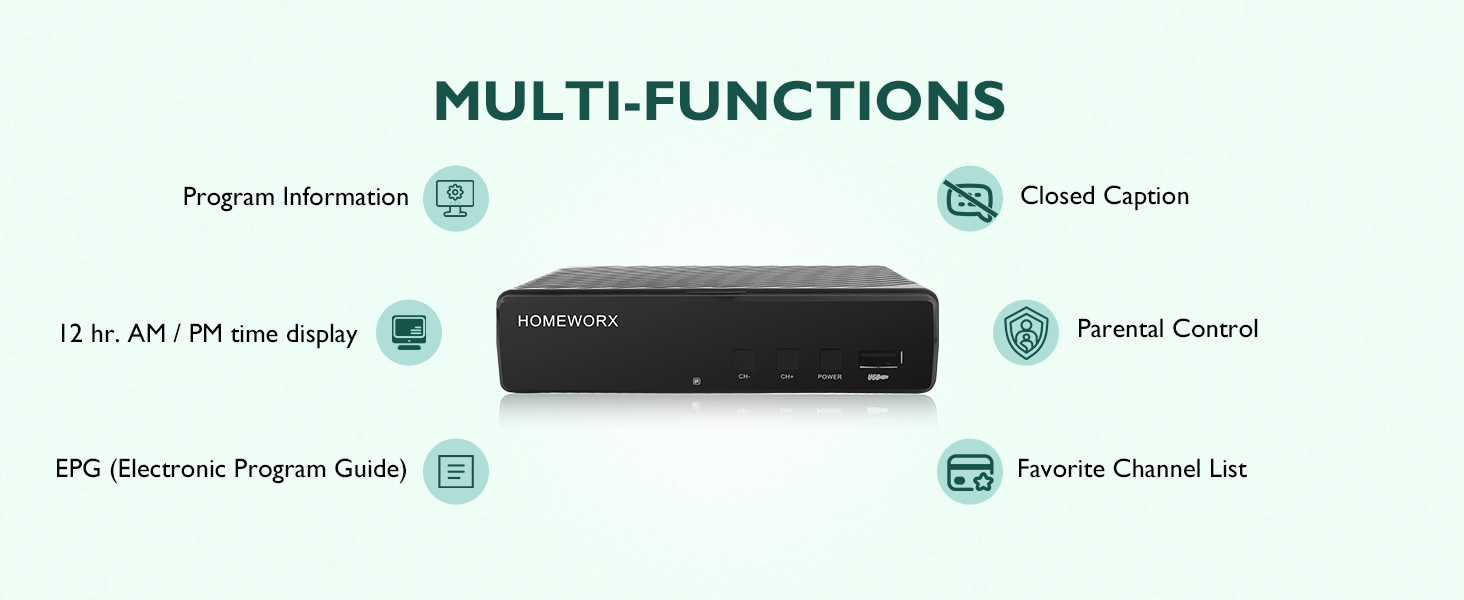
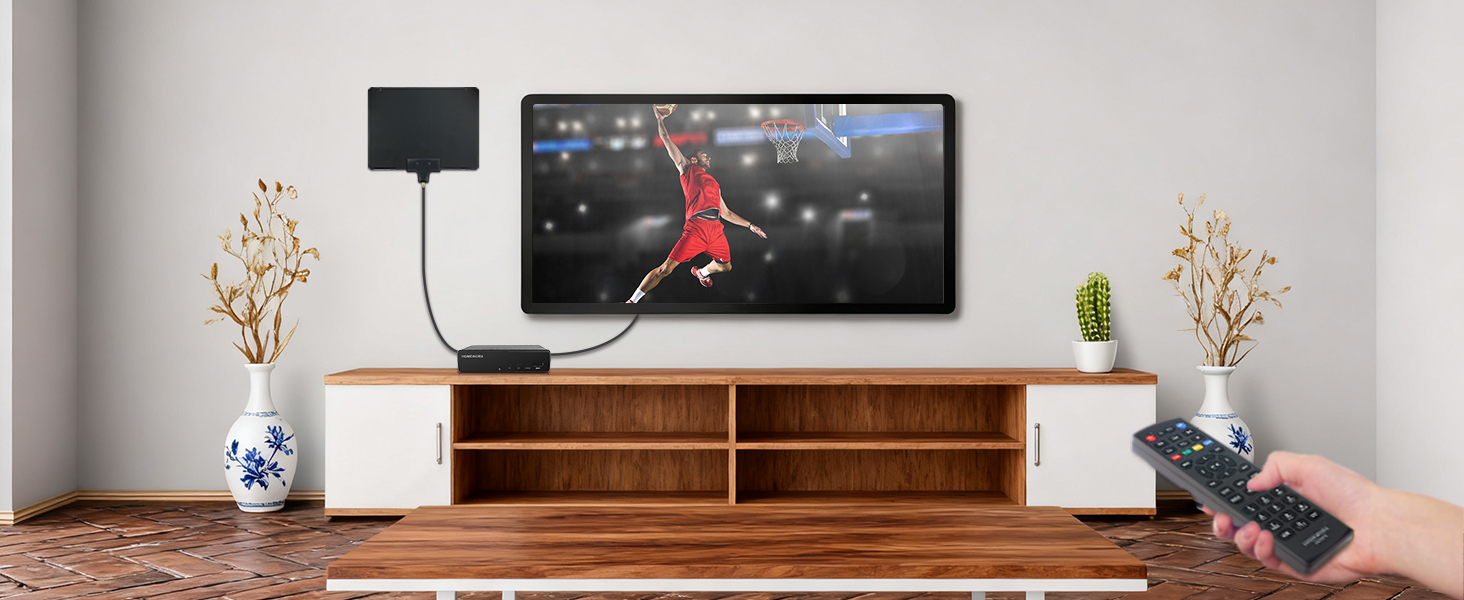
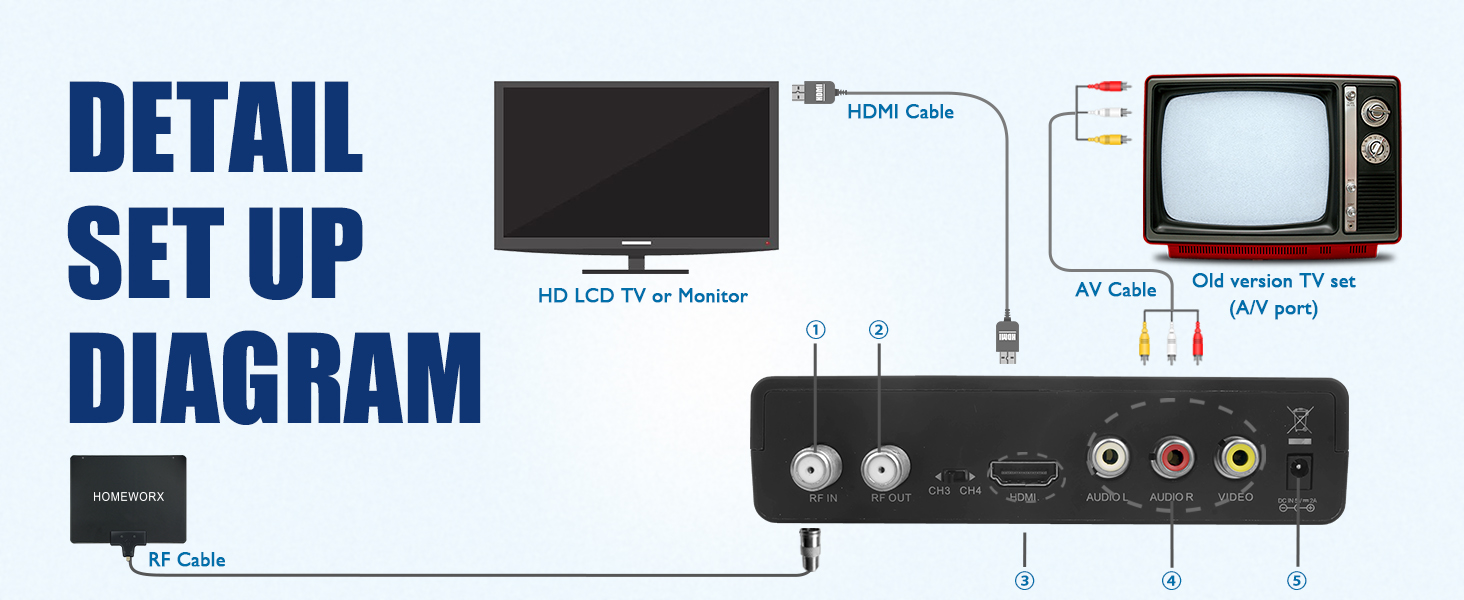
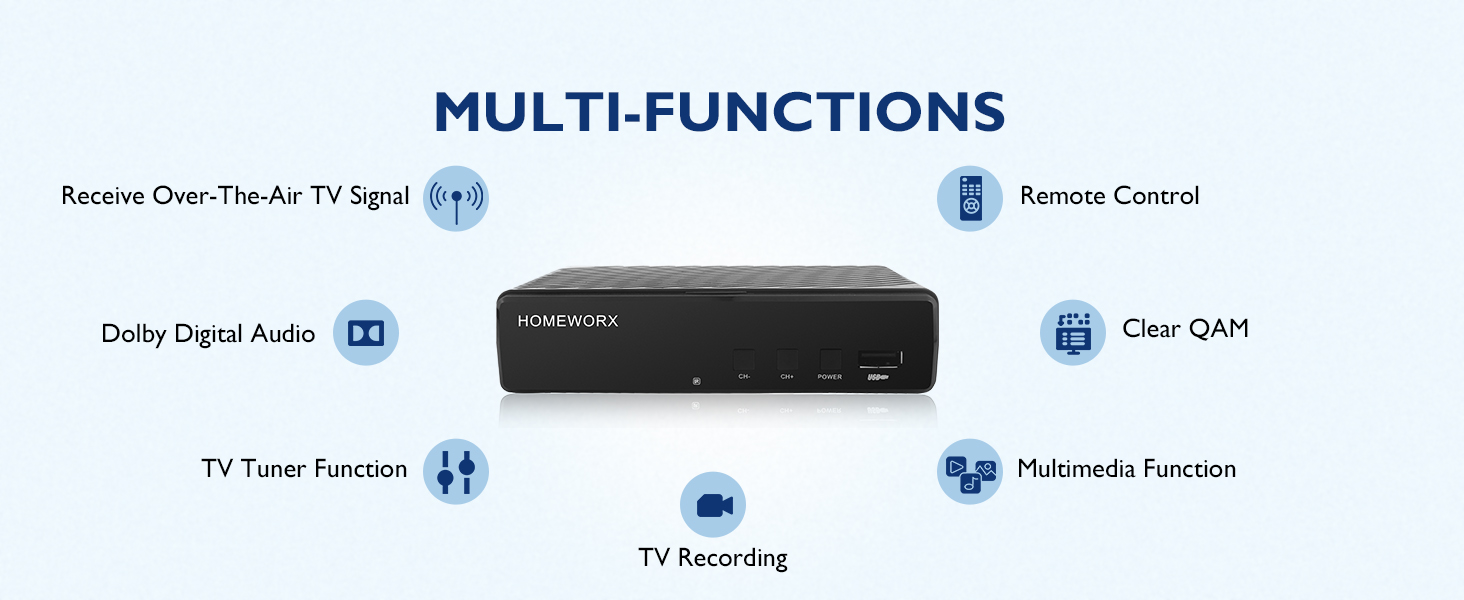
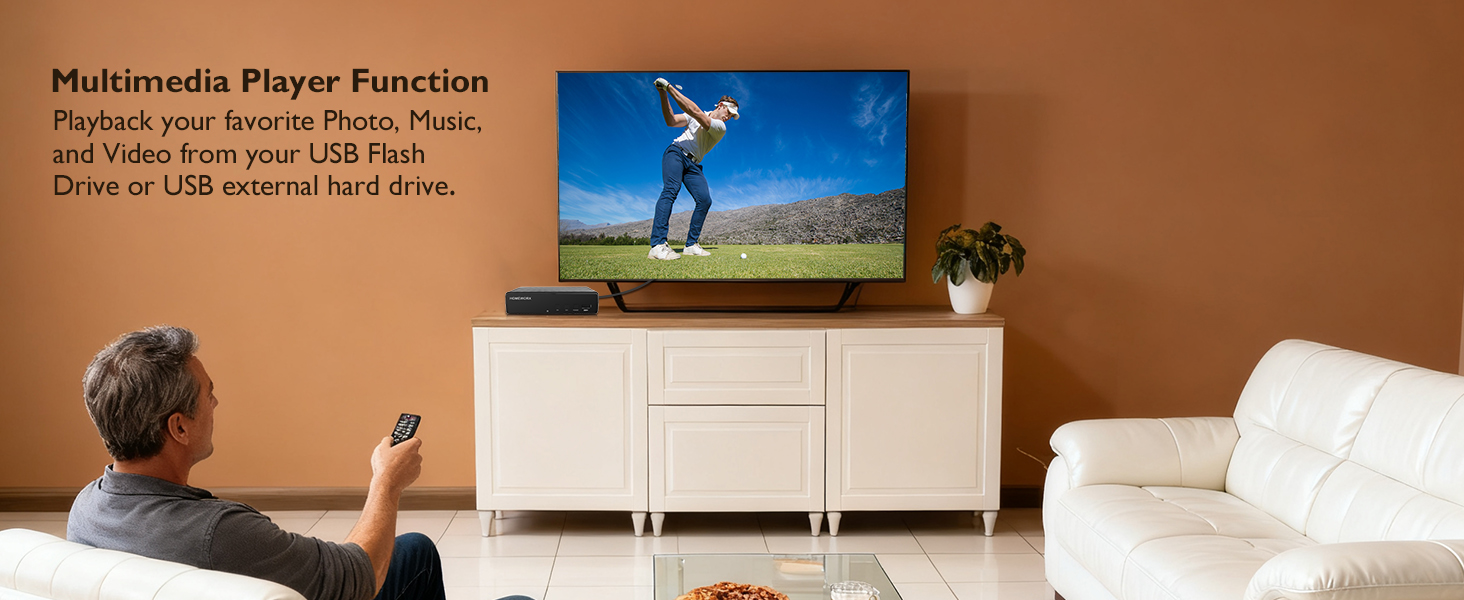
The Mediasonic HW130STB is a versatile ATSC digital converter box designed for cord-cutters seeking high-definition OTA TV on analog or digital displays. It supports 1080p HDMI output, real-time recording to USB hard drives up to 2TB, and multimedia playback. With parental controls, favorite channel lists, and multiple output options, it transforms any compatible screen into a modern digital TV hub without monthly fees. Note: Requires an external antenna and does not support encrypted cable signals or cable boxes.


| ASIN | B01EW098XS |
| Best Sellers Rank | #7,717 in Electronics ( See Top 100 in Electronics ) #4 in Analog-to-Digital (DTV) Converters |
| Brand | Mediasonic |
| Brand Name | Mediasonic |
| Compatible Devices | Analog and Digital TV, Projector, Computer Monitor, VIZIO TV, USB 2.0 or 3.0 external hard drives (not encrypted cable signals or cable boxes) |
| Customer Reviews | 3.9 out of 5 stars 9,541 Reviews |
| Interface | Coaxial, HDMI, RCA, USB |
| Interface Type | Coaxial, HDMI, RCA, USB |
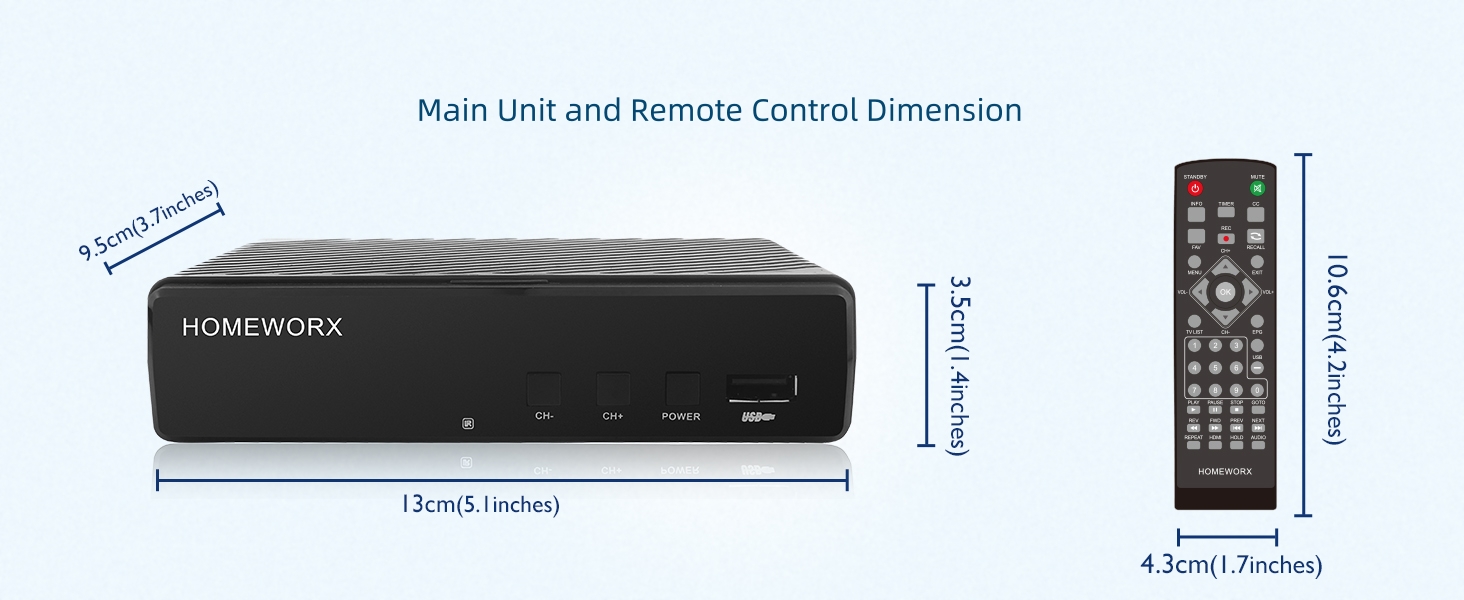
| Item Dimensions L x W | 5"L x 4"W |
| Item Weight | 0.29 Pounds |
| Manufacturer | Mediasonic |
| Material Type | ABS |
| Maximum Supply Voltage | 5 Volts |
| Minimum Supply Voltage | 5 Volts |
| Model | HW130STB |
| Mounting Type | Coaxial,Surface Mount |
| Number of Channels | 1 |
| Number of Pins | 25 |
| Part Number | HW130STB |
| Smart Home Compatibility | Not Smart Home Compatible |
| UPC | 629329006762 |
| Unit Count | 1.0 Count |
| Warranty Description | 1 Year Warranty from Mediasonic Store |
S**D
Replaced old model ATSC box with Mediasonic
My new Mediasonic Homeworx replaced an older version of ATSC box that I bought directly from Shenzen on eBay several years ago. I really liked the old box until the flash memory stopped working. When new, the old box would let me create up to about nine DVR schedules. Then after about three years it went to zero. All the functions of the old box are still good, except for the DVR schedule. I am still using a second old version ATSC box where the DVR schedule capacity has gone from about 14 entries to four. I replaced the ATSC box with zero DVR schedule with a new Shenzen model. I expected it to be like the one it replaced. Instead the DVR schedule has an eleven day week and zero working flash memory to hold schedules. I am really hoping that the new Mediasonic will have better quality flash memory. Ask me in three years how the flash memory is holding up. Right now it looks very good. I have been using old model USB 1 Western Digital disk drives for DVR storage. They worked great on the old model ATSC box and work just as well on the new Mediasonic box. I assume that the new box will support USB 2, but have not tried it. The old boxes do not support USB 2. The old model Western Digital units arrived formatted as fat32. To use them for DVR storage I had to reformat them to NTFS. I suspect the reason thumb drives do not work is that they are formatted as fat32. I bet that after reformatting to NTFS, they would work. I noticed that the Mediasonic has a disk format feature in the menu. I did not need to use this, the USB 1 Western Digital drives transferred to the new box without a hitch. I had two boxes because I had two outdoor antenna. I’ve been experimenting. The first antenna has stopped working. I suspect it is because it is now pointing to the sky rather toward the horizon. I have it clamped to a plumbing vent that is now bent over after the last wind storm. I wanted two working ATSC boxes, one to watch while the other records or record different channels at the same time. I tried using the RF output on one box to the second box. That works, but there is significant signal attenuation especially when the first box in the series is working. I installed a Channel Master signal-splitter amplifier. Now both boxes get the same signal strength. I have two antenna on the roof on the same mount with a Wineguard signal combiner feeding a Channel Master antenna preamp. That feeds into the signal-splitter amplifier inside the house. All this gets me about 40-60 over the air channels depending on atmospheric conditions. The antenna mount once held a Direct TV satellite antenna. I’m thinking of another type of antenna to try. I might replace the antenna on the bent plumbing vent with something on a tower next to the house. We will see how much ambition I have. Some things to note. The Mediasonic menus are identical to the old ATSC box. The remote controllers have the same functions, but they are arranged very differently. With the two old model ATSC boxes, when I clicked the controller on/off button, one box would turn on and the other would turn off. That, I found, was a useful feature. I now have two separate controllers. I suspect, if I get another Mediasonic that this feature would return. I set my Mediasonic to the 24 hour clock. Please remember that it does not automatically switch between standard and day light time. I seem to get caught twice each year. The DVR scheduler assumes that a digit placed in one of the two hour slots means that a zero should be in the other. Why? The old model didn’t do this. I like that the Mediasonic DVR scheduler starts with the working channel. The old model did not do this. The old ATSC box DVR scheduler has an annoying bug. When more than two shows are scheduled to record where each starts on the same hour that the previous show ended, there is about a 20-30 second additional delay that adds up. This delay pushes the start time and end time forward by that amount. This means that after several iterations the start and stop times are out of sync with the shows being recorded. This is a real issue when recording one of those marathons where 10+ episodes are broadcast back to back. Making the stop time a minute earlier than the next start time seems to help. Except when the scheduler is turning on the unit before starting to record, then it turns off on the ending minute and back on at the starting minute. Fortunately there tends to be a lot of advertising between each iteration to absorb the slop in the time. I haven’t used the Mediasonic enough yet to check this on the new model. I noticed that the Mediasonic initial boot goes a lot faster than the old ATSC boxes. Otherwise there is no difference. -- It is now official: The bug described above is present in the Mediasonic. Here is instructions to reformat a thumb or disk drive to NTFS: Put the following in a Windows Shortcut Target: %windir%\system32\cmd.exe Start in: %HOMEDRIVE%%HOMEPATH% Use the following commands in the Microsoft Command Prompt Type "DiskPart" in the command prompt. Type "List Disk” (make note of the disk number of the target USB drive). Type "Select Disk X”, where X is the target USB drive noted above. Type "Clean”. Type "Create Partition Primary”. Type "format FS=NTFS”. Type "Active”. Type "Assign". Type "list volume". Type "Exit" Be real careful with this. As soon as you type “clean” the target disk is wiped clean. If you want to get rid of a disk drive and hide your data, use the above procedure. I suspect a well-equipped forensic lab can still get at your data, but not easily. The format can take a long time. A 1TB disk drive can take 8+ hours to format. Like those Western Digital disks noted above.
R**E
Works ok for a low cost unit.
These things function ok, basically works like an old VCR but digital, if you view it that way you'll probably like it. I have bought several of these over the years. I bought one about 15 years ago that lasted a really long time, I don't think they're being made as well now though. There seems to be a fairly high fail rate on them, they seem buggy too. The programming doesn't always work as I think it should. The on screen menus and the remote are not super user-friendly. But hey, it's really inexpensive, you can buy several of these for the cost of one expensive name brand that might not work any better. Good choice for cord cutters, I record lots of ota shows with it. I have had best results using an external mini usb hard drive with it rather than a thumb drive, just my experience.
B**L
This works great as an OTA DVR. There are some drawbacks, but for the price it is well worth it.
This works great as an OTA DVR. There are some drawbacks, but for the price it is well worth the minor inconveniences. As a long-time cable cutter, the thing I missed most was the ability to time shift. The Mediasonic HW130STB takes care of that. If you expect this to do the same things your $200/ month cable box did, you'll be disappointed. If you think of it as a 2020's version of your old VCR, you'll be quite pleased The UI is pretty clunky and takes some getting used to. The remote has way too many buttons and would be much better if it was simplified. That being said, it gets 5 stars because it's about 1/3 of the price of one month's worth of cable and less than 1/2 of what the streaming services charge per month and yet provides robust recording options. You can record real time by pressing the record button. You can choose to schedule a recording from the channel guide, or you can record by time and channel like an old fashioned VCR. You can set it up to record a program or time slot one time or every day, week, month, etc. The HW130STB is a single tuner device, so your recording has to end before you can watch what you recorded. You also can't watch one channel while recording another. The picture and sound quality are both spot-on 1080 if you use an HDMI cable. It records in a standard format on a USB stick or USB drive that can be read by other devices. For the price, I am quite pleased. And if it stops working in a year, so what? It's cheap enough to just buy another.
R**2
Other than recording, most TV with coaxial can give you the same thing this provides
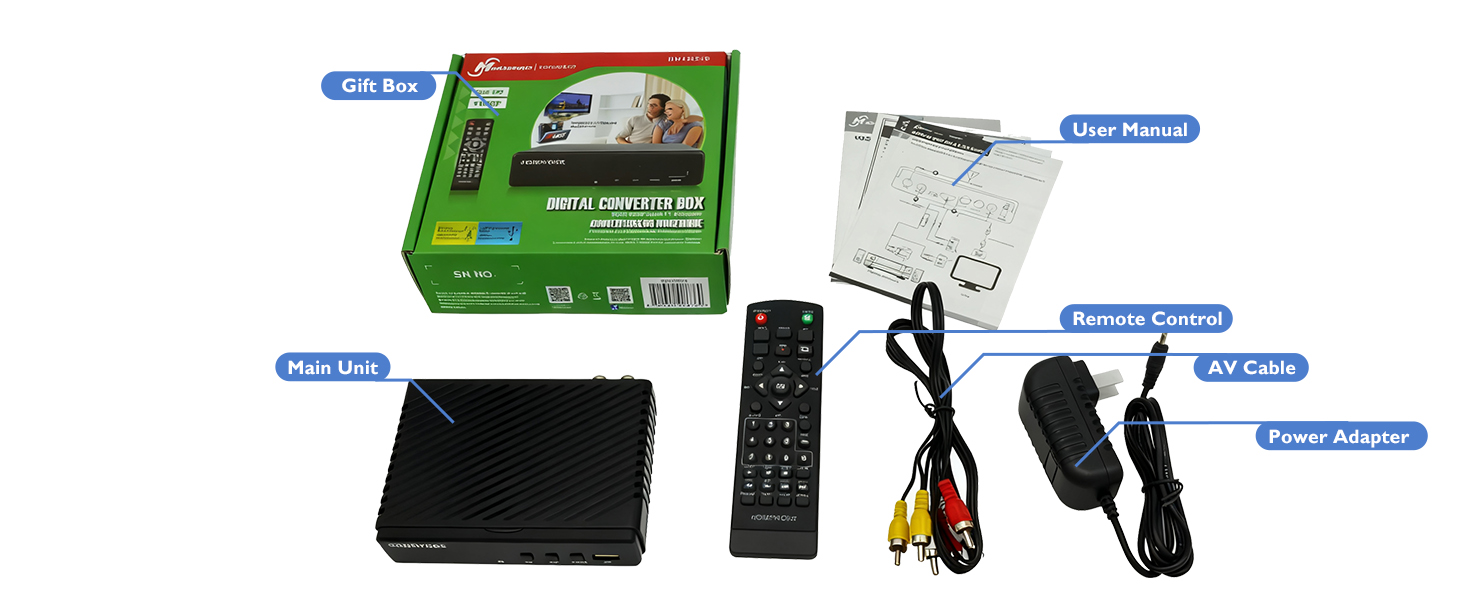
First off I would say about this is that it does not exactly last very long. It burned out from just being on stand by alone. I am not sure why this is. The next thing is that it does not come with an HDMI cable only RCA cable. That being said, this does what it is suppose to which is to get some channels. Other than recording though, most TV with coaxial can do what this box does. It does not give you any additional channels. Sometimes the TV gives you more but honestly everything depends on your antenna. The device is not perfect. The quality can be choppy as times but you can get the news and some random channels. It is definitely not a sport channel getting device. It does have a USB port that had limited movie playing experience. You can watch avi or mpeg formats. The device can be a bit buggy and actually crash during play or have sound lag. It does get a bit hot which makes me wonder if that was the issue for the device breaking down. The remote had to be in direct line of sight to register. It does takes two AAA batteries that are not provided. The connection is stable for the most part. I would recommend doing a few video scans. The video quality you can pretty decent video but there can be a bit of static here and there. The device does come with component cables. It CAN be hooked up via HDMI but the cable will need to be purchase separately. There are also a place for antenna in and out (antenna is recommended and needs to be purchased separately.) It runs on a traditional power brick. Overall I think this box is not really needed and it burns out super fast. You can get the same amount of channels on most televisions with a coaxial port built in. The only thing you get from this is recording. The user interface is pretty simple I am just concerned that this thing burns out way too soon on just stand by.
T**G
Depending on what you need it for...
3 stars. For what it does it works great. For what I needed, it doesn't. I was going to use it strictly as a pvr ro record ota tv. It does. Setup is easy, picture is ok, recorded just fine to an external ssd drive, and played back just fine. There is no way to skip through commercials though. The skip next buttons do nothing while viewing a recording. FF works fine but is impossible to stop at the end of the commercial break. If this is not important to you, it's a good product. It is important to me though, so it's going back.
M**A
Easy to set-up! Mediasonic ATSC Digital Converter Box with Recording / Media Player
Great product!
D**.
Very nice box for the money!
Overall, I'm quite impressed with this little digital converter box. My local cable company recently decided to start scrambling all their channels and charging customers $10 a month per TV to have a decoder box. So I said to heck with the cable TV and got a DTV antenna for local stations and this little DVR converter box. The coax out on this is just the RF modulator, not an antenna pass-through. But, my digital TV has both HDMI and basic antenna input, so I was able to put an antenna splitter between the antenna and this box and connect the antenna directly to the TV as well as the HDMI from this box, which allows me to record one show on this box while watching a different one via the TV at the same time. And, I can still connect my old school CRT TV to this convert via either the RF modulator or the composite video outputs, allowing me to run both TVs with only one box. I swear the richness of color is better on the old CRT than any setting combination I can achieve on the new digital TV... so it comes down to a question of 4:3 format and 480i resolution with good color or a 16:9 format and 1080p or even 4K resolution with less good color. I did have to dig around to find two AAA batteries for the remote, since they weren't included with this converter box, which I thought was a little odd (as most things needing batteries like that tend to come with them). Otherwise, it worked great right out of the box. And for the money, I can't complain much. I did a few quick recordings on this box to make sure the DVR function worked, but haven't fully put it through its paces yet. It seems quite functional, though doesn't have all of the bells and whistles my old TiVo had with scheduling options and whatnot. But for basic over the air DTV recording, this box is a good replacement for that for the money. The LEDs though, as others have reported in their reviews, are a bit weird, as there's a really bright red LED on when the box is turned off, but only a very faint green LED when it's actually on -- so faint you can barely see it. Not sure what's up with that. Maybe they did it so that if this thing loses power and turns off, when power is restored you'll notice the bright red LED and know that you need to turn it back on? Not sure. I'm probably just going to leave this box powered up all the time anyway. In any case, for the money, this box is definitely worth it and surpasses similar converters I've bought in the past.
C**M
Charming and quirky
First off, this thing is for geeks only. Keep in mind that this small box only costs $30.00. Having said that, if you remember what VCRs were 40 years ago, you will have an idea of this device’s capabilities. You will also have a good idea about the bronze age graphics package. This is a stand alone OTA single tuner video decoder that can be set up as a DVR. It doesn’t need a computer, the internet or a cell phone network. But it will interface with that 25 inch color console TV that grandma still has in the basement. For those of you who just want the executive summary, skip to the last paragraph, for everybody else…. Lets start with the user’s manual. They really did print a comprehensive one, but the typeface is microscopic. On to the remote, there are plenty of tiny buttons, with even tinier lettering that may or may not let you know what the buttons actually do. Also, the placement of the buttons is strange. Additionally the remote must be pointed directly at the box to function. The software is also easily confused, making you wonder if the remote is working. By the way, the red standby LED is bright enough to light up the entire room. To scan the channels go to MENU/CHANNEL SEARCH/AUTO SEARCH. In less than 2 minutes it will be done. There is also a manual search function. I used it because one of the stations in my market (WTAE 4) transmits on 2 frequencies from 2 different antennas and the auto search only picked out the lower of the 2 channels. I wanted to compare the two to see which had the stronger signal. By the way, while the software allowed me to add a channel, there are no provisions to delete a channel. The tuner sensitivity is very good and the picture quality is surprisingly good using the HDMI output. It even upscales those 480 subchannels to 1080 with better picture quality than my 5 year old 4K Sony produces. You can adjust the audio output volume with the left and right arrow keys. It also decodes the EPG signal that the stations embed into their signal, letting you see what is on. Also, there is a signal strength meter built into hardware. A stand alone signal strength meter will set you back by more than this device costs. To access it, just press the INFO button twice, the meter stays on until you hit the INFO button again, making it easy to adjust your antenna for the best signal on each channel. But, I have noticed that when the video pixelates, it throws the audio out of sync. The more the video pixelates, the larger the delay. It also seems that this device is slightly more susceptible to pixelation than my TV is. The only way to correct that is to reboot the machine. Also, the tuner is affected by windy conditions, you will get periodic blank screens during storms. The time setting is easy enough MENU/TIME, the box picks up it’s base time from the broadcast channels. You pick your time zone and standard or daylight savings time. But the software is too dumb to change the clock when daylight savings time happens. To set this up as a DVR you will need to acquire an external 2.5 SSD or a self powered external 2.5 or 3.5 mechanical drive, apparently the power supply for this box isn’t strong enough to power a mechanical drive. Or you can buy an internal 2.5 SSD and a case for it (which is what I did for less than $30.00 total). The case must have a USB 2.0 or 3.0 interface. Then go to MENU/USB/FORMAT, the only option is FAT32 which limits the file sizes to 4 GB. After that you are ready to go, you do not need a computer or a smart phone to get this running. In fact, there is no way to connect this to either of them anyway. You could also purchase a USB A flash drive. You will have to format the flash driver as NTFS format on a computer for it to work properly. Most flash drives come formatted in exFAT, which this unit will not recognize. Either way, the recorded files are stored as unencrypted MPEG2.ts files, which will play on any computer. The fact that the USB port is on the front of this device, instead of the rear, means that you will have the flash drive or a cable sticking out of the front of the box. Note to product planners, a more elegant solution would be to use a class 10 Micro SD card instead. Personally, I formatted my 120GB SSD in NTFS format on my computer. Either way will work, but the FAT32 format is a dinosaur. When you want to record something that you are currently watching, hit the REC button. To stop recording, find the stop button below. You can also hit the EPG button and get list of programs on the channel that you are watching. There are no fancy thumbnail clips, just a list. Scroll down to the show you want and enter it. This will pre populate the fields in the timer function. If you want to record that channel weekly or daily, scroll down to that line, there is no M-F option. Press OK and you are set. Remember the EPG information is from the stations and only goes for 24 hours, at best. The third way to program a recording is to hit the TIMER button at the top of the remote. Hit it and then hit 1 to enter the record settings screen. You can then change the current info that self populates into the record fields. I noticed that it would not let me scroll upward past channel 4 (the duplicate station WTAE), I had to scroll the other way. It also will not record on the higher WTAE channel, instead it defaults to the lower one. To find and play your recordings hit the USB key and scroll over to PVR, then down to the HBPVR folder. The unencrypted recordings are listed by station call letters, date, and time. The fact that the software can read the EPG information, but won’t use that to name the file is another one of those quirks. You can rename them, but that process is cumbersome. When you open the video it will play in the small window. To get to full screen mode press the HOLD key twice. Keep in mind that this is a cheap device, in every sense of the word, good and bad, from the flimsy plastic case and the half baked software. However, for a list price of $30.00 the picture quality is very good and it does some really neat things, just don’t expect your spouse to ever figure out how to use it. You will also need to keep the user’s manual handy. This product is nowhere near ready for prime time, but it does work. Personally I like the little gizmo, despite it’s flaws.
F**K
Digital convert box
Delivery of converter box was reliable (On time and in good condition). Apparently, it did not work so I contacted seller. They responded quickly and carried and sorted out the issue without fuss (refund).
A**X
Esperaba que ayudara a tener una mejor recepción
No cumplió su cometido
Y**Y
Worke well
I'm impressed, it has a lot of features, some of them area somewhat buiried, like pressing info twice to show the signal quality. We're using it on an old Trinitron and my mother is likely to only use the +/- channel and volume buttons, but its a nifty little device. Of course, you need an good enough antenna, we have it hooked up wo a set of rabbit ears and although we get a good signal, it is very sensitive to the position.
M**A
Excellent product!
Works like a charm! Connecting this to my Mom's 24" Insignia TV (she's in a nursing home and they have size restrictions for personal TVs) I was able to get 10 HD channels using this box and the DTVSUBS antenna (Indoor TV Antenna for Local Channels, Long Range HDTV Antenna with 360° Reception & Magnetic Base). Both my mother, who has great looking channels for free and I, with the result, are very happy.
P**T
Works as Advertised
Works, finds broadcast channels, relatively easy to use. Plays movies from USB stick (MP4), but has an issue with the PVR function. It records, but has a periodic breakup of the picture and loss of audio sync on playback (likely a lack of buffer space when the card stores a block) I will try a USB external hard drive to see if it is better. NB: My unit does not have the 'Dolby Sound' printing on its face, as is shown in the advertisement.
Trustpilot
1 month ago
1 month ago