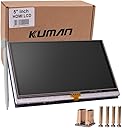
๐ฉโ๐ป Touch the Future with Kuman!
The Kuman 5 inch Resistive Touch Screen is a compact and versatile display module designed specifically for Raspberry Pi models. With a resolution of 800x480, it offers vibrant visuals and a user-friendly touch interface. This HDMI-compatible screen requires no external power supply when connected to Raspberry Pi, making it an ideal choice for tech enthusiasts and DIY projects. Comprehensive installation tutorials ensure a hassle-free setup, while the included protective case adds a touch of style and durability.
| ASIN | B01F3EKJIA |
| Additional Features | Touchscreen |
| Aspect Ratio | 16:10 |
| Brand | kuman |
| Built-In Media | Monitor |
| Connectivity Technology | HDMI, USB |
| Customer Reviews | 3.8 out of 5 stars 43 Reviews |
| Display Resolution Maximum | 800x480 |
| Display Type | LCD |
| Graphics Card Description | Dedicated |
| Graphics Card Interface | Integrated |
| Graphics Description | Dedicated |
| Hardware Interface | USB |
| Human-Interface Input | Microphone, Touchscreen |
| Item Dimensions | 4.8 x 0.31 x 3.07 inches |
| Manufacturer | Kuman |
| Model Name | SC5A-1US |
| Model Number | SC5A-1US |
| Native Resolution | 800 x 480 |
| Number of Component Outputs | 1 |
| Operating System | Linux |
| Personal Computer Design Type | Barebone |
| Personal computer design type | Barebone |
| Processor Count | 1 |
| RAM Type | DDR2 SDRAM |
| Resolution | 800 x 480 |
| Screen Size | 5 Inches |
| Total Number of HDMI Ports | 1 |
| Total Usb Ports | 1 |
| Video Output | HDMI |
| Video Output Interface | HDMI |
| Warranty Description | 1 year |
| Wireless Network Technology | Wi-Fi |
G**Y
Very high quality, honestly above the standard for budget lcds you'll find!
Ok this should be 4.5 stars because the instructions are awful and full of errors/bad translation and I could see a newbie being clueless... But it works out of the box via hdmi, just no touch unless you connect the gpio pins as well (ill provide the minimal pinout as soon as i get around to it) However: this is a VERY GOOD screen for the price and especially compared to the other budget lcds.. The refresh rate is great, so games or other video runs smooth... The build quality is solid and robust compared to what you may usually find for these chinese budget parts out there... The resistive touch is just fine, i think folks who are complaining just are expecting flagship smart phone precision, but honestly it performs better than the tablets youre gonna find on Alibaba for example... All in all im very happy with this lcd screen module it performs better than i anticipated..
M**T
But you can easily calibrate the touch screen following the documentation provided in ...
The product works! I was worried when I first started using the pen to touch points on the screen and it was tapping the wrong location. But you can easily calibrate the touch screen following the documentation provided in about 60 seconds. My computer doesn't have a cd player and the documentation, software and drivers provided are all available on cd. I requested a link to the downloadable version of the required material and they got back to me with a link immediately. The pi was unable to find the boot/LCD-show file because it wasn't unzipped within the boot folder. That may cause some people trouble so you may want to add that to the directions within the "How to calibrate LCD screen" documentation. I gave it 4 starts because if I try to use my finger to touch the LCD screen it is not very accurate. I was hoping to make a cellphone with my raspberry pi and feel it will be a bit silly if I have to use the pen. I am sure this is a programming issue that I could evennnntttttuuuuuaaaaalllllyyyyyy fix but that seems like way more work than I currently have time for. When you double click an area that requires text, the keyboard doesn't automatically pop up. it opens at the top of the screen and if you touch the screen you are working on it brings it to the front view and you must close and reopen the keyboard before you can start typing again. If software issues were addressed I would give it 5 stars. Hardware seems great.
P**R
Great Screen at a Great Price
I've had this display for about a week or so now, and I have had absolutely no problems. The colors a good, and everything is crisp and legible. Feels well built, and is great for working on a variety of projects. In addition, if you desire, you can actually use the screen with hdmi without connecting it to the Pi (No touch functionality). You will find the images easy to install onto an SD, or the included drivers if you prefer. If you are like me and do not have a CD drive, a quick google search will point you toward what you need via Kuman's website. For $40, this screen is excellent. Responsive, colorful, sturdy and easy to use. Money well spent. Highly recommended.
F**O
This is a good quality LCD screen for the raspberry pie
This is a good quality LCD screen for the raspberry pie. Its generic and sold under several brand names. I would avoid buying the Kuman brand because when I tried to download updated drivers from Kuman's website I was informed it would take up to six hours to complete the download unless I purchased access to a high speed gateway. I ended up getting drivers from another brand that sold the identical board.
P**K
Plug 'n Play Monitor that's Easy on Your Pocketbook
The item arrived in excellent packaging. After editing the /boot file, config.txt, it was "plug 'n play." The letters are a little hard to read. I purchased their 3.5" inch monitor, also and, surprisingly the letters were easier to read. All in all, am very satisfied with this product. It's a very good product sold at an excellent price.
J**N
Worthless!
The CD with the "drivers" on it doesn't actually have the drivers and the "instructions" on how to install them was written by someone who is computer illiterate who doesn't even understand code and the instructions on how to install the drivers from a repository doesn't even have an actual repository. After several frustrating day I finally found the drivers for this and got them installed and found out to my disbelief that not only does this monitor only work on Raspbian, once you install the drivers you can never use another hdmi monitor and have it work right unless you completely remove the touchscreen drivers. In over 30 years of doing computing this is the absolutely worse monitor I have ever come across! Update: Less than a month after writing this review I started getting harassing e-mails from Kuman who somehow illegally acquired my e-mail address.
N**.
Fair Screen
I debated if I should rate this two or three stars, but I went with two for now. When I first got it I REALLY liked it, but when the newness wore off I started noticing a lot of shortcomings. Here's my take on this: Pros: o. Good price. o. Good screen resolution for the size Cons: o. After a 8-10 days of light use I now have a very annoying lightning bolt on the upper right side of the screen that shows up a soon as you power up the pi. If someone who shall remain nameless had not tossed out the box I would have returned it or at least would have had it replaced. It should last longer than that. I hope it does not get worse. Oh well. o. I have spent hours searching the net to try to figure out how to do right/long click on the touchscreen with the stylus, but I have not found a solution. If you have the official Raspberry pi touchscreen there appears to be solutions for that, but that will not work with this screen. I even contacted the seller, but did not get any useful response. So if right click without carrying a mouse is important to you don't buy this; for for the official Raspberry pi screen. o. I have calibrated the screen few dozen times, but when you rotate it and the bottom of the screen become the right side it is VERY hard to get it to click properly on the scroll bar on any window with the stylus, but again it works just fine with a mouse. o. Most of the instructions they have works just fine out of the box., but beware of one major gotcha. In my case when I ran their script to enable the touch it causes my pi to kernel panic and it would no longer boot. That is because they blindly replace the /boot/cmdline.txt file with their own and the root parameter in their file was wrong for mine. They point to root=/dev/mmcblk0p2, but mine was root=/dev/mmcblk0p7. I had to take my SD card and mount it on anther pi and edit that file. It would then boot. o. Another problem I have is that after some use all of the sudden I can no longer click on any of the icons on my desktop. If I then click on the menu and click off somewhere else all the icons disappear. I have not been able to figure out how to get them back without rebooting the pi. o. This one is probably to be expected, but as an FYI to others if you install their OS, which I have NOT tried or the Raspian Jesse you should be OK. If, however, like me you try to go to Raspian Stretch (the new release) you can expect to have a lot of problems. I have resolved all of them except for one. I have not figured out how to get dislocker to work so I can read/write my Bitlocker encrypted external drives to work. It does work under Jesse, but under Stretch I don't see all three /dev/sda* block devices, just /dev/sda and I think that is the problem.
M**N
I like that it leaves some of the GPIO pins exposed
This display works well with my RPI 3. Once the drivers were loaded and the display configuration was ran, after reboot the display functioned as advertised. I like that it leaves some of the GPIO pins exposed. I have not tried to access them, but plan to as soon.
Trustpilot
1 week ago
1 week ago