


🚀 Elevate Your Game with Alienware's Ultimate Monitor!
The Alienware AW3821DW is a 37.5-inch WQHD+ curved gaming monitor that delivers an immersive gaming experience with a stunning 3840x1600 resolution, a rapid 144Hz refresh rate, and a lightning-fast 1ms response time. Featuring 95% DCI-P3 color coverage and VESA DisplayHDR 600, this monitor ensures vibrant colors and remarkable clarity. With a fully adjustable stand and multiple connectivity options, it's designed for gamers who demand the best.
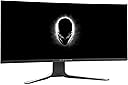


| ASIN | B08NF7V9HR |
| Adaptive Sync | G-Sync |
| Aspect Ratio | 21:9 |
| Aspect ratio | 21:9 |
| Best Sellers Rank | 339,446 in Computers & Accessories ( See Top 100 in Computers & Accessories ) 5,275 in Monitors |
| Box Contents | Monitor Panel, Stand riser, Stand base, Cable Cover, Power Cable, 1x DisplayPort (DP to DP) Cable, 1x Mini-DisplayPort (mDPto DP) Cable, 1x USB 3.2 Gen1 (5 Gbps) upstream cable, Drivers and Documentation Media, Quick Setup Guide, Safety Information, Alienware Welcome Card |
| Brand | Alienware |
| Brand Name | Alienware |
| Colour | Lunar Light |
| Colour Gamut Value | 1.31 |
| Contrast Ratio | 600:1+ |
| Customer Reviews | 4.2 out of 5 stars 131 Reviews |
| Display Technology | LED |
| Display Type | Ips |
| EU Spare Part Availability Duration | 3 Years |
| Hardware Connectivity | 2.5mm Audio, DisplayPort, HDMI, USB 3.1 Type A |
| Has Color Screen | Yes |
| Image Brightness | 400 Nits |
| Image contrast ratio | 600:1+ |
| Item Dimensions D x W x H | 29.4D x 89.5W x 58H centimetres |
| Item Weight | 12.14 Kilograms |
| Manufacturer | Dell |
| Maximum Display Resolution | 3840 x 1600 Pixels |
| Model Name | AW3821DW |
| Model Number | AW3821DW |
| Mounting Type | Wall Mount |
| Native Resolution | 3840x1600 |
| Network Connectivity Technology | USB Downstream Port, DisplayPort, HDMI, USB |
| Picture Quality Enhancement Technology | IPS Nano Color, NVIDIA G SYNC ULTIMATE |
| Pixel Pitch | 2.7 |
| Power Consumption Size | 46.35 Watts |
| Product Features | Anti Glare Screen, Curved Screen, Height Adjustment, Swivel Adjustment, Tilt Adjustment |
| Product Warranty | 3-year Advanced Exchange Service & Premium Panel Exchange |
| Refresh Rate | 144 Hz |
| Resolution | WQHD+ 3840 x 1600 |
| Response Time | 1 Milliseconds |
| Screen Finish Type | Curved |
| Screen Size | 37.5 Inches |
| Screen size | 37.5 Inches |
| Screen surface description | Curved |
| Specific Uses For Product | Gaming, Multimedia, Personal |
| Total HDMI Port | 2 |
| Total USB 3.0 Ports | 3 |
| Total USB Ports | 5 |
| Total Video Out Ports | 3 |
| Viewing Angle | 178 Degrees |
| Voltage | 69.44 Volts |
K**S
Top Quality
Was a bit anxious about buying 38'' but now it feels quite small :) Overall very good colors, design, and no issues at all, you can see the quality of the product is very good.
J**N
Superb picture
This a a very good quality monitor. Very stylish, and a good size with low latency for gaming and HDR. I was blown away with just how good this monitor performs. Highly recommended.
S**K
Amazing Screen!!!
I bought this couple weeks ago and been using a week or so now. Compare to my previous Acer Predator absolutely smashing. But first things first, Amazon has a terrible process to send this product. Originally i order 22of May and i got this product on 10th of June even though it says product will be delivered on26th. apparently the first one lost or stolen during the delivery process so amazon send another one that one was apparently to be lost again however it was delivered 2-3days late. At the end endless conversation with Amazon couldn't reach out to Hermes about the delivery status etc etc... My Recommendation is buy it directly from Dell. Well the screen is amazing. I bought this for %30 work %70 gaming purposes. Screen is so big i had to install a 3rd party windows tool to divide the screen visual in to 3 pieces. Also i am using on my Alienware R4 17" to be honest i dont need the laptop screen itself. Again So Much SCREEEN!!! Obviously if you have a lower GPU than 3070 possibly you are not going to unlocked the full potential of the screen. 144 Hz on 8 bit but the screen does support 10 bit however you need to downgrade the HZ to 120. One thing that i find that discomforting if you open a video on YT in a browser on the entire screen even though in full with you get black border on the both side of it. Same happens on Netflix as well. But if you download a video and run it on full with it does work and look absolutely brilliant.
T**Y
One of the best monitors money can buy
144hz, 3840x1600. What else is there to say? Plays games great, productivity is great. Only downside is you will need a monster to drive this monitor. I am using a 3090 and can't hit 144hz on most newer games on all max.
C**S
Fantastic Screen will be using it for a looooong time
Good Customer service from Ez sent it out within 2 weeks where i was not getting a delivery date from another supplier for more then 3 weeks, so very happy with their customer service. Great screen with awesome features!
M**Y
Updated, 4 Monitors, 4 Stuck Pixels!
I'm an IT professional, spending hours in front of the monitor at a time, but work has become more of a pleasure with the sheer real estate on offer. Using PowerToys FancyZones allows you to create custom snap to configurations, so I can have 3 almost fully open at once - brilliant! Gaming, immersion is unbelievable. The immersion cannot be understood based on reviews or videos, you simply need to experience it for yourself. An excellent purchase, even if it took 3 attempts for Amazon to get it to me (1 stolen by driver, caught on CCTV, 1 lost, and finally received the 3rd after two weeks!). The stand is rock solid, and very sturdy. On my Ikea corner desk I don't feel the need to use a wall bracket, space does not feel compromised. Connectivity is great, and the whole item just feels well made. Throw in a 3 year warranty, Alienware dead pixel promise, this is a truly set and forget / set and enjoy experience. Updated. Stuck pixels on every panel, Dell warranty only covers pixels remaining illuminated on a dark background. Quality control here is disgraceful, very unhappy.
L**J
Warehouse purchase in great condition
Not going to write a whole review, it's been done before. But I purchased this from Amazon Warehouse, which cited "cosmetic imperfections to back or bottom" and "damaged packaging". The box was indeed in pretty shoddy nick. Probably been dragged about and what not for a while. But the monitor itself, was near new. One absolutely tiny scratch at the rear. Maybe 2 mm wide and very very shallow. I had to look for about an hour to find it. Generally I wish Amazon warehouse would specify what exactly the blemishes are with items like these, but in this case it's saved me some money, as this monitor is new in all but name and price. Delighted with it.
K**D
Fantastic screen
Really pleased with this monitor. Great quality. Had ordered direct from Dell but kept on getting delayed. Found it here on Amazon and cheaper. Perfect!
M**E
Très bon écran
La qualité de l'écran est indéniable et la qualité d'image est vraiment bonne. En revanche le modèle vendu par le revendeur était défectueux. Après quelques échanges avec le support de DELL directement, l'écran a été changé et depuis je peux l'apprécier pleinement.
M**H
3 years on and still working
beautiful monitor and 38inch is the sweet spot for monitor size!
D**S
Geiles Gerät knapp an der Perfektion vorbei
Ich bin vor ca. einem Monat von meinem LG 34" 21:9 auf den 38" Alienware gewechselt. Ich benutze den Monitor hauptsächlich für Office Anwendungen und gelegentlich fürs Gaming. Zum Gaming: 38" ist definitiv nochmal ein Stück immersiver als 34". Fürs Gaming die ideale Größe, ist aktuell mein Gefühl mit diesem Monitor. Das GSync funktioniert ohne Probleme, im Gegensatz zur aktuellen LG Konkurrenz soll es wohl bemerkenswert sein, dass das GSync Modul des Alienware keine Lüftergeräusche produziert, soweit ich gelesen habe und ich kann bestätigen, dass es keine hörbaren Geräusche vom Monitor gibt. Das HDR 600 Feature des Monitors hatte ich gar nicht mehr im Kopf, als ich das erste Mal mit Star Wars Battlefront 2 in den Multiplayer Sternenjäger Modus startete. Die Heligkeit der ersten Explosion erwischte mich abends im dunklen Zimmer völlig unvorbereitet und entlockte mir ein spontanes, begeistertes "Wow, was geht ab..." Das konnte mein 4 Jahre alter LG so noch nicht. Die optimale Einstellung der Monitor Reaktionszeit soll laut einiger reviews im Internet die Stufe "Schnell" sein. Diese Einstellung findet man im Monitor Menüpunkt "Spiel". Soviel zum Gaming. Im Office Modus hat mich letztlich vor allem der Unterschied von 1080p zu 1600p überzeugt. Wer viel mit Text und Zahlen zu tun hat, wird bemerken, dass die höhere Auflösung für die Augen entspannter ist. Die Arbeitsfläche ist mit 38" nicht sehr viel größer als bei meinem 34" LG. Ich hatte mir hier vor allem in der Höhe mehr Platz erhofft, es waren aber letztlich nur etwa 2-3cm mehr. Um noch etwas mehr Höhe zu bekommen, habe ich die Windows Taskleiste an den seitlichen Bildschirmrand versetzt, denn Breite hat es mit 38" dann doch genug. Kommen wir zu meinen zwei Kritikpunkten - Einstieg in den DCI-P3 Farbraum und die RGB Ambient Beleuchtung des Monitors: Der erweiterte DCI-P3 Farbraum des schon ab Werk sehr gut farbkalibrierten Monitors ist einer der großen aktuellen selling points bei Monitoren. Wenn man Fotos bearbeitet, sollte der Dell Monitor Treiber und das enthaltene Farbprofil zwingend installiert und aktiviert werden. Anleitungen dafür gibt es im Internet. Der DCI-P3 Farbraum wurde von der Filmindustrie eingeführt und ziehlt vor allem auf mehr Power bei Rot und Grün ab, als es der sRGB Farbraum hergibt, soweit ich mich belesen habe. Das mag bei Videos, beim Gaming und bei Grafikprogrammen, die mit Farbprofilen arbeiten können, ein Mehrwert sein. Aber im normalen Windows Betrieb und zb in Excel oder beim Browsen ist es ein Problem, weil viele Programme damit noch nicht umgehen können, denn Jahrzente lang dominierte der sRGB Farbraum den Mainstream Monitormarkt. Dadurch werden rote und grüne Farben zumeist übersättigt dargestellt. Das LG Konkurrenzmodell bietet hier eine nützliche Funktion im Monitormenü: Auf sRGB Farbraum begrenzen. Dieses Feature bietet der Alienware leider leider nicht. Windows selbst stellt installierte Farbprofile den installierten Programmen prinzipiell nur zur Verfügung. Wenn Programme den Umgang mit Farbprofilen nicht beherrschen, kommt es bei rot und grün Tönen zu einer Neon Lighshow und irgendwann bekommt man davon gefühlten Augenkrebs. Da ist man im Apple Universum zb. schon viel weiter. In MS Excel hilft es dunklere rote und grüne Farben zu verwenden, allerdings hat man auf die Farben in den Tabellen der Kollegen wenig Einfluss und auf den sRGB Monitoren der Kollegen sehen die Farben dann viel dunkler aus. Im Browser kann man die Nutzung von Farbprofilen bei Bedarf erzwingen, dafür gibt es Anleitungen im Internet. Der Windows DateiExplorer stellt Farben in Thumbnails von Bildern ohne Berücksichtigung eventueller Farbprofile und somit auch falsch übersättigt dar. Der aktuelle Windows Fotoviewer übrigens auch. Man sollte am besten wieder den alten Windows Fotoviewer, der Farbprofile korrekt umsetzt, verwenden, den kann man über einige Registry Einstellungen manuell wiederbeleben. Dazu gibt es Anleitungen im Internet. Ansonsten kann man noch grelle Programm Icons auf dem Desktop und in der Taskleiste soweit wie möglich durch dezentere Icons ersetzen. Letztlich kann man sich auch damit behelfen in den Einstellungen der Grafikkarte die gesamte Farbintensität etwas zu reduzieren. Für die Fotobearbeitung müsste man die Einstellung dann jedoch wieder auf Standard zurücksetzen. Die RGB LED Ambient Beleuchtung - Dell nennt es AlienFX Beleuchtung - ist ein nettes Gimmik. Es gibt auf der Monitor-Vorderseite mittig unterhalb bei den USB Anschlüssen einen LED Spot, der auf Touch zum ein- und ausschalten reagiert, soweit dies im Menü aktiviert ist und es gibt eine LED Beleuchtung auf der Rückseite des Monitors. Leider ist der Spot vorne für meinen Geschmack zu hell und die Beleuchtung auf der Rückseite zu dunkel. Sie könnte potenziell eine dezente Tischlampe im Hintergrund ersetzen, was ein wirklich praktischer Mehrwehrt gewesen wäre, insofern der Monitor vor einer Wand steht. Soweit haben die Dell Entwickler aber leider nicht gedacht. Die Farben der LEDs können separat im Monitor Menü oder über eine Windows Software eingestellt und ein- und ausgeschaltet werden. Leider werden die Einstellungen am Monitor nicht separat pro Display Eingang gespeichert. Das heißt, wenn man morgens nach dem Zocken am Abend davor vom DisplayPort Eingang vom Gaming PC zurück auf den HDMI Eingang und zum Arbeitslaptop wechselt, ist die abends eingeschaltete AlienFX Beleuchtung weiterhin an. Es gibt auch nicht die Möglichkeit die AlienFX Beleuchtung auf eine Schnellwahltaste im Monitormenü zu legen, um sie schnell ein und ausschalten zu können. Es können auch keine Presets dafür angelegt werden. Das kann einem zwar egal sein, aber mich persönlich begeistern gerade solche letzten Details - gerade bei so einem teuren Produkt. Diese Chance wurde von Dell hier leider nicht genutzt. Fazit: Abschließend lässt sich sagen, dass das aktuell einzige Konkurrenzprodukt von LG auch kein ganz perfekter Wurf geworden ist, wenn man die reviews vergleicht und man bei DELL 3 Jahre Garantie und Vor-Ort-Service bekommt. Wenn man nicht bei Dell direkt gekauft hat, sollte man eine Gerätebesitzübertragung (ownership transfer) bei Dell beantragen. Dazu muss man bei Dell einen Account anlegen und dort online diesen Antrag ausfüllen. Ich punkto Panel Lotterie hatte ich direkt Glück: keine Pixelfehler, keine Staubeinschlüsse, keine Folienblasen, kein auffälliges backlight bleeding und eine homogene Ausleuchtung. Da sagt man einfach nicht nein. Mit dem DCI-P3Farbraum und dem Thema Farbprofile muss man sich in dieser Monitorklasse anfreunden bzw auseinandersetzen. Man kann nur hoffen, dass in Windows und MS Office in punkto Farbmanagement recht bald nachgebessert wird. Ansonsten oder trotzdem ist dieser Monitor von meiner Seite aus eine absolute Kaufempfehlung.
L**C
Qualité Alienware
Je ne regrette vraiment pas mon achat c’est écran est sublime et la qualité de fabrication est parfaite c’est du alienware que dire de plus Ah oui le pied massif permet de tenir l’écran de parfaitement stable
H**R
Super Monitor
Der Preis ist zwar etwas hoch aber ich habe es nicht bereut. Die Bildqualität ist herausragend und ich bin sehr froh das ich mich dazu durchgerungen habe diesen Monitor zu kaufen. Er ist meiner Meinung nach auf jeden Fall eine Kaufempfehlung.
Trustpilot
2 days ago
1 week ago