Buy anything from 5,000+ international stores. One checkout price. No surprise fees. Join 2M+ shoppers on Desertcart.
Desertcart purchases this item on your behalf and handles shipping, customs, and support to Senegal.
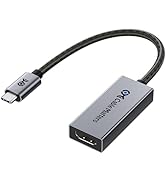
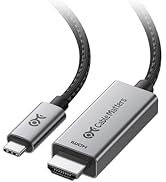
🚀 Elevate your display game with the ultimate 8K-ready USB-C to HDMI adapter!
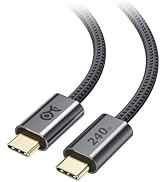
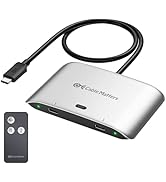
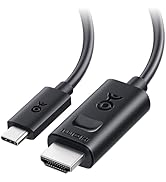
The Cable Matters USB C to HDMI 2.1 Adapter delivers blazing 48Gbps bandwidth, supporting breathtaking 8K@60Hz and 4K@240Hz HDR visuals. Compatible with Thunderbolt 3, 4, and 5, it ensures seamless connectivity with the latest laptops and GPUs. Its premium braided cable and aluminum enclosure guarantee durability and style, while plug-and-play functionality makes setup effortless. Ideal for professionals and gamers seeking future-proof, ultra-high-resolution display performance.


| ASIN | B08MSWMXT4 |
| Best Sellers Rank | #64 in Thunderbolt Cables |
| Brand | Cable Matters |
| Color | Gray |
| Compatible Devices | Laptop, Projector, Television |
| Connector Type | USB Type C |
| Current Rating | 3 Amps |
| Customer Reviews | 4.3 out of 5 stars 846 Reviews |
| Finish | Metallic |
| Finish Type | Metallic |
| Item Weight | 0.02 Kilograms |
| Manufacturer | Cable Matters |
| Mfr Part Number | 201388-GRY |
| Model Number | 201388-GRY |
| Number of Items | 1 |
| Number of Ports | 1 |
| Package Quantity | 1 |
| Power Plug Type | No Plug |
| Smart Home Compatibility | Not Smart Home Compatible |
| Specific Uses For Product | TV, PC, Monitor, Laptop |
| UPC | 818707029640 |
| Unit Count | 1.0 Count |
| Warranty Type | Limited |
J**M
Plug and Play
I have a Dell laptop that is hooked up to a Samsung S95F by a Silkland Ultra A certified HDMI "Ultra High Speed" cable. I was unable to get the highest resolution and refresh rate out of the TV and laptop. I researched and determined that I needed to use the USB-C lighting connection on the PC to achieve this. I purchased this adapter, plugged it into the laptop, plugged the same HDMI cable into the adapter and it worked with no issues. I adjusted various settings and could get 3840x2160 at 120HZ. That is the highest setting and rate the laptop / tv combo is capable of (at 120). The connection was easy, plug and play, No extra or external power required, the size of the adapter really didn't change anything on my setup (location of laptop and cables connected to the tv). As far as sound quality goes I could discern no difference between the before and after, still sounds great. I am using this setup to watch streaming 4K movies and OTA TV. The tv is setup as a dumb tv and just a monitor. Last thoughts. There are so many factors that will stop you from achieving the highest rates possible. The big three needed to achieve this are, 1. Is your GPU and PC hardware actually capable of providing the desired rates. 2. Is the display that you are using actually capable of the desired rates. 3. And this is the big one. Are the cables and connectivity actually rated for you tp properly connect # one and two above. It took me several days to source the correct hardware and this device was the correct hardware in my circumstance.
C**N
4k 120hz on Mac
Works great. Gives me 4k 120hz on mac os through a thunderbolt 5 doc. I got the 201388 version and it took 2 minutes to flash the new firmware with a PC. Great it if you want 4k 120hz on mac.
R**.
The type c to hdmi 2.1 works with the lg 42c2 on 4k 120hz 12 bit RGB wtihout any issues.
This is the second time that I buy a type c/display port to HDMI 2. The first one was ULT-WIIQ-US 6.6ft, DP 1.4a to HDMI 2.1. Unfortunately, this cable had audio issues, it stutters every 30 seconds and after 4 days it stopped working on 4k 120hz RGB. I researched a lot on these adapters and I found out that my RTX 2070 support type c video out display port alt mode, so I searched these adapters too. It seems that many of these adapters suffers from overheating, signal loss when switching in and out of HDR. Also, some of them require USB power. It seems the most of these adapters use the same chipset, but, it is the firmware that cause these issues. Then I saw that Cable Matters provide firmware update for some of the display port/type c to HDMI 2.1 that mention many bugs fixes related to issues that I mentioned. I decided to buy the short adapter and buy a hdmi 2.1 cable instead of the cable type, as the adapter is more expensive than the cable and it reduce the chance for it to stop working properly. The longer the cable is, there is a higher chance for failure. As soon I got it I download the latest firmware update from Cable Matters website and saw that the cable is on older firmware, so I update it . It takes very short time, and it works without issues. I can send HDR signal without losing signal, the audio does not have any issues and as I wrote in the title, it works on 4k 120 Hz 12 bit RGB. I will update the review if the adapter will fail.
B**L
Works well with 5K2K monitor
I use this to connect 5k2k monitor to my work laptop. It works well, and I haven't had any issues.
P**1
Worked for a bit, albeit with hiccups. Now, not really. I know I was pushing the limits though.
So I got this adapter in hopes of upgrading my 1660 Ti with a HDMI 2.1 port. Why? To run 4K @ 120Hz and Full RGB/ 444 for HDR purposes. I know, I'm stretching the bandwidth limits of the hardware. Technically the USB-C port which comes from the 1660 Ti cannot do the full 48 Gbps. A non-thunderbolt USB-C is speced to top out at 40 Gbps. I knew this before I bought the adapter. Yes, I got it to run the above. But I have now had the adapter for a couple of months and the image disconnects have just gotten worse. Now it is having difficulty even connecting at all. Perhaps something got cooked. It was getting rather warm. Not USB flash drive hot though. My biggest other complaint is that something is not translating with the audio channels. If I take the same HDMI cable and plug it into the 1660 Ti's HDMI port. I can get it to see my 4k/8k AVR at 24bit and even run Dolby Atmos no problem. But with this adapter and the mini displayport version of this adapter (which I also bought) I just cannot get the PC to run anything other than 16bit. Also, I cannot even get basic 5.1 to work properly anymore. It is intermittent and most of the time I end up getting the sub channel on the left rear and my center channel on the right rear. Sometimes it does work perfectly for a couple minutes though. And no, there isn't a mis-wired speaker, the home theater works fine with a Roku and PS3 attached. This is not an HDMI cable issue, as I am using a certified 8k cable. My conclusion is that if I want the above I need a new GPU or PS5, which is almost saying the same thing. This device will give you an additional video port at high resolution, but don't expect any multi channel sound to be reliably pulled through it or HDR.
S**S
Plug and play
Does what you need.
B**.
4k 120hz HDR in full glory
If your screen can support 4k 120hz HDR then this adapter does it all. I bought it for my LG CX but sadly gysnc isn't working with it as it comes across as a display port due to the compression algorithm in Nvidia control panel so the lg cx isn't showing up as connected via hmdi which seems bass ackwards from usual gysnc but gysnc on TV is basically VRR support. It isn't a deal breaker as I'll take the 4k120 via hdmi with HDR with zero flickering etc. Full support for 12bit HDR with full spectrum color and extended gamut at the TV's native resolution and refresh rate. Since 4k TV's are technically 4096x2160 you'll need to change from aspect ratio to full screen in the picture options in Nvidia control panel to remove the two black bars that appear at 3840. If if fills the screen a little too much you can resize the desktop or just set it to 4096x2160. Resizing is the most compatible option if you have a game or TV program where the HUD or crawl are obstructed by the overscan. This is another home run from cable matters
P**K
This adapter finally allows my MBP to look better on my 65" OLED than a $40 fire stick
First off, I'm not a gamer. I don't need 120fps. Nor does this adapter give it to me on my MBP. For whatever reasons. But, I have always thought that it's incredibly foolish that I cannot get my 2019 i9 MBP to play live sports on my OLED TV better than a $40 fire stick. Makes zero sense. But, for whatever reason, and despite trying many different TB3 to HDMI adapters, the picture was never as good as a fire stick, or Apple TV. I had given up. I own both those streamers. And I'm not completely happy with either. I want the expensive Intel processor from my Mac Book to power the picture on the Television. This, finally, does that. When I use an HDMI 2.1 specific cable with this adapter to connect the TB3 port of my MBP to the HDMI 2.1 port of my Samsung s90c OLED... I get WOW! I get the wow I always wanted. I don't fricken care if it's 4k or 1080 whatever. (hint: I wouldn't even know how to look that up)... I've ran the test. I had the same hockey game playing on the Apple TV, the stick and the MBP through this guy... the MBP was clearer. Stronger. Smoother. Less glitchy. Better colors. Better clarity. Better sound signal to the basic TV speakers, I think. It was definitely louder than the other devices at the same TV volume, fwiw. But... everything was better. All of it. To my untrained eye there was nothing that the Apple TV or stick did better than the MacBook with this thing. Finally even this idiot can get the $3k laptop to look better on the TV than the fire stick.
T**M
Perfect
AMAZING! has been working flawlessly since I got it. Love this thing.
W**R
Endlich wurde mein HDMI Flackern Problem am NUC 13 Pro gelöst!
Ich mag meinen NUC 13 Pro (NUC13ANHi7), hatte einen Monitor via USB-C und einen LG 48C1 TV via HDMI angeschlossen. Da das mit HDMI 2.1 Kabeln immer so eine Sache ist habe ich einfach nochmal eine vorherige Bestellung erneut ausgelöst. Das Kabel funktioniert wunderfein mit einer 3080 und dem LG TV. Nur warum flackert denn jetzt der NUC so merkwürdig? Das passiert immer, wenn ein Video im Browser läuft und was anderes nebenher passiert, ich z.B. auf der Seite mit dem Video scrolle. Nach einer längeren Suche schien des Problems Lösung immer wieder die Deaktivierung der Hardwarebeschleunigung in den Browsern zu sein. Das hat auch funktioniert, nur lag dann deutlich mehr Last an der CPU an, was wiederum die Lüftergeräusche nervig machten. Der NUC ist ja eh schon relativ laut und heult bei Kleinigkeiten auf. Etwas Ruhe habe ich da reingebracht indem ich den bebilderten Anweisungen im Prad Artikel "Intel NUC 12 Pro: So zügeln Sie den Lüfter des Mini-PCs" gefolgt bin. Also habe ich weitergesucht und bin dann auf die Cable Matters Adapter und Kabel aufmerksam geworden. Gesucht, hier gelandet, bestellt, bekommen, angeschlossen und läuft. Die Sache mit nötigen Firmware Updates ist wohl lange genug her und ich musste mich damit nicht rumschlagen. Durch die Verschiebung des LG C1 von einem eingeschränkten HDMI 2.1 auf DP1.4 kann ich jetzt auch wieder die Hardwarebeschleunigung nutzen. Das Display lässt sich jetzt auch mit den nativen 120Hz betreiben. "VRR/G-Sync wird nicht unterstützt." -- Lustigerweise zeigt mir das Intel ARC Panel an VRR sei aktiv. Ich spiele am NUC aber eigentlich nicht. Vom bekannten G-Sync Flackern merke ich hier auch nichts. Vielleicht hängt das ja eher mit dem Standard als VRR allgemein zusammen. Schade, dass ich extra einen 33 EUR teuren Adapter kaufen musste, um das Problem zu lösen. Dafür wirkt das Cable Matters Produkt dann allerdings sehr wertig. Es wird auch relativ warm, vielleicht im unteren 40C Bereich. Achtet darauf dem Ding ein wenig Luft zu geben und stopft es nicht irgendwo zwischen.
J**N
No VRR compatible.
Cumple con la función de pasar señal 4K 120hz hasta 12 bit color Full Gamma. Pero se pierde compatibilidad con VRR (Gsync / Freesync) Si tienes una RTX 20XX y no quieres estar limitado al HDMI 2.0 este adaptador es la opción, pero considera que no es compatible con VRR.
M**S
RX6800XT <-> 77" OLED
I have the AMD RX6800 XT graphics card in my computer, it has one HDMI output, two DisplayPort and one USB-C. The HDMI was already taken by another monitor I use, so I ended up opting for USB-C -> HDMI to be able to share screen to my TV. Cheap adapters kept limiting my connection. One gave me only 24Hz, very "laggy" picture. Another would top out at 30. A third wouldn't even let me reach 4k. Then I decided to go for the recognized Cable Matters, and just out of the box I can turn up all settings without any issues. Thanks for a reliable device! Extra bonus star for the fact that firmware updates are available even after buying the product. That's was beyond expected. 6/5!
Y**O
Calidad construción
Vale lo que cuesta, fabricación y acabados de calidad.
Trustpilot
1 month ago
4 days ago