Desertcart purchases this item on your behalf and handles shipping, customs, and support to Senegal.
โก Power your productivity with Timetecโs 3200MHz DDR4 RAM โ because speed waits for no one!
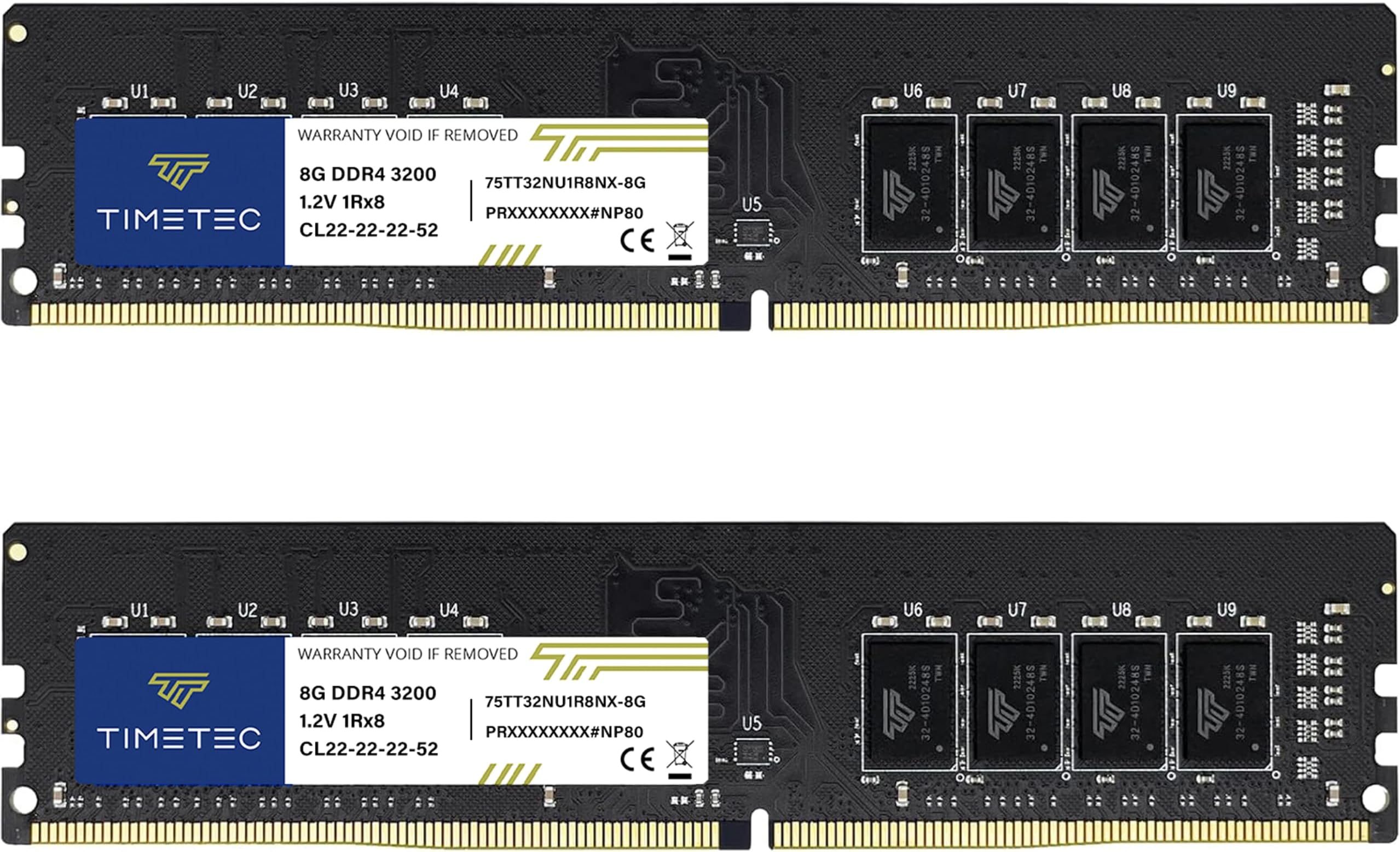
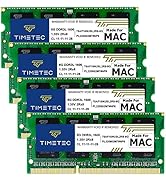
The Timetec 16GB (2x8GB) DDR4 3200MHz UDIMM desktop RAM kit delivers high-speed, low-voltage memory upgrade optimized for Intel and AMD systems. Featuring a sleek black PCB, plug-and-play installation, and extensive compatibility, it enhances multitasking and system responsiveness. Backed by a lifetime warranty and US-based support, this memory module is a reliable, efficient choice for professionals seeking a performance edge.


| ASIN | B07P6F97B1 |
| Additional Features | Lightweight |
| Best Sellers Rank | #9,933 in Computers ( See Top 100 in Computers ) #66 in Computer Memory |
| Brand | Timetec |
| Column Address Strobe Latency | CL15 |
| Compatible Devices | Desktop |
| Compatible devices | Desktop |
| Computer memory size | 16 GB |
| Customer Reviews | 4.6 out of 5 stars 142 Reviews |
| Data Transfer Rate | 3200 MHz |
| Form Factor | DIMM |
| Manufacturer | Timetec |
| Memory Form Factor | UDIMM |
| Memory Generation | DDR4 |
| Memory Speed | 3200 Microhertz |
| Memory speed | 3200 Microhertz |
| Mfr Part Number | 7 |
| Model Name | ryzen |
| Model Number | 7 |
| Number of Pins | 288 |
| RAM Memory Technology | DDR4 |
| RAM Size | 16 GB |
| Ram memory technology | DDR4 |
| Special features | Lightweight |
| UPC | 765441341135 765441338814 |
| Unit Count | 2 Count |
| Voltage | 1.2 Volts |
A**N
3200mhz
works as said 3200mhz
R**H
good deal
Working as Requred
ไฟบ**ๆง
ๅฎๆ ผใฏDDR4-2400ใงใ
ๅๅใฎ่ชฌๆใซๆธใใใฆใใ้ใใ1.35VๅไฝใงDDR4-3200ใงใใ ๅฎๆ ผใ ใจDDR4-2400ใชใฎใงๆณจๆใใฆใใ ใใใ ๅ ใฟใซใใทใณใฐใซใฉใณใฏๅใงใใ 4ๅนด้ไฝฟใฃใฆใใพใใใๅไฝใฏๅฎๅฎใใฆใใฆๆบ่ถณใใฆใใพใใ
F**O
Funciona
La memoria va bien es un poco mรกs barata pero va estupendamente
A**R
Good product
Works good!
D**D
Use 2 sticks of higher capacity and not 4 of lower capacity. (UPDATED REVIEW)
Before you spend money on RAM, go to the maker of your motherboard and look at their QVL information. (The QVL lists all the specific ram that was used to test the motherboard. It is the ram that is guaranteed to work with the motherboard, because it was tested by the motherboard manufacturer and it worked.) I missed that step, and found out the expensive painful lesson that four sticks of RAM may not be supported at the frequency listed on the RAM module. My motherboard has a 4 x DIMM, Max. 128GB, DDR4 4400(O.C) capacity so I felt safe going with 3200 MHz as it was the recommended speed for my processor. I bought two sticks of (8 GB) for a total of 16 GB, and it ran perfectly at 3200 MHz. A few weeks later, I bought a second set of identical RAM (Same manufacturer, date code, frequency, capacity, and CAS latency) to double my RAM to 32 GB. When I put the second set in to fully populate all four slots with (8 GB) each, The computer refused to boot and forced me to downgrade the 3200 MHz listed RAM to a maximum of 2400 MHz. After much searching, I was directed to the QVL information for my motherboard. When I reviewed the information, the fastest RAM speed my motherboard would support with all slots filled was 2800 MHz. As it turned out, most of those were too expensive for my budget. I've past the return window for the first set and the window for the second set is just days away. So now I sit thinking about the following: Do I run only two (8 GB) sticks at the higher frequency of (3200 MHz)? Do I lower the frequency to (2400 MHz) to run all four (8 GB) sticks? Do I scrap all four (8 GB) sticks and buy two (16 GB) sticks at (3200 MHz)? Don't make my mistake, buy the higher capacity up front and save yourself headaches down the line if you plan to run high speed RAM or want to overclock it. ------------------------------------- UPDATE ------------------------------------- I took the time to contact the manufacturer of the ram, and to my surprise after talking through the whole QVL debacle they extended me a one time courtesy of sending me 2 sticks of 16 GB DDR4 3200MHz PC4-25600 CL16 ram. They sent it to me via USPS and allowed me to test the new memory before deciding which ram to send back. The whole process from first contact to my returning the old ram took about 10 days, but during that time the only down time I had on my system was the 5 minutes it took to swap out the 4x8 and replace it with the 2x16. I couldn't be happier with the customer service department of the ram manufacturer. The two sticks of 16 GB ram are running at 3200 MHz with the following timings of 16,18,18,18,38,73. Again, I can't stress this enough. CHECK THE QVL INFO ON YOUR MOTHERBOARD. It will save you countless headaches post build.
G**S
Muy buenas
Execelentes muy buenas las recomiendo calidad precio
Trustpilot
1 month ago
2 months ago