Desertcart purchases this item on your behalf and handles shipping, customs, and support to Senegal.
🚀 Elevate your home network—because buffering is so last decade!
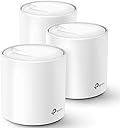
The TP-Link Deco X20 AX1800 Mesh Wi-Fi 6 System delivers ultra-fast, reliable Wi-Fi coverage up to 5800 sq.ft, replacing traditional routers and extenders. Supporting up to 150 devices with advanced OFDMA and MU-MIMO tech, it ensures seamless connectivity and ultra-low latency. Easy to set up via the Deco app and compatible with Alexa voice commands, it also offers robust security features including lifetime antivirus and parental controls, making it the ultimate smart home network solution.


| ASIN | B085Z35GY6 |
| Antenna Location | Home Use |
| Antenna Type | Internal |
| Best Sellers Rank | #2,434 in Computers ( See Top 100 in Computers ) #47 in Routers |
| Brand | TP-Link |
| Built-In Media | 1 x Ethernet Cable, 1 x Quick Installation Guide, 3 x Deco X20 Units, 3 x Power supply unit |
| Color | White |
| Compatible Devices | All WiFi Enabled Devices |
| Compatible devices | All WiFi Enabled Devices |
| Connectivity Protocol | Wi-Fi, Ethernet |
| Connectivity Range | 5800 Square Feet |
| Connectivity Technology | Ethernet, Wi-Fi |
| Control Method | Voice |
| Controller Type | App Control |
| Coverage | up to 5800 sq ft |
| Customer Reviews | 4.5 out of 5 stars 11,269 Reviews |
| Data Transfer Rate | 1800 Megabits Per Second |
| Frequency | 5 |
| Frequency Band Class | Dual-Band |
| Frequency band class | Dual-Band |
| Global Trade Identification Number | 00840030700330 |
| Has Internet Connectivity | Yes |
| Has Security Updates | Yes |
| Is Modem Compatible | No |
| Item Dimensions L x W x H | 11L x 11W x 11.4H centimeters |
| Item Type Name | WiFi 6 Mesh WiFi |
| LAN Port Bandwidth | 1800 megabits_per_second |
| Manufacturer | TP-Link |
| Maximum Upstream Data Transfer Rate | 1000 Megabits Per Second |
| Mfr Part Number | Deco X20(3-pack) |
| Model Name | Deco X20 |
| Model Number | Deco X20(3-pack) |
| Model name | Deco X20 |
| Number of Antennas | 2 |
| Number of Ports | 6 |
| Operating System | Android,Ios |
| Other Special Features of the Product | Beamforming, Guest Mode, Parental Control, QoS |
| RAM Memory Installed | 512 MB |
| Router Firewall Security Level | high |
| Router Network Type | Home Network |
| Security Protocol | WPS |
| Special features | Beamforming, Guest Mode, Parental Control, QoS |
| UPC | 840030700330 |
| Voltage | 240 Volts |
| Warranty Description | 2 Year |
| Wi-Fi Generation | Wi-Fi 6 |
| Wireless Compability | 802.11ac, 802.11ax, 802.11b, 802.11g, 802.11n |
| Wireless communication standard | 802.11ac, 802.11ax, 802.11b, 802.11g, 802.11n |
A**H
Excellent Coverage, easy set up
This has worked out really well for us. We live in a good sized 4 bed villa and had lots of places with weak or no wifi. We now get good coverage everywhere and in the garden too. It was pretty easy to set up using the app, I just haven't worked out how to switch my Alexa and Sonos over to the new network, I'll fix that when I have some time.
K**S
As easy as pie
To set up the Mesh WiFi, just connect one of the units to the ISP Router and turn everything on. The Deco App is very easy to use. The signal is strong and consistent.
A**8
Perfect
Perfect and good choice
K**D
سعر عالي علي أداء عادي
يعمل جيد و لكني لا أشعر بفارق كبير سوي بفرق السعر العالي
J**N
Extremely bad purchase
Terrible!!! Do not buy it!!!! Permanent disconnections, unstable speed and the customers service is a joke! If I could i would give zero starts.
F**P
Works Very Well - no setup support
Using in UAE: Once you get it up and running, it will work well. The application is often delayed in reflecting which units are up and running, but eventually gets it right. There is no support to speak of; emails go unanswered. One note: If you have ethernet wiring throughout your villa or home, and plug one of mesh units into a wall jack and it goes red, there may be a short in the wall which affects this particular unit. Try a different wall jack. I lost a couple days because of this issue.
S**T
Weak signal for the satelite router
The mesh system very easy to install, however the signal for the satelite router seems weak, particularly when the satelite is placed between walls with door closed. The speed significamtly become lower in such condition.
A**I
Disconnects very often
S**H
Works well
I have not had any issues with this mesh since initial set up. The set up is easy to follow and straight forward. I did have a minor issue, but that was on my end and my service provider was able to give me the correct information needed to set up. It has been running now for about 4 months and we have had steady connection across all devices - computers, TVs, gaming systems, smart home and surveillance systems. The back room that was often a dead zone now gets a good strong signal. I like that I am able to hard wire certain devices into each unit if I want to. We currently have the main home computer connected to the second unit, and the Xbox and smart TV on the third unit. Not that any of these devices were experiencing any lag or connection issues on wifi. It also has the option to set specific devices to priority on wifi or to set a device to only connect to one unit rather than the mesh to maintain a steady connection on items that are stationary. The parental controls are also a great feature. You do need to pay to unlock everything, but the free features are enough for my needs. It allows to filter content, block websites, and set up screen limits. The only inconvenience on the free side is that you cant set multiple time limits for differentdays of the week. While I can set a bed time daily, if I want to give extra time on the weekend I do need to manually reset it every week. However, it is not a big deal with the app. Wifi to all devices you set to your child's profile will be turned off at the time you set, and not turn back on until a time you set. Bedtime routines have gotten smoother as they quickly learned there is no "just a minute". They now take note of the time and hurry to finish, save their progress and say goodbye to friends before the time runs out.
M**H
ممتاز
مركب عندي بالبيت سابقا واخذت زيادة لتغطية كامل البيت .. ممتاز جدا
S**N
One of the worst routers. Waste of money and time
Product is sleek, setup is easy, good user interface for the mobile app. Speed is decent. WIFI/internet keeps dropping especially during video calls, watching netflix, etc. Reached out to TP link support...need to remind them multiple times. You cant get them on the phone....only through chat. This hasnt helped and I have wasted my time for over a month expecting they will fix it. Now I am stuck with a router that I just paid decent money for that is worse than my 5 year old router. Stay away!!!
S**E
I couldn't be happier with my choice! Setup easy, app really good, Ethernet backbone is killer
I'm an IT geek / software developer for a living. I know all about how this stuff works and I wanted fast, but I didn't need crazy expensive for my home and some of these mesh systems are way overpriced IMHO. Reality is you can have all the latest crazy standards but once you get 20ft from the access point all bets are off and you'll never see the speeds you see quoted so you need to mix practical with price. There seem to be sooo many mesh system options these days, that I was overwhelmed, but after some consideration I thought I would just go for this one which seemed reasonably priced, but still offered most of the latest standards (and thus speed limits) and also had free returns! In this case this config with 2 slave units was great for my ~4500 sq ft house, my previous single access point left some dead spots (like my Ring outside the house) just outside the range. But with this setup I can blanket the house and get pretty good speeds (>100-200Mb throughput) just about everywhere, and faster (400+ when you are reasonably close / line of sight to the access point) It's important to remember when thinking about laying these out in your house what and where you need the speed. If you need speed inside your house (say you are always streaming movies from a pc to another device) or if you need speed from a device to the internet. The slave access points can only provide as much throughput back to the main access point (which is probably directly plugged into your router/internet) as good as their own wireless connection is to EACH OTHER. eg: if you put the slave access points 50ft away they might "only" be able to get like 20Mb back to the internet, as your devices is going from device -> slave access point ->* main access point (next to your router/internet) and the * connection is the weak link. What was the killer feature for me on these is you can actually use ethernet as a backbone for the slave access points. My house is pre-wired with ethernet so I was able to put the slave access points pretty far but every slave is hardwired back to the main access point and thus has 100% of the throughput back to the internet so no matter which access point you connect to in the house each access point is as fast as the main one so the access point to access point speed drop is a non-issue if you can set it up like this. DO THIS IF AT ALL POSSIBLE! It's like having 3 "full speed" access points strategically dropped through your house. It wasn't obvious I could do this from the (very basic) docs for setup that came with it, but a quick search through the online docs showed you could this and it's brain dead, just plug your home network into the port on the back. Extra bonus feature, you can use the 2nd port on the back as a local hardwired port so if you have a single PC or "device" (like an xbox or something) next to the access point you can still plug it in directly and get full hard-wired speed without needing to buy an extra switch in the middle. Note: If you don't use the 1st port for the backbone, then you get 2 ports for local devices that will get at least Access Point -> Access Point speeds without one more wifi hop needed. I was pretty impressed with the iPhone app that you use to manage the setup, gone are the days of a webbrowser hitting a super slow admin page, the app is snappy and you can tweak all kinds of stuff. (favorite feature: One of the access points ended up in a kids room and they complained about the LED at night, guess what, turns out there's a "night mode" where it turns off the LED's during a timewindow in the settings pages!) The "mesh" part works really good too, from the app you can see your device move from access point to access point and what devices are on which and stuff. Super handy for initial setup troubleshooting and geeking out over how it's all working. I will admit, I was a little nervous since TP-Link is sort of a more bargain brand in my head, but I've had it going for about 8 weeks now in my house and it's been basically flawless. I'm sold, I'd TOTALLY buy this again or recommend it to a friend (or anyone reading this)!
A**R
I am not at all technical...
I am probably like a lot of people. I use technology - but I know very little about how it works. What I did know was that I was listening to constant complaints about terrible wi-fi in the home. It made sense too as the wireless router I had set up was at least 7 years old - and in the basement of a fairly large 2-storey home. I had been researching new wi-fi routers - and had landed on a Mesh system (don't ask me what it all means - I just know it creates multiple access points that are all tied together). I went to do some research on the various models out there and, while there are "cheaper" Mesh wireless systems on the market (and offered on Amazon), it seemed that the TP-Link were getting strong ratings (and not just on the Amazon reviews - but in PC Mag and other review sites - for what they're worth anyhow). What was important to me were a few factors: 1. Coverage - I needed to be sure that I could get reasonable coverage within my home 2. Ease of setup and maintenance with a good interface 3. Quality - not all tech is created equal and production and component quality is important 4. Price - had to be reasonable This produce met all 4 (from the descriptions and specifications). I have had it set up for one week. The setup took me about 10 minutes. I had already pre-installed the "Deco" app and created my My-TP-Link account prior to unboxing. The setup was simple. There is a guided process through the app that recognizes each unit automatically. A couple of tips: 1. Set up all the units first - after you set up your second unit the app will notify you that your firmware needs to be updated. I did this after the second unit was set up - but I suspect I should have waited until the third was configured. 2. Then update the firmware. I had to do this multiple times (not sure if that was an error in the app or in the configuration - or with me. The process to do this is a little "clunky" on the app - in that you aren't quite sure if it has been done correctly. I ran the update 3 times until I received a "your system is up to date" message. 3. Placement - I have no problems with them - I have the main unit in the basement, the second unit on the main floor (relatively open concept home) and the third unit on the second floor in the master bedroom which is on one end of the home. Wi-fi is strong anywhere in the house. 4. Get the best LAN cable you can. I'm using a CAT-8 (I think) - so there are no issues between the router and my modem. Everything is working perfectly. The "Deco" app is very intuitive and I have had 0 hiccups. This is one of the rare instances where I haven't experienced buyer's remorse.
Trustpilot
5 days ago
4 days ago