Desertcart purchases this item on your behalf and handles shipping, customs, and support to Senegal.
๐ฅ๏ธ Elevate your workspace, own your productivity.
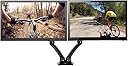
The Loctek D5D Dual Monitor Arm is a premium, fully adjustable gas spring desk mount designed for 10 to 27 inch VESA-compatible monitors. Featuring 360ยฐ horizontal rotation, smooth height adjustment, and aircraft-grade aluminum construction, it enhances ergonomic comfort while decluttering your desk with built-in cable management. Ideal for professionals seeking a sleek, versatile dual-monitor setup that boosts productivity and style.


| ASIN | B00VHN8DPI |
| Best Sellers Rank | #111,713 in Computers ( See Top 100 in Computers ) #747 in Computer Monitor Arms |
| Brand | Loctek |
| Built-In Media | Loctek D5D Dual Monitor Mount Black |
| Color | Black |
| Colour | Black |
| Compatible Devices | Monitor |
| Compatible devices | Monitor |
| Country of Origin | United Arab Emirates |
| Customer Reviews | 4.4 out of 5 stars 640 Reviews |
| Enclosure Material | Aluminum |
| Global Trade Identification Number | 00850863006240 |
| Item Type Name | Loctek D5D Dual Monitor Mount, Black |
| Item Weight | 5.56 Kilograms |
| Manufacturer | Loctek Visual Technology Co., limited |
| Material | Aluminum |
| Maximum-Supported Screen Size | 27 Inches |
| Mfr Part Number | D5D |
| Minimum-Supported Screen Size | 10 Inches |
| Model Number | D5D |
| Mounting Type | Tabletop Mount |
| Mounting type | Tabletop Mount |
| Movement Type | Rotate |
| Movement type | Rotate |
| UPC | 850863006240 |
| Unit Count | 2 Count |
D**.
Great dual monitor mount!
I have had this for a few months now. The arms are easy to manipulate and easily hold position & rotation. Using it with 2 x 22" monitors. Looks super sleek. Cable management is decent, although if you are connecting more than one PCs to the monitors, you might need to fight for some space. I highly recommend using a VESA mount, until you have used it you are just not aware how much desk space these things free up! And I highly recommend this particular model. I had never heard of them before, but honestly, I hadn't bought VESA mounts before. Note: 1. please check that your monitors have the VESA mounting holes, some new ultra thin Samsung monitors do not have them. 2. I bought this from Amazon.ca for CAD 109. Prices may have changed since then. To me, at that price, this was a great deal!
ู **ุฏ
ุนู ูู ุฌุฏุงู
ุนู ูู ุฌุฏุงู ุ ูู ุดุงุดุฉ ููุง ุฐุฑุงุน ุชุญูู ู ุณุชูู ู ุชุญุฑููุง ุจุฌู ูุน ุงูุงุชุฌุงูุงุชุ ุงูุตุญ ููู ู ุจููุฉุ ููุฑ ุนูู ู ุณุงุญุฉ ููุงุนุฏ ุงูุดุงุดุงุช ุจุงูู ูุชุจ.
3**N
Best Monitor Mount I've Ever Had
I have owned several monitor mounts throughout the past few years and this has got to be one of the better ones that I've owned. That's not to say that the previous ones I used were bad or horrible, I mean we are just talking about monitor mounts here and not a fancy gaming rig or anything else of the sort. This product is used for my stand up desk at the office and it replaced a standard monitor mount which held two monitors at the same level height. There were too main reasons why I wanted to switch it up and change over to the Loctek one: wanted to be able to support bigger monitors for future usage and purchases, and the second was to be able to adjust individual monitor heights if you were to use different sizes and brands like I do at the office. I can't say that the Loctek mounts came to be any higher than the previous mounts I was using but it does seem to be cleaner if you do proper cable management and what not. At first glance, one might be a little frazzled with setting things up but it really is as easy as putting legos together and won't take you longer than 10 minutes tops if you're simply attaching it to the edge of your desk. With that said, I was excited to see how well the mounts would hold up my monitors especially considering that they use gas spring mechanisms for the vertical adjustments. Initially, I was a bit saddened and disappointed when I saw both monitors slowly sink down till the bottoms touched the desk surface. I realized that the manufacturer stated that it has a 10 lb weight limit for each arm but I was sure that each monitor couldn't have been that much heavier than the capacity. Finally after tweaking things and re-reading the manual I was able to adjust the gas springs such that there would be enough force/resistance from the monitors pushing things down to the desk. It takes a bit of trial and error to get things to work out well and the directions provided could have been written a bit more clearly to explain how to get these to come out properly, but overall I'm quite content with this purchase and would have probably settled for the higher end model with the USB port had I known how well this setup works with my station. Pros: -Diverse in various monitor size capacities and gas springs work well once calibrated properly. -Individual monitor height adjustment and diverse angle rotations and degree of freedoms distinguish this mount from typical other manufacturers. Cons: -I wish they could have made the weight capacity a bit more than just 10 lbs especially since there are 2K or 4K monitors out there that are pretty heavy but maybe they will have that worked out over time. -Unless you have at least 24"+ monitor sizes, you'll probably have to deal with a big gap between monitors if you have a stand-up station like I do at the office. Not a deal breaker, but some people find that very annoying.
A**R
Five Stars
Easy to install, works great. Love the attention to detail: adjustments are easy to make.
A**R
EFFICIENT AND WELL-CRAFTED DESIGN
I've just finished the install and am very pleased. The design is efficient and well-crafted, and monitor positioning is fully flexible and stable. You CAN achieve the exact/precise positioning that you want, especially for two monitors side-by-side. To support my 27-inch and 24-inch monitors, I needed to tighten the Allen screws a little, and that was sufficient; there is room for additional adjustment. I've shaken the monitors and the table, and don't anticipate they'll ever droop (an initial fear). The cable management is exceptionally well-done, with two channels integrated into each arm, and a third pair integrated into a black snap-on cover that conceals the mounting bracket. I was concerned from the photos that the steel bracket would look clunky, but the cover solves that. The clamp-mounting to my 1-inch desktop is very solid; I tried to nudge it a little, and had to give up. The bracket footprint is small; slightly bigger than a mobile phone. I thought the glossy black finish might look dated, but it looks good, especially with the black monitors. I thought the heavier top arms would look unbalanced, but they look high-tech (think new Robocop, or Aliens). I was initially concerned this lower-cost product wouldn't measure up to the more expensive Humanscale M8 dual monitor/single arms we use at work. As it turns out, while I really like the Humanscale appearance, the Loctek flexibility, precise positioning, and cable management is superior, and much less expensive. I felt the instructions were wordy and unintuitive, but I think the authors meant well and wrote thoughtfully. The information is there, but assembly might be a slight chore if you aren't handy.
Trustpilot
2 weeks ago
2 days ago