Buy anything from 5,000+ international stores. One checkout price. No surprise fees. Join 2M+ shoppers on Desertcart.
Desertcart purchases this item on your behalf and handles shipping, customs, and support to Senegal.
๐ฅ Donโt let your memories gather dustโdigitize and relive them in stunning digital clarity!
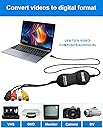
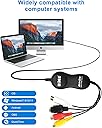
The UCEC USB 2.0 Video Capture Card is a versatile, plug-and-play device designed to convert analog video sources like VHS and VCR tapes into digital formats compatible with Mac OS X and Windows PCs. Supporting multiple output formats including H.264, AVI, and MPEG, it offers easy-to-use software that guides users through the digitization process, preserving precious memories with reliable video capture at resolutions up to 640x480.


| ASIN | B07PS2TD9L |
| AV Output | H.264, AVI, MPEG2, MPEG4 |
| Antenna Location | Video Recording |
| Best Sellers Rank | #51,565 in Computers ( See Top 100 in Computers ) #35 in External TV Tuners & Video Capture Cards |
| Brand | UCEC |
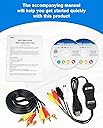
| Built-In Media | AV Adapter, TF Card Reader |
| Compatible Devices | Personal Computer |
| Customer Reviews | 4.0 out of 5 stars 4,425 Reviews |
| Hardware Interface | USB 2.0 |
| Hardware interface | USB 2.0 |
| Item Dimensions | 16.5 x 14 x 5.1 centimeters |
| Item Weight | 0.2 Kilograms |
| Manufacturer | UCEC |
| Mfr Part Number | UCEC_UCEC00001 |
| Minimum System Requirements | Compatible with Mac OS X and Windows 10. |
| Model Name | Dispositivo di cattura video USB 2.0 |
| Model Number | UCEC_UCEC00001 |
| Operating System | Windows, macOS |
| Operating system | Windows, macOS |
| Other Special Features of the Product | Versatile Compatibility |
| Platform | Windows, Windows 7 |
| Recommended uses for product | Video Recording |
| Special features | Versatile Compatibility |
| Tuner Type | Analog |
| UPC | 712195626803 712195624267 |
| Unit Count | 1.0 Count |
| Video Capture Resolution | 640 ร 480 (4: 3) oder 640 ร 360 (16: 9) |
| Video capture resolution | 640 ร 480 (4: 3) oder 640 ร 360 (16: 9) |
O**.
Avoid
Converted video quality not good. Cheap built. Interface not user friendly.
S**R
Amazing
It does what is suppose to do. Very easy to operate and connect very well to my MacBook Pro 14inch with very good Audio Visual quality depending on the quality of the source you are recording from
N**N
Did not work properly.
The color of the recorded video was distorted. It came out mostly in black & white and sometimes with bluish streaks. The proper color recording was intermittent. I tried both with MAC and PC (Win10), both same results.
O**N
Wast of money!
If could i will give this no stars. This shouldโt be on Amazon. This does not work with a with a 2019 updated mac. Totally wast of money. They clams that you can get the money back if it doesn't work but the e-mail to contact is not answering... Donโt buy this one... Its too old
T**L
Great
Works great. Easy to use
M**N
Software CD was missing
Software CD was not present hence initiated return..
J**A
Cientanse libres de experimentar con el
He estado usando este dispositivo y por el momento no me ha fallado
T**T
I was mistaken!
I offer legacy ingest. The majority of my customers who need digitization are obviously seniors. I can't afford down-time. My original Roxio unit broke when I accidentally kneed the head in my hub attached to my desk. Snapped right off. It worked flawlessly for me for 15 years, as did my Magix unit. I gave this product a try over El Gato's grossly overpriced alternative. It stopped working my third tape in. So I thought. I swapped three RCA cables and still nothing. I sent it back and got a replacement. Still didn't work. I never figured my VCR failed. It was the only culprit left so I picked up a new VCR and boom, I was up and running again. It was my VCR. I feel bad for sending the first unit in. So I decided to order another one. Now I have two grinding the mill 24 hours a day for 3 weeks without fail. An absolutely awesome product for an absolutely awesome price. These things aren't complicated and should remain simple with a low-price point. That's precisely what this device is. One thing though: if using Quicktime>File>New Movie Recording, you can't use a webcam. No ones fault really. But not a big deal. You can always use any number of capture software, including iMovie or Final Cut, Premiere, Resolve, etc. I don't. I just capture to file and upload to Youtube. Strongly recommend.
Trustpilot
2 weeks ago
2 months ago