Desertcart purchases this item on your behalf and handles shipping, customs, and support to Senegal.
🚀 Upgrade Your Speed, Secure Your Success
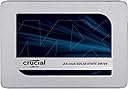
The Crucial MX500 500GB SSD leverages Micron’s cutting-edge 3D NAND technology to deliver lightning-fast 560MB/s read and 510MB/s write speeds, combined with robust Power Loss Immunity to protect your data. Designed for both laptops and desktops with a sleek 2.5-inch metal form factor, it offers a reliable, energy-efficient storage upgrade trusted by millions worldwide.


| ASIN | B0786QNS9B |
| Additional Features | Data Recovery Service |
| Best Sellers Rank | #20,839 in Computers ( See Top 100 in Computers ) #186 in Internal Solid State Drives |
| Brand | Crucial |
| Built-In Media | Internal Solid State Drive |
| Cache Memory Installed Size | 256 |
| Color | Metal |
| Compatible Devices | This drive is compatible with desktops and laptops that accept 2.5" 7mm SATA drives |
| Connectivity Technology | SATA |
| Connectivity technology | SATA |
| Customer Package Type | FFP |
| Customer Reviews | 4.6 out of 5 stars 54,894 Reviews |
| Data Transfer Rate | 6 Gigabits Per Second |
| Digital Storage Capacity | 500 GB |
| Digital storage capacity | 500 GB |
| Enclosure Material | Silicon |
| Form Factor | 2.5-inch |
| Hard Disk Description | Solid State Drive |
| Hard Disk Form Factor | 2.5 Inches |
| Hard Disk Interface | Serial ATA |
| Hard disk form factor | 2.5 Inches |
| Hard disk interface | Serial ATA |
| Hard-Drive Size | 500 GB |
| Hardware Connectivity | SATA 6.0 Gb/s |
| Hardware Platform | PC; Mac |
| Installation Type | Internal Hard Drive |
| Item Dimensions L x W x Thickness | 10.3L x 7W x 0.7Th centimeters |
| Item Type Name | MX500 500GB 3D NAND SATA 2.5 Inch Internal SSD - CT500MX500SSD1 |
| Item Weight | 39.4 Grams |
| Manufacturer | Micron |
| Media Speed | 510 |
| Mfr Part Number | CT500MX500SSD1 |
| Model Name | MX500 |
| Model Number | CT500MX500SSD1 |
| Number of Items | 1 |
| Read Speed | 560 Megabytes Per Second |
| Special features | Data Recovery Service |
| Specific Uses For Product | General Computing, Data Storage, System Upgrade |
| UPC | 649528785053 |
| Unit Count | 1 Count |
| Warranty Description | 1 Year |
H**N
Great Deal
Very Good Item Good Price
Y**.
500gbp ssd. My dead laptop is super jet now
I will give you the results in short story. My lenovo laptop (intel i55) 1T hdd and 6gbp ram was so slow, max tested speed was w/r 50/60 mb. I changed the ram first to 20gbp and got only 10% improvement. Next I changed hdd to this awesome 500gbp ssd, installation was so easy in less than one hour everything was ready. Speed test done several times by crystal mark and system task manager in both results were the same. W/R 6.2gbo/5.8gbp (yes gbp) I couldn’t believe my eyes! Don’t forget after installation you should enable momentum from crucial software, then you will get that 10X speed, don’t worry they will guide you step by step, just watch the 4 short videos from crucial site as recommended. Get it you won’t regret it, it is the same or faster than nvme.
I**N
Reliable and effective
No performance issues in over a year and certainly improved the speed and performance of my system. Works better on an i5 or equivalent processor. Installed one on an i3 system and didn't see as much of an improvement. Not because of the drive but it's not worth the trouble of changing.
J**E
It works well, as expected!
It is working as expected. Been using Crucial MX drives for over five years without any issues. Good value for money, good build quality, and is reliable compared to other brands. Easy and cheap performance upgrade for all old laptops or PCs from hard drives.
N**E
Works really well. Came on time. Quick Shipping -
I used this memory to upgrade my 6 year old dell 3537. System has been performing much better than before and i am happy with it. Though faced trouble with installation as the Caddy which i ordered separately was not working, it was all resolved. I did a fresh windows installation and kept the stock drivers, since the update seemed to freeze the SSD drive. Edit: i have bought 5 of these until now for various laptop upgrades and all of em have sped up by more than 50%. Great product on a budget.
A**T
Very fast and reliable SSD. Questionable write speed, but generally satisfied.
Love it, works like a charm, the migration software is very easy and straight forward, couldn't be happier. I was expecting my laptop to complete be revamped with speed and power, but gotta be realistic, I have an AMD processor, so cannot complain much. Generally very satisfied and can highly recommend the Crucial MX500 series.
A**A
great for upgrading old macbooks
It’s genuine and works perfectly! Installing it into my macbook pro mid 2012 was so easy and quick. Now my laptop boots in 30 seconds in comparison to 2 mins! Definitely recommend this brand and this seller. No issues at all. I was this close to getting a new computer but decided to upgrade my laptop and it’s a decision i do not regret.
A**Y
Fantastic SSD
Getting amazing speed in boot and opening software even in my second generation i3 computer. So happy with product and performance. Recommend.
J**C
Install very easy. Supplied cloning software is very good, instructions excellent.
I bought this Crucial MX500 to replace a very old 1st generation SanDisk SSD, which held 128 GB. With the Windows 10 Pro OS and several large software packages used daily and creating files, the SanDisk was a bit small - it had come in my "daily driver," a refurbished Lenovo T430 i7 with 8 GB of RAM. I'd been watching for a good quality but larger SSD for the C: drive. When the MX500 went on sale at a very good price, I bought it. I'd checked out reviews of this drive on several sites I trust - all had rated it very highly. I was not able to do the install immediately - my USB-SATAIII transfer cable had gone where the odd socks are, so I needed another to do the clone and swap. (A word of caution: make sure the "clone" cable you get is has the correct connectors for your drive). I looked at a couple of good videos and articles on transferring the system drive in Win 10, then downloaded the Acronis software package provided as part of the Crucial MX500 purchase. Just for safety's sake, I also made a bootable Windows System Recovery USB stick, using the tools on Microsoft's web site. All the instructions provided in the Crucial package were straightforward and writtenin easy, plain-language steps with illustrations. The supplied Acronis "clone" software installed easily, and stepped through the procedure with very specific instructions. I connected both the new and old SSD drives as suggested, then started the cloning process and went off to have a coffee. The whole job was finished and the cloned drive error-checked automatically in under 30 minutes. I tested the new drive to make sure it started up correctly, which it did with no problems. After that, it was simply a matter of re-installing the mounting screws on the drive bay with the supplied spacer, and storing the old 128 GB drive into a static-safe bag. I'm keeping it as an emergency boot-up device, since the process leaves the old drive intact. It isn't large enough to be of much use on any other system, and it is very old - SSD's have a finite number of read-write cycles before starting to have errors. So, it's there for emergencies. I found that the new MX500 was considerably faster in both start-up and operation than the old 1st generation SSD - I'm sure the technology has improved, and the drive has more space for cache purposes. I did not have to re-register anything on the Microsoft web site. The only other thing I noticed was that several of my regular online sites accessed by web browser asked for an extra "confirmation" step when I logged in. This happened over 2 successive days, and after that I'd apparently proved that I'm still me, so the requests for additional login validation stopped. This was a minor thing - I was actually rather glad to see that there was that level of extra security on those few sites. To sum up, this SSD, in the 2.5" form factor for older laptops, is a very good choice as far as ease of cloning and installation. The Acronis software supplied by Crucial worked perfectly and quickly. The instructions were clear, with pictures, and well written. Getting the drive while on sale was an nice bonus. The performance of the new MX500 is much better than the 10-year-old SSD it replaced - overall probably 30-35% faster. Five stars all around for the Crucial MX500 SATAIII 2.5" SSD.
T**H
Betrouwbare en razendsnelle upgrade – de Crucial MX500 is een winnaar!
De Crucial MX500 500GB 3D NAND SATA SSD heeft mijn computer een enorme boost gegeven, en het is zonder twijfel een van de beste upgrades die ik heb gedaan. Vanaf het moment dat ik hem installeerde, merkte ik direct een flinke verbetering in snelheid en algehele prestaties. De lees- en schrijfsnelheden van deze SSD zijn indrukwekkend. Dankzij de SATA III-interface en 3D NAND-technologie start mijn besturingssysteem nu binnen enkele seconden op, en ook zware applicaties en bestanden laden veel sneller dan op mijn oude harde schijf. Het verschil is vooral merkbaar bij het multitasken en bij het openen van grotere bestanden zoals video's en grafische projecten. Voor dagelijks gebruik, zoals surfen op het internet, tekstverwerking of het afspelen van media, is de snelheid van de MX500 perfect en voelt alles soepel en responsief aan. Wat de betrouwbaarheid betreft, stelt de MX500 zeker niet teleur. Crucial staat bekend om zijn hoogwaardige producten, en met de ingebouwde integriteitscontroles en databeschermingsfuncties biedt deze SSD gemoedsrust. De AES 256-bit hardware-encryptie is een geweldige toevoeging voor extra veiligheid, vooral voor wie belangrijke of gevoelige gegevens op de schijf bewaart. De installatie was ook bijzonder eenvoudig. De MX500 is een 2,5-inch schijf, dus het past in de meeste laptops en desktops zonder problemen. Met de handige kloningssoftware van Crucial kon ik eenvoudig mijn oude harde schijf overzetten naar de SSD, waardoor ik direct kon doorgaan met werken zonder een volledige herinstallatie van mijn besturingssysteem. Dit maakt het een uitstekende keuze voor zowel beginners als ervaren gebruikers die hun systeem willen upgraden. Met 500GB opslagruimte biedt de MX500 voldoende capaciteit voor een gemiddelde gebruiker. Het is een geweldige keuze voor wie zijn besturingssysteem en belangrijkste programma's wil opslaan, samen met veel ruimte voor persoonlijke bestanden zoals foto's, video's en documenten. Pluspunten: Razendsnelle lees- en schrijfsnelheden Betrouwbare 3D NAND-technologie met AES 256-bit encryptie Eenvoudige installatie en kloningssoftware Goede prijs-kwaliteitverhouding voor 500GB opslagcapaciteit Stabiele prestaties, zelfs bij intensief gebruik Kortom, de Crucial MX500 is een perfecte keuze voor iedereen die zijn laptop of desktop een flinke prestatieboost wil geven. Met zijn uitstekende snelheid, betrouwbaarheid en gebruiksgemak is dit een SSD die echt waar voor zijn geld biedt. Een aanrader voor wie serieus aan de slag wil met het upgraden van zijn systeem!
O**S
Recomendado
Buen producto !!
N**L
The perfect SSD for many even in 2020 (Also check the MRP listed by seller)
So I didn't know much about SSDs before I set out to buy one. I'll share with you how my journey buying this SSD was and what I learnt and what you should know. MX500 is not the most budget-friendly and entry-level SSD out there (there is WD Green, Crucial BX500, Kingston A400 and some others) but I would say it's excellent for the price. Before the MX500, I had purchased its younger sibling, BX500, and I noticed+learnt a couple of things with that. 1. Similar transfer speeds at around 390 MB/s 2. SLC caching (16 GB for 240 GB variant, 32 GB for 480 GB variant and so on). What it means is that after writing 16 GB, 32 GB and so on, write speed would drop significantly because instead of writing to the SLC cache of the drive, data would be written directly to the TLC. SLC is way faster than TLC (around 400 MB/s write to the drive while using SLC cache and around 50-80 MB/s once SLC cache is full). This SLC cache varies from SSD to SSD and can be seen even on premium SSDs that cost 20k-30k (it brings down the cost, otherwise those drives would cost over a lakh or something!) Also, the BX500 had a 3-year warranty (MX500 has a 5-year warranty) and lower TBW (Terabytes Written) rating than the MX500. So I returned my BX500 because the performance was an issue and chose to go with MX500. Performance of the MX500 is superb. I have it hooked to my MacBook Air using a Transcend StoreJet SATA to USB adaptor thingy just like I did with the BX500. I transferred around 80 GB data from my MacBook to the MX500, and it moved files and folders at about 350 MB/s to the drive throughout the transfer, with speed drop to around 150 MB/s 5-6 times for 3-4 seconds each time (that was because it was moving tiny files and folders). Crucial says that the MX500 has a Dynamic Write Acceleration on their website. Well, it clearly works! So should you buy an MX500? It depends. If you are planning to buy an SSD that will probably last for years, if you plan to write lots of data to the drive, if you need an SSD as a scratch disk (for photo and video editing) or if you want an SSD that's good but costs less than the Samsung SSDs, then go for MX500. I'm building a PC in a couple of weeks and I'll use the MX500 as the boot device in that. However, if you have an old laptop that is extremely slow and takes forever to start, maybe you have desktop with some old, failing hard drive and you are looking for an SSD, and you are not a heavy user (that is you'll browse the web, write emails and do stuff like that), then save some money (if you wish) and go for the BX500. About the delivery of the product, I got an empty box when I ordered the MX500 from Amazon. Once I got it and saw that the item was missing, I brought it to Amazon's notice, and they said they would take two days to conduct an investigation. However, when I called the next day, I got to know that they concluded that I could get a replacement or a refund. The process for replacement wasn't very smooth (it took about a week to get a replacement unit), but in the end, I got the product, and the product is pretty much excellent like I had expected, hence the five stars. Another important thing that I want to mention is that the MRP in the box of the 500 GB variant of the MX500 is Rs 8,400 (screenshot attached) and at the time of writing this review on 30 June 2020, there are a couple of sellers on Amazon named "Cart2India Online" and "Cart2India SLP" who are selling the product at twice the price (Rs 14,358). There are some other sellers also who list the MRP as Rs 9,000 or 10,000 and then say they are providing a discount of Rs 4,000 or Rs 5,000 when in fact, they are only offering a discount of Rs 2,500 or something. I especially saw this with the seller "Gadget Buggy". Basically, AVOID THESE SELLERS and buy from Appario Retail Private Ltd or the other Fulfilled By Amazon sellers.
W**R
Xbox One X avec MX500 ! ENFIN AU TOP !
Possesseur depuis sa sortie de la One X en 2017 (les fameuses Scorpio Edition ! Les première séries qui furent en précommande), j'étais très heureux de la machine mais depuis un ou deux ans, elle commençait à ramer sur l'interface utilisateur au point que depuis quelques mois je n'en pouvais et je n'avais plus de plaisir à l'allumer ... déjà je devais attendre 2 minutes pour arriver à l'accueil, ensuite devoir encore attendre que tous chargent bien dans "mes jeux" etc, lancer un jeu trop tôt le faisait se planter ... etc etc bref une énorme lourdeur et lenteur à l'utilisation qui devenait insupportable et n'a fait qu'empirer ... Il faut savoir que cela touche principalement les Scorpio Edition qui ont semble t-il bénéficié de HDD médiocre en plus d'avoir eu une mauvais application de patte thermique (ils en ont trop mis, ça déborde de partout et du coup sa dissipe mal, le ventilo est toujours à fond ou presque et donc beaucoup de bruit ... je vous recommande vraiment de refaire la patte thermique si vous faite le changement de SSD, en plus de tout dépoussierrer, votre machine sera mieux ventilé, dissipera bien mieux et les performances ne pourront qu'être plus stable) ce qui explique peut être que l'utilisation devenait beaucoup trop pénible ... voulant acheter une Series X juste pour avoir enfin une interface réactive mais réalisant que cette dernière comme la PS5 n'apporte pour le moment rien niveaux jeux (pas de gap générationnelle, juste de banal amélioration qui apporte trop peu par rapport à une One X), j'ai finalement opté pour le SSD. Le MX500 en 500Go (le 1To est trop cher encore et puis ayant un HDD externe de 8To ... 500Go en SSD suffit pour installer seulement les jeux auquel je joue beaucoup, quand j'y joue plus, je vire sur le HDD etc) car d'après pas mal de test, il est parmi les meilleurs du marché, dans le Top 3 et souvent premier en vitesse ! Donc un excellent choix ! Facile à remplacer grâce au branchement sata de la console, aucun soucis pour le placement interne,installation de l'OS avec clé USB (on le trouve sur le site de MS) rapide et une console ENFIN rapide et réactive ! Mes 550 jeux dans l'onglet s'affichent en vignette rapidement et l'interface est réactive ! Je peux vraiment faire ce que je veux à la volée sans devoir attendre des plombes, sans latence, sans bug ou plantage ! Et en prime suivant les jeux, les temps de chargements sont non seulement meilleur mais j'ai vraiment la sensation d'avoir gagné en stabilité sur le frame rate (très notable sur BFV qui pouvait avoir de légère baisse avant mais que je ne remarque plus aujourd'hui !). Les + : - Facile à installer. - Hyper rapide pour installer un jeu à partir d'un HDD (transfère) pour exemple : 60 Go en moins de 8 minutes ! - Gain de stabilité, de réactivité etc sur une One X. - Au top ! Les - : - Capacité après installation de l'OS de la console de 350 Go (le reste est réservé au système) mais compensé par un HDD Externe de 8To dans mon cas (je ne met que les jeux auquel je joue fréquemment en multi et jeux à faire/finir en solo, une fois fait ou si je joue moins, je transfère vers HDD etc) mais ce défaut est juste propre au système de l'OS qui prend trop de place réservé. - Les prix, si 60 euro reste raisonnable ... j'espère quand même qu'on arrivera vite à avoir les 1TO SSD à ce tarif un jour ! Quand cela arrivera, je mettrais 1To dans ma One X et prendrai celui la pour mon PC portable ou de bureau ! Conclusion : Si vous cherchez un SSD pour le mettre dans votre machine (One X ou PS4 Pro, sachant que sur les PS4 c'est encore plus simple à faire ! Mais vous pouvez aussi pourquoi pas en mettre dans vos consoles standard ! ça ne pourra que leur faire du bien !) il est parfait !
Trustpilot
1 month ago
3 weeks ago