Buy anything from 5,000+ international stores. One checkout price. No surprise fees. Join 2M+ shoppers on Desertcart.
Desertcart purchases this item on your behalf and handles shipping, customs, and support to Senegal.
🎮 Master your Apple TV universe with precision and ease!
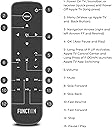
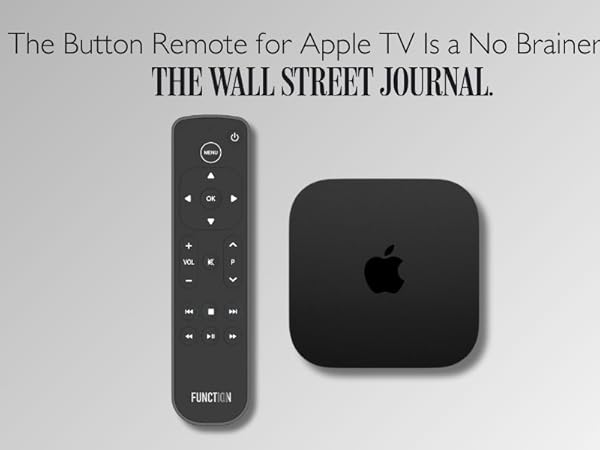
The Function101 F101-ATVRM is a sleek, ergonomic replacement button remote designed specifically for Apple TV. Featuring infrared connectivity with a 12-meter range, it supports volume, mute, and power control for over 100 TV and audio brands. The remote includes 2 AAA batteries and offers hassle-free US-based customer support, ensuring quick setup and seamless integration with all Apple TV models.


| ASIN | B08M85C13W |
| Additional Features | Ergonomic |
| Battery Type | Alkaline |
| Best Sellers Rank | #8,143 in Electronics ( See Top 100 in Electronics ) #350 in Remote Controls (Electronics) |
| Brand | Function101 |
| Button Quantity | 101 |
| Color | Black |
| Compatible Devices | Apple TV, Home Theater, Sonos, Stereo System, Television |
| Connectivity Technology | Infrared |
| Controller Type | Button Control |
| Customer Reviews | 4.2 out of 5 stars 1,327 Reviews |
| Global Trade Identification Number | 00095509532763 |
| Manufacturer | Function101 |
| Max Number of Supported Devices | 2 |
| Maximum Number of Supported Devices | 2 |
| Maximum Range | 12 Meters |
| Mfr Part Number | F101-ATVRM |
| Model Name | F101-ATVRM |
| Model Number | F101-ATVRM |
| Number of Batteries | 2 AAA batteries required. (included) |
| Smart Home Compatibility | Not Smart Home Compatible |
| Special Feature | Ergonomic |
| UPC | 095509532763 |
| Unit Count | 1.0 Count |
| Warranty Description | 1 year |
O**7
Much better than the original Apple HD TV remote!
This remote is so much better than the original if you did not like the slide area which was never accurate when attempting to accomplish your choice. This remote offers well place buttons and does everything the previous remote did. Someone stated that it does not have a button to choose your different app’s you added in Apple TV, like YouTube TV, Netflix, Hulu, etc. that is not accurate. You simply hit the menu button until your apps all appear just like the original remote and choose the apps you want to watch. Setting up the sound bar or TV was very easy, but you do need to watch your sound bar or TV during the process to see a reaction on the TV or sound bar that lets you know they are synced. To set up your Sound Bar, do the following: • Push “Menu” and “OK” until red light comes on at the top of remote. • Hit the “Arrow Down” button below “OK” every 3 seconds until your sound bar lights up or flashes, then stop and press “OK” button again and your remote works perfectly with your sound bar. I have an old Yamaha sound bar and it synced perfectly. I needed to push the button 30 or 40 times until the sound bar lights came on and make sure your sound bar is on before you start the process. Instructions said that there are approximately 120 sound bar choices you can go through, so your sound bar should be programmed into the remote To set up your TV, do the following: • Push “Menu” and “OK” until red light comes on at the top of remote. • Hit the “Arrow Down” button below the “P” button every 3 seconds until your TV shows a menu item pops up like the volume line on which show your volume level on your TV, then stop and press “OK” button and your remote should work with your TV. I have a new LG TV and it synced perfectly after only hitting the down arrow a couple of times. You need to make sure the red light is on during the hitting of the down button. Again, this is done by pushing the Menu and OK buttons at the same time until the red light comes on. Give 2 or 3 seconds between each push of the button, but the TV or Sound Bar does seem to react immediately when synced. As you are going through the repeat hitting of the down buttons for both sound bar and TV syncing with your remote, be patient and do not feel like nothing is going on because the remote will not show anything letting you know it synced, but the TV or Sound Bar will give you a signal like additional lights coming on or blinking on our sound bar or a pop up on your TV that just appears after you hit the right sync choice for you TV when hitting the down button under the “P”. The only thing I would like to see added to this remote is back lighting for night us, but for the money you won’t find a better replacement. I highly recommend this remote to replace the not so friendly Apple remote that came with your Apple HD TV.
F**.
Just what I was looking for to replace my Apple TV Remote
This remote can do pretty much everything the Apple remote can do except for speaking to Siri. I think apple had a great idea integrating a touch pad to allow you to control things like forward, rewind, pause play, etc. -- but it never worked right. And after a while it just goes crazy zooming across the screen. My original one started dong that and it was less than a year old. I searched it on the web, and a lot of folks were complaining about the same thing. I took it to the Apple store and they acted like they never heard of it before (give me a break -- Apple has instructions on troubleshooting the issue on their site). After they tried the same things in the Apple store, they agreed to ship me a new one. I had the new one for just a few months and it started doing the same thing. I finally decided to buy the Function101 and I could not be happier. It does everything I needed it to do and the installtion was easy -- it actually worked right out of the box. If they could somehow include Siri, that would be even better.
D**N
Almost There... But Not Quite
I purchased this remote to replace the difficult to use and functionally limited remote that came with my Apple TV streaming device.(Apple what were you thinking??) After using this new device for a month or so, I have two critical comments. First, the functions on the remote should be lit. I use the remote with my bedroom TV and it is a challenge to navigate the buttons in the dark. You must navigate by feel and memory. Second, the instructions are step-by-step and well-organized, but not necessarily completely clear to the new user as to the pairing process. Specifically, it is important to tell users that they must laboriously click through the set-up mode until they happen on their specific TV so the remote unit can pair with the user's TV. I understand that there are over 100 potential TVs that can be paired. Your TV might be number 1, or number 100, or any number in between, but you won't know which because there is no visual listing on the TV screen. So, you must click through as many iterations as needed until you get a signal that your TV is paired with your new remote. This can take a while to accomplish and it is a bit like shooting in the dark. Now for the good comments. The remote is vastly better than the Apple remote. It has all the functions you'll need to enjoy watching your TV, switching between channels, stopping, starting, pausing, advancing, muting, and controlling the volume. Once paired, it will work well and you'll be happy (unless, of course, your TV is in a dark room).
A**R
Replacing a broken AppleTV remote.
My Apple TV remote broke. This remote is great because not only does it control my Apple TV but it turns on my Samsung flatscreen TV. It is so much more functional than my old remote. And a lot cheaper than buying a new remote from Apple!
C**Y
Finally! A normal remote for the Apple TV that is quality made
The Apple TV remote is cool and all but it doesn't have nearly the amount of buttons that a remote control for your tv should have. After a while, I said I was just going to find a normal remote control. I found the Function 101 and was skeptical because it was pretty cheap, and I didn't have high expectations for a third party item for a Apple product. But boy, I'm glad I got it. The Function 101 has a mostly flat face but the entire face is made out of a nice grippy material that makes pressing the buttons feel so nice. The Function 101 is a large remote control. It's so much bigger than the Apple TV, it'll make it a lot harder to lose it. I would have to search for the Apple TV remote at least once a day because it's so little and can fall anywhere. This problem is mostly gone because it's so much harder to lose the Function 101. My favorite thing about having the Function 101 is the directional pad. It's so nice being able to go forward or back frame by frame instead of swiping on the Apple TV remote and skipping 10 minutes ahead on accident and spoil what's ahead. If you need to go faster, there is a rewind, fast forward, and pause button. Set Up: The set up was so easy it isn't even funny. I expected some difficult procedure but all I had to do was literally point and press a button. The Function 101 uses infrared to work with the Apple TV so you don't need to connect them. Also, the Function 101 comes programmed to work with Samsung TV's out of the box, and I had a Samsung TV, so that was perfect. Even if you have a different model TV, I looked at the set up and it's really easy. I have 2 negatives about the Function 101. - No voice button - No trackpad The voice button I'm ok with but there is no track pad. It makes it take so much longer to type when you are trying to use the search bar since it is made specifically for the trackpad. But it's hardly a complaint because I only bought this controller for $30 dollars. Just the quality and directional pad make it worth the $30. Even if you want to stay with your Apple TV remote, this might be a good back up for you for when you inevitably lose the Apple TV remote. If you are a Roku lover who recently switched to the Apple TV, this remote will be more familiar. Rating I give the Function 101 Apple TV Remote 4.5/5 Stars.
F**D
Frustratingly INCOMPATIBLE
Waste your time with your bad, orginal AppleTV or remote or with this one. Either way, you will waste time. You will just waste different time -- mis-hitting keys with Apple or programming, unprogramming, reprogramming and failing with this replacement. The more devices you have, the more complicated and frustrating it will be. GoogeTV by TCL + Soundbar by Samsung + AppleTV 4K = FULL FAILURE. All your hardware, software, apps and OS will vie for control, now more than ever. Did universal remote controls ever exist? Nope! Less so now. The AppleTV 4K remote is absolutely over-engineered in so many ways, but there is no good solution besides a subscription-based Bluetooth app that sucks your wallet dry. Good luck with this remedial device. It simply trades some annoying problems for other ones -- wasted time, wasted money, or both. For what? Convenience? Hardly. Complication? Absolutely! Consumption? Categorically! Ugh I hate this device almost as much as the one Apple shipped.
P**T
Decent function but not the highest quality electronics
For the most part this remote has been a nice purchase. However, over the year and a half that I’ve owned it, the buttons have become less responsive. Now sometimes some buttons don’t work. That’s been happening more and more. So overall the electronics seem to be not the highest quality, not long lasting.
M**K
Linked easily to my LG TV (an older model) and my 4K Apple TV and works perfectly
This remote was very easy to set up and link to my TV, and it works perfectly with both the LG TV that we have that is an older model (not a smart TV) and our Apple TV. Unlike some other remotes that do not work with 4K Apple TV models or newer, this one linked immediately to the Apple TV without problems and it works great. I would definitely recommend this for Apple TV users!
D**S
Volume control did not work with my Apple TV set-up
It was supposed to work “out of the box”. It did not and I spent a couple of hours following website FAQs with no effect. I returned it. I was initially notified that I was only being refunded £4.05 for a device which cost £29. This would have infringed my UK consumer “distance selling rights”. I have now received a refund of £25.92 so accept that this was probably just an administrative error.
G**N
It works better than the original
This thing works better and faster then both the Apple controller and the Sony TV controller. So it has nicely replaced both. It requires to be set up in Apple TV, which is not difficult, and after that, everything is genius.
C**H
Didn’t control the TV or the Apple TV
A disappointing device in our case. Gave up after hours of trying.
Trustpilot
1 month ago
1 month ago