Desertcart purchases this item on your behalf and handles shipping, customs, and support to Senegal.
๐ฆ Own your availability, command your workspace.
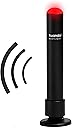
The Kuandoยฎ Busylight UC Alpha is a sleek, USB-powered presence light and ringer designed for professionals juggling multiple communication platforms. Compatible with over 10 major UC platforms, it visually signals your status with vibrant LED colors and alerts you to incoming calls with customizable ringtones. Featuring free, easy-to-install software with Outlook integration, itโs the ultimate tool to minimize interruptions and boost remote or office productivity.


| ASIN | B009ERB6WG |
| Batteries are Included | No |
| Best Sellers Rank | #55,216 in Office Products ( See Top 100 in Office Products ) #24 in VoIP Phones #38 in USB Reading Lamps |
| Brand Name | Kuando |
| Bulb Base | GU10 |
| Bulb Shape Size | ED17 |
| Color | Black |
| Customer Reviews | 4.1 out of 5 stars 248 Reviews |
| Finish Type | Polished |
| Finish Types | Polished |
| Global Trade Identification Number | 05707064153066 |
| Included Components | Plenom headset busy light indicator |
| Item Type Name | Plenom BusyLight UC for Microsoft Lync - Headset Busy Light Indicator |
| Item Weight | 0.1 Pounds |
| Light Output Maximum | 500 Lumens |
| Light Source Special Features | flashing, solid, mute ringtone, volume control, mute option, brightness control, multiple color display |
| Light Source Type | LED |
| Light Source Wattage | 5 Watts |
| Manufacturer | Plenom |
| Manufacturer Part Number | 15306 |
| Manufacturer Warranty Description | 1 year manufacturer. |
| Material | Plastic |
| Material Type | Plastic |
| Model Number | 15306 |
| Mounting Type | Magnetic Mount |
| Number of Light Sources | 1 |
| Power Source | USB |
| Shade Material | Plastic |
| Shape | Round |
| Smart Home Compatibility | Not Smart Home Compatible |
| Specification Met | No |
| Style Name | Modern |
| Unit Count | 1.0 Count |
| Voltage | 5 Volts |
| Wattage | 5 watts |
S**Y
It just works.
Make sure you have the latest "In-A-Call" version of the Kuando software. After trying other busy light solutions and dealing with the frustration of software that wouldn't work with multiple communication platforms we gave up on the idea of busy lights in our office space. When the Kuando In-A-Call software was announced I tried again and was delighted to find the software just works. There was no complicated setup, it just simply works and doesn't increase the support burden for our help desk. We use it with Outlook Teams, and WebEx.
I**S
Easy installation and works as intended
You do have to look up the instructions online as they do not come with any, however, super easy to install and use with Google Calendar and Zoom. Itโs as simple as downloading the software for either Mac or Windows and you are ready to go in under a minute.
B**R
Decent but problematic for corporate IT
Works great but the software would have to be approved by your corporate IT team to run on their equipment and integrated with you online status (e.g. Teams). Non-start for me but great for my personal laptop.
A**R
Perfect for remote working / working from home
Works just as advertised. Links directly with my MSteams and always reflect my status accordingly. Super helpful when I'm WFH with family around or traveling so people know when they can talk to me or not. It's also small than I expected so that's convenient for my digital nomad lifestyle too. My only complaint is not getting it sooner.
A**R
NO MacOS WebEX compatibility
SOO disappoint. There is NO MacOS application for Webex to work. They have app's for everything else and on Windows. But not the combination of Webex on MAC, Very frustration as I wanted to buy a plug and play solution. Now I have to build something.
H**S
Great product - PHENOMENAL support - it is exactly what you hope it is
This product solved my issues with interruptions by my family while I work at home. Works seamlessly with Teams and Zoom, great options to allow detailed control of when/how it reacts. Hotkey to toggle it on and off for times when you need to trigger it outside of a Teams/Zoom meeting. Customer support was phenomenal - they contacted me within seconds of submitting a service ticket (I was stunned at how fast it was). The technician (Ember) was not just there to resolve my issues (that were self-induced as I failed to set it up correctly) but also hung on the line to make sure I knew of other cool features it had. Highly recommend this product.
M**O
UPDATE! Older computer
***UPDATE: Let me ask you, have you ever had a company call you up and say hey, I just saw you bought our product 4 years aso and somehow we missed you review that you had problems and we want to help you get it working correctly? Well I did. Today. Twice! Thank you so much Ember (cool name btw) for reaching out, walking me through what I had done incorrectly on installation, and then returning my call within an hour when I still had one more issue. The little green light in the corner of my monitor sure is making me smile today. You absolutely made my life a little bit easier. Thank you a million! I had heck trying to get this thing to work and I still don't know if it's my headset or the light causing the problem. I just happened to get a new computer. That did something for the installation because it worked for an entire day. I'm pretty computer literate and this one is not user friendly. From the list of software it wants to install I'd have to be a programmer to understand. That being said, when I can figure out how to make it work all the time I think I'll be golden.
C**R
Great product
Bought these for use within a call center. After installing the drivers/software itโs really just plug in and go. It works great and really helps give me at a glance the status of each person. Glad we went with this first.
N**E
Nice device, it works exactly as expected with MS Teams
T**O
J'aime beaucoup
Fonctionne super bien rien a dire ! Par contre un peu cher pour รงa
D**E
Audio not very loud
If audio is important to you I would suggest going with the Omega. Even with the audio level at 100% I found this not loud enough but if all you want is a visual that isn't in your face then this product would work well for you. The Busylights link in with so many major systems and are easy to setup.
C**E
Works as expected with MS Teams
Easy installation
J**O
Funktioniert
Macht was es soll
Trustpilot
1 week ago
1 month ago