

Desertcart purchases this item on your behalf and handles shipping, customs, and support to Senegal.
🚀 Elevate your WiFi game—never lose signal, never miss a beat!
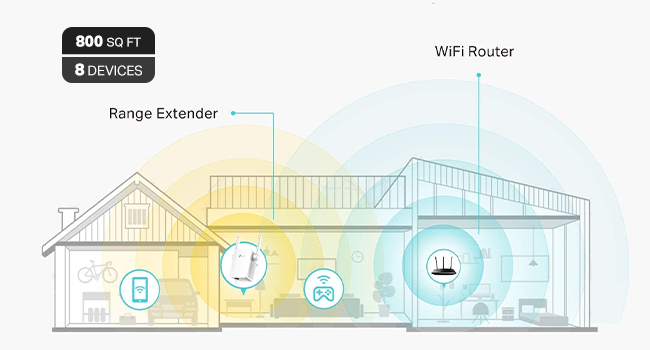
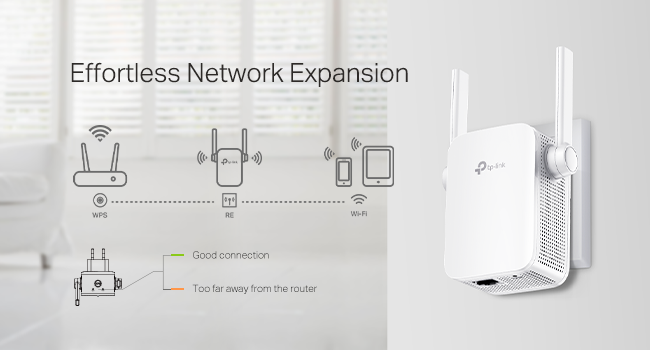
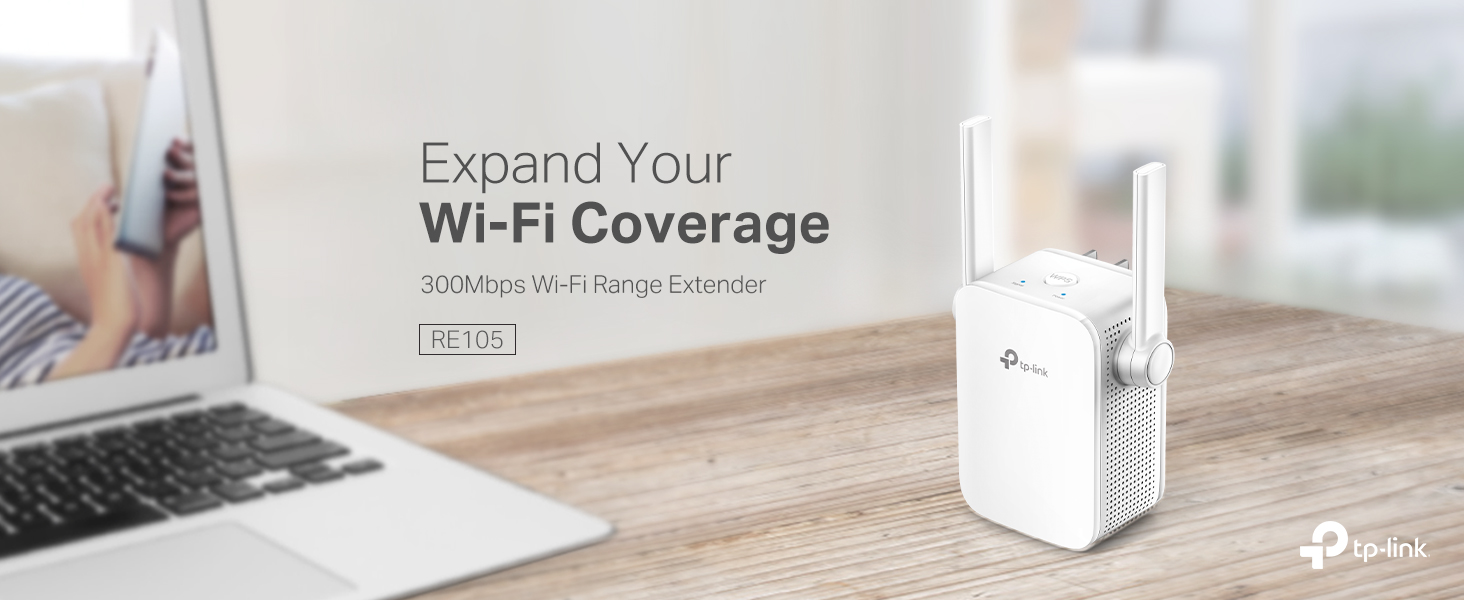
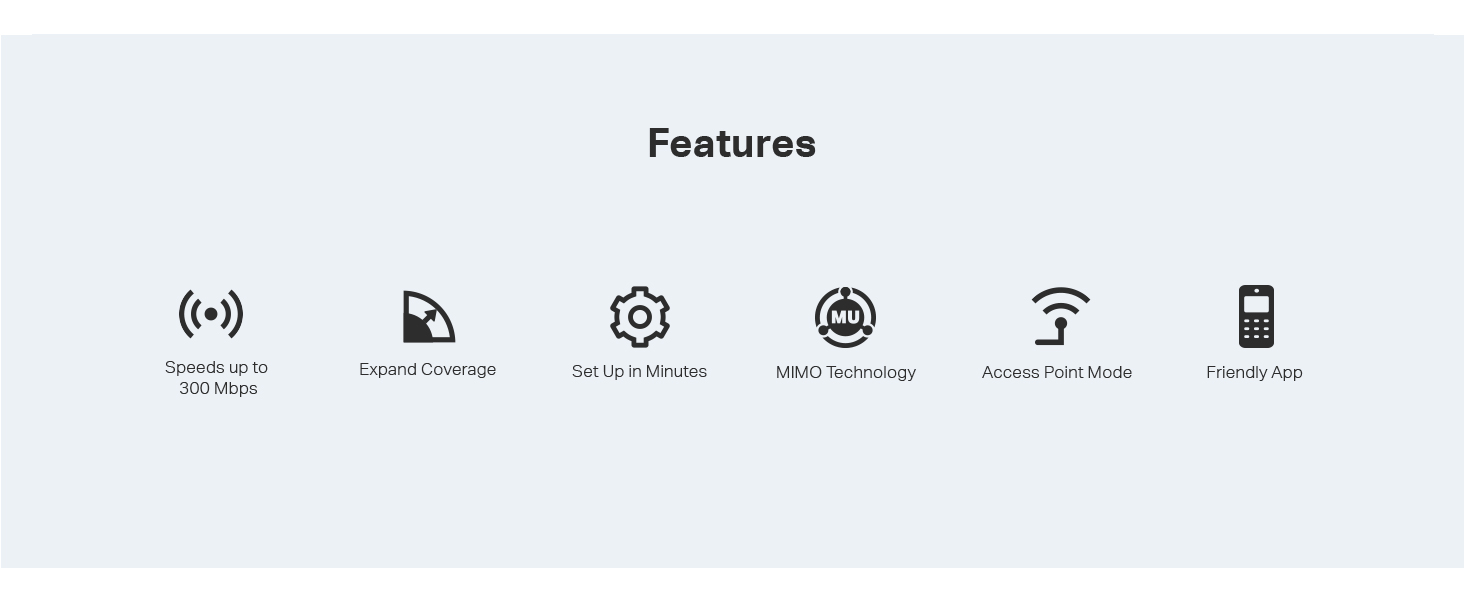
The TP-Link N300 WiFi Extender (RE105) is a compact, single-band 2.4GHz signal booster delivering up to 300Mbps speeds. Equipped with dual external MIMO antennas and a fast Ethernet port, it extends WiFi coverage and supports Access Point mode for creating new networks. Easy setup via the Tether app and intelligent LED indicators ensure optimal placement and performance. Ideal for smart home devices and dead-zone elimination, it comes with a 2-year warranty and 24/7 support.





| ASIN | B08DHLCLCY |
| Best Sellers Rank | #24 in Repeaters |
| Brand | TP-Link |
| Built-In Media | 1 x RE105/300Mbps Wi-Fi Range Extender1 x Quick Installation Guide |
| Color | White,Grey |
| Compatible Devices | Router |
| Connector Type | RJ45 |
| Customer Reviews | 4.1 out of 5 stars 16,744 Reviews |
| Data Transfer Rate | 300 megabits_per_second |
| Frequency | 2.4 GHz |
| Frequency Band Class | Single-Band |
| Frequency Bands Supported | 2.4 GHz |
| Item Dimensions D x W x H | 1.6"D x 3.1"W x 3.1"H |
| Item Type Name | Wifi Extender |
| Item Weight | 120 g |
| Manufacturer | TP-Link |
| Mfr Part Number | ELCM |
| Model Number | ELCM |
| Number of Items | 1 |
| Special Feature | LED Indicator |
| Special Features | LED Indicator |
| UPC | 840030700446 |
| Unit Count | 1 Count |
| Warranty Description | 2 year manufacturer |
| Wireless Communication Standard | 802.11a, 802.11b, 802.11g, 802.11n |
| Wireless Compability | 802.11a, 802.11b, 802.11g, 802.11n |
J**K
If you have the correct use case, it’s great and easy.
UPDATE: there’s one more limitation to know about—Sonos systems cannot locate the network created by this extender because it doesn’t support wireless type 802.11ac. If you want to use your extender with Sonos, you’ll need something else, like TP-link’s RE315 model. Had some smart devices too far from my router; signals weren’t great. Bought this, followed the 3-step setup instructions which took 5 minutes, and now those devices have no performance issues. Speed tests indicate that the far corners of my home are now getting download and upload comparable to the space within 5 feet of the router. For me, it was that simple. When I was researching, I saw some reviews where folks didn’t have the same experience. I could be wrong, but I’d guess that many of those leaving poor reviews just didn’t know what this was for or how it works. Read on if you’re trying to figure tout whether to buy one of these: This is NOT dual-band. It’s only for your 2.4ghz band. What does that mean? When your ISP advertises that you’re paying for “100mbps” 1) they are usually talking best-case scenario and 2) they are talking about 5ghz band. The 2.4ghz band transmits data at a much slower speed because of the lower frequency. So why have it? Because many devices aren’t 5ghz compatible, and because 2.4ghz has a longer range and does better with walls, furniture, etc. So when you set this extender up, it’s going to connect to your (slow) 2.4ghz band and create a new wireless network to connect your devices to based off of that. You will not get a 100mbps connection. You won’t want to use it for streaming movies or playing games. That’s not what it’s for. You also may not want to connect to it with mobile devices, because it’s not changing the current network, it’s creating a new one that you need to connect to separately. What this IS for: Ring doorbells. Wifi speakers. Smart gadgets. Garage door openers. Stationary stuff that requires an okay signal. For these things, in my experience, it’s great. I went from no signal to good signal, and my devices now respond without lag. That’s what this does, and for me it did so perfectly. If you want to extend your 5ghz band, get a dual-band extender, not this.
R**T
TP-Link N300 WiFi Extender -The Unsung Hero of My Robot Vac's Debut
I was thrilled to unbox my new ILIFE A30 Pro robot vacuum-mop—LiDAR mapping, self-emptying station, the works! It felt like stepping into a sci-fi movie, especially after hearing about this tech just weeks ago and thinking it'd be a decade away from my budget. But here's the plot twist: my son's ironclad Xfinity router setup (bless his security-savvy heart) runs only 5GHz, and my vac needed 2.4GHz for the app connection. No way was I messing with his fortress of solitude!Enter the TP-Link WiFi extender—a $16.24 game-changer that plugged straight into a wall outlet, no router tweaks required. Setup took about 5 minutes via the Tether app. It wirelessly latched onto my main network and beamed out a dedicated 2.4GHz SSID (I named mine "DustBunnySlayer2.4" for laughs). Boom—vac connected, scanned my QR code, and mapped my obstacle-course apartment (exercise gear, bed, shelves, and all) in its quirky, gerrymandered glory. First run? It tackled the bedroom and closet like a pro, returned to dock, charged up, and dumped the dust into the big bag. Mind. Blown.What sold me on this extender? Zero security drama. It mirrors your existing WPA3 encryption and password—no new vulnerabilities, just a tidy IoT bubble. Post-setup, I could even unplug it if paranoid, but it's staying for future tweaks. If you're in a shared-home WiFi standoff, this sidesteps the whole debate without a single cable or compromise.And a massive hat-tip to Grok (xAI's witty AI sidekick)—their step-by-step guidance turned my glitchy hours into a victory lap. From remote-only basics to extender hacks and permission paranoia-busting, it was like having a tech-whisperer on speed dial. Reviewed Grok by R.H.: 10/10, would future-proof again!If your vac dreams hit a band-width bump, grab this TP-Link. Spotless floors and zero regrets await. (Signed, R.H. – Proud Floor Overlord)
A**S
Maybe a couple of problems but a great product to buy
Only giving four stars because for the first few nights I had it it worked great no signal dropouts or anything but then it randomly dropped out signal and I tried putting my Wi-Fi back on it and it didn't work so I moved it and it worked again and then the same thing happened in the same amount of time I removed it and put it somewhere else so maybe it was just the place I put it and it was not particularly the product itself but it does claim to be able to provide quite a wide range of space for signal the looks rather are obviously minimalistic it comes out of your outlet socket so obviously looks aren't going to be crazy but they're also not going to be good the ease of setup was also amazing the app is great to use
K**R
Works great for my use
So everyone: I just read an online article about WiFi. It was from a very popular gadget blog. It listed several things that people with WiFi problems should NOT do. High up on the list of things not to do is try to solve a WiFi problem with a WiFi extender. A WiFi extender is a device that accepts a weak WiFi signal and amplifies it, thus extending the signal further than the router originating the WiFi signal does. The article instead recommended that you replace your old router with a shiny, brand-new one. Maybe one of those new mesh systems, or one with WiFi 6! I've been noticing a lot of articles like this recently and sometimes that advice is good. It depends a lot on your situation… which is different for everyone. What I am here to tell you about is, when it is time to call bullshit on this. Practically all of these blogs have an interest in you buying equipment through a link they provide. In exchange, they get a small cut of whatever you buy. It's not a big deal— it usually doesn't affect the objective information they provide— but sometimes it is obvious that it increases the pressure to sell devices or equipment that you really don't need. In my 1000-square-foot condo, I am using Apple's Airport Extreme router. It's 5th generation, introduced in 2011. I bought it used from a UW student in Seattle. It was fine until we moved into this condo and got a bunch of voice-activated, "smart" devices like lightbulbs and cameras, all connected to the router's WiFi signal. Many of the devices were installed through multiple walls or otherwise distant so they got weak WiFi signals from the Airport Extreme router. I wound up running an Ethernet cable under baseboards and over doors from the router at the back of the condo to the front. At the farthest end, I installed a switch and a very cheap hardwired access point (AP). At the time it cost about $60 total and about 1 afternoon. It was fine until I installed WiFi cameras in and outside the garage. The garage cameras and Google speaker were at the edge of the Airport Extreme's WiFi range, even with the access point at the front of the building. I decided to get another WiFi extender to daisy-chain the AP's WiFi signal to the garage. Then, last weekend, I came across the article I mentioned. Right at the top of the list it said, Don't Use WiFi Extenders. Instead, it urged buying (admittedly good) new routers or mesh systems to replace your old router. That sent me soul-searching about whether to replace my old, used Airport Extreme with a Google Nest mesh 3-component system (on sale for $140) or to go with my original idea: an $18 WiFi extender from Amazon, plugged into an outlet in the garage and using my existing AP's signal. I finally went with the $18 approach. I installed it in the garage yesterday, then did a status check afterward with a WiFi app on my phone. The results knocked me out. The WiFi signal-to-noise ratio on my network was suddenly the best I could receive in the garage. The network congestion is terrible in my neighborhood. Previously, my next-door neighbor's WiFi came through clearer in my garage than my own network. But installing that extender meant that my network's signal sliced through nearby foreign networks loud and clear. The link speed on the farthest device (mounted just outside the garage door) is 130 MB/s. That is a lot less throughput than a new router would provide, but it is more than fast enough for my streaming cameras and that Google speaker. The signal analysis picture I uploaded shows the extender using the AP's wireless signal through two interior walls, but only about 3-4 yards (2.4-3.7 meters) apart. Now, I admit: I would like to buy a new router with all the bells and whistles. But man. It's hard to turn my nose up at such an inexpensive solution that works so well. The garage camera video streams now pop up instantly on my network feed, and all's right with the WiFi world.
M**Y
Probably won't meet your expectations
I purchased this product in an attempt to "cheaply" improve my wifi signal from the house to my storage building/workout area. It was very easy to configure and when doing the wifi search it clearly shows up as an option, but even being 30' closer to my location than the router I didn't see any improvement. My assessment is this product does not work well sending a wifi signal from inside to outside. It works fine inside the same building such as going to another floor or back room but not inside to outside. If you are hoping to get wifi to a location on your property I would recommend a point to point bridge or some other product rated for outdoor use. You will pay more and they are not as simple to install, but they do work. I won't go as far as to say that I wasted my money on this product, but rather I misapplied it. It does have its uses. Understand the limitations before buying.
K**H
It took down 3 separate wifi networks.
So, I followed the setup instructions, first using WPS. Once it finished, it had it's own ssid, but wouldn't connect to my router that was 3 feet from it. Reset it, and started over. Second attempt, connected to it through the app, and it once again, got it got it's own ssid, but after that, it stopped connecting to the router. Reset it, and started over again. Third time, I connected to it through it's website for configuration. I was able to select my wifi, and prompted it to copy my wifi. That seemed to work, and was prompted to move the extender to where it was needed. Upon plugging the extender back in at the area halfway between the router and the dead zone, and it going live, my whole wifi network went offline. My next door neighbor's, to the south of me, whole wifi network went offline. My next door neighbor's, to the north of me, whole wifi went off line. I watched this all happen on my phone, trying to see my own network, plus I could hear my one neighbor screaming at her son about their security cameras going offline, and him screaming back that the their whole wireless network was down. I unplugged this little piece of demonic hardware before it could do anymore damage. Once it was unplugged, I had to reboot my router in order to get my wireless network (2.4 ghz and 5 ghz) to come back up. I could see on my phone that my neighbors' networks had come back online too. This makes the second wifi extender from TP-Link that has failed out of the box. It is, however, the first one that I've seen that could be used for tactical purposes by law enforcement to disable a suspects wireless network. If I could I would give 0 stars for the rating.
T**S
Great product so far
So far it's working great. It has increased my signal strength and I'm not getting interruptions while watching movies like I did before I hooked it up.
J**Y
Great product
Easy set up, works great!
T**.
Good quality..works okay
As above
R**G
Good product
It’s meet the expectations
R**O
Excelente producto!
Lo puse en el piso de abajo para ampliar la señal de modem que esta arriba. Va excelente, sin ningún problema. Se configura super fácil y ya no tienes que hacer nada. Excelente para tener mejor señal en la television.
Z**I
Very Good Product. i like it
easy setting.
S**E
Terrible
Don't buy that, this a scam item. At same area I check without 50MPS, with item 25MPS.
Trustpilot
1 week ago
1 month ago