Desertcart purchases this item on your behalf and handles shipping, customs, and support to Senegal.
👀 Elevate your workspace with clarity and style — see the difference, feel the focus!
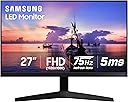
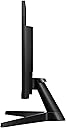
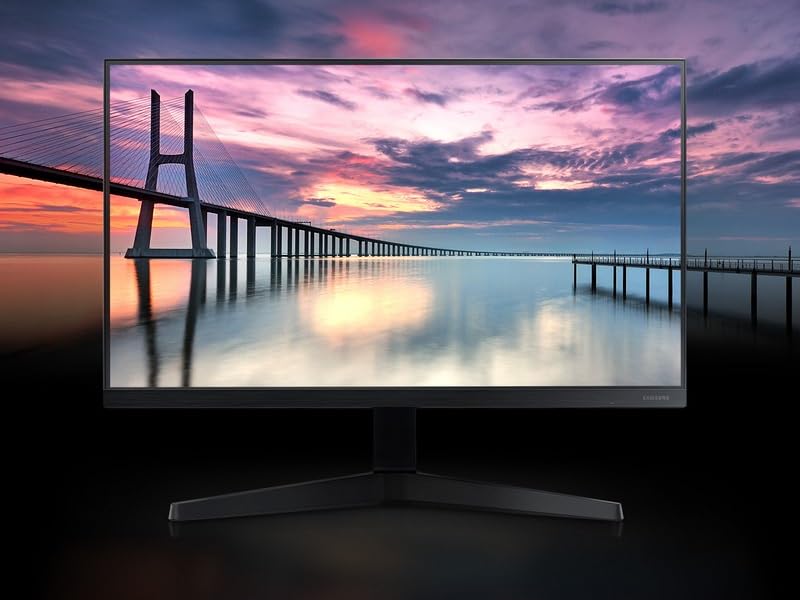
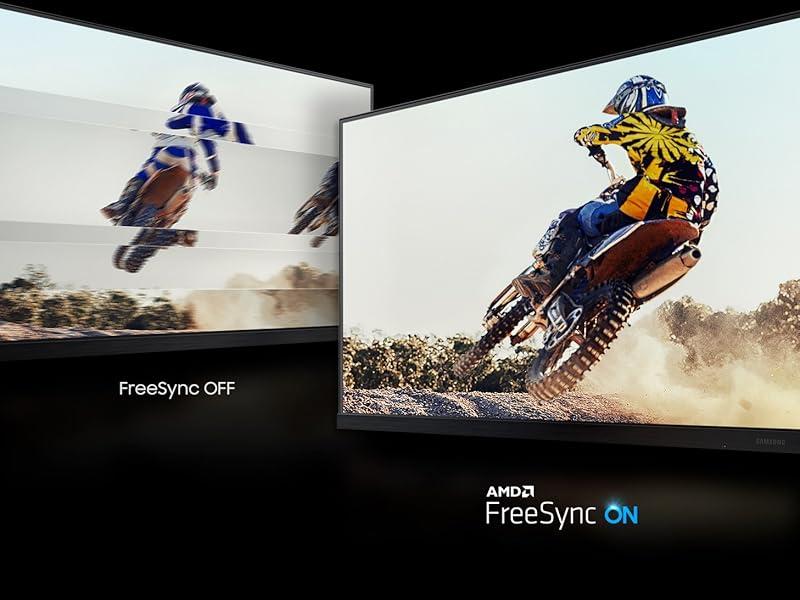
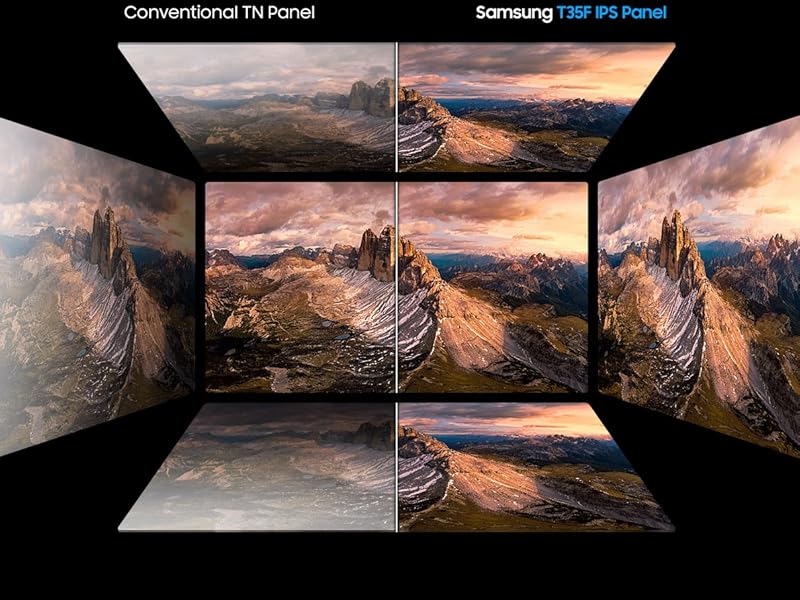
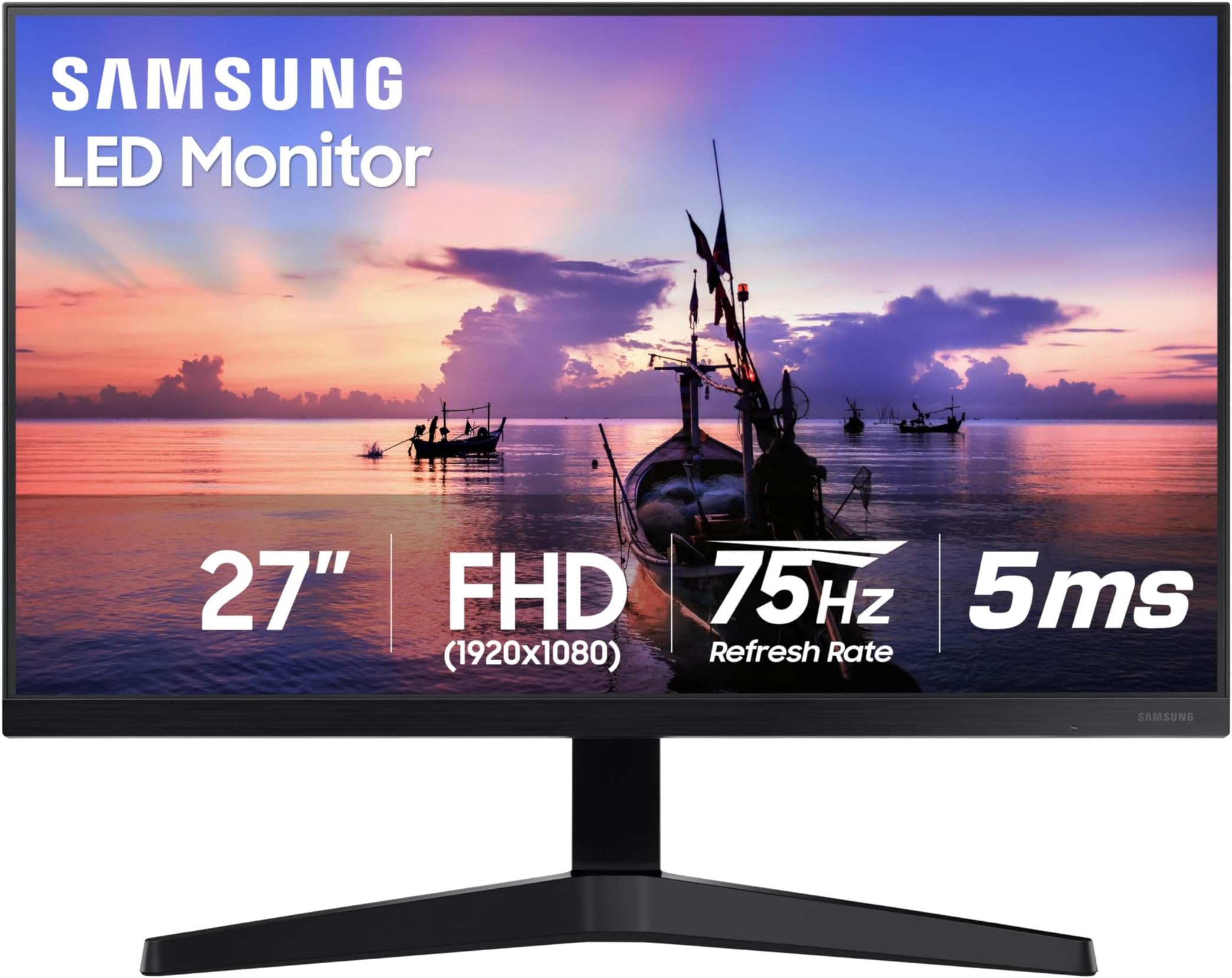
The Samsung 27" T35F Series monitor features a 3-sided borderless 1080p IPS display with a 75Hz refresh rate and AMD FreeSync technology, delivering smooth, vibrant visuals ideal for professional multitasking, casual gaming, and extended use with advanced eye care features. Its versatile HDMI and VGA connectivity and wall-mount compatibility make it a stylish, practical upgrade for any modern workspace.


| ASIN | B08FF3JQ28 |
| Adaptive Sync | FreeSync |
| Additional Features | 27-inch 1080p Resolution |
| Aspect Ratio | 16:9 |
| Best Sellers Rank | #12,513 in Electronics ( See Top 100 in Electronics ) #409 in Computer Monitors |
| Brand | Samsung |
| Brightness | 250 cd/m2 |
| Color | Dark Blue Gray |
| Connectivity Technology | D-Sub, HDMI |
| Contrast Ratio | 1000:1 |
| Customer Reviews | 4.5 out of 5 stars 6,336 Reviews |
| Display Resolution Maximum | 1920 x 1080 |
| Display Technology | IPS |
| Display Type | LED |
| Hardware Connectivity | D-Sub, HDMI |
| Image Contrast Ratio | 1000:1 |
| Included Components | 1 x HDMI In, 1 x PC In, 1 x DC 14V |
| Item Dimensions D x W x H | 9.13"D x 24.1"W x 14.31"H |
| Item Type Name | Monitor |
| Item Weight | 3 kg |
| Manufacturer | Samsung |
| Model Name | Samsung T35F |
| Model Number | LF27T350FHNXZA |
| Mounting Type | Wall Mount |
| Native Resolution | 1920x1080 |
| Number of Component Outputs | 1 |
| Picture Quality Enhancement Technology | IPS Panel, AMD Radeon FreeSync |
| Power Consumption | 25 watts |
| Processor Count | 1 |
| Refresh Rate | 75 hertz |
| Resolution | FHD 1080p |
| Response Time | 5 milliseconds |
| Screen Finish | Flat |
| Screen Size | 27 inches |
| Screen Surface Description | Flat |
| Shape | Rectangular |
| Specific Uses For Product | Gaming |
| Total Number of HDMI Ports | 1 |
| Total USB 2.0 Ports | 2 |
| Total Usb Ports | 2 |
| UPC | 887276450971 |
| Viewing Angle | 178 degrees |
| Voltage | 110 volts |
| Warranty Description | 1 Year Manufacturer |
| Warranty Type | 1 Year Manufacturer Warranty |
B**.
Excellent for casual video and general use
I mainly use my 13" MacBook Pro for music production, programming, and then some general web browsing, writing, and real casual general computer work. I'm not a gamer so I don't need 120Hz refresh rates. All I needed was something that would be easy on my eyes, look good in my space, and have a nice crisp display. This monitor is simple to set up. It's got 3 screws. You can move it side to side but there's only 20 degrees of vertical movement. That's fine if you want to look at your monitor head-on or angled slightly up at you but if you need something that tilts downward you'll have to get a VESA mount that either clamps to your desk or mounts to your wall. 22 inches is plenty big with an HD screen and just what I needed when in a dual or triple monitor situation (occasionally I use my work-provided monitor in a 3 monitor setup). For music production it doesn't strain your eyes to be staring at it for hours on end. Same when you're programming. Any monitor will give you eye strain eventually but this one is not going to give most people any issues most of the time. You have options for HDMI or VGA connections. In my case I had to use a VGA cable for my work monitor in the past so I got an adapter for my laptop for USB-C to VGA connections. This works fine and the quality is the same as HDMI with this particular monitor because VGA quality goes up to around a thousand more pixels than 1080p and supports a refresh rate of 85Hz (assuming you didn't get a cheap cable). This monitor has a 75Hz refresh rate so using a VGA connection is not going to reduce quality. In fact I suspect that they chose HDMI and VGA precisely because the monitor works within the VGA spec and HDMI is just a very common connector these days so they included both while excluding DisplayPort because that's mainly used for higher spec machines and people shopping for a budget monitor likely wouldn't have a DisplayPort compatible computer. Plus DP is not super common anyway outside of offices and expensive computers and has little practical benefits over HDMI to the average person right now. But don't let the fact that this is a budget monitor fool you. If you know you need higher refresh rates because you'll be watching movies and gaming then sure, this isn't for you. If you know you're going to be doing work, browsing the web, watching YouTube videos, coding, doing regular boring average computer stuff, then this is going to be more than enough for you. This is the monitor that should be the default standard for everyone looking for an external laptop monitor or that would come with any PC bundle. I wouldn't want lower quality and most wouldn't even notice higher specs if it had them. It's in the perfect spot. If you need an excellent monitor that isn't a thousand dollar gaming monitor that's basically a flat screen TV made for the Super Bowl then this will be as good as any other.
D**C
Great monitor all around.
I was a little hesitant by some of the reviews I saw for this monitor when I was originally looking for a new monitor to order online. After receiving this one I can tell you that there's nothing to be worried about. Many reviewers state their monitor stopped working after a week or something for no reason. That hasn't happened to me at all. In fact, this monitor has given me no trouble whatsoever and I've had it for probably about a month now. I got it during a discount, when it was 130 I believe, and for that price it's a great deal. Good size and picture, surprisingly lightweight which was good for the mount I bought for it, and seemingly a great fit for now. Will try to update if any of that changes, but I doubt it will. Personally if you're looking for a gaming monitor, like I was, I would recommend this as my perfect 2nd monitor if you're looking to do a dual monitor setup. This one would probably be a bit small for a main monitor and I think if you're looking for a higher quality setup I'd look for something slightly larger than this. That said though, it would do just fine if you're willing to sacrifice some size for budget constraints. It can handle any game you want to put on it perfectly fine. I will say if you're looking to mount this monitor to anything other than the standing mount it comes with, you'll need to buy more bolts, as it only came with two and many other monitor mounts will require more than that. Luckily I had some spares that fit the size so that wasn't a problem for me. TL;DR: Overall, I highly recommend this monitor for anyone looking for a good balance between features and price for a gaming monitor. Update: I've had this monitor for a couple of months to a year now maybe, and for everyone saying the monitor randomly stopped turning on, I think I have the solution, because it eventually happened to me too. The problem is extremely simple to solve. The power cord is just loose. Every once in a while I'll turn my pc on, and my main monitor will light up like normal, but this one will not. That has ALWAYS been fixed immediately by simply removing the power cord from the back of my monitor and plugging it back in. To be clear, I am NOT talking about unplugging your power cord from the wall and plugging it back in. The connection is loose where your power cord enters the back of the monitor. Unplug the cord from the back of the monitor, plug it back in, and you'll be fine. This can be a bit of a headache to do from time to time, but it's certainly not nearly as bad as the monitor completely failing like some of the reviews have claimed.
C**E
Great second monitor
I ordered this after having the exact same one for the last 5 years. I use a curved 27 Samsung as my main monitor for gaming and I will be upfront that the quality for gaming is not going to stand up if you have used another monitor meant for that. I had to use this one for a couple months when I moved and it was night and day. However, this monitor is still crisp, quick response for surfing the web, watching a show, or having software up that you want to keep an eye on. I ordered this second one so that I could have two of them vertical and keep my discord open on one and either Spotify or game guides open on the other and that has been amazing. Again, not really made for gaming but that is not a bad thing. It’s an amazing value that you’re getting regardless and as an extra monitor you really can’t beat it, especially if you’re someone like me who tries to keep all their peripherals within the same family brand. It’s also very lightweight which made it easy to deal with for moving and quick temporary set ups.
V**M
With Effort and Forgiveness, a Beautiful Display
If you're buying this as the cheapest possible option for your gamin rig, then you'll probably be satisfied by the beautiful colors and impressive form factor. But, you should know that you may need to do some significant work to get a picture that's even passable, and even then there could be problems you can't fix. Out of the box, this display's colors were overwhelmingly Amber (and no, eye saver mode is not enabled). Without any color calibration ability built into the hardware, I've had to rely on Windows's color calibration to fix the issue. After turning greens down by about a third, and red a little less, I've gotten the colors to balance. Still, the reds aren't as saturated as they maybe could be, but it's not enough to bother me. Once balanced, the colors honestly look great, and I've found myself finding colorful music videos to watch just to admire the display's bright, vibrant range. This leads us into the dynamic range between how bright and dark the monitor can get. This is the classic limitation of IPS monitors, and while more expensive models can make up for this limitation in various ways, this cost effective model just makes you deal with it. Once again, there are no true brightness or contrast settings built into the display. The setting for brightness, as far as I can tell, simply adjusts the output of the LED backlighting, and contrast changes the difference between how bright and dark those lights will go. Once again we're left to Windows's color calibration, which simply gives us a slider for the gamma setting. Unfortunately, setting the gamma ideal for sRGB color vibrancy to around 2.2-2.4 (which is about where it was out of the box) just doesn't work, even though it does bring out the best colors on this monitor. The issue is that the screen simply can't recreate enough dark shades, and huge parts of the screen get blacked out. Bright videos might be fine, but gaming is impossible as entering even slightly dim environments makes it impossible to see. To be able to function in-game without a significant disadvantage, I ended up having to crank the gamma down to about 1.4 (lower gamma means a brighter screen), just to make low light environments easily navigable. The end result is that the overall display is a bit washed out, with colors not as vibrant as they could be, but I've hit a balance that I'm happy with. Finally, the most dissappointing note, which ended up losing this monitor half a star for my review, is that as of possesing this monitor for 10 days, I've found a stuck pixel. So for now, I've got a cyan dot permanently on my monitor. There are a few home remedies I can try to fix this, but it may end up being something I have to live with, or go through the hassle of returning the whole monitor for. For reference, I'm using a generic PnP display driver. When I get my new computer, I'll download the manufacturer's driver and update this review if it helps anything. In conclusion, the colors and overall image quality are really quite great for such a cheap monitor, as long as you're willing to put in the time to calibrate everything correctly. This isn't a monitor for the long haul, but so far it seems like a great option until I'm ready to put in money for a more serious gaming display. I was ready to order a second one for my dual monitor setup, but this stuck pixel has me holding off for now. To put it simply, if you put in the work and can overlook some flaws, you can have an exciting, beautiful time with this monitor, at least until you're ready to commit to a safer, long term option. By the way, a note for this age of virtual engagements, the frame of this monitor is so small that putting my Logitech c920 webcam on top actually covers a bit of the screen.
T**S
An excellent monitor at an unbelievable price!
I will preface this review by saying that despite the listing (title) saying that the monitor is 27’(ft) it is not. The monitor is 27” (inches). I’m happy it is 27” (inches) and was not an actual 27’(ft) monitor because I wouldn’t know what to do with two of them. Anyways, I purchased two of these monitors just days apart and both arrived early which was awesome. They came perfectly packaged and worked without issues. I figured it was worth mentioning that one monitor arrived with plastic film over the screen while the other one did not have plastic film at all. The monitor with plastic film over the screen caught me off guard because it made it look like the monitor screen was severely damaged. So, you could imagine my relief when I realized that it was just the plastic film that was scuffed up. Considering how scuffed the plastic film was I am very thankful that there was plastic film added for protection. For work use, the price point was just as perfect as the monitor. Also, just to note, the monitor does have a game mode and will perform just fine. I played a few games on them just to see, and the quality was fine, and the latency was acceptable. The monitor came with a very basic stand that eats up valuable desk real estate. I feel that these monitors shine best if they are connected to an articulating mount. Also in the box is an HDMI cable which was a nice surprise considering I completely forgot about purchasing a cable. Overall, the price point coupled with the quality of the monitor is very hard to beat. I’ve only had these monitors for a month or so and hope they hold up; time will tell. However, my knee jerk reaction, I couldn’t be happier!
A**I
Excellent monitor for work and gaming!
The Samsung 27" T35F is a great value for the price. The picture quality is sharp and bright, with beautiful colors and wide viewing angles. Perfect size for both work and entertainment. The design is sleek and modern, and setup was super easy. I’m very happy with this monitor — highly recommend it!
M**M
Not bad
Have had this monitor for 18 months now. My biggest complaint is the base of it. I wish I would have gotten something with a different base. It's sturdy but I need something with a smaller footprint. Still a great monitor though
I**N
Ridiculously large? Yes, but also ridiculously great.
I don't know what you do for home or business, but let's face it, for normal usage a 27" monitor is ridiculously large. And a lot of reasons to like this one. And I'm loving it! Look, I work from home. I can't set up my space for two monitors, which would be great. And I was using a laptop provided by my work. I used a "docking" type system and my previous monitor just didn't do it for me for the work. So I ordered this one. Let me tell you, my work efficiency has seriously gone up. Just the sheer acreage has helped immensely. A nice solution to not being able to have two monitors. Maybe, better than two of them. So here's the thing, I have my home desk top computer AND my work laptop computer hooked up at the same time to this one monitor. How? This monitor has both the analog and the HDMI ports. The screen and input adjustor are on the back of the monitor (lower right side). It feels like a button, so push it. But then you find out it is also kind of a joy stick. Move it to your left and you can choose which input you want. Also, brightness settings etc are there. Very easy to use once you find out that isn't a button but a "joy stick". Colors are great. Details are great. I've watched movies on this monitor, played games. It has been great for all the things for me.
D**Z
Calidad de imagen
El monitor es excelente, lo compré principalmente para trabajo remoto y largas horas mirando la pantalla. El tamaño del monitor es perfecto y probablemente no necesitaba un segundo monitor. La calidad de imagen es muy buena y se puede modificar varios aspectos para proteger tu vista, que realmente es muy importante.
A**R
شاشة كمبيوتر من سلسلة T350 مقاس 22 بوصة بدقة FHD 1080p
وصولني المنتج الشاشه رائعه جدا والجوده عاليه
A**N
Great monitor for work
This Samsung monitor has clear, sharp picture quality and great colors. Setup was quick and easy, and it works perfectly for both work and casual use. Compact size but plenty of screen space—excellent value for the price!
م**ي
شاشة ذات جودة عالية
الشاشة وصلت كما بالوصف صنع في مصر تحتوي العبوة على الشاشة و حامل وإدبتور وكابل الطاقة و كابل hdmi بالإضافة إلى دليل الإستخدام وشهادة ضمان لمدة ثلاث سنوات ضد عيوب الصناعة في مراكز سامسونج مصر ، والشاشة ذات إضاءة عالية وتأتي من نوع IPS وبمعدل تحديث 75 هيرتز وذات ألوان ممتازة وحماية من الأشعة الزرقاء المرهقة للعين لذا تشعر بأن اللون الأبيض يميل للأصفرار قليلا وتحتوي على ألوان زاهيه وتأتي فقط بمدخلين VGA و HDMI ولا يوجد مخرج السماعات الخارجية . ما أنتقده في الشاشة هى مواد التصنيع حيث تأتي من البلاستيك حتى الحامل لايحوي أي معدن مدعم له وجسم الشاشة من بلاستيك متوسط المتانة وهذا أمر غريب على ماركة تجارية كاسامسونج كنت أتمنى أن تهتم الشركة المصنعة بمتانة جسم الشاشة والحامل أكثر من ذلك ، ولكن جودة ألوان الشاشة ومعدل التحديث والسعر إذا ماقارنها بشاشات في ذات أمكانيتها من شركات مصنعة آخرى فستكون المقارنة لصالح سامسونج .
A**N
Amazing
Amazing product and screen is brilliant
Trustpilot
5 days ago
2 months ago