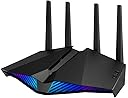
🎯 Dominate your digital domain with ASUS RT-AX82U — where speed meets style and security.
The ASUS RT-AX82U is a dual-band WiFi 6 router delivering ultra-fast 5400 Mbps speeds, optimized for gaming with a dedicated gaming port and Mobile Game Mode. It supports AiMesh for seamless network extension, features customizable Aura RGB lighting, and offers advanced, subscription-free security with AiProtection Pro and Instant Guard VPN. Compatible with all WiFi 6 devices and designed for easy setup, it provides stable, low-latency connections ideal for millennial professionals seeking high performance and stylish home networking.


| ASIN | B08CBC2WH2 |
| Antenna Location | Gaming and Streaming |
| Antenna Type | Fixed |
| Best Sellers Rank | 2,160 in Computers & Accessories ( See Top 100 in Computers & Accessories ) 18 in Routers |
| Box Contents | WiFi 6 router, RGB lighting effects |
| Brand | ASUS |
| Brand Name | ASUS |
| Colour | black |
| Compatible Devices | Laptop, Personal Computer, Smart Television, Smartphone, Tablet |
| Compatible devices | Laptop, Personal Computer, Smart Television, Smartphone, Tablet |
| Connectivity Protocol | Wi-Fi |
| Connectivity Range | 2000 Square Feet |
| Connectivity Technology | USB, Wi-Fi |
| Control Method | App |
| Coverage | 2000 square feet |
| Customer Reviews | 4.5 out of 5 stars 926 Reviews |
| Data Transfer Rate | 2.4 Gigabits Per Second |
| Frequency | 160 MHz |
| Frequency Band Class | Dual-Band |
| Frequency band class | Dual-Band |
| Has Internet Connectivity | Yes |
| Has Security Updates | Yes |
| Is Modem Compatible | Yes |
| Item Dimensions L x W x H | 27.6L x 16.5W x 18.4H centimetres |
| Item Type Name | Router |
| Item Weight | 740 Grams |
| LAN Port Bandwidth | 574 Mbps |
| Manufacturer | ASUS |
| Manufacturer Part Number | RT-AX82U |
| Maximum Upstream Data Transfer Rate | 2400 Megabits Per Second |
| Model Name | RT-AX82U |
| Model Number | RT-AX82U |
| Model name | RT-AX82U |
| Number of Antennas | 4 |
| Number of Ports | 6 |
| Operating System | ASUS Proprietary Operating System |
| Other Special Features of the Product | WiFi 6, Mobile Game Mode, ASUS Aura RGB lighting, ASUS AiMesh support, Commercial-grade home network security, ASUS AiProtection Pro |
| RAM Memory Installed | 512 MB |
| Router Firewall Security Level | Basic |
| Router Network Type | dual-band |
| Security Protocol | WPA3 |
| Special feature | WiFi 6, Mobile Game Mode, ASUS Aura RGB lighting, ASUS AiMesh support, Commercial-grade home network security, ASUS AiProtection Pro Special feature WiFi 6, Mobile Game Mode, ASUS Aura RGB lighting, ASUS AiMesh support, Commercial-grade home network security, ASUS AiProtection Pro See more |
| Unit Count | 1.0 count |
| Wi-Fi Generation | WiFi 6 |
| Wireless Compability | 802.11ax |
| Wireless communication standard | 802.11ax |
E**T
Over 18 months in to ownership and utterly faultless!!
If you are looking for lots of technical information about data transfer rates, networks diagnostics and all that stuff that will have most of us losing the will to live - read another review! :) This is a simple explanation on why this is a seriously good router and major upgrade over the stuff your provider (BT/Talk Talk/Plusnet etc) supplies. Before you start, make sure you know your account details. If you don't know, a (quick?) call to your provider or a bit of searching via google as many of these are generic. You will need to enter this in the setup. Secondly download the app to your phone. It is easily found on the Apple or Google play stores. Search Asus router or similar and you will find it - or use the QR code in the manual. To be honest the setup is as simple as that. Power down your current router, unplug and then just plug in the network cable to the connector marked WAN and power up the Asus router. Fire up the app on your phone, select the model of router - it is on the box - and follow the instructions. Congratulations to Asus on the most straightforward setup of a router I have ever done (and I have done a number over the years). You can turn off the silly RGB LED display if you so wish. I did and it just now sits there silently doing its job. There is so much more you can do, from setting timers on certain connections (say a kids phone/tablet) to deciding what devices get priority and so very much more. However, if you are unsure on it, just let it manage things automatically. One other thing, try turning OFF the 2.4ghz frequency and running just on the 5ghz. You should find you get much faster connection speeds and no loss of range. And that is coming from someone who lives in a 200+ year old cottage with solid walls more than a foot thick! If you have a more recent phone (S10 or newer) you should now get wifi6 connections which give a serious increase in download speeds! All in all, if there is a better combination of price, performance and ease of use, I have not seen it. If your current router is giving you issues or you don't think the wi-fi around the house is very good then you should be very happy with this. I will update over the coming months, but if it continues as it has in the first month then there won't be a lot to report. Highly recommended! Update 12th January 2022. No change to the above. Still working utterly flawlessly with rock solid connections both wired and wireless. I did say these updates may not have much to report! :) Update 7th March 2022. Well I am afraid there is still nothing to report! I did a firmware update which took all of a couple of minutes to complete and still everything works absolutely perfectly. Connections are totally stable and speeds (and coverage) remain far superior to the BT kit used previously. Update 2nd July 2022. Another firmware update applied sometime in June is the only thing to report. Oh and I had to switch the 2.4ghz band back on to allow an app to work (Govee lights). Still working absolutely perfectly and the speeds are rock solid along with the connection. Update 18th May 2023. I still cannot fault this router! A couple of firmware updates applied since the last update and absolutely zero issues with connection. Seriously, if there is a better router (ignore wifi 7, we are not there yet), certainly for the price, I am not aware of it! If you are a BT internet user you really should get this, it is a significant upgrade over the standard kit and is much more stable. Well do ASUS you have delivered a peach of a product! Thanks for getting to the end of the review, I hope you found it useful.
M**!
Excellent Router. Amazing Wired Performance and good Wireless Performance.
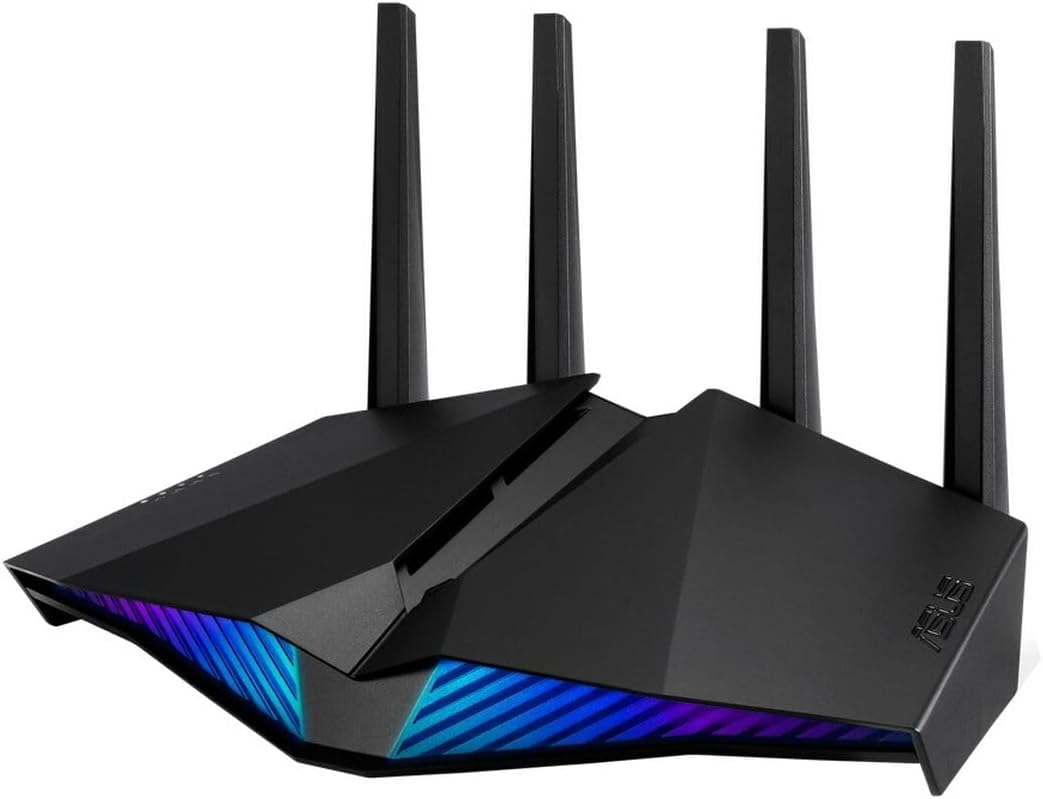
RT-AX82U AX5400 Dual Band WiFi 6 Gaming Router Router arrives boxed with a network cable to connect to a modem, a manual, and a power block. The aerials are fixed so nothing to do there. The power block is very small so I assume the router uses very little power. Oddly the power block is in several pieces and you have to add the correct plug unit for your country. There are two, one is the UK, I suppose the other is European. I have to say that the router is not particularly impressive to look at. It certainly does not look like the money it cost. I refrain from saying “cheap” but yeah, not expensive for sure! It's also ( well at least to me ) surprisingly small and light. But, in a darkened room and the LEDs on it looks amazing! Reminds me of the heads of the machines in War of the World. Creepy stuff! The user interface is good, and if you have had an Asus router before you will be 100% familiar with it. There really isn’t a lot of difference with this router and any other Asus except perhaps for the lack of WTF. A few things are missing, but a few things have been added too, so it's all good. There are tons of features. The router comes with a thick manual, but before you get excited like I did, it’s only two pages long but in hundreds and hundreds of different languages. It looks like an encyclopedia but it’s really not. Typical Asus,there is no documentation and it really leaves you wanting information. Enrolling on their global forum is a must. Setup is automatic. The moment you open a browser it asks you a series of questions. In passing, it works on both wired or wireless. Be ready with some passwords you want to use and any user names and passwords you might need for your ISP. When the router finishes it’s initial setup, write down the address of the router! I didn’t and later found out that it assigns a really unusual number and I couldn’t find the configuration web page again. If that happens you have to manually reset the router ( pin hole on the back - hold for two seconds ) and start again. The performance is very good indeed. You notice right from the start that the configuration pages from the router load in almost instantly. the wireless is not the strongest but it's good for it's price. Lets face it, if you are a gamer then you are using a wired port and the wireless is for not so serious stuff, like grandma's laptop. Wired, the performance is really good. Better than my old router which is the older AC88U. I guess it must come down to the chips inside. My old AC88U had a higher build quality and was a much more impressive machine, yet it's slower. I really, really like the addition of priority devices. That is an extremely welcome addition to the software. This basically allows you to specify anything that you use for playing games and priority will always be given to that device. Automatically the device plugged in to the “game” port gets that priority but you can delete that or add other devices as you wish. Love that! The only big downside to the router is that there no Merlin for it and there probably never will be because its the wrong chipset manufacturer for Merlin, but as yet I haven’t stumbled over any problems. The router runs surprisingly cool. My old AC88U used to get as hot as toast. Nearly a month since I bought it now and it hasn't made any mistakes. It just sits quietly in the corner of the room doing what it is supposed to be doing without error. Do I like it? Yes. I had some doubts about moving to a cheaper router but I have no regrets. It's fantastic value and the wired performance is amazing. It's not short on features and I definitely recommend it. When the router was first released it was fantastic value for money, but now in 2022 the price has risen so much it's difficult to say that it's fantastic value any more. It is a great router but it seems somewhat over-priced now.
J**S
Awesome feature packed gaming router with great coverage.
Before this I had purchased and used a Netgear Nighthawk WiFi 6 Mesh WiFi system, with one main downstairs and one satellite upstairs. The signal on that was great, no complaints or whatsoever. But the gaming experience was horrible, it would have random high pings every now and then. At first I thought it was caused my PCs WiFi card, so I tried many things including changing the drivers and such. Nothing had worked. It wasn't possible to test on my other devices because I can't play the same game on them. I lived with this for about 3 months using my 5g hotpot when I game, until one day it just decides to not detect Internet from my modem at all. Tried many things, reset many many times and gave up. Now I have to praise the Amazon service. I wasn't able to contact customer support for netgear as it was out of support warranty (not the same as product warranty and I never knew it was a thing). So I decided to message Amazon customer support. Like many cases they solved for me before, this one was no exception. They let me RETURN AND REFUNDED the whole amount even though it was used! Without any questions asked! Never had this level of customer service anywhere else. Anyways, getting out of topic here. This router however, has been awesome since I've bought it. It was very easy to setup and it has nearly the same signal coverage as the mesh system which says a lot. Turns out I don't need a mesh but rather one router that works well with great coverage. Not only was the coverage great, it is packed with features compared to netgear one. With things like VPN, open port gaming, prenatal control and many many more, all stock firmware and easily accessible. Even the app is very handy and easy to use, at least for me. It really does take gaming seriously with what it has to offer. Whether you game on desktop or mobile it has you covered. The ping issue has never happened again and it felt as if the ping was even reduced a little (maybe just me haha). Overall it's a great buy if you want one for gaming or even just everyday use. My house isn't that huge but it has 2 floors, 4 bedrooms with kitchen being extended to the garden. Not sure of the exact measurement as it's my parents house but I guess it fits in as a small to medium size.
D**3
Much better than the Orbi replaced
Have been a netgear user for years - had Orbis and get increasingly annoyed with the drop outs, super long reboot times and resynchs, not to mention the complex and unreliable satellite setup. Switched to 2x of these, plus the DSL version to give VDSL and have been super impressed. Easy to set up but also have complex additional information and settings if you need them. The AIMesh system is SUPER easy to set up - really is. Just turn on the new one, choose ‘find’ on an existing and it does all the rest for you - super quick, super easy and super stable. System reboots quickly when needed, but is a rarely needed. Excellent range on the WIFI too and no problems with using mixed Wifi. The WIFI backhaul is fast though using Ethernet backhaul is supported (read instructions though on how to properly set it up - wifi first, then ethernet). Runs cool and completely silent. Really happy with this - so much easier, more reliable and better than what it replaced. Niggles? Only seem able to set the colours on a single member of the mesh - the others use defaults and offer only on or off - no idea why. Really minor stuff!
D**L
Much better than your ISP router if you have gigabit
My wired speeds are the same as before as to be expected but my wireless speeds have drastically improved to around 800mbps on Wi-Fi 6 devices with up to 900mbps in the same room as the router, my ISP provided router would barely crack 400mbps on a good day. You will need to enable 160MHz if you want to improve the speed of Wi-Fi 5 devices (it took me way too long to figure this out but I went from 300mbps to around 600mbps once enabled). The wifi strength has significantly improved as well with whole home coverage and only a slight drop in speeds. The router itself looks great, like an alien ship, however it loses some points as I had a problem with it picking up my wired switches on the first set up but a reset fixed that and if set up through the app it wants you to enable remote access without really explaining what that is or why you wouldn't want to do it.
P**R
Rock Solid Wi-Fi Router
It is well made, looks good (though I have mine in a cupboard under the stairs), and has an absolute shedload of features. Highlights for me would be Bandwidth monitor (with graphs for live usage), Traffic Analyzer (see how many GB of data your kids are using!), flexible DHCP configuration, and the ability to be a VPN server AND VPN client. There is also a very competent mobile app which allows you to monitor usage and even invoke the parental control features. I don't use the wireless much - most of my house is wired and has a separate mesh wi-fi network (which, by the way, worked absolutely fine with the Asus router), but I did a little testing of the wi-fi and also setup a guest network. It all worked fine - good range and it maintained the connection when moving around the house. Unfortunately, the router is located in a terrible location to provide full house coverage - and so it didn't, but it would be asking too much of it! Finally, general performance is good - the ping improved to the internet (35ms down to 20ms) compared to my previous router (an old, but very reliable TP-Link unit). If gaming or streaming is important, then there are QOS features to allow you to prioritise traffic to specific devices on the network (e.g. games console or PC). It could seem quite complicated to set up, but there is plenty of on screen help and the documentation is pretty clear. Maybe not a router for the complete beginner, but an excellent bit of kit otherwise. (oh yes - and you can change the colours on the front of it! Not important, but fun!)
T**W
Wonderful WiFi 6 router, and cool RGB, for the price!
Bought at an incredible Amazon Prime deal, this was the most powerful WiFi 6 router ever value wise with features galore! Replaces my older workhorse (and itself a beast at its time) RT-N66u Dark Knight edition, the new RT-AX82U is far superior with massive coverage at full-bandwidth 4x4 MIMO 5GHz speeds, and is very simple to interface with and connect too. Though you can have higher performance (and without the fancy RGB) from other Asus routers, unless you have multiple older WiFi devices that require high-speed 2.4GHz connections, this RT-AX82U at 5GHz is simply incredible. Even at 2x2 MIMO 2.4GHz speeds this router is great regardless and sufficient for my family's usage. For the 5GHz devices (such as 2x Samsung Galaxy S21 Ultra's), the router is PHENOMENAL! Robust, fast, good web-based settings menu and equally good (Android or iOS) app, plus extras! Enjoy having dedicated gaming gigabit Ethernet port for my Sony PlayStation 5, and though I'd have liked more dedicated ports for other or future consoles, I like how the router can detect other wireless gaming consoles and optimise for them. Haven't used the dedicated mobile game features but it's a nice addition. If you are able to get this router officially from Amazon (or elsewhere) at a good deal, it's a steal! I'd recommend the other more expensive Asus routers ONLY if you require multiple 2.4GHz and 5GHz device connections at full speed (4x4 MIMO), however those routers are overkill. This router, the RT-AX82U, is well-versed for older and newer tech without breaking the bank. BRILLIANT!
A**R
If you have a Virgin Media Hub, this is for you!
I was having tonnes of issues with the Virgin Media Hub 2.0. I contacted VM and they upgraded it to a Hub 3.0 but the same issues were occurring. Intermittent connection drops, dead spots less that 4m from the router, poor wifi speeds. So, I decided it was time to deal with the real issue, the VM Hub is a terrible wifi router. After putting the VM Hub into modem mode, this router was easy to install. The web OS for the router is simple and intuitive and offers a wide range of customisation options. My wifi coverage is now consistent around the house and the speeds are more than double that obtainable through the VM Hub wifi (230Mbps which is my max connection speed). Wifi 6 works well with enabled devices and the 5Ghz channel is widely available (as is the 2.4Ghz). The only thing I could criticise it for is that the styling isn't exactly to my taste but it's tucked away out of sight anyway.
T**.
Potente y estable.
Buen producto, potente, ahora va todo genial. Recomendable.
S**K
Great router. Not too expensive. But powerful enough.
The router is not too expensive. But powerful enough. Great features too. For basic and advanced.
F**R
Sehr gute reichweite
Die instalatzion war einwenig komplizirt. Ich verwende den ruter als verstärker und antenne für meine fritzbox und nun ist die reichweite echt sehr super der ruter sret an meinem fenster und reicht c.a 10-20m von der signalstärke ist sehr gut 👍
Y**R
ممتاز
سريع جدا اخوي شابك عليه واي فاي سوني ٤ ويلعب بدون اي لاق وسريع جدا في التحميل وزود على ذلك شابك عليه راوتر مقوي
A**V
Reliable
Got a good deal at Amazon, reasonable delivery time. Easily connected as node, make sure to keep it next to router for initial pairing.
Trustpilot
4 days ago
2 weeks ago