Buy anything from 5,000+ international stores. One checkout price. No surprise fees. Join 2M+ shoppers on Desertcart.
Desertcart purchases this item on your behalf and handles shipping, customs, and support to Senegal.
🚀 Print smarter, faster, wire-free — because your labels deserve the VIP treatment!
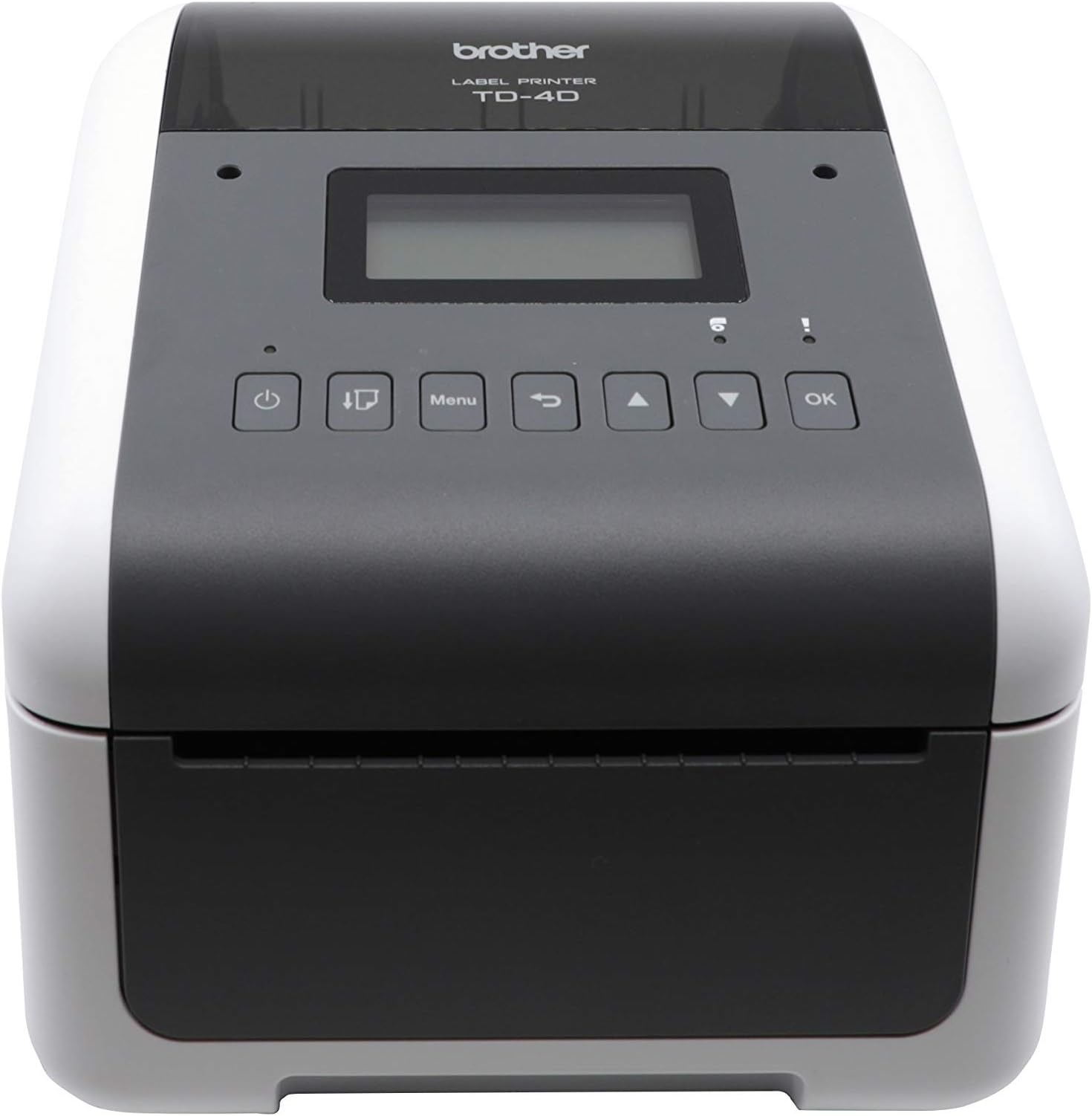
The Brother TD-4550DNWB is a versatile 4-inch thermal desktop printer designed for professional labeling, barcode, receipt, and tag printing. Featuring a fast 6 IPS print speed and sharp 300 dpi resolution, it supports multiple connectivity options including USB, Ethernet, Wi-Fi, and Bluetooth. Its wireless capabilities reduce cable clutter, while compatibility with a wide range of label types and optional accessories like peelers and cutters make it ideal for dynamic business environments. Supported by a 2-year premium warranty, this printer delivers reliable, high-quality output tailored for modern office and warehouse workflows.


| ASIN | B082XVV978 |
| Additional Printer Functions | Print Only |
| Best Sellers Rank | #92,436 in Office Products ( See Top 100 in Office Products ) #208 in Desktop Label Printers |
| Brand | Brother |
| Built-In Media | AC Adapter, Power Cable, Printed Guides, TD-4550DNWB Printer, USB Cable |
| Color | White |
| Color Depth | 1 bits_per_pixel |
| Compatible Cartridge | Brother label cartridges for TD-4550DNWB model |
| Compatible Devices | Laptops, PC, Smartphones, Tablets |
| Connectivity Technology | Bluetooth, Networkable , USB |
| Control Method | App |
| Controller Type | Android |
| Customer Reviews | 4.3 out of 5 stars 67 Reviews |
| Display Type | LCD |
| Dual-sided printing | Yes |
| Duplex | Automatic, Manual |
| Hardware Interface | Ethernet, Serial Interface, USB 2.0 |
| Ink Color | White |
| Item Dimensions D x W x H | 8.82"D x 7.08"W x 6.1"H |
| Item Type Name | Direct Thermal Printer |
| Manufacturer | Brother Industries, Ltd |
| Maximum Copy Resolution Black and White | 300 dpi |
| Maximum Copy Speed Black and White | 6 Pages per second |
| Maximum Media Size | 4" Wide |
| Maximum Print Resolution Black and White | 300 x 300 Dots Per Inch |
| Maximum Sheet Capacity | 1 |
| Maximum print Resolution Color | 300x300 dpi |
| Model Name | TD4550DNWB |
| Model Number | TD-4550DNWB |
| Model Series | TD4550 |
| Number of Ethernet Ports | 1 |
| Number of Trays | 1 |
| Other Special Features of the Product | Auto-Duplex, CD-Printing, Portable |
| Output sheet capacity | 1 |
| Paper Size | 4 |
| Print media | Labels |
| Printer Connectivity Type | Bluetooth, Networkable, USB |
| Printer Output Type | Monochrome |
| Printer Type | Thermal |
| Printing Technology | Thermal |
| Processor Count | 1 |
| Resolution | 300 x 300 |
| Scanner Type | Bar Code, Photo, Receipt |
| Series Number | 4550 |
| Special Feature | Auto-Duplex , CD-Printing , Portable |
| Specific Uses For Product | Office/business use, shipping, inventory management, barcode labeling |
| Total USB 2.0 Ports | 1 |
| Total Usb Ports | 1 |
| UPC | 012502655053 |
| Unit Count | 1.0 Count |
| Warranty Description | 2 Year |
| Warranty Type | limited warranty |
| Wattage | 120 watts |
M**Y
The Best Label Printer Around!
This labeled printer works fast and instantly I never have to fuss with it like I do with many other printers. Highly recommend this thing easy to use. Works over Wi-Fi. Good value for the price. Compatible with my MacBook.
T**R
Any Thermal Labels, 300 DPI, Airprint for iOS =)
This is an amazing desktop thermal printer. For iOS devices this is pretty much the best you can get. It uses non-proprietary labels and is a 300dpi printer. The only thing I found that I dislike about the printer is that it won't print wirelessly from Android devices because of a support issue. Hopefully Brother will fix this in an android app update. The QL1110NWB works with android and ios but it uses proprietary labels, this one doesnt use proprietary labels but wont work with android as of Feb 2021. Hopefully Brother will read the reviews and get some app engineers on this. Still a 5 star printer.
A**L
Okay at First
Bought this printer at quite the premium, but we wanted to make an investment in a label printer that would support our business for years to come. In particular, the peeler functionality and wireless capabilities were extremely important to us. Well, both of those features are great, but there are a variety of issue. For the wireless, we typically send anywhere from 5-50 labels at a time to be printed, and this works well for a bit, but we often end up with "receiving errors" which means that we then have to go back, clear the print job, and print a new batch of labels where the printer left off. This alone is such a headache that we mostly just end up using our cheap Rollo (which prints better, anyhow.) Within the first few months, our print head also developed a dead line. This isn't a big deal for some shipping providers like USPS, but our UPS labels became unusable (UPS couldn't scan them.) So, I reached out to their warranty department who was willing to help, but you have to take the entire printer out of commission and send it in for service which can take a few weeks. I finally decided I'd just buy a replacement print head out of pocket, but they're anywhere from $200-$300 (almost the full cost of the printer.) So, lesson learned. I'll stick with a name that's better known for thermal labels going forward. Brother still has a lot of work to do to prove themselves out in this market.
I**Z
Difficult to set up but great printer once set up
It has a steep learning curve but once you set it up properly it has become almost as reliable as my Zebra ZD621 which is normally a more expensive brand. The printer takes everything literally so if you don't have your PC software calibrated properly it won't print exactly like you want it. The Brother QL-1100 caters more to beginners so I recommend going with that one if you don't want to worry about technicalities as much. The downside is that it's harder to find compatible labels for the QL-1100 and they are more expensive. But the Brother TD-4550DNWB will take basically any label with or without a roll.
K**Z
Good Reliable Printer with Bluetooth and Wi-Fi
300 DPI Resolution the labels comes out superb! I haven’t been able to test it with the iOS with Bluetooth, I don’t know what is the App for it.
D**T
The best thermal printer on the market
Zebra printer was a pain it was wasting labels, i bought this brother one and problem solved, simple installation, no cables, i use bluetooth, installed the auto cutter wich is sold separately.
T**D
Solid machine, Highly recommend.
Prior to this machine I purchased another cheaper brand in the $200 range. It was very buggy. This machine will connect nearly any way possible, even making printing from your smart phone an option. It is very versatile. Only thing that has been a minor inconvenience, very minor, is that the WiFi connection will not automatically connect after a power outage. Not a big deal, just something one needs to be aware of. I use it on wireless only so I would assume a wired connection would not be an issue.
R**L
Good build quality, fast printing, but the print quality isn't great
I'm a fan of Brother printers, but this one didn't live up to expectations. The build quality is great, and it prints really fast, but I couldn't find any settings that would make the print quality acceptable given the price. Cheaper printers beat it handily on print quality. This Brother printer had specks of black in the white areas, and specks of white in the black areas of prints. I ended up returning it, and sticking with a cheaper Rollo printer.
Trustpilot
1 week ago
2 days ago