Buy anything from 5,000+ international stores. One checkout price. No surprise fees. Join 2M+ shoppers on Desertcart.
Desertcart purchases this item on your behalf and handles shipping, customs, and support to Senegal.
📡 Stream Big, Live Large: Your Screen’s New Best Friend
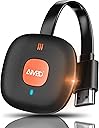
The AT-Mizhi Wireless HDMI Display Adapter delivers 4K HDR video and high-quality audio streaming from smartphones, tablets, and laptops to HDTVs, monitors, and projectors. Supporting Miracast, DLNA, and Airplay protocols, it offers broad device compatibility and a stable 10-meter wireless range on 2.4G WiFi. With plug-and-play simplicity and no need for additional apps or drivers, it’s the perfect tool for seamless screen mirroring in business, entertainment, and education.


| ASIN | B086JYHY6M |
| Best Sellers Rank | 3,757 in Electronics & Photo ( See Top 100 in Electronics & Photo ) 44 in Streaming Clients |
| Box Contents | 1x Dongle, 1x Instruction Manual, 1x USB Cable with Antenna |
| Brand | AT-Mizhi |
| Brand Name | AT-Mizhi |
| Colour | Orange |
| Compatible Devices | Monitor, Projector, Smartphone, Tablet, Television |
| Connectivity technology | HDMI , Wi-Fi |
| Connector Type | HDMI |
| Connector type | HDMI |
| Controller Type | Button Control |
| Country of Origin | China |
| Customer Reviews | 3.5 out of 5 stars 3,642 Reviews |
| Form Factor | TV Stick |
| Item Dimensions L x W x H | 10L x 9W x 6H centimetres |
| Item Weight | 0.01 Kilograms |
| Manufacturer | AT-Mizhi |
| Manufacturer Part Number | AT-G18-01 |
| Memory Storage Capacity | 100 GB |
| Model Name | Adattatore per display HDMI wireless 4K |
| Model Number | wireless |
| Network Connectivity Technology | HDMI, Wi-Fi |
| Other Special Features of the Product | Airplay, Browser, DLNA, HDMI Dongle, Miracast |
| Product Warranty | 2 Year Manufacturer |
| Resolution | 4k |
| Smart Home Compatibility | Not Smart Home Compatible |
| Special feature | Airplay, Browser, DLNA, HDMI Dongle, Miracast |
| Supported Internet Services | Netflix, Prime Video, HBO, YouTube, Hulu |
| Supported Internet services | Netflix, Prime Video, HBO, YouTube, Hulu |
| UPC | 743815842983 |
| Unit Count | 1.0 count |
| Video Codec | H.264" or "VP9 |
| Video Output Resolution | 3840x2160 |
A**S
Easy to use.
Great bit of kit, easy to set up, easy to use. Which is great would recommend.
E**Y
Avoid.
Unit uses a very short combined power/wifi antenna cable - which is fine if there's a USB port within 6 inches of the HDMI port, not so great if you want to power it from an external PSU. Need a USB-A male to female extension lead in that case. Initial setup was OK; attached to my network in the usual fashion (device behaves as an AP, connect, configure, switch back to normal network). However... Despite repeated attempts with several different Android devices (all up-to-date), the device connected once only and displayed nothing. Connecting from Windows sort-of worked, but gave a corrupted desktop that was unusable (although the cursor moved). Tried several device resets and reconfiguring to check, nothing changed in its behaviour. Might have been a faulty unit, or it may be that it's too cheap to be reliable. Either way, it's very slow to respond in operation (and all I really wanted it for was attaching to a projector for static images).
R**S
Not great, not bad. 7/10 quality
Bought this with the intention of watching movies from laptop > tv without the need for a long cable. It works in that sense - easy setup, plug in and play basically (used on a Mac, seems simple for iOS too). I’d give it a 7/10 for quality; 1080p downloaded movie on laptop > tv feels like watching a poor quality stream. It lags, isn’t HD, and audio can be sketchy. But it’s decent for casual browsing; cartoons and anime etc works well. It mirrors the screen and also can be used to extend screens. For the price it’s decent enough
S**9
Simple Easy to use streaming Device
I wanted a device that could show my phone to the living room TV. This does exactly that. Would I recommend. Yes. Connect with IPhone. Laptop and NAS to 5 year old Sony TV without much issue. I used an IPhone 8 and cast my phone to the screen to show family videos / photos from Christmas. It was so simple to use. Plugged the device to an external USB PSU (which is not included) I used my iPad charger as it was close to hand. Upon power up on the HDMI input I was presented the screen shot shown. Using the phone I pointed the camera at the QR code and it guided me to download the application and with in a minute or 2 I was casting my phone to the screen. I tested with a Dell laptop and this also worked without any problems. I connected the laptop via the URL which was present on the screen. Only one device can Case at a time obviously but it shows in the top right hand corner how many devices are currently connected. I also have a home NAS, I connected the device to the home network, the device shows when the connection is made in the top right of the screen. I streamed from my NAS to the device again with no problem. I have not streamed 4K video but I have streamed HD and SD. I managed to cast youtube from my phone for some educational videos which was perfect. Issues - I found that if a device is connected via the URL for changing the settings and you don’t log this device off other devices will fail to connect. It doesn’t inform you that a user is already connected it just says failed to connect/cannot connect. This makes you think the device is not working but it is working fine, the error message is misleading. I found some video streamed from the phone was jerky in motion, I could not establish why this was the case, items streamed from the NAS was perfect so I can only assume it was an issue Possibly with the TV refresh rate for that particular video clip.
M**S
Unclear instructions!
The first thing to say is YOU MUST download the manual in pdf form as the minisule-sized manual is so small it's not tue. The font is one (yes 1) millimetre and even with a photo on my phone then enlarged is the size my optician despises, useless really as a guide. I also found the instructions provided a little lax in what they provide. I retired four years ago & could be said to be a little old to do this and it's an argument that has some truth but as someone who was here when Windows '95 launched and has two sets of IT certification, it would be impossible for a newbie to follow them. The video on the Amazon page is clearer but even then does not provide all the correct info needed to get this working straight out of the packet. I've used 5.25 inch & 3.5 inch floppy disks prior to mobile HDD & SDD drives not to mention software by the score and a manual should be complete and not omit certain important issues. as well as being legible.
J**N
Connects without a wifi router to upgrade an older tv
So we had a 20 year old tv with hdmi input but long before screen mirroring in cabin at the bottom of the garden far away from any house wifi signal. At first i thought this might not connect, actually it was fine. Just plug into a spare hdmi port, select that port in your tv settings then in my case, in my iphone choose the wifi signal from this device in settings , then choose mirror screen from the top right main screen swipe down menu and the same wifi signal should come up for you to select. The picture quality is like regular mirroring systems, the sound output level is low compared to many other input sources, say a dvd or sky dongle. We use it so anyone with a smart phone can share their screen, works fine if the phone is the source, say for karaoke or youtube playback or Spotify.
R**M
Utter USELESS!!!
Trust me, i'm not someone who gives up that easily especially when it comes to gizmo!! However, this one is a pain simple as that!! Initially i bought this one in particular for my iPhone so i can finally have access to "Mirror Screening" which is a must for the kids to enjoy all their pics on the big screen but sadly no joy whatsoever with this crappy thing!! Besides for those who are unaware whenever connected to your phone your usual wifi broadband connection will be disconnected while using so therefore your mobile data will be in use automatically to get your phone going email, safari, imessage and so forth unless you set it not to!!! And for those who think they can watch Youtube, Netflix, Amazon, or simply Web surfing but guess what?! Like mentioned above your mobile data will be in use + your broadband is going to be connected to the dongle itself at the same time, no brainer really!!! Unless you want it just to mirror your phone on the big screen for couple of minutes or so as you can't leave it on for ever otherwise no internet connection since every single time you have to go on Setting.. Wifi.. look for the Dongle then wait for connection!! Truly painful to be honest thus i sent it back the very next day!! Believe it or not i gave it the benefit of doubt, even during the night i gave it another chance but it was clearly a losing battle for me due to the connection take ages either on the Phone or through the App besides my Samsung TV for some reason couldn't connect with the dongle adapter on its own through the network which is certainly another minus for sure!! The youtube access and other services on the app is utter rubbish to me, just being honest!! By the way, the way i see it is that if you want to just mirror your phone and sit down enjoy some photos with loved ones (no internet while using unless data is ON) then probably you might give it a go otherwise pretty much useless really, mind you the "Picture Quality" is so so appalling as well, let alone 4K not even the usual High Definition by any means!!! In the end i went for the "Google Chromecast" and my Gawd what a relief, connected in no time, always on without interfering with my broadband connection, just 1 click that's all what it takes every time you want to connect with your TV simple as that ;) Only down side is there is no mirror screen on it but i've got BT cloud for pictures so. Basically every app which allows you casting you're good to go. Yep another disappointment on the google chromecast is and it's a big one, the picture quality is really bad a bit out of focus from my BT cloud apart from that the youtube, netflix, amazon.. is okayish, just want to make that clear so you know what you are really getting into!!
P**K
Does not SUPORT Chromecast or DLNA - No Extended Mode - Basic cast screen only
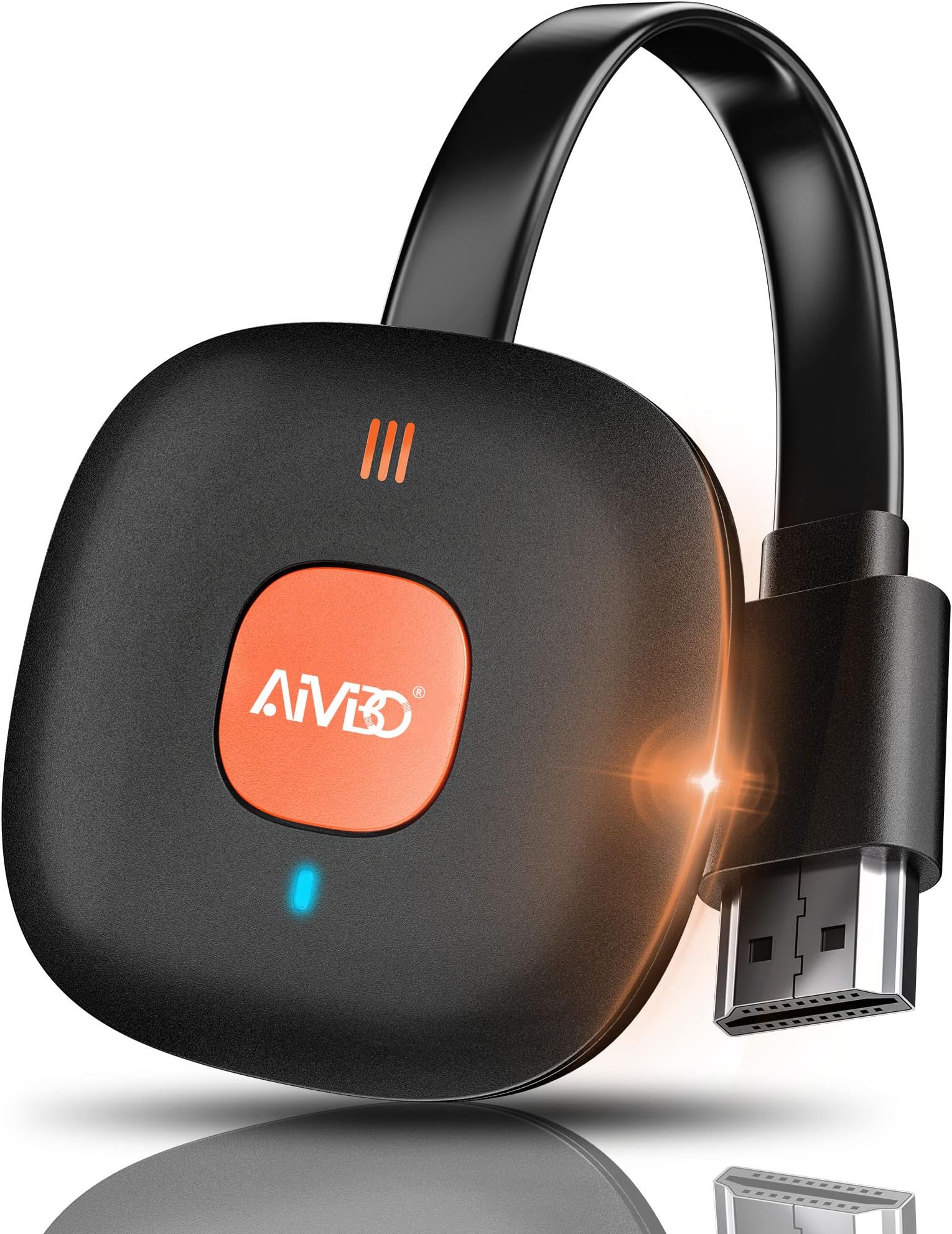
Review for the Wireless HDMI Display Adapter, product is a black square with orange logo. The adapter connects to wifi fine and was easy to do. It does cast your phone screen. The ONLY way to cast (on Android) is to go into phone settings and cast your screen. You see your phone screen on the TV but it doesn't fill your TV screen up. You can (in limited apps, inc youtube) set it to show full screen on the TV, I presume this is what they refer to as "extended mode". In extended mode, you can't leave the video on your phone a do other things as they say, the TV screen just goes back to non-extended mode and displays whatever you now have on your phone. It isn't Chromecast, you can't see the adapter from within any chromecast apps unless you've first connected from your phone settings and are casting already. It doesn't do DLNA, the adapter can't see DLNA servers With chromecast, you cast from the app and the stream then directly displays on the TV screen through the adapter. You can then carry on with life on your phone and the stream just continues on the TV. With this, you always get what's on your phone screen, it casts VIA your phone at all times.
H**.
Kullanışlı değil
Sunum amaçlı, projeksiyon cihazı ile bilgisayar bağlantısı için aldım. Ancak, sürekli kesinti oluyor. Tekrar bağlantı kurmak gerekiyor. Kullanışlı değil.
A**S
Not terrible, but not good either.
Not good enough for casting tv from laptop to tv. If you try to watch for example to watch a rugby match you are reminded of watching tv in the early 80s. The picture quality decreases at times. It also seems that 10-15 minutes of continuous action is too much for it too handle, but if you pause the playback it seems to recover. All in all, not terrible, but nowhere near as good as direct cable connection.
H**H
Überrascht
Ich war anfangs skeptisch gewesen ob das Produkt wirklich das hergibt was man möchte, aber ich wurde einem besseren belehrt. Ich nutzes es für meinen beamer um Filme vom Handy aus abzuspielen. Die Qualität ist spitze und das Abspielen ohne Verzögerung. Einrichten ist kinderleicht. Preis-Leistung ist der Wahnsinn. Kann ich nur emphelen
L**I
Funziona!!
Se cercate un metodo veloce per mirroring da iPhone a tv funziona perfettamente! L’accoppiamento è un filo macchinoso ma seguendo le istruzioni e facile. Funziona al primo colpo e fa il suo lavoro, ottimo rapporto qualità/prezzo. La consiglio
R**T
Excelent produit
Excelent produit
Trustpilot
1 week ago
1 month ago