Desertcart purchases this item on your behalf and handles shipping, customs, and support to Senegal.
๐ Elevate your desk game with Ankerโs powerhouse docking station!
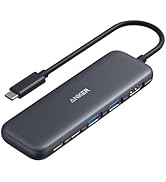
The Anker 8-in-1 USB-C Laptop Docking Station delivers dual 4K HDMI outputs, 85W power delivery charging, and 1Gbps Ethernet connectivity in a sleek aluminum chassis. Compatible with USB-C, USB4, and Thunderbolt laptops, it expands your workspace with multiple ports including USB-A and SD card readers. Perfect for professionals seeking a streamlined, high-performance hub to boost productivity and connectivity.


| Additional Features | HDMIโข๏ธ, Powered |
| Asin | B0874M3KW4 |
| Best Sellers Rank | #14 in Computers & Accessories (See Top 100 in Computers & Accessories) #2 in Laptop Docking Stations |
| Brand | Anker |
| Color | Gray |
| Compatible Devices | Full Functional USB C Lenovo/HP/Dell laptops, Macbook/iMac (For macOS, the displays on the both external monitors are identical) |
| Customer Reviews | 4.3 4.3 out of 5 stars (6,655) 4.3 out of 5 stars |
| Data Transfer Rate | 5120 megabytes_per_second |
| Enclosure Material | Aluminum |
| Hardware Interface | Ethernet, HDMI, MicroSD, USB 3.0 |
| Item Dimensions L X W X H | 4.65"L x 2.01"W x 0.69"H |
| Item Weight | 3.2 ounces |
| Manufacturer | Anker |
| Mfr Part Number | A83800A1 |
| Minimum Required Operating System Version | Windows 10 |
| Model Number | A83800A1 |
| Number Of Items | 1 |
| Number Of Ports | 8 |
| Operating System | Windows 10 |
| Total Usb Ports | 3 |
| Unit Count | 1 Count |
| Upc | 194644032081 |
| Warranty Description | 18 months |
User
Great All-in-One Hub, With Few Limits
This is a solid USB-C hub if you need to expand your laptopโs ports. It covers all the basicsโdual HDMI, USB ports, Ethernet, and SD card slotsโall in a compact design. Setup is plug-and-play, and itโs been reliable for everyday use. ๏ฟผThe dual monitor support is a big plus, but keep in mind on Mac, both screens will mirror instead of extend. ๏ฟผDownsides: it can get a little warm with heavy use, and youโll need your own power adapter to get full charging performance.Bottom line: Great value and functionality for most usersโjust know the limitations depending on your device.
User
Works great
Switched jobs had to send back docking port previous company provided couldnt get all three of my monitors to talk or work right went on youtube the man in video said he used anker but it was an older model went on Amazon found this one works perfectly 5 stars. Im using a work Dell pro laptop and using two monitors so now I have three different images one on the laptop one on my left monitor and one on my right at first I wasn't going to use the ethernet port on anker was going to keep it directly connected to the laptop but without doing so i notice a glitch very minor glitch on my right mointor but immediately after i connected the internet ethernet cable into the port that stopped and still fast quick and seamless. Came fast within 8hrs of ordering it. Took it straight out the box plugged it into the laptop connected the two hdmi cables went to windows to display detected the 3 monitors set it in the direction i want things to go and went right back to making money!
User
Reliable Dual-Monitor Hub That Adds Useful Ports Without Extra Bulk
Anker PowerExpand 8-in-1 USB-C PD Media Hub Dock is a very practical docking option if you want dual-monitor support without moving to a full desktop dock. The dual HDMI outputs make multi-screen setups easy, the extra USB ports handle everyday accessories well, and pass-through charging helps keep a laptop powered through a single connection. It is compact enough for travel but still feels sturdy for daily desk use. One important advantage is that setup is usually straightforward, though Mac users should know dual external displays may mirror instead of extend because of macOS limitations. Overall it offers strong value for productivity, home office use, and clean cable management.
User
Could use a longer USB-C cable.
I use this with my Surface Pro and all works well. You need an external power source for all the ports to really get used at full. Gets a little bit hot when you are in the middle of power using it.The only thing i find uncomfortable is that it could use a longer cable. When all the ports are being used it gets clunky with the short USB-C cable.
User
Really solid docking station
Iโve been using this Anker 8-in-1 docking station for a little while now, and honestly, itโs been a great upgrade for my setup. The dual HDMI ports work perfectly with my two monitors, and both displays look sharp in 4K. Plug-and-play was super easy โ my laptop recognized everything right away.The hub itself feels sturdy and well-made, and it doesnโt take up much space on my desk. I also like that it has all the essential ports I need, so Iโm not constantly unplugging and replugging things.My only small complaints are that it gets a bit warm when Iโm running both monitors for a long time, and I wish the USB ports were spaced out a little more. Not huge issues, but worth mentioning.Overall, if you want a simple, reliable docking station for dual monitors, this one is a great choice. Iโm happy with it and would definitely recommend it.
User
Works great for my wife who works from home half of the week
My wife and I both work remote half the week and in office half the week. She is provided one dock for laptop and she keeps that one at work. When she is at home, she needed a way to connect her laptop to the dual monitors in her home office without having to lug around the dock back and forth from work... since the concept of a dock is to leave it on the desk and take the laptop. I got her this one because she needed a cheap dock alternative. This connects to the laptop via USBC connection, and has 2 HDMI outputs for monitors and 2 USB ports for mouse and keyboard. What is especially nice about this one is that it allows her to use both attached monitors as individual extensions of her desktop (windows based laptop). Many other monitor splitters will only duplicate the additional displays, this one (because it connects via USBC) can handle the monitors all individually. It works great, and needs no additional power, it gets power from the USBC plug. If your laptop only has 1 USBC port and needs that one to charge the laptop, you will have an issue, but if you have 2 USBC ports and one is for charging and the other for this adapter, you are good to go. If you have a proprietary charging port and a single USBC plug, then you are good to go because the laptop is not charging from the USBC port.This was worth the purchase, and I have used a lot of Anker products both at home and at work. It worked instantly and didn't require any extra setup.If you have never used multiple displays, you may have to right click on your desktop, choose Display Settings, and arrange the displays to be in the correct alignment so when you drag from one to the other you are going to the right monitor. If you click "Identify", the monitors will display what Number the computer has labeled them, and you can tell the laptop what order that you have them on your physical desk by dragging the labeled display on screen to the right spot. You can rearrange them how you like, you can even offset the laptop if it sets lower on the desk than your monitors so that the drag to the other monitors actually flows realistically.
User
Docking station with many types of ports
This docking station can accommodate many types of cords/ chargers. Worked easily for my two different types of monitors, web camera, keyboard, etc.
User
Lasted Two years with Moderate Use.
Alright. It's been exactly 2 years since I bought this and it's only now giving me issues. It's doing something odd; the laptop computer turns off while the rest of the monitors are working fine. Overall, I think it was a good purchase. I used several days a week, so it hasn't been used full time like others may have, so expect the lifetime to be a year and a half. I would still buy another one.
User
Nice
As per description
User
Worth the price and so far it's great.
So far very pleased with this device. It's only been a few months but it seems to have done the job of properly linking my computer and 2 HDMI connected 24 inch monitors. My printer is also connected through this so I just plug in the USB c to my laptop and I'm good to go.One thing I like a lot so far is that it doesn't get warm at all like a few I had before. It remains quite cool to the touch. It seems to be shake proof too, in that I can jostle it around by accident and my connections don't flinch or flicker.
User
Indispensable product for seamless work experience
So far, it's been a great product. It's practical, works out of the box and just makes sense to have.
User
Very compact, well built & functional (for now)
This is my replacement hub for the Lention that stopped working after 18 months. I had rated that product 5 Star and it was truly great product till one day it decided not to deliver power from the PD port to laptop. Without power supply passing through, it was useless and I scrapped it. Then started my search for a new hub - the biggest challenge though how to identify one that combines good build quality and functionality with longevity. So, I decided to go with known non-chinese brands and Anker came top on the list. So far, the hub is working like a charm, just like Lention. I am hoping that this will last for at least 3 years to justify the price premium. One small gripe is that the USC C cable attached to the hub is too short (15 Cms, I guess). I keep my laptop in a vertical position with lid closed on a stand and work on the monitor. The USB C port on my laptop is on the upper end of the laptop and when I connect the hub, the hub keeps dangling awkwardly. Had to go with 0.5 M extension cable! I will update this review if this fails in less than 3 years!
User
Anker. Always a good pick. Reliable quality
As usual with Anker, this is a high quality product that just does what it promises. Recommend
Trustpilot
5 days ago
2 weeks ago