Desertcart purchases this item on your behalf and handles shipping, customs, and support to Senegal.
👁️🗨️ Stay ahead of the moment with AI-powered 1080p security!
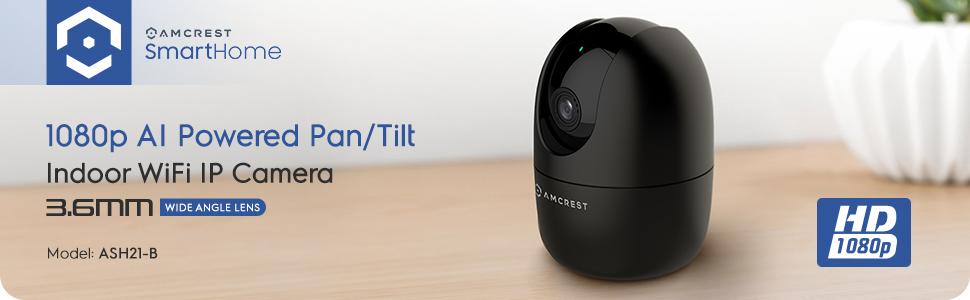
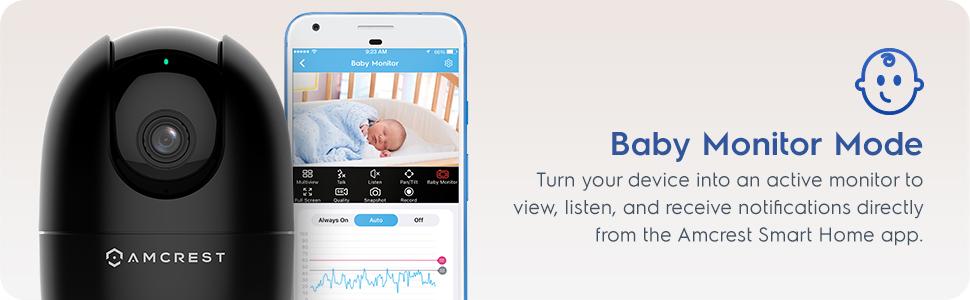
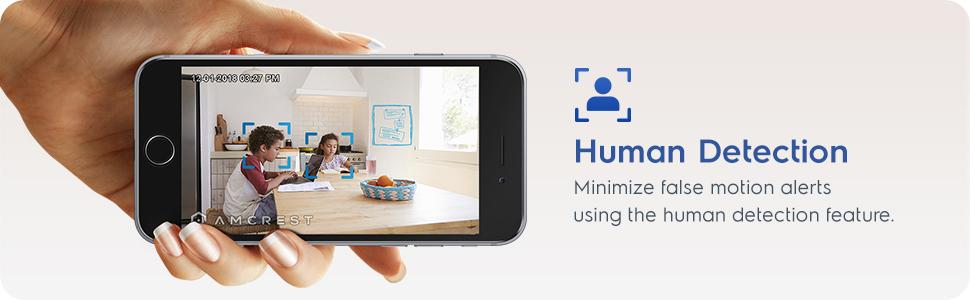
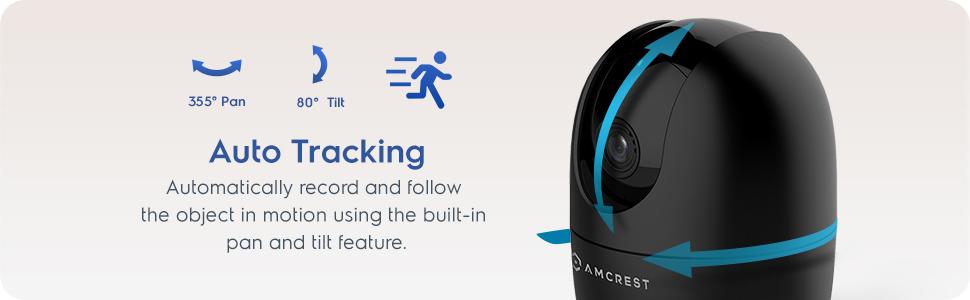
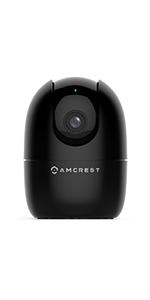
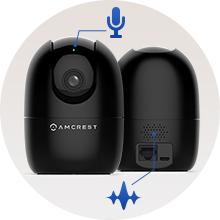
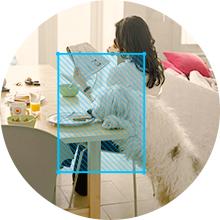
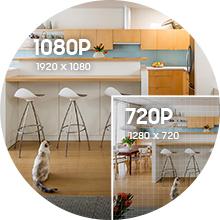
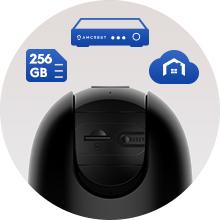
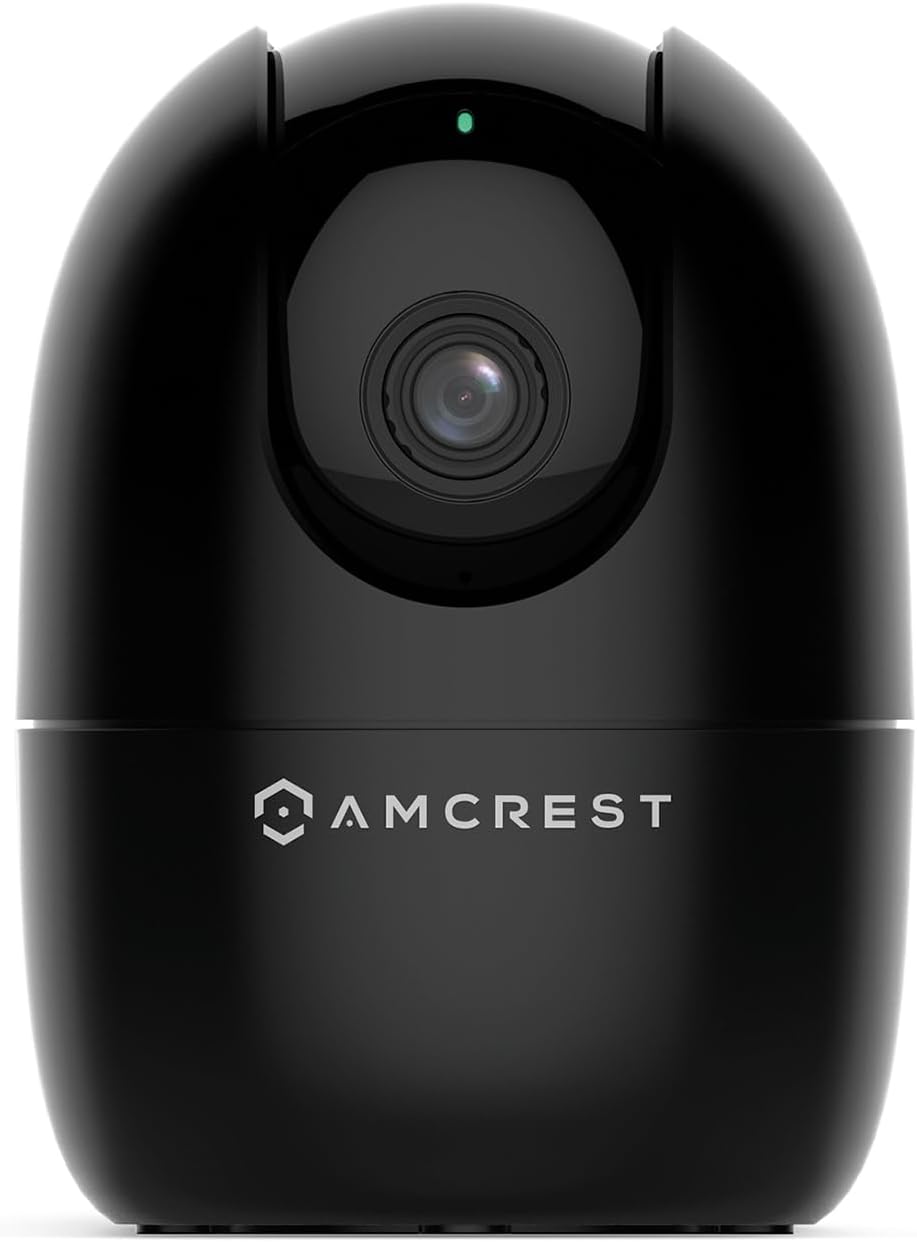
The Amcrest ASH21-B is a compact indoor WiFi camera delivering 1080p HD video at 30fps with a wide 93° viewing angle. Featuring advanced on-device AI for human and pet detection, it offers pan, tilt, and zoom controls with motion tracking. Night vision extends visibility up to 33 feet in darkness. Compatible with 2.4GHz WiFi and Alexa, it supports local microSD storage up to 256GB and includes a 1-year free cloud plan. Ideal for nanny, pet, and baby monitoring with multi-user sharing and intelligent alerts.


| ASIN | B08644FKP1 |
| Alert Type | Motion Only |
| Antenna Location | Baby Monitor,Dog,Indoor,Pet |
| Best Sellers Rank | #9,853 in Baby ( See Top 100 in Baby ) #157 in Video Baby Monitors |
| Brand | Amcrest |
| Built-In Media | WiFi |
| Color | ASH21-B (Black) |
| Compatible Devices | Alexa |
| Connectivity Protocol | Wi-Fi |
| Connectivity Technology | Wireless |
| Control Method | App |
| Controller Type | Iris |
| Customer Reviews | 4.0 out of 5 stars 4,193 Reviews |
| Effective Video Resolution | 1080 pixels |
| Enclosure Material | Plastic |
| Form Factor | Dome |
| Frame Rate | 30 fps |
| Global Trade Identification Number | 00850007530983 |
| Indoor Outdoor Usage | Indoor |
| Indoor/Outdoor Usage | Indoor |
| Item Dimensions | 4.17 x 3.04 x 3.04 inches |
| Item Weight | 8.48 ounces |
| Light Source | Infrared, LED |
| Manufacturer | Amcrest |
| Memory Storage Capacity | 256 GB |
| Mfr Part Number | ASH21-B |
| Model Number | ASH21-B |
| Mount Type | Wall Mount |
| Night Vision | Night Color |
| Night Vision Range | 33 feet |
| Number of Channels | 1 |
| Number of IR LEDs | 1 |
| Number of Items | 1 |
| Other Special Features of the Product | Image Sensor, Motion Sensor, Night Vision, Portable |
| Photo Sensor Resolution | 2 mp |
| Photo Sensor Technology | CMOS |
| Power Source | Corded Electric |
| Recommended Uses For Product | Baby Monitor,Dog,Indoor,Pet |
| Room Type | Bathroom, Bedroom, Classroom, Hallway, Kitchen, Living Room, Office, Study Room |
| Special Feature | Image Sensor, Motion Sensor, Night Vision, Portable |
| Specific Uses For Product | Indoor Use Only |
| UPC | 850007530983 |
| Unit Count | 1 Count |
| Video Capture Format | MP4 |
| Video Capture Resolution | 1080p |
| Viewing Angle | 93 degrees |
| Voltage | 5 volts_of_direct_current |
| Waterproof Rating | IP67 |
| Wattage | 5 watts |
| Wireless Technology | Wi-Fi |
| Zoom Type | Digital Zoom |
E**E
Incredible value for the money… with some caveats (UPDATED).
UPDATE 9/13/2022: After a day or two the camera stopped glitching when switching to night mode and now works as expected. Bumping the rating to 5 stars now. This is a really nice camera crippled by mediocre software. I wish Amcrest didn’t get rid of the web interface as their app has only very basic settings, so if you are going to use this camera with your NVR, you have to know some tricks. You need Amcrest SmartHome app for the initial setup, but it won’t let you adjust any of the advanced parameters, such as overlay settings or key frame interval, or any audio settings, etc. It is all usually available via the web interface, but it does not exist for this camera. Moreover, they don’t even support their web API that some other “smart home” cameras from Amcrest have. Fortunately, thanks to one of the reviewers here, there is a way to adjust the advanced settings, and that’s installing their free Surveillance Pro software on Windows. It gives you access to the settings that pretty much duplicate familiar web interface functionality and you can set up overlays, advanced streaming settings, night vision, etc. Another way to adjust some parameters (but not as many) is by using Onvif Device Manager application. Interesting enough, that was the only way I could make key frame interval setting to work - setting it via Surveillance Pro didn’t do anything. Speaking about night vision - that was the main reason I dinged one star. The light sensor is very glitchy, and if there is any background light left, it would keep switching between day and night mode. I tried to play with sensitivity and delays in Surveillance Pro and it helped to some extent, but I ended up setting a schedule when it forces night mode during certain hours. I use it as a baby monitor, so constant clicking is not something I’d want. Of course the only way to set advanced night vision settings is via Surveillance Pro application. None of my other Amcrest cameras behave this way. Initially I thought that it could be defective unit, but reading reviews and after buying the second one, it is obvious that it’s a problem with the firmware, most likely. Anyway, if you know how to access advanced settings, this camera offers an amazing value for the price. And there is really nothing else that comes close in this category - IP camera that doesn’t require cloud, that supports RTSP and Onvif, has WiFi, PT and has such a small footprint suitable for baby monitor. The closest competitor from that “other” brand is more expensive, more limited in functionality and more buggy (yes, I bought that one too and would be returning it and stick to Amcrest).
M**Y
Excellent Camera for In Home use and Pet Tracking
I have now used the camera for approximately 1 month. This is the second Amcrest camera I have that uses the Smarthome app. The other is an outdoor wifi camera. I also have several Amcrest camerasthat use the original AmcrestViewPro App. It would be nice to see all cameras consolidated into one app. Once I had this camera setup and running in the SmartHome app I was able to add it to my list of Cameras in the Pro app but it seems silly to have two apps for cameras from the same company. Setup was simple - I hardwired the camera into my network initially to complete the setup. It was quick to complete and I was able to see video right away. I tested it with motion tracking and human detection. Both of these work well however the screenshot for human detection frequently did not show the person if they only passed by quickly. One other issue I ran into is that once I removed the wired connection, the camera would not display in the SmartHome app for several hours but I was still able to access it in the Pro App. The problem resolved itself prior to me being able to contact support. I tested the camera while I was in home on the same network and while I was several thousand miles away while traveling for business. Video quality and connection speed was excellent in both scenarios and I had no issues controlling the camera. The camera works well both in daylight and full darkness. I tested the camera in a few different rooms in my home and it worked well in all locations. It appears there is a mount included in the box for this camera but nothing in the instructions about installing or using the mount. I do understand the use case for this camera would not frequently require a mount but it would be nice to include something in the packaging. I do not have a baby in the home so I was not able to test the baby monitor function fully.
P**Y
Excellent Motion Tracking Camera
I am a big fan of Amcrest cameras and have started using them to help keep track of my house and cat when I am away. My setup at home is a combination of cameras inside and out that I connect together via a PVR system. As any pet owner knows, they never seem to sit where you expect them to be. Having a camera that can move around was a big plus for me. I wasn't sure how well the motion tracking would work, but it has been spot on for tracking my cat anytime she comes into the room and jumps onto the window or bed. The camera will immediately adjust to the movement and follow her around wherever she goes. When no movement is occurring long enough, the camera returns to its last manually adjusted direction. Setting up the camera was relatively easy once I understood that this connects via the Amcrest Smart Home app, NOT the Amcrest View Pro. You can use the Amcrest View Pro after you have completed setup in the Amcrest Smart Home app, but this is very important. That's what I get for skipping the directions. I also struggled initially with getting RTSP working with my camera so I could add to my PVR. Sadly there seems to be a firmware issue that another review mentioned that will block RTSP on wifi until you plug in the ethernet port. This will then disable again the next time the camera reboots, so the only reliable way to keep the protocol enabled is to connect wired. This is my biggest complaint as my other Amcrest camera works flawlessly without needing to be wired, so I hope Amcrest can fix this in a future firmware update. Motion and sound alerts work great as well, though they can be overwhelming at times. I unfortunately had to turn off the push notifications as this was too much for me. Would be great if a cool-down could be added so that you were not getting alerts as often. Picture quality is crisp, but make sure you up the resolution within the app. By default, you are not given the full 1080p quality or framerates. This was a minor fix as it was easy to find on the UI. Overall I would buy this again because the automatic motion tracking is what I needed the most and this works great.
M**Y
Do NOT buy if you value your time
I have had two different versions of Amcrest cameras over the last few years. Two of them are the Ash-21. When I bought them the first time I had to return one and get a replacement because it wouldn’t connect to my network. The two I have now I have worked satisfactory. However Amcrest has multiple applications. that you must download and use in order to set up and manage your cameras. The instructions are very confusing and not linear. One of the supposedly easy functions is you should be able to scan the QR code at the bottom of the camera however, I have not been successful in the years. I’ve had them to get the QR codes to scan. So you’re constantly having to manually input all the information every time you try to manipulate the camera in the management apps. The website is no help and if you reach out to customer service, it may take days to get a response. And all they will do is point you back to their website links to troubleshooting. I recently upgraded my network with a new router, new passwords, etc. it caused my two Ash-21 cameras to not connect. I have followed instructions from customer service and the manual. I did a factory reset on both cameras. My network sees the cameras, however I get the error (see picture) that the app is not accepting the new password. I have tried about two dozen combinations. This error causes the setup to fail. I have spent hours and hours troubleshooting these cameras. I feel it’s a full-time job. Customer service is almost not existent. The manuals are less stellar. These are now paper weights, waste of money, waste of time. Don’t buy these if you value your time.
C**T
FAST setup, Great Camera from a Dependable Company
I am new to Amcrest Smart Home, which is what this camera is optimized for, but it took less than seven minutes from the time I opened the box and powered on the camera, to the time I was seeing live video in the Amcrest Smart Home app. Though I'm generally not a fan of "Smart Home" apps, the Amcrest app is intuitive and easy to understand. I especially like that they have English words under the icons, so that I'm not expected to try to figure out what each icon means. That's a huge plus. There is about a 3-second delay in the video when viewing the app over Verizon 5G. The delay is about 2 seconds when I'm on my home wifi (the same wifi as the camera is on). Both of these delays are quite normal and common for products like this. There is about a 6-second delay (on Verizon 5G) when pressing the "Talk" button in the app, until the speaker turns on in the camera. If I needed to speak to someone in range of the camera right away, to prevent a problem or alert them to something, six seconds is a LONG time. I understand the reasons why delay is inherent in devices such as this, but ut would be helpful if Amcrest were able to reduce that delay through firmware adjustments. The "Listen" feature is immediate when I tap the speaker icon, but it takes two seconds for spoken audio to play in the app. The audio sync with the camera appears to be perfect, so that's very good. I don't have much need for the baby monitor function, but running it through its paces, I can see where it could be very valuable. I thought being able to set the loudness threshold on the microphone was a very nice touch, to keep the app from notifying you if the baby is just moving around, but not in distress. The rest of the features, Full Screen, HD/SD Quality, Snapshot and Record all functioned as expected. Video quality is really good for a WiFi camera, especially when viewed over Verizon 5G. However, I don't think it's any better than my other Amcrest cameras...which isn't really a problem, since my more than 25 Amcrest cameras all look great. I have this one set to 1920x1080, 20FPS, Bitrate 2048, and it's smooth and clean looking, even in low-light conditions, which is something I've come to expect from Amcrest cameras. Though the Smart Home app works great, I will be using this camera primarily with BlueIris, and it was a bit challenging to get the settings just right for use with that software. However, I knew that going in, because the Amcrest marketing materials state that the camera is optimized for the Amcrest Smart Home app. Frankly, I didn't expect it to work at all with BlueIris, so it was a nice surprise when it did. I do wish pan/tilt worked inside BlueIris, but I can always use the Smart Home app to position the camera when needed, so that's not a dealbreaker. The packaging was almost all cardboard, with just a couple of sections of foam to protect the top and bottom of the camera. I LOVE this about Amcrest cameras. There is a minimum of plastic/foam in all their packaging, and that is a huge positive to me. The Quick Setup Guide was very simple and succinct, understandable since the app really walks you through the setup. I would have liked to try the Smart Tracking feature, but I couldn't figure out how to turn it on. I pressed the button that matched the icon in the manual, but it didn't track me. I won't be using that feature, so it's not a big deal. But it would be a good idea for Amcrest to include that in future editions of the Quick Setup Guide. Rather than just describing the feature, they could actually instruct people how to turn it on. My overall impression of this experience is basically the same as I've had with all my other Amcrest cameras. They just WORK. To not have to spend hours fiddling with a camera is a very good thing. Especially one like this, where you maybe want to throw it in your luggage and have a camera watching your hotel room or VRBO while you're out. If you're looking for a great quality camera for use as a nanny camera, doggie camera, or just add it to your collection of home security cameras, this camera is a great addition.
M**G
Great WIFI Security Camera
Pros: I wanted to wait some time before I gave my review. I already own an older model of an Amcrest Wifi Camera so I had a good comparison to see if there were any improvements. The very fact that this camera has AI functionally that tracks movement is a game changer for me. I have the camera set on my window sill facing the front door. It tracks when someone leaves a package, and gives me a notification. If my daughter’s boyfriend enters from the front door, it will track the entire movement from outside, and pans to follow the movement to the inside of my house. There is no noticeable noise when the camera pans and it’s almost silent. After there is no movement to be tracked, the camera resets to the previous setup, looking outside of my window at the front door. The setup was super easy. I thought I could use this camera with my older software on my other Amcrest camera. They are not compatible. .Once I figured that out, setup on my wifi network was a breeze. And a lot quicker than my previous setup. The record quality is great. The app is also great to use as I can “listen in” from work or anywhere I have my cell phone, and I can also talk back to check in with my house. Cons I could not find where to install the micro sd card I purchased separately. I could not see anything in the instructions where to install it. With the camera unplugged, I moved the lens to point up. There you will find a reset button and the slot for the micro sd card. Once I installed a 256gb card and formatted it, I was good to go with plenty of storage. When the power goes out or if I loose any data connection on my network, once powered up the camera says “successfully connected to the network” I find this annoying and have yet to discover how to turn it off All in all this is a great wifi camera for the price. I highly recommend it and plan to get some more.
M**F
A Hassle to Setup, but it Works
This is a nice camera for the money. The quality is good, zoom works, and it's pretty small compared to other cameras. However the setup was more of a pain than needed. You have to sign up for an account which is new given my older Amcrest cameras did not require this. You also have use 2 apps! One app to sign into the said account with to set it up and then you have to download an entirely separate app to view and work the thing. This is annoying. You cannot just use View Pro app alone. Setup will fail (ask me how I know). You need the Smart Home app too. Again, annoying. Once you get it setup, it works fine. I don't know why they couldn't just get it all into 1 app. My older Amcrest cameras didn't need 2 apps, just the View Pro app to work. It also uses a micro USB cable, which is pretty long. Why not USB-C like everything else nowadays? Once I downloaded the 2nd app, it connected to my wifi fine. The brightness is good. It seems to go in and out of night vision mode, even with a light on some feet away. It will stay in night vision until it detects a bright light. Then it'll go into regular mode. Turn the lights out and it stays in regular mode for X amount of time before switching to night vision mode. Why it has a delay I don't know, maybe it's to do with the inner workings? It also just might be the one I have with the lighting I have. When you pan and tilt it, you have to be careful not to pan it down all the way or else all you'll see is the bottom on the plastic part of the camera. Also annoying. It works connected to the wifi while you're near the wifi and also works remotely using my phone's mobile data. Overall it works. Giving it 3 stars for making you sign up for a pointless account, having to use 2 apps for it to work, for having a micro USB cable in the year 2026, and if you pan tilt down too much the view is blocked by plastic.
A**R
A great security camera with efficient human tracking AI
Tl;Dr: Another great camera from Amcrest at an excellent price:features ratio. It's only major drawback is its inflexibility to integrate with other network video recording solutions like Blue Iris via its dependency on the Amcrest Smarthome ecosystem. Long version: I have an investment in Amcrest outdoor cameras (both POE and WiFi) and have been very impressed for what they supply in a cost to features ratio. You can find my reviews of those on Amazon as well. What I needed next was an interior camera whose primary use was to watch over two ingress locations (door from adjoining room, and an external window) for a storage area in my unfinished basement. I knew the ASH1 was part of Amcrest's new Smarthome series of cameras that utilize the Amcrest Smarthome mobile app for viewing, notifications, and configuration instead of their web-based standalone cameras, and I use Blue Iris to consolidate all of my cameras and build out trigger actions when a condition is met (turn lights on, blurt the siren, etc). Amcrest's "Smarthome" series Doorbell camera allows you to add it to BI. I was hoping the ASH1 could be added to BI as well. I was incorrect in that assumption (at least as of this April 2020) -- although you can add it to Amcrest’s DVRs and NVR PC software if you use that. The camera, however, impresses me with its motion and human detection -- silently rotating and tilting to track people that enter the room being monitored. The notifications of movement and/or human detection quickly arrive to my phone and I can tap to open the notification and see the event that triggered it or launch a live view. It even has a baby monitor mode that can alert once a noise threshold you set it hit (like a baby starting to wake up). I have confidence they'll eventually open the camera up to be monitored by Blue Iris, so I'm keeping it for now, and will pick up a second camera once this integration is made. Pros: * Returns to "home" (my verbiage) position after movement tracking ceases -- this is useful because I needed to fine-tune my camera as it wouldn't switch to night mode (see Con below) because there is a 24x7 light source off-center that my camera was picking up. I was able to use the PTZ controls in the app to "nudge" the camera to the left enough so that IR would turn at night and still see the window in front. It still tracked movement, but once movement ceased, the camera returned to the position I manually had aimed it. * Very silent tracking motor, and bonus points for the ability to turn off the green power indicator so that its practically unnoticed during the day. There is one small IR emiter illuminated in the dark. * Rapid notifications of "movement" and/or "human" activity when it occurs, and rapid launch of the recorded and/or live video from those notification * Microphone is sufficiently sensitive Cons (cumulative 1-star deduction): * Cannot integrate it with Blue Iris - Its the Amcrest Smarthome mobile app, Amcrest DVRs, or Amcrest Surveillance Pro PC software only which splits my preferred method of monitoring all of my security components. * Cannot force nighttime mode, light sources can keep it in daytime mode * SD card mount - card doesn't eject enough to reliably grab it to remove, and you can easily miss slot when inserting making it very difficult to remove * Loud "Connected to network!" verbal announcement – a simple tone would be sufficient. Minor Irritations: * USB cable provided doesn't match camera color (white cable, black camera) * Like Amcrest's Doorbell camera, it would be super useful to get a thumbnail of at least "human" detection event notifications on my phone * SD card needs to be formatted to FAT32, and that can't be performed in the camera (although Amcrest does provide the utility on their website if you have a Windows PC) * Manual PTZ controls in the app are delayed by several seconds (even on the same LAN), so I wouldn't rely on them as a primary manual method of scanning a room. They are sufficient for setting a "home" position (see Pro). I recommend this camera.
Trustpilot
1 month ago
3 weeks ago