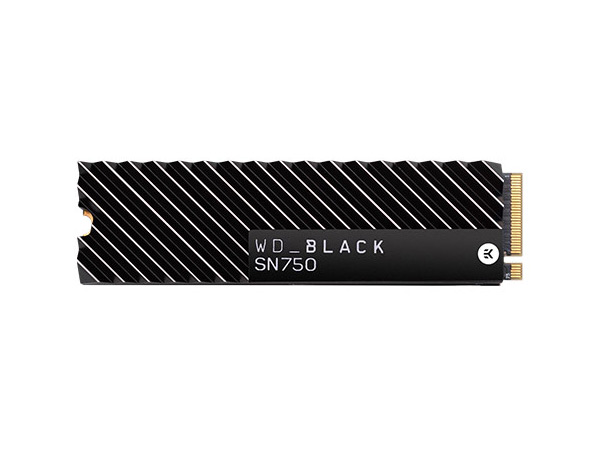
🚀 Elevate your storage game with speed and space that keeps you ahead!
The WD Blue SN550 1TB M.2 NVMe SSD delivers a powerful blend of speed, capacity, and efficiency with up to 2400 MB/s read speeds in a compact M.2 2280 form factor. Designed for professionals and creatives seeking reliable, cost-effective storage, it supports PCIe Gen3 x4 and features Western Digital’s latest 3D NAND technology for consistent performance and low power consumption. Ideal for expanding storage in laptops or building sleek PCs, this SSD offers exceptional value without sacrificing quality.


| ASIN | B07YFFX5MD |
| Best Sellers Rank | 55,213 in Computers & Accessories ( See Top 100 in Computers & Accessories ) 261 in Internal Solid State Drives |
| Box Contents | No |
| Brand | Western Digital |
| Brand Name | Western Digital |
| Cache Memory Installed Size | 1 |
| Color | Blue |
| Compatible Devices | Desktop, Laptop |
| Connectivity technology | M.2 |
| Customer Package Type | Individual Packaging |
| Customer Reviews | 4.8 out of 5 stars 39,667 Reviews |
| Data Transfer Rate | 2400 Megabytes Per Second |
| Digital Storage Capacity | 1 TB |
| Digital storage capacity | 1 TB |
| Enclosure Material | NAND Flash Memory |
| Form Factor | small form factor |
| Global Trade Identification Number | 00718037868738 |
| Hard Disk Description | Solid State Hard Drive |
| Hard Disk Form Factor | 22 Millimetres |
| Hard Disk Interface | NVMe |
| Hard disk form factor | 22 Millimetres |
| Hard disk interface | NVMe |
| Hard-Drive Size | 1 TB |
| Hardware Connectivity | PCIE x 4 |
| Hardware Platform | X86_64 |
| Installation Type | Internal Hard Drive |
| Item Dimensions L x W x Thickness | 8L x 2.2W x 0.2Th centimetres |
| Item Type Name | Western Digital Blue™ 1TB Internal M.2 PCIe NVMe SSD 2280 M.2 PCIe NVMe Retail WDS100T2B0C |
| Item Weight | 0.2 Ounces |
| Manufacturer | Western Digital |
| Manufacturer Part Number | WDS100T2B0C |
| Media Speed | 2.400 MB/s |
| Model Name | WDS100T2B0C |
| Model Number | WDS100T2B0C |
| Network Connectivity Technology | M.2 |
| Number of Items | 1 |
| Product Features | Backward Compatible |
| Product Warranty | 5 year manufacturer |
| Read Speed | 2400 Megabytes Per Second |
| Special feature | Backward Compatible |
| Specific Uses For Product | Business, Multimedia, Personal |
| UPC | 718037868738 |
| Unit Count | 1.0 count |
M**D
Perfectly sufficient with great performance, yet outstanding value!
I purchased one of these as I was looking to add more storage to a gaming laptop and this very one (WD Blue SN550 1TB) caught my eye, solely because of it's outstanding value for money. Nobody can deny that £69.99 for a 1TB PCIe solid-state storage drive, with blazing fast NVMe speeds is an exceptionally great price! Granted, it's definitely not the fastest SSD on the market, but for my purpose, it's more than sufficient. And I guess the same will go for many others out there looking to buy a storage drive for that same reason too. So I did my research and went for this one! Just for some background, the machine I fitted this too is an MSI GE66-10UG Raider, which by default has 1TB of storage. The pre-installed drive is also a WD, but it's an SN730 (which is basically the same drive as a Black SN750, but an OEM model number), but whilst 1TB might seem like quite a lot, by modern day standards it isn't. Some Steam games can be as much as 100GB each and as a YouTuber, video files can be HUGE! So I basically just wanted a drive for mass storage purposes. All I use this for mostly is to store my Videos folder, other games (such as slightly older non-Steam games, emulators and roms) and somewhere for recording apps, such as Elgato and OBS to record to. This drive ticked all of those boxes for me. In fact, for that use, it's probably overkill. The pre-installed drive (SN730) I will continue to use my Windows installation, programs, Steam games and personal files, such as documents. Of course, if you want to use this drive for an OS Installation, it's still probably more than sufficient, given the read and write speeds in the attached image. And of course, it'll blow any SATA based SSD out of the water, so remember that! Installation was very easy! The hardest part is accessing the M.2 slot, and that is it. My laptop was quite a pain to open up and get into, but that shouldn't be the case for most other laptops and especially desktop machines. One thing I would love to note is, I installed this "as is", and didn't bother to do anything with thermal pads or a heatsink and it runs at similar temperatures, if not quite a bit cooler in some circumstances than the SN730. I'm more than sure this will last. After all, this drive is designed to be budget friendly, easy to install and cool running and it does indeed excel at all of those. So overall, I can strongly recommend this drive. Especially being more than sufficient for mass storage, if there is nowhere to put a 2.5" drive, like pretty much all of the new MSI laptops don't. And also as a main drive too. Unless perhaps you're building a super high-end rig. But still, if you are looking to save some cost somewhere, this is a very good answer and will suffice greatly. TL;DR: If you're looking for a fast storage drive for exceptional value... JUST BUY THIS ONE!!!
R**0
Tremendous Value
Bought the 2TB Nvme version to install into my gaming laptop as I had a spare Nvme slot. Very easy to install these little drives & you don't really require any IT skills to do so... Just make sure to earth yourself so as to discharge any static electricity that may have built up in you before handling components such as these & you'll be fine ;) This WD Blue Nvme does everything it's claimed & has been performing without issues for about a month after installing it. Average read/ write speeds with tests resulted in it matching it's advertised speeds. So once everything is factored in I think I made a wise choice, having chosen it to be a 2nd HD in a gaming laptop for storage of games from Steam, Origin & UPlay etc... It's cheaper than the Corsair or Crucial alternatives & I would think as reliable if not more so than those 2 aforementioned competitors & their more expensive options available from them. I've bought many a Western Digital hard drive over my many yrs of PC use be it gaming or business & TBH I can't recall ever having 1 WD die on me unlike many other brands namely Seagates. So to sum up ; Pros : Decent speeds reads & writes, built well (as all WD drives usually are) & by far the best Pro is it's cheap price ! Cons : Won't break any read or write speed tests if I'm being ultra ultra picky but I knew this going into the purchase so perhaps I'm being too harsh saying this is a Con but thought I'd try at least put in 1 thing in the Con section ;) Best 2TB decent quality bang per buck NVme currently available IMHO ;)
T**4
PERFECT if you are looking to UPGRADE your laptop/PC to an SSD
I really like WD's products and have found them to be very reliable so I bought one of their SN550 Blue M.2 PCIe NVMe SSDs which I knew would give a hugely significant performance boost (see images for comparison: before and after) as before I had a 1TB WD HDD which came with my Dell Inspiron 5570. The storage capacity (250GB) of this new SSD is perfect for my needs as I don't store any of my personal data on it (it is purely for the operating system and programs alone). I use the original 1TB WD HDD that came with my laptop for all of my personal data as it has a 2.5" HDD bay and also an M.2 slot so I can have dual drives. You can opt for a bigger version of this model such as 500GB or 1TB if you require more space. This was incredibly easy to install, all I had to do was remove the back cover of my laptop, then locate the M.2 drive bay slot, insert the drive into the slot the correct way around and then screw the screw into the other end to secure it (my laptop came with this screw already inside, depending on your make and model, you may need to purchase a screw as well). You can then either clone your disk (copy everything that was on the pervious disk you used) using software such as Macrium Reflect (free for home use) or Acronis True Image (30-day free trial) or if you're like me and want a complete fresh start you can install Windows 10 with a bootable USB drive which you can create using Microsoft's Media Creation Tool on their website. Once you've installed Windows 10, it should automatically activate as your product key stays with the computer even if just some of the components are replaced such as the RAM and SSD. Overall, I would highly recommend this SN550 Blue M.2 PCIe NVMe SSD from WD as it offers great performance for a reasonable price. Upgrading your memory and SSD are the two most significant upgrades you can make to your laptop/PC to improve performance and efficiency.
J**K
Performance, speed and reliable.
I recently bought this SSD hard drive, and I have been incredibly impressed with its performance. This hard drive has exceeded my expectations in terms of speed, reliability, and overall quality. First and foremost, the SSD hard drive has dramatically improved the speed of my computer. Starting up the PC and opening applications takes a fraction of the time it used to with my old hard drive. The read and write speeds are incredibly fast, and I have noticed a significant improvement in the speed of my day-to-day work. Additionally, the SSD hard drive is incredibly reliable. It's built to last, and I haven't had any issues with data loss or corruption. This reliability is crucial for me as I store important files on my hard drive, and I can't afford to lose them due to a hard drive malfunction. The overall quality of the SSD hard drive is also impressive. It's solidly built, and the design is sleek and modern. It looks fantastic in my setup, and the compact size means that it doesn't take up much space on my desk. Finally, I want to mention how easy it was to install. It was a straightforward process, and I had it up and running in no time. The user-friendly installation software made the process even simpler. Overall, I would highly recommend this SSD hard drive to anyone looking to improve the performance and reliability of their computer. Its impressive speed, reliability, and overall quality make it an excellent choice for anyone looking for a high-performance hard drive that will stand the test of time.
T**K
Trustworthy / good brand, 5yr Gty & <almost> as described (but maybe not quite?)...
I paid £185 delivered on 22/07/21 for the 2Tb model (at time of writing the proce has changed to £199) & knew it wasn't the fastest but was above "middle of the road" in terms of speed read / write performance (read quoted in the listing as "up to" 2600mb/s) and with Crystal reader I'm getting 2,200-2,300 read & can't get near the quoted 2600, this may be because it's the 2Tb model but I guess I'm ok with that. The spec of the primary drive (a 1Tb Samsung) is listed at 3300 read & the CrystalRead / same test achieved 3300 repeatedly so I think there's probably exagerrated marketing going on for this WD Blue SN550 drive. I would return it however, I have installed it into an Acer Predator Triton 500 PT515-52 2020 model (with 10th gen i7 & 2080 Super Max-Q) & in this particular chassis, the motherboard is reversed so RAM & storage is on the adjacent side to that exposed after removingthe base-lid. So, in other words, it's a royal begger to remove it now - only to have to do it again later when any replacement arrives later (aside from the risk of damaging screen & other ribbn cables on the Motherboard - all f which has to be completely released from the case to replace the RAM & add / replace storage). As the 2nd drive is merely for storage, in fact, at the price I've paid, with the performance it's ACTUALLY delivering, as another reviewer says ("TJ"); its quick enough for almost all tasks. I have to say though, MS Flight Sim 2020 Premium De-Luxe does take a wee-while to load (on my Desktop) which runs from a Crucual 2TB MX500 so, this should load quicker (except that the CPU in the laptop is an i7 rather than a 10th Gen i9 so perhaps I can;t expect better data throughput becuase of the class of machiens I'm using). So all in all, I guess I'm happy-ish! It would have been nice to have seen 2500/2600 read speeds as per my Sammy immediately exceeding stated performace but hey-ho! Formatted space (NTFS) is exactly 1.8Tb as reported by Win10 21h1 build. 1 final note, mine had a sticker saying "Amazon Warehouse" on it; it MAY have been pre-opened - but owing to reasons above, I deciced to crack on with installation - but I will be complaining to Amazon abou that - as it was a new / pristine model I bought! ** Update **, when buying I had 2 options; new but imported, import duty & deposit fees taken up-front - which was £2/3 cheaper but delivered 1 day later, or a NEW one - a day earlier - like I say - both New (I'd swear) but now I check the order history; it does say "Used - Like New" so I kicked off a lil at Amazon & they've given me 20% as if it was a Warehouse special, which I think is faor enough (as the special price on this seems to have ended now anyway). I just need to know how to determine how used it really is. I guess lightly but you never know! Caveat emptor folk!
J**C
Great drive - be aware - no fittings provided!
After running out of system drive space on my server running multiple virtual machines, I decided it was time just to splash out on a bigger SSD. Unfortunately I've used all 4 SATA connectors... Fortunately, I spotted this PC I bought had 2x NVME slots - happy days.... So after a bit of investigation I decided to get this 1TB WD blue drive. Installation in theory is pretty simple - you just plug the drive into the slot and... it just sticks up... turns out you need to rest the drive on a special M2 sized nut which needs to be screw into the motherbord. a tiny bolt then needs to pinch the drive into position... However searching around, I couldn't find any such fittings in the SSD packaging box. With full panic, I eventually found that the PC I'd bought pre-built had a couple of spare ones in a bag. So be aware - NO M2 FITTINGS INCLUDED - you need to ensure you have your own, or buy some. Once in place, I fired up the PC, partititioned the new disk and it's ready to go. I copied my Virtual machines over off the system drive and everything works just perfectly. The drive is fast compared to what I'm used to (you can see the 200+ MB write speed, but that'll be bottlenecked by the Maxtor SATA SSD it's copying from). At £84, these NVME SSDs are just getting cheaper and cheaper, and represent great value for what you get in terms of performance. So initial impressions, I'm very impressed full recommendation from me! I will update this review over time should there be any significant developments. Oh one other thing, I've stuck a heatsink onto it (I'll review that separately).
R**N
Excellent value
It wasn't long ago when SSDs were so highly priced you'd often see people only recommending a 256GB OS drive and HDDs for mass media. Those were just SATA SSDs too, NVMe ones were considerably more expensive without offering much of a practical benefit to getting one. In recent times, however, this is not much true anymore. Don't get me wrong, the £/GB of this drive is certainly much higher than what you can find on a mechanical drive, but it's also practically the same as an equivalent SATA drive and is now sufficiently low that it becomes practical and affordable to go exclusively SSD in a system. This 1TB NVMe drive is blazingly fast due to its SSD nature, has the excellent m.2 form factor that allows it to sit on your motherboard without any more cables to manage or bays to screw into, and comes in at a cool £87. That's only a 10% markup over a SATA 2.5" SSD I got from a few years ago... which had QUARTER the capacity this one does. It then becomes hard to make an argument against getting this drive, even the NVMe version as for £5 over the SATA one... well, you just might as well, even if its only advantage is showing off larger numbers in benchmarks. It's important to note though that this is PCIe Gen 3, so even in a Gen 4 slot you will still be getting Gen 3 speeds. This isn't much of a problem currently, but may end up being one for gaming in some years from now if Direct Storage technology makes its way to PC. Those Gen 4 drives cost a pretty penny extra, however, so given that the future is not indeed today, this is the drive I would recommend to anyone looking for a high capacity SSD in 2021.
A**I
Best of the budget NVMe SSDs
Update: Several outlets are reporting WD has made some changes to this drive that will drop sustained (post-uSLC cache) write speeds from 850MB/s to 400MB/s, which is disappointing. It's still a good drive for the price but I wanted to give out a fair warning. Old review: This is a really good little budget NVMe SSD. It's single sided so it should work with enclosures or laptop slots that have that restriction and more importantly performance is great. The controller is an in house WD design that uses HMB (a small 64MB chunk of your system RAM) for mapping tables and the NAND used is 96 Layer Toshiba/Sandisk BiCS4 TLC, rated for 600TBW. The SN550 also seems to be thermally optimized by keeping the NAND package further away from the controller, which seems to do the trick since I didn't notice any thermal throttling issues thus far. Like all SSDs, write performance will drop if you hammer it with writes, but not as drastically as some of the others that I've had. Once you write 10~20GB of data to it and the uSLC cache gets filled, the drive will drop to a very respectable direct to TLC write speed of 850~900MB/s (for reference, a Crucial P1 1TB will drop to 120~200MB/s in a similar scenario). After a small idle period the uSLC cache should be freed up again to allow it to reach the rated write speeds again. I've only managed to test it via an NVMe to PCIe X4 adapter that was stuck in a PCIe gen 2 slot, so I was limited by the interface, but the SN550 still shined in AS SSD (screenshot attached). Overall I really can't fault it, it's a great little NVMe for the price.
A**R
SSD Excelente performance e um custo acessível
Confiabilidade da marca Western Digital, performance excelente e estava em uma promoção, que tornou o preço muito atraente. Estou muito satisfeito com a compra.
A**R
شيء خرافي من الآخر
جمال وسرعة وثبات .. اشتريت لابتوب من امازون الامريكي وتورطت فيه كان الهاردسك مضروب مصنعياً كلمتهم قالوا نعطيك نصف سعره لأنه مانقدر نسوي له صيانه لك بالسعودية .. درت بالمحلات كانوا متخوفين .. فكيته أنا واخذت مواصفات الهاردسك وبحثت في امازون السعودي ولقيته بأكثر سعه ايضا ورخيص وشريته وركبته والآن أكتب التقييم من الاب توب .. بعد أكثر من شهرين والجهاز مسنتر زي الألف بلا أي رسالة خطأ بالنظام أو بعمل الجهاز .. نعم انصح بقوة بالقطعة تأكد فقط ان المذربورد تدعمه قبل الشراء
Y**I
Perfetto e veloce
Ottima qualità prezzo. Questa memoria SSD formato M.2 2280 PCIe 3 x4 raggiunge velocità di lettura fino a 2400 MB/s e di scrittura fino a 1950 MB/s. Lo utilizzo come secondo slot nel mio laptop dove installo e riproduco i giochi senza alcun problema o effetti di pop in. Spesso si trova a buon prezzo. è un ottimo compromesso tra prestazioni e qualità. Non è un SSD che tende a scaldare dunque non necessita di dissipatore. Montato su MSI GF 65 Thin 10 UE.
A**N
Good enough - though I'm using this as an external memory drive.
The price and the performance is good. Apparently, on paper, this is better than the Crucial P1 and P2 modules and my Intel 660p. Speeds reach 200MB/s while using it as an external USB storage device (UGREEN NVME M ENCLOSURE). So far, no complaints in any context. I do recommend this.
O**H
Excellent value, great performance.
I have been using the SN550 for around 2 months now and I have zero complaints. It's fast, installs easily and is a great price. I have my OS on another M.2 and then all my games and programs on this one, I then have two mechanical HDDs for lager storage. The new M.2 drive has been a huge help. Read and transfer speeds are lightening fast. I transferred a 300gb folder from an external SSD and the data rate stay high and completed the transfer in no time. I haven't had any issues with the SN550 so I don't have a bad word to say about it. Temperatures seem normal for M.2 drives. I don't have a heat synch on it so it sits around 37C in my silent case. I'm sure if you had higher airflow constantly or a heat synch it would stay cooler. I was tossing up between the SN550 and some more expensive options but I am really happy I chose this M.2. For the cost, it's excellent. I don't think you would see drastic improvements if you spent another $100 on more expensive options. Highly recommend this as a boot drive or media/gaming drive.
Trustpilot
2 months ago
1 month ago