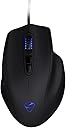
🎮 Own the game with precision and style — the NAOS 7000 is your ultimate weapon.
The NAOS 7000 is a corded, right-handed ergonomic gaming mouse featuring a 7000 DPI ADNS-3310 optical sensor, 16.8 million customizable LED colors across 6 LEDs, and a powerful 32bit ARM 72MHz processor with 128 KB built-in memory. Designed for professional gamers, it offers adjustable DPI, no hardware acceleration, and advanced tracking tools for superior in-game performance.


| ASIN | B00HGKQ6VY |
| Additional Features | Gaming Mice |
| Antenna Location | Indoor |
| Are Batteries Included | No |
| Are Batteries Required | No |
| Best Sellers Rank | #32,785 in Video Games ( See Top 100 in Video Games ) #1,062 in PC Gaming Mice #8,303 in Computer Mice |
| Brand | Mionix |
| Built-In Media | Mouse, Quick Start Guide. Stickers |
| Button Quantity | 7 |
| Color | Black 2015 |
| Compatible Devices | Personal Computer |
| Connectivity Technology | USB |
| Customer Reviews | 4.1 out of 5 stars 667 Reviews |
| Enclosure Material | Plastic |
| Global Trade Identification Number | 00851260002323, 05945763900547, 07350041900320 |
| Hand Orientation | Right |
| Hardware Platform | Electronic Game, PC |
| Item Weight | 0.33 Pounds |
| Manufacturer | Mionix |
| Mfr Part Number | NAOS-7000 |
| Model Number | NAOS-7000 |
| Mouse Maximum Sensitivity | 7000 Dots per Inch |
| Movement Detection | Optical |
| Movement Detection Technology | Optical |
| Number of Buttons | 7 |
| Operating System | Windows |
| Power Source | Corded Electric |
| Range | 0.0, feet |
| Special Feature | Gaming Mice |
| Style Name | Naos 7000 (Optical) |
| UPC | 851260002323 |
| Unit Count | 1.0 Count |
A**R
Best Ergo Mouse
Update in 2026 (8 years later) I'm still using this mouse and only recently starting to think of replacing it. The build quality on this mouse is utterly exceptional. I game from an easy chair with a lap desk, monitor mounted to a large side table next to me--and when I get up I invariably drop the mouse and it dangles from the cord. Never came loose. I kept expecting it too--I knew I was abusing it. Never so much as stuttered. When I purchased this mouse (NAOS 7000) in 2018 it was around $100. I see the successor has come down in price despite the current issues with excessive import fees and taxation. In all this time I've never again gotten hand/forearm pain from this mouse (though I did get it for other reasons like using a trigger spray bottle to clean carpet stains--which shows how easily I get overuse injuries). It remains the most comfortable mouse I've ever used. I have gradually moved to more of a palm grip (from claw grip) over the course of these 8 years which I also think is better for my hand. This mouse still feels amazing. If I do replace it, I'll replace it with whatever mionix is offering currently. I just wish the mouse came in white because my entire setup is white now. But that's a minor quibble. I'll be honest, I did briefly try a cheap knockoff brand that had the same shape simply because it came in a light color (Pink. Stupid reason--I see it now.). It was nowhere near as good of a mouse. It may have felt kind of the same in my hand, but that's where the similarities ended. The cheap optical sensor (visible red light) seared into my eyes every time I lifted that pink mouse to reposition. The clicks were mushy. Just…no. That insanely bright red light alone made it a no. I went back to the mionix mouse. To he!! with color matching my setup. Comfort and accuracy are far more important than matching. If you've never heard of Mionix, I'm not surprised. It's a Swedish brand, mostly sold in Europe, that focuses on ergonomics and quality control. That shows. Some of their highest end stuff is made in Sweden, I think. But like all other electronics most is made in Asia. They do seem to have extremely high standards for quality control if my NAOS 7000 is any indication. All this company makes are mice and mousepads. Very different from most electronics companies. Original review from 2018: I tend to get hand/arm pain from using standard mice. I used a vertical mouse for years, but they aren't made for gaming and aren't terribly responsive. I did a ton of research into grip/hand size and decided to try this one to see if I could go back to a standard gaming mouse. This one feels great in the hand for a claw grip. I'm a female gamer, but very tall (6') so my hands are relatively large. This mouse is very responsive and I've been using it for months, with extended gaming sessions (sometimes as long as 6 hours without many breaks) and have zero pain. Great value for the money.
T**M
Very solid mouse that delivers on all of its promises.
I've been using this mouse (Mionix Naos 7000) for a few weeks now, and I have nothing but good things to say about this mouse. Word to the wise: peripherals, especially mice, are usually very subjective and are rife with gaming-oriented marketing to make the product more enticing. Note that this review will be influenced by my personal preferences for a mouse. For reference, I am a 6'0" male with relatively long fingers. I also mostly use claw/fingertip grip due to the length of my fingers. Pros: 1) Very smart design. It definitely looks odd in the pictures, but if you've ever questioned why mice manufacturers seem to completely ignore ring-finger and pinky-finger placement, this mouse is your answer. It definitely looks odd and took several days to get accustomed to the different shape, but it gets more and more comfortable as time goes on. Mionix emphasizes craftsmanship on their website, packaging, and other marketing material, and I'm pleased to say that the mouse delivers on those promises. I'm also a big fan of the completely rubberized finish on the mouse. I almost got a Sensei with the rubberized finish, but I found this mouse more appealing after reading the reviews on how comfortable it is. I don't know how well it will hold up or look after long-term use, but so far it stays pretty clean and feels very nice to grip. 2) Comes with the right features. This mouse isn't overloaded with tons of buttons which likely won't be used by most customers. You have your standard left, right, and scroll-wheel clicks as well as two rocker buttons for the thumb and two DPI-switching buttons on the top. I have minimalist preferences, so this mouse suits my needs much better than other gaming-oriented, high-end mice. I haven't used the DPI-switching buttons yet, but thankfully they're pretty small and never get in my way, so their presence doesn't bother me. 3) Simple software. I had no trouble figuring out how to customize my mouse with my preferred DPI level and setting the RGB lighting to match the rest of my computer. Again, I have minimalist preferences so I've only used the software once or twice, but those experiences were easy and painless. 4) Satisfying buttons. the Omron switches in the left and right click buttons aren't the easiest to press, but they give a very satisfying tactile feel and corresponding sound. The scroll-wheel click is not too difficult to press without rolling the wheel. The DPI and thumb buttons aren't great, but they're good enough for how frequently I use them (not very much). 5) Very high-quality sensor, but ONLY IN THE 7000. If you want this mouse, get the 7000 - it is well-known to have the best sensor of the series. The Pixart sensor in this model is very accurate and is very highly acclaimed. Cons: 1) Shape isn't for everyone. I haven't verified this myself, but I understand now why users with smaller hands would not be able to adjust to the shape of the mouse. It does have a fairly large footprint that may be too long for short fingers. To those users, I would suggest the Mionix Castor for a similar mouse with equally great quality but a more accommodating shape. Obviously, it's not for lefties either. 2) Sensor can't track on glass or white surfaces. This is pretty unfortunate because I would've liked to use my white desk, but I'll get a nice mousepad instead. Note that this isn't unique to this mouse - all infrared (IR) sensors will have this negative feature. I'll follow up with a few comparisons to other popular mice. 1) Mionix Naos 7000 v. Razer Deathadder 2013: I'm fairly sure the Deathadder hasn't changed much since then, so this should be pretty representative of all Deathadder mice. I've used that mouse as my primary driver for over 2 years, and although I've gotten used to the shape, the high arching back simply never suited my grip to my liking even though it's touted to suit claw grip very well. Although the Deathadder had nice rubber grips on both sides to allow for easier liftoff, the Mionix has both a rubberized surface and better contours so the user can truly hold the mouse. I'm very happy with my switch. 2) Mionix Naos 7000 v. g502: I gave the g502 a chance after I saw it on sale at Best Buy recently. The g502 is a massively popular mouse, so I couldn't help but give it a chance. Subjectively, I wasn't a huge fan of the aesthetics of the g502; it seemed like a toned-down version of the ridiculous Mad Catz gaming mice without the modularity and adjustments. I actually did enjoy the feel of the g502 - it was well-designed with good rubber grips and fit a fingertip grip very comfortably. However, the sheer number of buttons on the g502 is what killed the mouse for me, especially the placement of the "sniper" button for the thumb. In order to hold the mouse comfortably with my long fingers, my thumb was resting on the sniper button, and I simply didn't want to hold a mouse with my thumb resting on top of a button. I didn't really have a use for the 11 programmable buttons and adjustable weight (even without extra weights I thought it was heavy), so I returned it to Best Buy. The g502's greatest strengths turned out to be the aspects I liked the least. I think the current pricing at $55 (as of early 2016) is a very fair price for a mouse that can compare to mice that cost much more. I encourage you to give this mouse a try and return it if it doesn't fit your needs and preferences.
A**R
Great mouse for about 3 months. Then it breaks down and Mionix ignores your warranty
I've been a competitive gamer for about 10 years now, starting in Halo 2, and then eventually joining the glorious PC master race with League of Legends and Counter Strike. I've had several different mice, including the Razer Lachesis and a couple from Logitech, but I can never remember what those are called. After developing some wrist issues from the gym, I thought I'd try out a new mouse that gave a bit more support. The Naos 7000 looked good, with it's little pinky rest, and so I bought it. When I first got the mouse, it was glorious. Of all the mice (mouses?) I've owned, it was instantly my favorite. It ran smooth, it was comfortable, and it had this nifty thing where it would shift the color of the LED light. Furthermore, the device drivers didn't cause any problems with my computer. I know razer's drivers would randomly, as far as I could tell, cause a computer to move slugglishly and beep until the mouse was unplugged and replugged back into the computer. But after three months of use, the right click on the mouse would stick when pressed, especially if you press firmly. It sucks when you're in the heat of a moment, trying to dodge some spells, and then you can't actually move because your mouse is stuck. I contacted Mionix about it, and the disappointment began. The string of messages went like this: Message 1: Reset the mouse driver Message 2: send a video of the problem Message 3: Take a picture of the mouse serial ID Message 4: Send a copy of the invoice Message 5: Send use your name, address, and phone number (which was all on the invoice) so we can proceed with the RMA request. This back and forth took two weeks. I'm not sure why the guy didn't just ask me for all that information in the first message, but hey, s*** happens. The problem is that the last message, the one where the RMA could actually begin, was on Dec 14th, and they've ignored me since. And, since the company is Swedish, they aren't accessible by phone, only through email. Don't buy from Mionix. Go get something from Razer or Logitech. Edit: Follow up 3 months later, mionix got back in touch with me and sent me the mouse. I don't know what exactly caused the delay, but I respect their persistence. The new mouse works great so far.
B**K
Awesome gaming mouse
Great mouse. My hand seems to mold perfectly to the Naos 7000. I have a strong feeling that, once this one breaks, I'm going to order another one to replace it. The Naos is lightweight, sensor is great, build quality seems good so far, and the software is pretty straightforward and intuitive. I DID have to disable my Panda antivirus in order for the software to install, but after that everything was great. The shape of the Naos is the real winner here: as a person with larger hands and long fingers, I have never held a gaming mouse that was so comfortable! There are some ergonomic solutions (e.g., Evoluent, Logitech M570) that are just as comfortable, but can be awkward or slightly less precise for gaming. My only grip is the lack of buttons. The Naos has only two thumb buttons, and I wish they had thrown in 1-2 more. However, this is something I can easily live without. I completely recommend the Naos 7000; it is tailor made for palm grippers with medium/large hands. In comparison to the following: 1) Rival (owned) - also has a nice fit for larger hand, but slightly heavier. Naos feel more comfortable due to presence of ring finger and pinky rest. Good for palm and claw grip. 2) Corsair M65 (tried and returned) - smaller mouse. Also fairly lightweight once you remove all weights and screws (110-115 grams). Very good build quality. Excellent thumb button placement. Scroll wheel is a bit too stiff for my tastes - Naos scroll wheel is much easier to click, but YMMV. Ended up returning it because it was too small for me to palm grip; my fingers would hang off the edge of the buttons. I felt I could only really maintain a claw or fingertip grip on the mouse for comfortable extended play.
C**Z
So much potential, but mine was defective (NAOS 7000)
A great mouse that leaves me very disappointed... I bought this mouse on the recommendation of Dimitri at Hardware Canucks (as I'm sure many others did). I was looking to replace an excellent but heavy Corsair M65 RGB with something lighter and more ergonomic. The reviews all pointed to this being an excellent choice though I had never heard of the company. Firstly, the positives: + Light weight + Great scroll click (really the best I've used) + Easy-access to side buttons + Attractive, but wonderfully under-stated LED/RGB lighting + Profiles saved locally to the mouse (no software in the background required) + Molded almost perfectly to my hands (19.5cm long/10cm wide) + No excess, useless buttons to press accidentally + Phenomenal sensor with zero acceleration + Flexible, braided cable with gold-plated connector + Overall excellent, tactile clicks from all buttons (excepting the major flaw noted below) Now for the bad - Ergonomic design makes it cumbersome to pick up and re-position (think FPS games) - Rubber coating seemed to wear in a couple places either on arrival or within a few days - Scroll wheel sticks at a 20-degree angle during use - functions but irritating - Buttons may actually be too-easy to press - accidental clicks both at desktop and in-game (lighter hands may not experience this) - Finger grooves don't allow flexibility for different grip styles - And the big one: my left click sticks/hitches roughly every 4-8 clicks I really love the comfort and design of this mouse. I love how simple the lighting is, and it thrills me to no end that you can save profiles locally to the mouse without having to run bloatware in the background (take note every other manufacturer out there). However, the fact that the primary click on my particular unit is defective is an obvious deal breaker. And, while I was looking for an ergonomic design at the time, I'm convinced after a week with this mouse that an ergonomic design is less balanced and more cumbersome during actual play. I'm sure Mionix is an excellent company, and I don't doubt this can be a great product for the right person, but I have a policy of "fool me once". In the end, I purchased a SteelSeries Rival 300 on the recommendation of Rocket Jump Ninja (Google/YouTube for many excellent reviews). I'm honestly so impressed with the Rival that I don't think I'll ever look back. If I were to consider another Mionix product in the future, I would recommend checking out the Castor instead as it is more balanced, has grips on at least one side, and doesn't sacrifice any of the great features of the NAOS. I hope this was helpful!
D**K
Why are you combining the reviews for all these models, Amazon? WHY!?
Folks, If you're using user ratings to judge which mouse to buy, for god's sake pay attention to which model is actually being rated. I can't fathom why Amazon would combine reviews for the 3200, 8200, and 7000. It simply isn't fair to the product, as there are things wrong with the older products that have been fixed in the 7000. The 7000 is being hurt because the avg review score is being dragged down by the older models' flaws. Positive points for all three models: *The (identical) shape of all three models is absolutely amazing/wonderful. It feels molded to my hand. *Clicking on all three is solid and satisfying, neither too sensitive nor too difficult. *Excellent quasi-rubberized surface that strikes the perfect balance between grippy-ness and smoothness. Regarding the sensors in the 3200 & 8200: *Poor. Prone to random acceleration / pixel-skipping, making for imprecise pointing. *My 8200 also tended to just wig out and go crazy every once in awhile, with the DPI dipping down to almost nothing for no apparent reason. Regarding the sensor in the 7000: *AWESOME. No pixel-skipping EVER (okay, well, maybe if you go up into the REALLY high DPI ranges like 5000, but I know no one who actually uses those settings). You're getting totally raw responsiveness. What your hand does is exactly what the pointer is going to do. More great stuff about the 7000 specifically: *Adjustable lift-off distance. *Adjustable angle-snapping. The only negative thing about the 7000 that I can think of: *They removed the DPI indicator lights they had on the 8200. These are the only lights I used on the 8200, and I miss them a little, but not a big loss at all. Overall: get the 7000. It's basically the perfect mouse in my book. The sensor is so much better than the 3200/5000/8200, it's just not a contest at all. Stay away from those, get the 7000.
C**N
Naos 7000: Comfortable shape, terrible QC
Worked well originally, and the shape was much more comfortable as a palm-grip user than smaller, claw mice. After about 2.5 months of use, It's developed an issue where one of the thumb buttons will stay stuck down after being pressed (and often still wont return when frantically trying to unstick it). Update: Mionix replaced this one, but both thumb buttons on the replacement began to stick almost immediately. Both buttons have a lot more play than the ones in the mouse that was replaced. Since both of these mice had the same problem, I don't believe this is an isolated issue. I strongly recommend against this mouse if you make much use of the thumb buttons. Update 2: A few days later, this replacement has now started to disconnect when the cable moves at the strain relief. I wish I could give less than one star. Cause of play/slop in thumb buttons: The two thumb buttons are a single part, with an end slides into a slot in the case. This is the only thing holding it in place. On the replacement, this end has been either broken or manufactured incorrectly. It's shorter in two dimensions, so that it fits into the slot, but has a ton of play there, causing the buttons to wiggle around. Cause of button sticking: The two thumb buttons flex from a hinge point toward the back of the mouse. The buttons themselves are close enough together, and there's enough flex in the button arm, for the two buttons to rub against each other and bind. This can also deflect them into the case, and they get quite stuck.
M**.
If only my wrist loved it as much as I do.
This mouse is wonderful and has no apparent negatives, except in the software you don't need to use more than once.(0) The Sensor: 5/5 The NAOS 7000 uses the Pixart(1) PMW3310DH IR-LED optical sensor, with no jitter, prediction/angle snapping, or acceleration. It is the best sensor I have ever used. The Mouse: 4.9/5 The coating is so smooth it almost makes the mouse feel soft, and has never left my hands feeling sweaty. The ergonomics are great, but be wary that your ring and pinky fingers may need to sit more curled than you're used to to utilize the rests. The coating starts to look worn due to skin oil, but can be wiped clean if found bothersome. The cable is braided, approximately 6'/2m long, and isn't as stiff as other braided cables I've had. I don't notice any problem with the grip/ergonomics, but it hurts my wrist. The Software: 4.7/5 11 languages. 5 profiles, each with customizable button layouts, sensitivity presets, and lighting/color options. No automatic profile switching. Mouse Settings: Polling rates in Hz: 125, 250, 500, 1000(2). All 7 buttons are customizable, however scroll up/down is not. Available functions are: left click, right click, scroll click, forward, back, dpi up, dpi down, profile switch up, profile switch down, profile roll(3), scroll up, scroll down, single key assign, assign record macro, and disable button. Double click and scroll speeds are adjustable as well as acceleration(4). Would be nice to Sensor Performance: Sensor x/y can be adjusted individually in 50dpi increments from 50 to 7000(5) with 3 steps to switch between on the fly. It also includes a "Pointer Speed" option(6), adjustable lift off distance(7), and a "Surface Quality Analyzer Tool"(8) Color Settings: One of the most interesting things about the mouse. LEDs can blink, pulsate, breathe, or solid. Color is set with R/G/B 0-255 values unless you choose to light or color the scroll and logo independently, in which case you get to choose from a 20 color predetermined spectrum. It can also "color shift", but it kind of goes Purple-Blue-Aqua-Yellow-Pink. Would rather see ROYGBV or an option to set your own color order. Macro Settings: I don't have much use for macros, but I tested it out for sake of review and it seems to be as good as if not better than other macro software I've tried out. Support: There's also a support page with links to the F.A.Q., registration, customer support, and software/firmware update pages. 0: Some people recommend uninstalling software after you've set up your mouse as it may cause interpolation lag, but they might be crazy. 1: Avago sensors are now Pixart sensors. 2: Increasing poling rate lowers latency and possibility of prediction, increasing smoothness and accuracy. 3: Profile roll functions like profile switch up, except at Profile 5 it goes to 1. 4: The only application for acceleration is needing pixel perfect precision at low speeds. Otherwise it just makes you less consistent. 5: 7000 dpi, in case you suddenly have a 20k x 20k monitor, or a game wants to reduce your ability to move the camera/cursor. 6: The "Sensitivity" setting just changes your windows sensitivity, which will either divide or multiply your dpi. Just use the dpi settings. 7: I haven't tested for speed failure, but usually the lower the LOD, the faster you can move the mouse before it fails to track correctly. Also, increasing the LOD can help the mouse track on less favorable surfaces. 8: SQAT tells you how well you should track. Basically, if anything goes wrong with tracking, it probably wasn't the mouse's fault. TL;DR The only things this mouse lacks are automatic profile switching, a scroll wheel you can rebind, and pretty rainbows. Also it hurts me, and I don't know why. 9.6/10 would buy and return again.
Z**.
Fits your hand like a glove, very nice soft touch click. Superb all rounder for designers and gamers suffering from finger RSI
Are you either a designer, gamer or anyone looking for a truly ergonomic mouse to relieve your finger RSI problems? Have you looked at these other ergonomic mice but realised they wouldn't be suitable due to speed and control? ZeleSouris Wired Ergonomic Vertical Mouse Evoluent Ergonomic VerticalMouse HandShoe Medium Right Handed Light Click Wireless Mouse Logitech G502 Proteus Core Tunable Gaming Mouse I suffer from RSI in my right index finger on the third knuckle. I purchased this mouse Mionix Naos 7000 and the Logitech G502 Proteus Core at the same time. Liked them both but the Logitech was too small for my hand. The Naos 7000 fits the hand like a glove, and the soft touch click helps a lot with my claw mouse holding approach. I use it for both graphic design and gaming. Excels at both on the Razer Goliathus Speed mouse mat. Mionix is a bit of an underdog it would seem. But although quiet, I have to say that the Naos 7000 is perfect for those looking for a perfect fit for their hand combined with easy soft clickiness.
B**N
4.5/5. Very satisfied
Amazing mouse Pros: - Comfortable for palm grip (medium to large hands) - Very satisfying and responsive button clicks (all 5 buttons, including the scroll wheel) - Amazing build quality, soft surface - rgb Cons: - Shape is not "safe" (not for all users), takes about a week to get used to - only for right handed users (not a problem for me) - side buttons are a bit small Overall, excellent mouse for gaming and browsing. Had to replace my 5 yrs old deathadder 3.5 that started to double click. Surprisingly, the buttons are what made the mouse work for me. shape is for medium to large hands. fingers lay perfectly on either sides of the mouse. would recommend for any types of games, except maybe fps. For those hardcore fps gamers out there, this mouse leaves much to be desired when it comes to twitching. I played some csgo and overwatch, and had trouble sliding the mouse quickly enough to do flicks. however, i was able to achieve them, given some time and practice. or I am simply bad. excellent for mobas, mmos, rts, you name it : it is simply amazing for long gaming sessions or even for simply browsing the internet. also, theres rgb, though you cannot control the rainbow effect speed as of now. Sensor is good. I really don't really give a crap about the precision of the sensors, as they all perform the same in my eyes.
N**A
Naos7k
Ihr Eintrag: 26.05.2014 13:48:12 GMT+02:00 NaSa meint: 2 Stück bestellt, jeweils 49,90 statt 80€ :) jetzt bestätigt sich hoffentlich die allgemein positive Bewertung der Maus, los Leute, greift zu! Hallo, ich hatte damals 2 Stück bestellt, eine für mich und eine für einen Verwandten, nach einem halben Jahr intensiver Nutzung teile ich mit euch jetzt meine Meinung, damit ihr, für euch eine leichtere Entscheidung treffen könnt. Ich bin ein sogenannter "progamer", verdiene nur keine Brötchen damit.. Einsatzort der Maus: Fast-Paced Arena FPS (UT, Tribes, xonotic, project nex u.Ä.), nicht sowas wie CoD. 800 DPI ist mein Bereich. Welche Mäuse hatte ich bis dato: Intelli 1.1, Intelli 3.0, Deathadder 3.5G (kurzfristig auf Savu umgestiegen), Naos 7000. Welche Pads: Qck, Goliathus Speed Re-Fragged, Goliathus Speed/Control 2013, Taito. Erstmal ein Kommentar zu diesen. Die Intelli 1.1 funktionierte nach fast einem Jahrzehnt der Nutzung immernoch, jedoch öfters Doppelklicks(federung). Ersetzt durch die Intelli 3.0, dessen Form ich geliebt hatte, sie war aber nicht so präzise wie die Intelli 1.1. Nach knapp 3 Jahren hat sich n Plastik vom Rechtsklick verabschiedet, nach längerer Suche durch die Deathadder 3.5g ersetzt. Ich kann es nicht genau beschreiben aber bei der Deathadder hat mich irgendetwas mit der Präzision immer gestört, außerdem nutzen sich die Füße regelmäßig ab. Irgendwann die Savu geholt, die aber an Malfunction litt, also die Maus bei zu schnellen Bewegungen nicht mithält und austickt (betrifft leider wohl die ganze Serie.) Von der Präzision her war die Savu der Deathadder jedoch bei weitem überlegen und das beste was ich bis dato hatte, aber Malfunction geht gar nicht, also zurück zur Deathadder. Die Deathadder litt dann irgendwann an Kabelbruch (ging an und aus) und wurde dann nach langer Suche von der Naos 7000 abgelöst. Noch ne Randnotiz zu den Pads; Leute ich sags euch, holt euch keine der 2013er Version von der Goliathus, weder Speed noch Control, Müll- wenn dann holt euch die erste Version oder Re-Fragged, die waren ganz gut. Zur Naos, Sensor der Maus ist die A3310, und verrichtet seine arbeit hervorragend, auch bei schnellsten Bewegungen tickt sie bis dato nicht aus. Die Maus liegt sofort wie angegossen und fühlt sich durch die softtouch oberfläche richtig angenehm an. Das wurde von vielen so behauptet, und es ist tatsächlich so. Ich halte die Maus nicht Full Palm sondern eher eine Mischung aus Palm und Claw Grip. Mit trockenen Händen is das Anheben nicht so einfach, leicht schwitzend sollte es kein Problem sein, ich selber brauche&tue es nicht. Die Maustasten fühlen sich alle "richtig" an, sind gut platziert und klicken spürbar (Der Weg bis zum klicken ist unauffallend länger wie als bei der Deathadder). Mausrad tadellos. Bei der Beleuchtung stören Farben wie Gelb, Orange oder helleres Grün, sind nicht ganz sauber (ich selber nutze daher hell-blau/rot kombi). Das einzige was mich bei der Maus stört ist, das meine Geschwindigkeit bei den Bewegungen nach Links und Rechts gefühlt voneinander abweichen, das liegt vermutlich an der ergonomischen Form und dürfte den meisten eigentlich überhaupt nicht auffallen, bin da relativ penibel. Zur Software, alle möglichen Standard-Einstellungsmöglichkeiten wie Beleuchtung, DPI usw. sind vorhanden, dazu noch Einstellungsmöglichkeiten zu Acceleration, Angle Snapping, Lift Off Distance, wers braucht. Als Highlight enthält die Software dann noch ein Surface Quality Analyzer Tool "S.Q.A.T." Damit kann man testen wie gut die Maus auf dem jeweiligen Pad trackt, hier mal meine Werte, das hilft sicher dem einen und anderen, würde mich auch freuen wenn andere Ihre Werte posten würden. Ebay Mauspad: 30% Qck: 70% Goliathus Speed Re-Fragged: 70%-80% Goliathus Control 2013: 60% Roccat Taito: 80% Tisch, Walnuss-Nachbildung: 100% :P Ich möchte noch anmerken, das ich beim ersten anschließen der Maus Probleme hatte, sie ging nach konfigurieren der software einfach aus und musste dann neu eingesteckt oder pc neugestartet werden, war ziemlich nervig, das hat sich aber nach nem Tag gelegt, seitdem tadellos, ein Firmware update gibts übrigens auch. Alles in allem würde ich sagen das die Maus zwar nicht perfekt ist, aber nah dran, qualitativ hochwertig, vieles hat Mionix richtig gemacht wovon sich andere langjährige Mitbewerber mal was abschneiden können und langsam wird die Marke verdient auch immer bekannter, ich selber würde aber doch lieber wieder auf eine Ambidextrous Maus umsteigen. So ich hoffe das hilft euch beu eurer Entscheidung, 4.6 - 4.7 wäre meine Endbewertung, deshalb 5 Sterne.
M**A
Excelente compra
Llevaba mucho tiempo en búsqueda de un mouse que se acoplara bien a la forma en que tomo el mouse (palm grip) y me topé con este y es el mejor que he usado, aparte de la comodidad, el material es muy bueno, es suave y muy estable (vaya el plástico se nota que es de calidad). Pienso que si vale lo que cuesta, sobre todo si eres palm grip y no encuentras uno bueno, éste es ideal.
J**U
Ratón fantástico.
Después de haberlo usado unos cuantos meses, estoy más que satisfecho con la compra. Muy cómodo, muy buen tacto y hasta la fecha ningún problema o fallo.
Trustpilot
2 months ago
1 month ago