Desertcart purchases this item on your behalf and handles shipping, customs, and support to Senegal.
๐ Connect. Control. Conquer your workspace like a pro.
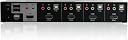
The IOGEAR 4-Port HDMI Multimedia KVM Switch (GCS1794) empowers professionals to seamlessly share one HDMI display, keyboard, mouse, and audio system across four computers. Supporting Dolby True HD and DTS HD audio, it ensures premium sound quality while its smart EDID emulation maintains consistent monitor resolution. Compatible with Windows, Mac, Linux, and more, it features direct keyboard shortcut switching and a USB 2.0 hub for peripheral sharing. Designed for efficient multi-device management, itโs backed by a 3-year warranty and free lifetime support.


| ASIN | B001V9LQ52 |
| Best Sellers Rank | #871 in KVM Switches #101,304 in Computer Accessories & Peripherals |
| Brand | IOGEAR |
| Brand Name | IOGEAR |
| Circuit Type | 4-way |
| Compatible Devices | Tablet |
| Connectivity Protocol | Hdmi |
| Connector Type | Plug In |
| Contact Material | Aluminum |
| Contact Type | Normally Closed |
| Control Method | Touch |
| Control Type | Computer Selection |
| Current Rating | 15 Amps |
| Customer Reviews | 3.8 out of 5 stars 187 Reviews |
| Global Trade Identification Number | 00881317502810 |
| Included Components | 1 x 4-Port HDMI KVMP Switch |
| International Protection Rating | IP00 |
| Item Dimensions | 8.5 x 13 x 4 inches |
| Item Weight | 5 Pounds |
| Lower Temperature Rating | 32 Degrees Fahrenheit |
| Manufacturer | IOGEAR |
| Model | GCS1794 |
| Mounting Type | Panel Mount |
| Number of Items | 1 |
| Number of Positions | 4 |
| Operating Voltage | 120 Volts |
| Operation Mode | OFF-NONE-ON |
| Part Number | GCS1794 |
| Specification Met | Taa Compliant |
| Switch Type | Kvm Switch |
| UPC | 820294273627 804067405507 115971049252 782386504944 163120794300 132018256596 172302707212 591613473959 809185306637 881317502810 804066526883 132017585260 012300475983 808113021918 809385156063 168141485381 805100128902 366674781516 |
| Unit Count | 1.0 Count |
| Upper Temperature Rating | 100 Degrees Fahrenheit |
O**D
Better than the rest by a huge margin, but limited support for 1440p and 4K (30Hz only)
UPDATE: Limited refresh rate support makes this switch INCONVENIENT for use with 4K MONITORS. Not lowering the rating because the switch works well for what it is designed to handle. I've tried several 4-port HDMI switches recently. This one, although almost twice as pricey, wins my vote. Some of the "pros" below seem obvious, but you'd be surprised how many other switches do not support one or more. Pros: 1. Remembers monitor resolution (EDID) and sends it to each connected PC even if it is currently disconnected from the monitor. There are no monitor adjustments each time the PC is connected, there are no 1024x768 tiny Windows screens when PC is rebooted without being actually connected to the monitor. It's what the doctor ordered. (See the "not tested" comments though). 2. Direct switching via keyboard shortcuts. You can switch directly to any PC, no need to cycle through every PC. 3. Ability to switch the monitor only, leaving the keyboard and the mouse attached to the other PC. If you do any kind of cross work across PCs, and do not have another keyboard lying around (or no room for it), this may be handy. 4. Support. The support site has all the manuals, even firmware upgrades. Cons: 1. Switching is not instantaneous. It takes a few seconds for the picture to appear. But this happened with every switch I tested. Perhaps it is my monitor or perhaps this can't be avoided. 2. The switch doesn't handle resolutions above 1920 x 1200 well. Only 30Hz refresh rate is supported. This presents a problem with 4K and 1440p monitors. These montiors present EDID resolution data to the computer indicating that 4K @60Hz or 1440p @60Hz is supported. This makes the computer switch to the best available resolution supported by the monitor but the switch cannot handle it. Then... no picture. Unless a monitor is connected using a different cable to bypass the switch, no BIOS settings or graphics card settings are going to be accessible. Not tested: * How keyboard emulation may affect gaming speed. * Analog sound and mike. Sound is delivered via HDMI in my setup.
E**N
Solid switch with minor room for improvement
I am using this to switch four relatively disparate devices (two PCs, a Mac, and a Raspberry Pi) using a PS/2 keyboard and a USB scroll wheel mouse. I had to fiddle with mouse settings to make the mouse work (before disabling mouse emulation the mouse would move only down and to the right, and even that was erratic). Switching is annoyingly slow, taking about 3 seconds, but honestly I don't know if that's the monitor re-syncing to the new HDMI signal or the switch itself, and for the use I am putting it to this is not a big deal. With a guarantee of at least one USB connection and at least one HDMI connection coming in, it would be nice if it could draw power from one of the controlled devices. Adding Yet Another wall wart when you're already controlling four plug-hungry computers is just insult upon injury -- but I guess it's better than three more monitors! Build quality seems solid, and while it won't win any aesthetic design awards its appearance is quite acceptable. Overall I am quite happy with this switch. I type very fast and have noticed no glitching of the keyboard, and HDMI settings seem to be passed through with enough attention to detail that all resolutions/color spaces/etc. configure themselves appropriately. The command beep is an appropriate pitch and volume for a relatively quiet office environment and infrequent use (it would probably be lost in a rack room and would become quite annoying for very frequent switching). The status LEDs are maybe a little bit bright for the selected display, but not egregiously so. (This is probably because dimmed LEDs are used for unselected-but-available displays.) Update: Two years down the line, I would report that I do experience some glitches with both the keyboard and mouse. When using one port on the KVM and a computer on another port boots up, the keyboard stutters and becomes unresponsive for a few hundred milliseconds at a time over a few seconds. This causes missed and/or repeated characters. This isn't a huge deal for me because the machines on my KVM seldom reboot while I am using other machines, but it is annoying when it happens. The mouse also sometimes gets "lost" when switching back and forth frequently, and has to be unplugged from the KVM and plugged back in. When this happens, the mouse seems to simply not report to the selected computer at all, and neither mouse movements nor button presses register. Re-plugging it fixes the problem. This problem is more annoying, but infrequent enough that I haven't replaced the switch.
T**E
Best KVM for HDMI Video
Pros: โข Well packaged with recyclable materials โข Sturdy and well-made housing on unit, stays put when pressing buttons on unit. โข Cables are high quality and flexible. โข Ports for cables are primarily on the back with audio ports and one USB on the front. โข Functionality is outstanding. Switching always works via buttons or hotkeys. โข Varied devices that it can control โข Takes up less space than competing products. Cons: โข Expensive, but the quality is worth it. โข Annoying beeping when switching devices is too loud. Had to turn it off. See other thoughts โข Manual is not complete and website does not help much. โข My laser pointer mouse did not work in the โmouseโ USB port, which I have read is an issue for some mice. Moving to one of the other USB ports solved the problem. No issues. Other Thoughts: โข My setup. I have four HTDI devices plugged into this device: Desktop PC w/ Windows 10, Laptop w/ Windows 10, Sony PS4, and Microsoft Display Dock for my Windows Phone. All work flawlessly. Each device shares keyboard, mouse and one monitor. โข Switching between devices is easy with keyboard commands (ScrLk, Scrlk, 1-4) โข To turn off/on the beep: invoke Hotkey Setting Mode by pressing and holding CTRL, then pressing and releasing F12, then releasing CRTL then press the `b' key. โข I have used other competing products and they do not compare to this one for ease of use, quality, and reliability. After one month of heavy usage, I am very pleased with this device.
P**E
Doesn't work at 4K and the tech support has gone down hill...
I bought one of these 6 years ago when I needed 1920x1200 resolution for my various Mac and Linux computers, and it worked very well. I saw that the newest version supposedly had 4K support, which I needed because I had refreshed my computers to more recent ones (mid-2015 MBP 15" retina and 2018 MBP 15" retina/touch bar, in addition to previous 2012 Mac mini). Well, with the MBP's, I was using a LandingZone dock (which actually does 4K out of both the HDMI and Thunderbolt connectors), and USB-C to HDMI dongles with the 2018. When hooked up, the computers all detect a 3840x2160 @30Hz monitor and a desktop briefly flickers on a few times before going dark, but after that no image. System preferences shows me that the monitor is still present, and indeed it never goes into screensaver, indicating that it continues to see a SYNC signal the entire time. System Information shows me a 3840x2160 @30Hz display, and correctly shows the EDID information including vendor and model #. I called up IOGear, then emailed them, and they explained that their KVM wasn't compatible with DP ALT MODE. Odd thing to say, since the docking station, and the USB-C to HDMI dongles, ALL convert the signal from DP to HDMI. It's a native, by the book, plain jane HDMI signal indistinguishable from any other by the time it hits their KVM. So it sounds to me like they're playing the blame game. There is no native HDMI output on MacBooks any more. Why build a switch that couldn't connect to a Mac? It sounds more to me like they never bothered to properly update the design of their switch, and now it's running into signal path issues and theyโre playing the blame game. Disappointing. They used to be better about standing behind their products. And for the record, I spliced in an HDMI F/F gender bender in place of the KVM switch and got a perfect picture, so despite everything they said about the dongle, etc. their switch was the incompatible item, not anything else. Which makes sense, because if I ran the monitor at a low resolution then it worked fine... despite using the dongle. Bottom line: their product isn't engineered to run at 4K, and they have no business marketing it as such. If it works at all at 4K then it's purely by fluke.
P**W
Myfirst impression is to look around before going with this
I've only had this a couple of hours but my first impression is to try something else before going with this. I've been using DVI KVM's for some time now with dvi to hdmi adapters. My last one was a soho from Belkin. This KVM makes me cry in how long I have to wait for it to switch ports. Its upwards around 3 to 5 seconds, My old kvm was about half a second and some times just over a second. It kicks back to 1920x1080 once in awhile and I can not get it back to 1920x1200 unless I unplug everything. I have a Steelseries gaming keyboard which I cannot use in the keyboard port something I was really hoping this would work with. The key sequence is odd when you have to hit enter after each sequence probably the reason its so slow in switching. I'm of a mixed feeling on this one I want to rate it higher but just has some odditys to it. I do like the form factor is tight and not some weird shape that takes up a ton of room on the desk. I can stand it on end or flat depending on my desire or desk space. It also comes with 4foot cables so thats a bonus. ---Update------------------------ I transitioned to an ultrawide curved monitor 3440x1440 max resolution. This KVM works with it decently well. Sometimes it takes a while for older video cards to quit trying to use 1920x1080 and finally realize its 3440x1440. I'm still of the opinion to try something else for a KVM. As it still has problems with mouse detection on some computers and I have to switch back and forth back and forth till the computer i'm trying to use detects it.
A**R
I have used IOGear items like KVMs, card readers
I have used IOGear items like KVMs, card readers, and many other things they make since they started making things. I have always been a supporter of their gear because you plug it in and it does exactly what they say right off the bat. Their items have also been very reliable. I have never had to throw away or replace one of their devices. I think this product could use some work: 1. 9 Pin serial port needed for firmware update. Seriously guys??? When did you see a 9 Pin serial port on a computer lately?? The last one I saw, I had to special order on a Dell XPS laptop back in 2006. I have two computers (hence the KVM requirement), a laptop, a tablet, and a smart phone, and strangely enough none have a 9 Pin serial port. I should not need to buy a USB to Serial adapter. I have many devices that require firmware changes and updates, and every last one of them comes with a cable with the converter built into it and fits USB. You can make it up to me by sending me a free USB to Serial converter cable since one HDMI device is having issues and I might need to update it or change some settings. See also, Item 2. 2. I have a problem with one input. It is HDMI out of a security system. When it was first connected the video was fine (normal color and format). Since the auto switch had it selected prior to powering up either of the two connected computer it was fine. After I selected either of the two attached computers, I had video in green when I selected the security system HDMI again. This morning when I fired up the monitor and the two computers were off, the HDMI from the security system was again fine. Once the computers were on, and I manually switched it back to the security system, green as Kermit again. I tried changing to different inputs on the KVM, but same problem. Sure wish I had a 9 pin serial port (not). All the equipment and monitor are known good. I am a little disappointed that IOgear would not have made it a little easier to configure without spending more money on my end to potentially fix a bug that might be a simple as an update. 3. As others have mentioned, plan on using the Console USB port for your wireless mouse and keyboard. I have a Logitec wireless with a single receiver, and that is what I had to do. It works flawlessly when connected that way. I might have tried to do a firmware update, or see if any settings could be changed, but strangely enough.....I do not have a 9 pin serial port. The construction of the product and its cables is robust and is in keeping with what I expect when I buy their equipment so I have zero complaints there. So why 3 stars you might ask? I think it may have something to do with the lack of a 9 PIN SERIAL PORT these days in order to work with the unit. This is pretty foolish oversight for a modern consumer product and would be easy for them to fix by providing a converting cable for that kind of money. I would have given it a 5 if I could get the one source running correctly and if they would have provided a proper cable for updates and programming.
T**.
Works for me...
I bought this to replace a two port serial KVM switch that was starting to act a little wonky. I wanted at least one more port for at least a total of three, and I wanted to upgrade to HDMI. Price wise, it seemed a little pricey, but when I took it out of the box, I can see why. Solid construction and good cables. I quickly read through the manual (not much to it), and hooked it up. I am using a 32" LG HDTV, a personal PC, a work laptop, HD DirecTV Genie Box, and on occasion, a personal laptop. It was easy to connect everything up and it worked right away. Pros: - Solid build. - Easy setup - Quick switching Cons: - I did have the mouse issue that others have mentioned, plugged it in the front and it worked fine. - The DirecTV signal kept flickering. I didn't actually get this for the DirecTV, so it was easy to just plug it into another HDMI port on the TV. - The beep when switching was loud, but I just went into Hotkey Setting Mode and disabled it. - A little pricey, but if it lasts for a while and works like this, it's worth it.
R**Y
Cables were included, worked right away
Setting this up was really easy. The product is sturdy with a metal frame. The cables are integrated so that you do not have to have 4 separate cables for each computer. Just plug in the 4 ports at each end of one integrated cable. I assumed I would use the buttons on the front, but actually the keyboard commands are so easy to use, that is probably how I will use it all the time. Currently I have my docked MacBook Pro and a Windows 10 computer connected. I'm using dual monitors on the Mac, but this device only switches one monitor. So if I want to use both monitors on both computers (which I might, sometimes) I can just add a 2 port HDMI switch and flip the second monitor over if/when needed. It would be nice if there was a dual monitor version of this (with HDMI), but it's not crucial. I did notice an interesting possibility using 2 monitors but only having one of the monitors go through the KVM. If I switch the monitor over to the Windows computer, the second monitor that is only connected to the Mac can stay on. I can then switch just the keyboard and mouse between the tho computers, while being able to see both. For some this might be useful. I have the Windows machine set up for a single purpose right now, so it's nice to be able to monitor Slack messages or other things on the Mac while using the Windows machine, and switch the keyboard over if I need to respond to something.
R**S
El Mejor KVM Switch HDMI
He tenido varios de esta marca y son excelentes para conectar una pantalla 1080p (TV o Monitor) HDMI con teclado y mouse USB, ademas de sonido digital a 4 dispositivos multimedia, Pcs, Laptops, consolas o reproductores y compartir 2 dispositivos (almacenamiento, impresora,etc.)
M**L
Top quality; HDMI and USB for simple connection.
Iogear/Aten are my favourite brand of KVM; their KVMs are well-designed and solidly built. This product uses HDMI and USB. HDMI makes cabling and connections simpler than using DVI. (DVI is another confusing mess for consumers.) I like that Iogear/Aten provide cables with their products. This KVM functions well, is easy to connect, and supports modern resolutions. I have been using it for several weeks now with a single problem. No regrets for the purchase, and thanks to Amazon for making this product available.
J**V
Recomendable.
Exelente producto,
M**C
Amazing switch
I have gone through MANY KVMs over the years. It's hard to find a good one, often they are poorly built with lots of bugs, don't deal with input sources being powered on/off properly, etc. I have about 5 in my closet, which are all useless for one reason or another. I have only been using this IOGear switch for a few days but so far it is incredible..I couldn't be happier. It feels solid, very well built..the features are intuitive and all make sense. I love the extra feature that you can quick-press the input button to switch only the video/keyboard/mouse, or long-press to bring the usb ports with you. That is an amazing feature. It lets me be on a call with my usb headset on one input while switching back and forth between other inputs to look up information. Supports push buttons on the device as well as hotkeys, which is also great. No regrets. I wish they had made this switch 15 years ago. edit: There seems to be one fault with this switch, it is not a fatal flaw but is annoying enough to mention. I am unable to use the rear usb ports for a headset because it seems to short circuit and cut out after a few minutes on a call. I moved the headset to the front usb port and since then, everything has been great. Not ideal since having a cable sticking out the front of the unit sort of kills the aesthetics, but better than nothing. Dropping to 4 stars due to this but it is still an amazing switch.
M**N
Best consumer KVM
Works flawlessly after 2 months. Complaints: Doesn't support 3D/120hz, No USB 3.0, Expensive, Bright LED's, Buttons are a pain, Paying to support 4 devices even if you don't have 4. However my monitor / keyboard./ sound/ mouse all switch over without any problems, so I can't complain. It comes with all the cables which is very nice, though again, you'll end up with a bunch of cables you don't need if you don't have 4 devices, and you're paying for it so ....
Trustpilot
2 weeks ago
2 weeks ago