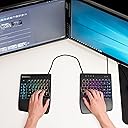
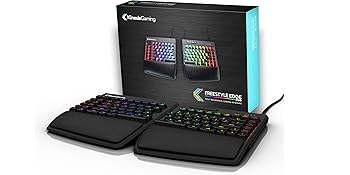
🎮 Split, customize, conquer – the keyboard that adapts to your grind
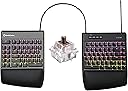
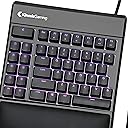
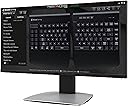
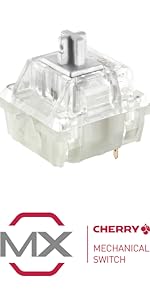
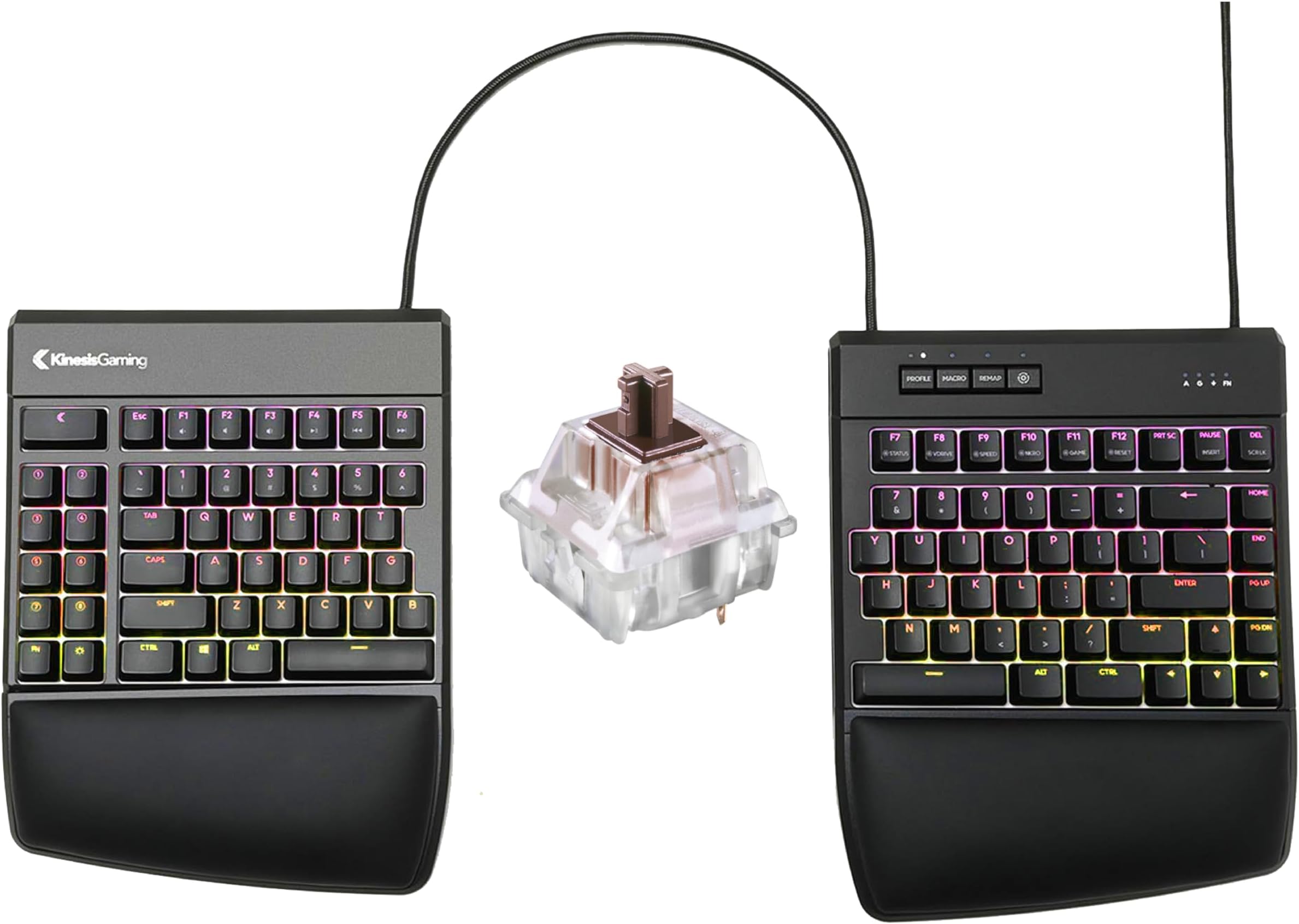
The KINESIS GAMING Freestyle Edge RGB is a premium split mechanical keyboard featuring ultra-responsive Cherry MX Brown switches with 50 million keystroke durability, fully customizable per-key RGB lighting, and a versatile ergonomic design that supports multiple configurations for gaming and productivity. Its SmartSet programming engine offers powerful macro and profile customization, while cross-platform compatibility ensures plug-and-play convenience across all major operating systems.


| ASIN | B07SW1S3YZ |
| Antenna Location | Gaming |
| Best Sellers Rank | 29,976 in PC & Video Games ( See Top 100 in PC & Video Games ) 6,065 in PC Consoles, Games & Accessories |
| Box Contents | Palm Supports, USB Cable |
| Brand Name | Kinesis |
| Button Quantity | 9 |
| Colour | Black |
| Compatible Devices | PC |
| Compatible Operating System Family | Linux, MacOS, Windows |
| Connectivity Technology | USB |
| Customer Reviews | 4.5 4.5 out of 5 stars (633) |
| Enclosure Material | Polybutylene Terephthalate |
| Global Trade Identification Number | 00607998897515 |
| Hand Orientation | Ambidextrous |
| Item Dimensions L x W x H | 39.4L x 26.2W x 3.3H centimetres |
| Item Type Name | GAMING Freestyle Edge RGB Split Mechanical Keyboard |
| Item Weight | 2.8 Pounds |
| Keyboard Backlighting Color Support | RGB |
| Keyboard Description | Gaming |
| Keyboard Layout | QWERTY |
| Manufacturer | Kinesis |
| Manufacturer Part Number | KB975-BRN |
| Model Name | GAMING Freestyle Edge RGB Split Mechanical Keyboard |
| Model Number | KB975-BRN |
| Number of Keys | 95 |
| Number of Sections | 2 |
| Power Source | Corded Electric |
| Product Features | Backlit, Ergonomic, Hotkeys and Media Keys, Split Keyset Design |
| Product Warranty | 2 year manufacturer |
| Series Number | 975 |
| Style Name | MX Brown |
| Switch Type | Brown |
| Theme | gaming |
| UPC | 607998897515 |
G**.
Ergonomics and gaming combined in a quality product
Ergonomics/Comfort: The wrist rests are divine. And the split is very comfortable - much better for my wrists. It also makes gaming more comfortable too, because I can move the right half aside and put the mouse there. Learning curve: I had never used an ergonomic keyboard before this one, so I was pleased to discover that it is easy to get the hang of. I am not much of a touch-typer, but I got used to the split very quickly. Software: SmartSet is a great piece of software. It is very easy to use. It could look a little more fancy, but it looks fairly good. The software is pretty powerful in terms of what it can do. My one wish would be the ability to assign any key to shift/toggle profile. But all-round very good software. RGB: Lovely. Nice and smooth. Plenty bright. Verdict: It's a high price, but I would say it's worth it if you are any of the following - feeling pain/discomfort from typing - using your home office most weekdays - have computer-heavy hobbies If you are in the US and you are looking for the last keyboard you will ever buy, then either get the Dygma Raise, or the Moonlander if you have big hands, or the Dygma Defy when it comes out. If you are outside the US or are just beginning your ergonomic journey, then this is a smashing device.
A**R
Feels like typing on clouds.
Had a nasty pain on my right arm due to prolonged typing sessions. As soon as I started using it I was relieved of the pain. Kinda makes you think how cheap it is when you start valueing your tendon health.
K**R
Love this keyboard so much
Had one from work, but when changed jobs they wanted it back. So I bought one straight away, my wrists are so much better now, and it is so natural to use. Think would also be good for learning to touch type as does not allow you to swap hands on keys. Even if didn’t have issues with rsi think I would still prefer it!
R**S
"On-the-fly" macro-recording, key-swapping, and multiple profiles are fantastic! This keyboard sets the bar for all other keyboards (and peripherals). Special "off-keyboard" buttons enable profile-switching (windows/mac mode), macro-recording (frequent text, low-security passwords, app-and-o.s.-independent ad-hoc actions), and keyswapping (swap windows-key/alt-key ... swap quote-markers, replace an infrequently used key with something more convenient... remap some awkward "reload/grenade" gaming key with something closer). All of them are: "Macro => Z => 1234 => Macro" (record a Z macro). To remove: "Macro => Z => Macro" (no macro)... Same with remap: "remap/z/x" => remapped. "remap/z/z" (z-to-z => no-remap). Quick guide is printed on back/bottom of the keyboard, so you can recover if you mess something up. Major point is that _all_ of these actions are _trivial_ to perform "in-place" ... it's literally uncomplicated and quick to make a macro or something in any app, for any purpose, and go to town with it. Configuration is stored via onboard USB-style memory (ie: Special+F7 => your USB keyboard is now also a USB-Drive), and `./settings/macros.txt` is inspectable, backable-uppable, transferrible, etc. It really allows an incredible and flexible ease of configuration, customization, etc. Updates are basically `cp update.zip => USB-Keyboard` and reboot it. Wow! I wish all devices (eg: fancy mice) used this same mechanism for configuration inspection and updates. ...and then on top of it all, it's a mechanical, split, semi-ergonomic keyboard with crazy glowy LED lighting. Wow! The most fun one I've found is like a heatmap of what recent key's you've pressed... "abcdefg => only those keys are lit up, and they slowly fade out." Truly a cool hacker-typer-feeling. Wow! Potential negatives or cautions are: with great power comes great responsibility. Be careful because you can get yourself into a messed-up state that you'll have to scratch your head a bit to recover from (ie: Macro "a" => "bbbb" means it's tricky to type an "a" anymore unless you can figure out which key has the macro and you _might_ lose other macro's that you'd recorded until you can figure out how to inspect / repair / remove them). If you record a macro, it plays back as an unstoppable force... the letters will spew out whether you want them to or not. Overall, even though it's somewhat expensive, it's an incredible value, and incredibly thoughtful device that I'm incredibly happy with after only a few days with it. Definitely going to be bragging about this one and advocating other people to buy it, it's really like a "Keyboard 2.0" and will make you re-think what a keyboard should be!
C**Z
No se si solo sea a mi, pero después de unos meses de tenerlo, dejó de prender el led del teclado. hable a garantía y me dicen que tenía que enviarlo para poder hacerlo válido, la verdad no lo envíe porque me salé al mismo costo como si comprara otro nuevo... después de falla estaba ahora en ciertas teclas pero el led ya prendía, y ahora nuevamente fallan las teclas y el led no prende
D**E
I love this keyboard. I have tried many gaming keyboards and not been able to work out how to use them, except for the Redragon keyboard, and even then, I could not work out their software and so could only make one profile on it. With this keyboard, the software is so easy to use that even I can do it. I can easily make many profiles with it. I also love that it allows me to create macros of up to 300 characters, while most other gaming keyboards have a much stricter limit. This allows me to easily paste long passages of text. One thing that would make it better would be if it automatically lit up the assigned key when making on the fly macros in the colour red, for example. It could be programmed so that over a 10 second period, if the user presses the key again it toggles back to being its original colour and then back to being red again if pressed again until the 10 seconds elapses. And same for when a macro is programmed in the software. Also, to be a full gaming keyboard it would be good if it had hall effect for rapid trigger, rapid snappy, actuation adjustments etc, but then again, that would reduce the quality of the keyboard for typing and a lot of people would use this keyboard both for typing and general use. The key at the upper furthermost left is another Fn key. The escape key should have been placed here instead in standard size, and this would have allowed one more macro key to the immediate right of it. The key that is currently escape could then be the brightness key and the current brightness key could have been another macro key, to make a total of 10 macro keys. I don't even have any problem that requires this type of keyboard but I bought the tenting kit, since there were so many youtube videos saying there is no point getting it without it. I think this keyboard is a justifiable purchase, even if you don't need an ergonomic keyboard, especially if you don't like the idea of bloatware, such as Razer synapse etc on your pc. I could not even work out how to use the Wooting keyboard when I tried and it is supposed to be one of the easiest. Also if you put both halves together and don't tent, it is basically the same as a standard keyboard any way. But I found it is not hard to get used to typing on it at 5 degrees and apart, although admittedly, I don't type quite as fast this way. Another advantage is that I can easily just use the left half, with the remapping function to have the mouse close to me for gaming. This is the only gaming keyboard on the market that I am aware of where I can press a dedicated key on the keyboard to make an on the fly macro, and then press another dedicated key on the keyboard to change the profile on the fly. I tested this out when I first got it by creating a simple text macro for the first macro key, I then change the profile and created a different text macro for the first macro key. When I change profiles and press the macro key, a different macro is displayed, depending on what profile I am in. Every other gaming keyboard I am aware of requires software to do this. It would be even better, if it was like Redragon where the user could create on the fly rgb effects. Another key could be added to the programming group of keys to do this and the caps key, for example could then go a certain colour and the arrow keys could be used to cycle through all the basic colours: red, yellow, orange, light blue, dark blue, green, purple, white and no color. The user then presses keys on the keyboard and they turn the designated colour. When the rgb programming key is pressed again the changes are locked in to the current profile. This would negate the need to use the software at all. But as I previously said, the software is very easy to use anyway. And the software also has lots of other options, such as repeating the macro over and over again, toggling it on and off etc. I am very pleased with the service from Spring Xu LLC in delivery this keyboard and the tenting kit to me.
Y**V
I have issues with my nerve pinching in my left spatula. Using a split keyboard with a lift kit removes this pinching. This keyboard is excellent in terms of build quality, key switches and caps and the ability to customize the keys with the app. Highly recommended.
S**N
Layout: US Amerikanisch (ANSI) Kurz: Wählbare Switches, Layout- und Macro-Anpassungen ohne Software, Anti-Ghosting Allgemein: Es handelt sich hierbei um eine konzeptionelle Weiterentwicklung der Kinesis FreeStyle Reihe, für Gamer aufbereitet. Verglichen mit anderen Tastaturen fällt sofort auf, dass die Tastatur zweigeteilt ist. Dadurch lassen sich diverse ergonomische oder anwendungsspezifische Konstellationen realisieren. Lift-Kit: Ich würde empfehlen, das Lift-KIT dazu zu bestellen, um die Seiten mittig aufzustellen und nach außen du lehnen. Dadurch liegen die Handgelenke natürlicher. Leider muss es schon genau das passende Lift-Kit sein. Entgegen der naheliegenden Kaufvorschläge hier auf Amazon passt das VIP Kit für die FreeStyle2 nicht auf diese Tastatur, obwohl sie sehr ähnlich aussehen. Auf der Seite des Herstellers sind Reseller angegeben, die das Lift-Kit auch nach/aus Deutschland liefern. Tasten: Die Switches sind je nach Auswahl verbaut und insgesamt haptisch deutlich ansprechender als zumindest die der FreeStyle2. Für Spieler interessant ist die Anti-Ghosting-Funktion, deren Fehlen bei der FreeStyle2 noch zu Problemen geführt hat. Diese Funktion sorgt dafür, dass man deutlich mehr (alle?) Tasten gleichzeitig drücken kann, ohne dass Tastenanschläge "verloren" gehen. Programmierbarkeit: Remapping und Macros können zu jeder Zeit ohne jede Software angepasst werden. Die Tastatur hat entsprechende Tasten. Die Tastatur unterstützt drei Profile, zwischen denen man mit einem Tastendruck wechseln kann, und 6 weitere, die eine Tastenkombination erfordern. Anpassung der LED-Beleuchtung erfordert allerdings das Herunterladen einer entsprechenden Software vom Hersteller. Unterschiede zur FreeStyle 2: Die Tastatur ist sehr ähnlich aber nicht identisch. Die Escape-Taste wurde in die F-Tasten-Zeile reintegriert (wie bei anderen Tastaturen), was bedeutet, dass alle F-Tasten eins nach rechts gerutscht sind. Die große Taste oben links (die ursprünglich Escape war) ist jetzt von sich aus funktionsfrei und frei belegbar. Man kann sie auch weiterhin als Escape verwenden. Die Reihenfolge der Print-, Pause- und Del-Tasten wurden getauscht, die Del-Taste ist jetzt so groß wie alle anderen Tasten auch. Die LED-Beleuchtung ist natürlich auch neu. Fazit: Die wahrscheinlich beste Tastatur, die ich je gekauft habe. Ergonomisch, für Spieler und Vieltipper geeignet. Der Preis ist allerdings Kinesis-typisch recht gehoben.
Trustpilot
3 weeks ago
2 weeks ago