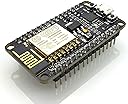
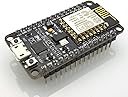
🚀 Elevate your IoT game with the ultimate NodeMCU dev board—code fast, connect faster!
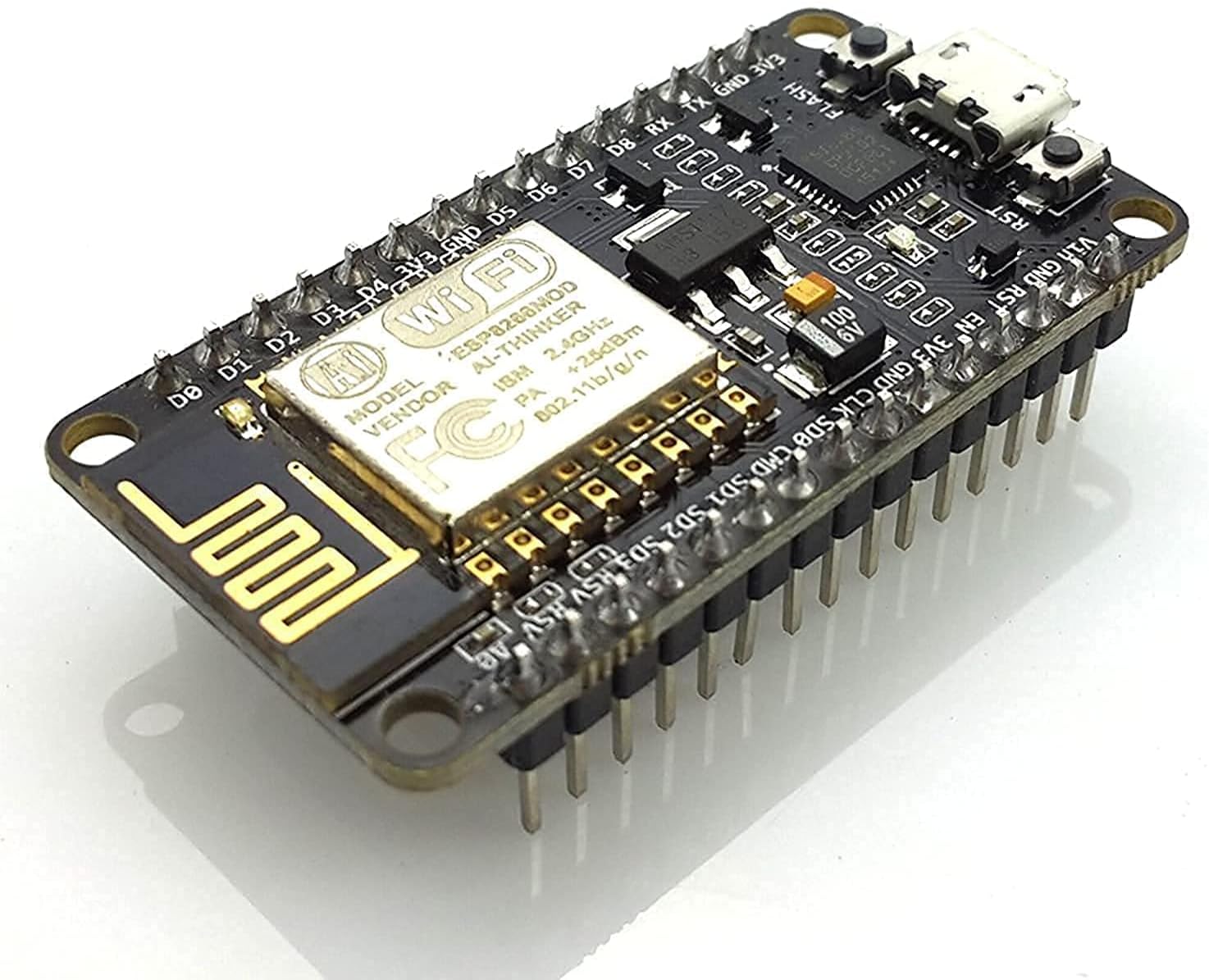
The HiLetgo ESP8266 NodeMCU CP2102 ESP-12E Development Board is a compact, open-source microcontroller featuring built-in Wi-Fi, 4MB flash memory, and a Micro-USB interface. Fully compatible with Arduino IDE, Micropython, and NodeMCU LUA, it enables rapid prototyping of IoT projects with easy firmware flashing and robust community support. Lightweight and reliable, it’s the go-to choice for professionals and makers aiming to build smart, connected devices efficiently.
| ASIN | B010O1G1ES |
| Best Sellers Rank | #305 in Computer Networking Transceivers |
| Brand | eleduino |
| Built-In Media | ESP8266 NodeMCU LUA CP2102 Development Board |
| CPU Model | MediaTek MT8125 |
| CPU Speed | 8E+1 MHz |
| Compatible Devices | ESP8266 |
| Connectivity Technology | USB, Wi-Fi |
| Customer Reviews | 4.4 out of 5 stars 2,996 Reviews |
| Item Dimensions L x W x H | 1.57"L x 1.57"W x 1.57"H |
| Item Weight | 9 Grams |
| Manufacturer | REES52 |
| Memory Storage Capacity | 4 MB |
| Mfr Part Number | 3-01-0268-1 |
| Model Name | NodeMCU |
| Model Number | 3-01-0268-1 |
| Operating System | Linux |
| Processor Brand | Espressif Systems |
| Processor Count | 1 |
| Processor Speed | 8E+1 MHz |
| RAM Memory Technology | LPDDR4 |
| Total Usb Ports | 1 |
| UPC | 710824985499 712866303101 715120173885 710824986076 |
| Wireless Compability | 802.11b |
M**O
Best ESP8266 dev board out there!
July 25th Review Update ============ I ordered 6 more pieces last night, and I got all of them following day. I installed Micropython on all of them and activated WebRepl, and I have no issues so far. All of them worked! I'm attaching new screenshots (the one with a fleet of NodeMcu's). Included in this screenshots are some of the projects I have done with this board: 1. Thermal camera sensor 2. Motion detector 3. Robot car 4. Laser tripwire system with RFID-based card access 5. Stepper motor with DRV8825 driver integration 6. Micro servo with OLED screen / Hall Sensor switch All of these are programmed with Micropython. I have also attached screenshots of my frontend and backend Raspberry-based data collector and analytics program (my own platform). The point of these screenshots is to show what's possible with this board. So far out of my 19 NodeMcu boards, 17 are perfect. The other two were failure because one of them was never delivered and the other one won't allow any firmware installation. Amazon has refunded those two by the way. July 10th Review Update ============ So I ordered two more. However one of them was missing. Amazon only delivered one! The other one isn't accepting firmware updates. I wasted a week of waiting for the delivery and talking to support. The good thing is Amazon refunded both, and HiLetGo email tech support is able to provide "moral" support. At least they are responsive. So at the end the delivery part was Amazon's fault because what HiLetGo does is they delivery the items to Amazon and Amazon is the one who fulfills the order. Now the other board that's malfunctioning seems to HiLetGo's fault. I am at odds whether I should reduce my rating from 5 stars to 4 or 3 stars. I looked for alternatives but I can't find any reliable sellers with reliable reviews. So I still went with HiLetGo. I ordered an extra 5 boards again. And they all worked fine. It took 2 mins to flash the firmware. So 10 good boards versus 1 missing and 1 malfunctioning (which both got refunded) I think should offset the bad experience I had. Comment below if you agree or not. As part of my research why this other board isn't flashing correctly because of "espcomm_sync failed" errors, it seems it's a hardware misconfiguration. There were suggested workarounds but they didn't work for me. Google "nodemcu espcomm_sync failed" for solutions since I am not allowed to post a URL here. Also Google "Comparison of ESP8266 NodeMCU development boards" to get more information on various NodeMcu boards. I say get the Amica-based NodeMcu board. It's the easiest and most reliable. The good thing is HiLetGo carries the Amica-based NodeMcu. So far the projects I have made with this board are: * Robot car * Magnetic reed switches for door and mailbox * Joystick controllers * Rfid controller * Weight sensors * Neopixel controllers I still prefer this board over the Adafruit Huzzah and Wemos. Recently I've dabbled with Ultrasonic Sensors and Relay. This board also worked flawlessly but the Olimex board seems better but pricier because it has integrated relay. I guess that's not really better because you can buy an extra relay and put it with the NodeMcu. Jun 29th 2017 Review Update ============ So I ordered two of these again since they are the most reliable ESP8266 dev board out there (for the cheapest price). Oh I've tried them all (Huzzah, Olimex, Wemos etc). If you think I haven't, send me a message and I will order it. Today I had a hiccup with uploading Micropython. It won't flash. The same commands that worked on my previous two NodeMcus worked flawlessly from these same vendor. But now it won't. I figured I have to use special flash mode when using esptool. Now it's working again. So for those who are using Micropython and flashing the firmware with esptool, here's the commands that I'd suggest you try 1. Erase first. This assumes you update the PORT accordingly esptool.py --port /dev/tty.SLAB_USBtoUART erase_flash 2. Upload the firmware. This assumes you went to Micropython and downloaded the firmware! The "-fm dio" is CRITICAL for these latest two dev boards I ordered. Previously I didn't need those. I read from the docs, most NodeMcu boards use this mode. So I guess I got lucky on my first two. esptool.py --port /dev/tty.SLAB_USBtoUART --baud 115200 write_flash -fm dio 0x00000 esp8266-20170526-v1.9.bin 3. Reset and connect to your terminal to verify. Bonus content: Upload a NodeMcu LUA-based firmware: =============================== esptool.py --port /dev/tty.SLAB_USBtoUART write_flash -fm dio 0x00000 nodemcu-master-21-modules-2017-06-09-04-48-50-float.bin Note: This assumes you went to NodeMcu and downloaded their firmware. And you browse to the directory where you have this firmware. Upload a NonOS firmware from Espressif: =============================== esptool.py --port /dev/tty.SLAB_USBtoUART --baud 115200 write_flash --flash_mode dio --flash_size detect 0x00000 boot_v1.7.bin 0x01000 at/512+512/user1.1024.new.2.bin 0x3fc000 esp_init_data_default.bin 0x7e000 blank.bin 0x3fe000 blank.bin Note: This assumes you downloaded the ESP8266_NONOS_SDK-2.1.0 sdk from Espressif's website. After downloading browse to ESP8266_NONOS_SDK-2.1.0/bin directory. Screenshots from my projects ======================= I've done a couple but I think these two robots I've made are notable and shows you can control these with NodeMcu. The joystick is controlled by a mini NodeMcu (same code I used for the standard NodeMcu). Whoemever is saying this dev board is fake doesn't know a thing. Original Review ============ I ordered two of this, so I can play around with Micropython firmware (Python-based language) and the Nodemcu firmware (LUA-based language). Pros: * Solid build like a rock (compare to other ESP8266 boards) * It has everything you need. No need for a separate FTDI cable or breakout board * No need to pull down GPIOs to do a firmware flash update. It's all automatic. Firmware update with Micropython is pure magic. * No need to solder pins since they are presoldered. Of course you might need to solder the unit itself with your projects but that's a different discussion. * 4MB memory. That's 32Mbit * Price is reasonable compare to Ebay Cons * None. It just works. That's why I ordered a second one.
B**O
HiLetgo ESP8266 NodeMCU: A Great Board for IoT Projects
The HiLetgo ESP8266 NodeMCU is a fantastic board for anyone diving into IoT projects. Its compact design packs a punch with built-in Wi-Fi capabilities, making it super easy to connect to networks. The CP2102 chip ensures reliable USB communication, which simplifies programming and debugging. I am using this microcontroller for a DIY WLED project, and it is working as expected. What sets this highly sturdy board apart is its user-friendly nature. Whether you're a beginner or an experienced maker, the NodeMCU's compatibility with the Arduino IDE makes coding a breeze. Plus, the extensive online documentation and community support mean you're never alone when tackling a new project. It's an affordable and versatile option for home automation, sensor networks, and more.
D**Y
Awesome Board for the Price!
I have over 100 different microcontrollers that I use and have tried for various projects. There is never a one-size fits all, but this board has one primary advantage, the price. If you are familiar with the variety of boards out there one thing you probably know is that the more features you want, the higher the price. Many boards I have used that have built-in Wi-Fi, USB programming and a host of ports can cost upwards of $20. Right out of the gate, this board supports a handful of ways to program it. The two most popular (in my opinion) are Micro Python and the Arduino IDE, both of which have great support. Once you install the driver, it appears as a USB device and is easily programmed. This makes it a great startup board for any beginner as well as a go-to board for advance usage. The Wi-Fi is easy to use and reliable. I have had success with it connected it to various cloud services (did tests with Adafruit IO and Arduino Cloud). Some have complained that the port assignments do not match the board. This is true and untrue. If you understand the difference between Arduino port assignments and how manufactures assign (pin) numbers to their GPIO ports then you will understand why this is different, however, to use the board you do not need to understand any of this. When you install the board driver in the Arduino IDE, you can use pin assignments such as D0 and D1 just like you see printed on the board. Of course, you can still use the GPIO pin numbers as well. If you need to understand the pin assignments in greater detail, click the pin assignment image in the product detail and print it out, it is a great resource. In addition, the Internet is full of samples and explanations on how to get the most of this board. It is open source and many, many people are using it. Check out Adafruit as they have a board called Huzzah based on the ESP8266 and it is similar. In fact, I built a plant monitoring system using the Huzzah and then later swapped it out for this board (I needed more ports). My latest project, a plant monitoring and watering system, uses an SPI device (MCP3008), an I2C device (TSL2591) for monitoring light levels, and several other sensors. I built a small voltage regulator using a LM7805 to provide 5V power to the Vin pin, and I used the 3.3V pin to provide power to my sensors. I drive a 12V motor directly from the power supply using a N-Channel MOSFET and PWM from a digital pin to control the speed. The versatility of this board is amazing, again for such a low price! My only complaint about this board would be that it only has one ADC port that can only measure 0 to 1V. Since I have come across this limitation on other boards, and is not a limitation of HiLetgo’s design, I am still giving this board 5 stars. I use an inexpensive MCP3008 ADC chip and it works just fine while adding 8 ADC channels to my project. If you wish to see an example of my circuit and code, search GitHub using my name and look at the Plant Monitor and Watering System repository. When you using this board you need to be aware that some of the pins serve multiple purposes so you have to be careful how you use them (true with all ESP8266 based boards). For example, GPIO15 (D8) is used to detect boot mode and must be LOW when the device starts. There is a similar requirement on GPIO2. A search on the Internet this will reveal a lot of easy to follow instructions and help you not fall into issues with these ports. Again, these are limitations of the ESP8266 and not HiLetgos’s design, so I am not reflecting this in the rating. I have also confirmed what other reviewers are saying, that is, you can program this at full speed: 921600. I have not had any issue at this COM speed. In general, I am not saying this is the best and only board to buy. I think for the features and the price; this is one of my favorites!
T**Y
exellent cheap little module
this is my first time experimenting with the esp8266 module i ordered various esp8266-12E modules from HiLetgo took one month and half to arrive at my doorstep from China but then again i live in Colombia the parts arrived in perfect condition and sealed airtight in an antistatic bag all of the modules worked the only thing i needed was to figure out how to flash them actually its not so hard to figure it out, linux has support build in for the serial usb UART bridge controller (Ubuntu) windows needs the driver installed -> download here: https://www.silabs.com/products/mcu/Pages/USBtoUARTBridgeVCPDrivers.aspx to make things easy and not overly complicated i flashed the binary image from Nodemcu on linux plug in the module and execute the following commands as root or sudo # dmesg | grep cp210* the above will output the location where your module can be found, in my case /dev/ttyUSB0 (see my attached screenshot) then copy the binary image of your rom in the esptool directory and execute the following to start flashing (make sure you change /dev/ttyUSB0 to whatever is your location !): # python ./esptool.py --port=/dev/ttyUSB0 write_flash -fm=dio -fs=32m 0x00000 nodemcu_integer_0.9.6-dev_20150704.bin after you can use esplorer on 9600 baud on windows to connect and program also tip, the module has a 5 volt output in my case i can power directly pir sensors from the GND+VIN pins next to the reset button just make sure you put a resistor between the output to your gpio pins btw the module is small, very small i didnt expect that (size of my thumb) EDIT: important ! just found out 1 module was spitting out garbage in the serial at random times turns out the TTL chip is badly soldered, by applying pressure it is temporarly fixed also these modules behave very bad with nodemcu 0.9.6 and even worse with 1.4.0 nodemcu 0.9.6 -> plenty disconnects and all methods to discover them dont work nodemcu 1.4.0 -> wifi is stable but outgoing tcp connections is broken (also in the dev version) and for some reason compiling the nodemcu yourself spits out faulty binaries for this model i suggest for stability to use arduino ide and sketches make sure you include in your setup() Serial.begin(9600); else after flashing your module will just crash and reboot all the time my expierience with nodemcu both versions: - badly maintained - to many bugs to be reliable (random disconnects, reboots, hangs, values in scripts not incrementing, if/then/else cases not executing correctly etc...) - no support (forums are flooded with problems but no answers) arduino ide is well maintained and has plenty libraries for all your projects, easy to use and less headbanging against the wall just for your information, arduino ide has gpio pins different then nodemcu on nodemcu for example header pins D1 & D2 are GPIO1 & GPIO2 but one arduino ide D1, & D2 are GPIO5 & GPIO4 and D7 the RX pin is GPIO13 so its a bit searching since there is no info or map layout to be found im still waiting a few parts to finish but ive already got it working so far and much more faster and stable with arduino ide since the code is written in C, the footprint is less bigger and much faster then lua on nodemcu so ive rebuild my daughters lamp on her nightstand and ive removed all its guts including the 110volt bulb in the base ive fitted a pir sensor connected with the esp8266-12e module powered by usb instead of the 110 volt bulb ive replaced it with a 5 volt led from an old battery lantern it took me half an hour to re-write the code i made in lua script to C++ the pir sensor turns on the light in the lamp and also sends a http get request to another receiver in our bedroom witch turns on a led light for now, im still waiting some parts to encase it in a nice box and also an lcd display to show the termperature in her room and a buzzer a sensor that i would add later on when my daughter gets out of bed in the middle of the night a buzzer will sound and a light will show in our room that shes awake and out of bed the problem with nodemcu with my project was that lua script is really unstable and slow also wifi is very unstable and disconnects frequently and methods to keep track on disconnects do not work unless you come up with something like a ping/pong method (if no answer received -> reconnect to wifi) and also the reaction is very slow from the moment pir detects movement to the moment the other esp module receives an alert with arduino ide this lag is completly gone ! bootup is almost instant from the moment you plug it in it is reporting movement after 2 seconds with nodemcu this takes sometimes up to 1 minute ive also not gotten a disconnect on wifi in 24 hours, where nodemcu requiered to reconnect over 73 times in 24 hours (0.9.6 and 1.4.0)
H**K
My new go-to board instead of Arduino (built-in WiFi, wireless code updates)
These things are awesome. I am currently running 3 of them with a small 64x128 OLED display and a DHT22 sensor in different places in the house. All this built using the Ardunio IDE. I have also added some NTP code I found on the web and now each board syncs up its clock using NTP, so it's almost like having an RTC onboard (as long as you have internet connectivity, at least one time when you power up or reset the device). One of the most awesome features is being able to use the ArduinOTA package so that I can now make code updates wirelessly over wifi after burning the initial code into each board. There are only a few reasons that I would maybe use an Arduino board instead of these: Analog inputs - this has just one built in. Most of my analog input sensors already provide SPI or I2C interfaces, so that's not an issue for me. You may also opt for Arduino if you absolutely need a 5V device (these are 3.3V) or for something battery powered where you'd want the lowest drain. Not sure yet if I can shut off the wifi radio in this guy to achieve similar low-power useability but for 90%+ of my projects, this has just become my go-to board. Note that the one I got from HiLetgo seems to be better than two other ones I got later from another seller. The HiLetgo one can be programmed at a full 921600 baud over USB, where the ones from the other seller can only be programmed reliably at 115200. This could be just luck-of-the-draw and probably they all come from the same factory and it may have just been a batch of less precise processor crystals or who knows what. The difference in programming speed isn't huge, so no big deal. Overall, I am very pleased with these boards. I've attached a pic of my temperature/humidity sensor project. Uses just a NodeMCU, a breadboard, an I2C OLED display, a DHT22 sensor, a 10Kohm resistor and 7 jumper wires. I can access each one of my 3 boards through any browser to get the readings off of it. You could get rid of the OLED and 2 jumper wires, if you just want to be able to read your data through a browser. - Quick follow up: I just got 3 more from HiLetgo and they all can be programmed at full 921600 baud, so FWIW, the HiLetgo "brand" appears to be better than the batch of 2 I got from a different seller, which could only be programmed reliably at significantly lower speeds though they still appear to run code fine after programming. I still love these NodeMCUs :) - Another follow up: I have created a githup repo (search github.com for "esp8266_arduino_temperature_nodes") with the source code. It's a bit of a hodge podge since it's just experimental as I play with this board's capabilities. (update: added ILI9341 TFT display, see pic) Hope somebody finds it useful.
T**T
Great device + free services = super fast development.
I love this module. pros: - built-in micro-USB. (no FTDI to connect...) - 3V (or 3.3V?) voltage converter - flash and reset switches - already soldered pins at breadboard-friendly. - easy to program, works well... but that's more about the module itself, not made by this company. cons: - not sure. Pay almost $10 with prime, or pay $3 and have to build more before being able to use it + add shipping costs... Programming: - after trying AT commands (worked), and NodeMCU/LUA firmware + programming (so-so), I moved to Arduino-IDE support. Including Adafruit Huzzah libraries. Consider buying Adafruit's stuff directly (I wish they had a store on Amazon with Prime...) to support their efforts in providing great code for free. - adafruit.io is a MQTT + dashboard free beta that is great to use with these kinds of devices. Of course, AWS has some IOT offering too, with I think 12 months free MQTT, then super cheap. It's missing easy dashboarding I believe, but that might come some day. Overall, in a few hours I had automated an electric switch Iot Relay - Enclosed High-power Power Relay for Arduino, Raspberry Pi, PIC or Wifi, Relay Shield , made a dashboard with a button to remotely "reset" a device, with logging, metrics... This was quite amazing how easy it was.
J**E
4 out of 4 did defective.
Couldn't wait to get these, both came DOA. The first one worked briefly when I plugged it into a USB port on my computer. I was able to install WLED and then I moved it over to a 5V 2a phone charger and it worked for a moment then died. The second one was completely dead before doing anything. No power light, nothing detected. Both units now do nothing when plugged in, no power light, no detection. Disappointed. Update: Was sent two new units, one worked fine, the second was DOA. So out of 4 boards only 1 worked. Update: Was watching Youtube, the lights shut off suddenly, board dead no longer works. So 4 out of 4 defective. Junk! Only doing simple WLED project using 850mA limiter with a 5v 2amp phone charger, there's no reason for these to be failing. Deserves ZERO stars. This project has been going on for two weeks now and I can't complete it because these boards are trash.
A**Y
Fun Toy for MCU Hobbyists, Amazing Bang for the Buck
The HiLetgo ESP8266 NodeMCU CP2102 ESP-12E Development Board is a great choice for people who are already familiar with the Arduino IDE. Setting up the ESP8266 NodeMCU with the Arduino IDE requires just a few steps and is well documented on the internet. From that point, configuring a sketch is similar to many Arduino devices. This is an excellent board for IOT, remote control, etc. The quality of the module is clean and it works well. One negative is that there is only a single analog pin (ADC0). Be aware that this is a 3.3 volt device. There is one 5 volt pin (Vin) that supplies the input of an onboard 3.3 volt regulator chip. Likewise, 5 volts can be supplied via the USB connection. All GPIO pin levels, however, should never exceed 3.3 volts. For people using the ESP8266 NodeMCU CP2102 ESP-12E Development Board for the first time, there is a short learning curve. However this is an amazing package for the money.
H**S
Non-existing quality assurance
I ordered six of these boards yesterday. They arrived quickly, but two out of six were not working (one not flashable at all, one not able to connect to WiFi). Lots of the soldering is shoddy and connections between components weak or non-existing.
M**F
Good quality
Best Buy for the money. No problems and works perfect.
A**A
A very great board
Great, product using it for a rc car, wifi and pins work great, a suggestion for the seller please sell a cable with it too as it will save a lot of time of the customers, the size is very small so it fits in a bread board easily , help for the other costumers and people wanting to buy, buy it with a good quality cable , and it has to be a data cable or the code form your programming device will not transfer
A**N
Arduino kompatibel mit integriertem Wifi, günstig
Der NodeMCU basiert auf einem ESP8266 controller mit integriertem Wifi. Die Komponenten sind so günstig, das sich damit perfekt Projekt Rund um das Thema Internet of Thing (IoT) realisieren lassen, ohne gleich den Geldbeutel zu sprengen. Ich nutze ihn aktuell zusammen mit einem Temperatur- und Luftfeuchtigkeit-Sensor zum loggen der Daten in Richtung [.....] Mit dem gesammelt Daten steuere ich im Anschluss die Thermostate in meiner Wohnung. Die Version auf Amazon habe ich damals bestellt, da sie sofort lieferbar war. Beim Chinesen des Vertrauens bekommt man die gleichen Mikrocontroller für ca. 6€, aber mit Lieferzeit von 2-3 Wochen.
J**K
Board different to advertised
Board received is completely different from standard NodeMcu boards. I was unable to find specs nor the proper pinout for this board. Supposed manufacturer HiLetgo, doesn't list any similar boards on their website.
Trustpilot
1 week ago
1 month ago