

๐ค Speak, Stream, and Shine - Your Entertainment Awaits!
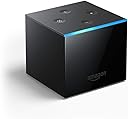
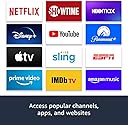
The Fire TV Cube is a cutting-edge streaming device that combines hands-free voice control with 4K Ultra HD content access. With Alexa built-in, you can manage your entertainment and smart home devices effortlessly, all while enjoying a vast library of channels and apps. Designed with privacy in mind, it ensures a secure streaming experience.
S**E
Best streaming device but Can't Rename Equipment Devices
I upgraded my 1st gen Fire TV small black device (not stick) to the new Fire TV Cube, hands-free with Alexa built in, 4K Ultra HD, streaming media player in Oct 2019. PROS: -super easy plug and play setup. Was able to get the cube setup within 10 mins. -really love the interface of the platform -tons of apps like HBO, Hulu, Netflix, CNN, local TV channel apps like CW in the Los Angeles area. This comes in handy when the weather is super windy and your satellite signal is terrible. I can just use the CNN or my local TV channel app to watch without any signal issues. -best streaming experience with Netflix app compared to Apple TV. Steaming Netflix on Apple TV constantly crashes and glitches out. Especially if I fast forward or rewind a huge chunk of time like going back or forward 30 mins of the content. Fire TV cube including 1st gen Fire TV streams Netflix without any glitches even forwarding or rewinding 30 mins or more of the content. -love that I can add other devices so I can use my FireTV remote to turn on/off and switch to other devices. For example, once I've added all of the different equipment device in the settings like my Denon amplifier, my TV, Nintendo Switch, 3rd party media streaming player. I can use the remote to speak my command like "switch to game console" and FireTV cube will switch from FireTV to my Nintendo Switch, my amp will switch to the correct input, my TV will also switch to the correct input. I only have to set this up once in the settings. -able to set the "home" icon button on the remote to automatically take you back to the FireTV streaming interface if you are using another input mode like DVD, game console, etc. This is super handy. -for the cord-cutters out there. There is an upgrade option...The FireTV Recast. I purchased the FireTV Recast to watch Over The Air (OTA) local channels for free which is great. The Recast is also a DVR so I can schedule and play my local TV content saving storage room from my DirecTV DVR unit for cable recorded shows. Once you have the FireTV Recast connected to the FireTV cube, you will be able to see what is currently playing live in the FireTV home screen. This feature will be integrated with the rest of the FireTV home features like movies, recommended TV shows, etc. CONS: -CAN NOT RENAME EQUIPMENT DEVICE IN SETTING. This is a huge issue for me because when you have a family, they only know of the names of the actual devices being used like DirecTV, Nintendo Switch, Turntable, etc. Expecting my wife and kids to say the command "switch to satellite doesn't make sense", it's more intuitive to say "DirecTV". Allowing me to rename the equipment device will help my kids and wife to ask for commands like "switch to Nintendo Switch" instead of "switch to game console". My family will not know the Amazon equipment device default setting for DirecTV is "Satellite". Also being able to rename the equipment device will allow the possibility to add older devices like turntable and allow me to rename the default equipment device name of DVD to "Turntable". So Amazon please please please allow renaming equipment device. This will be a game-changer feature especially for anyone who has the typical entertainment setup with an amplifier, game console, DVD/Bluray player, turntable, etc. -FireTV cube remote control is too limiting and doesn't have the number keypads. It would be great to be able to learn my other device's IR signal so I can just use the FireTV remote to switch the channel when watching DirecTV. All and all, one of the best streaming device in the market.
T**S
Almost flawless design.. Amazon has done it again.
You know I have quite a few Amazon devices and I must say that this is far superior to the fire stick. I really enjoy the hands-free controlling of the TV and it basically operates like an echo device the the only thing that I would like to express on this for Amazon to change would be the speaker itself is very crappy much like the Gen 1 echo speaker. It is an actual cube that measures approximately 3 1/2 in in all dimensions. I'm like the echo, it has one bar light on the front top of it. The app storage is much better than the fire stick I do highly recommend this to the fire stick because you can just put more on it and it does seem quite a bit faster. In addition there has been some miscommunication that I have read in regards to the physical outputs which I would like to clear up. This does have a micro USB, an infrared, an HDMI, and a power plug in the back of the unit the top of the unit is exactly like the echo and has the four buttons mimicking the echo the IR connector is for incorporating use to control an infrared device like a VCR or Blu-ray player or cable box anything that uses IR. Although this is included I do not think it's necessary if you install Kodi with the amount of free channels that are provided. Many people try and sell jailbroken fire cubes for almost double the price I do not recommend them as if you want to do it yourself there are videos on YouTube that are stupid simple. There will cause no harm to your device. What I do recommend is that you get the OTG adapter and hook up a hard disk drive for added storage. It is very simple to do and will allow you to transfer your home movies for playback on a full TV. In addition to this by holding the home button on the Alexa remote, it will bring up a menu where it will allow you to mirror a device such as a phone. I find this useful once in awhile for sharing video with others in my home streaming directly from my phone. I am currently using this with the sengled pulse audio speakers utilizing the pulse link adapter. To use the setup successfully your television must have a audio out via RCA jacks or headphone jacks so that you can plug the connection into the pulse link unit. If your television does not have any of these controls it will not hook up to this system conveniently. It can be done via Bluetooth however, you will need to disconnect the system every time you want to control the lighting which I find is rather inconvenient.
T**J
Awesome device! Totally worth the price!
Mind you, while I do highly recommend it, the only reason that I rated the streaming quality as four stars, is because it is a bandwidth hog & when you have more than the cube on the same network, the very second you start to use a different device to stream videos or just to check your E-mail while the cube is running, it will occasionally glitch which is slightly annoying. Granted, the technology is still relatively new so little video hiccups or temporary video freezes during the transition from streaming a movie or TV show to switch over to a commercial, it can be a little frustrating. However, I bumped up the bandwidth today when I called my ISP company so the cube is glitching much less but still not entirely free of the video freezing up for a moment when using a second device on our network. Alternatively, my DirecTV service was too expensive to keep using it as it was for the same services now being offered on the Fire Cube & yet the cube actually requires you to have a TV service provider for some of the stations because when installing a specific application for something like Fox News or Fox sports, to sign up, you need to have a valid account sign in from a TV service provider. So I simply told the DirecTV representative that I spoke to, that I now owned a fire cube & it was capable of showing all the same shows that DirecTV was offering but for free. So, cutting your TV service provider out of the loop completely isn't really possible but I did manage to cut my TV bill down by more than $110.00 bucks a month. And that is why the cube is still totally worth the price to me because next year, the bill may have been as much as $170.00 which was totally ridiculous!! Those thieving rats were even charging me fees for services that I didn't even have such as "Whole home DVR" which implies that I have more than one receiver when I didn't! The were also charging me just for the ability to pause & record live TV which costs a total of twenty bucks a month! So, given that it has become so expensive to have something like that, I decided that a few video hiccups were preferable to all the absurd charges. So, in spite of all the negative reviews on here, if you are currently paying as much as I was until I cut down my bill today, take my word for it! You can have a less expensive bill if you get the cube & boost up the bandwidth of your ISP as a more-than-reasonable trade off to the legalized highway robbery being done on your monthly budget! But don't take my word for it, do the research to then decide if getting a fire cube is best for your budget. Although, I still swear that it is AWESOME & TOTALLY WORTH IT!!!
B**N
noticeable faster then 1st gen! A must for cord cutters but great for cable users aslo
I have two first gen cubes and i felt they were getting a bit sluggish. I didnt know if the issue was with the cube or the apps. I read the reviews for the 2nd gen and people said they noticed a difference so i thought id give it a try. I have to say there is a noticeable difference! When it comes to tech little delays can feel like big delays especially if there are lots of them, so when you save 5-30 seconds it feels like a lot. Many of the reviews ive read from people are fairly spot on. Its a little silly they dont give you an hdmi cord which is mandatory for the cube to work but they give you an ethernet adapter, most people with internet have wifi so while 100% of users need an hdmi id guess only 10% need an Ethernet adapter. I do use the ethernet adapter for a more stable connection but i dont need to use and as another reviewer mentioned the way they connect the ethernet adapter limits the speed. I get 1gig internet speed but this limits it to 100mb. Not the end if the world but just something that seems silly to have done. In general the cube works well and easily! If youโre a cord cutter it has almost every app i need. For some reason Vudu isnt on there but maybe because its owned by Walmart? Pretty much Anything you own on vudu its on the movies anywhere app which is on the cube. If you still have cable the cube works well cable. I orginally had att cable when i got the cube and i could say โwatch TLC on cableโ and the cube would switch to the hdmi port that my cable box was on and it would change the channel. It also controlled the volume. There were somethings it couldnt do but i was impressed by how well it worked. Alexa can also turn my xbox on, switch to the right hdmi port and start the game i want to play. Also you can say switch hdmi 3 and she will switch. The only real problem with the cube is inconsistency. The voice commands are not universal. So itโs annoying to figure out what you can and cannot say in different apps. You also have to use the right phrase. For example on PlayStation Vue (which i will miss so much!!) if i say โalex tune to fox on PlayStation Vue) it works but if i say โalex put fox on in playstation vueโ it wont work. For some reason when i pause something in hulu and then tell alexa to play she puts on apple music, which makes no sense. This could just be a glitch on mine idk. I have two cubes and its kind if annoying that if i download an app on one i have to do it on the other and also that the passwords have to be entered on each. I wish the remote had a keypad. I bought a bluetooth keypad that has a rubber holder to hold both the remote and the keypad. I didnt find out until afterwards that there is an amazon fire app that turns your phone into a remote! I feel like that is not advertised well. On iphone its nice because sometimes when putting in passwords your iphone can pull up stored passwords which is chill. I wish there was a way to transfer a show from one cube to another. So if youre watching in the bedroom and then go into the living room you can just say transfer to living room and it would turn off the bedroom and turn on the living room tv and have the show or movie start where u left off. Whats cool is you can turn your tv off using an echo. So if im watching tv in the living room and then go take a shower i can say to my echo in the bathroom โturn off living roomโ and it turns the tv off but i cant say โplay x movie in living room or tune to cnn on PlayStation Vue in living roomโ. Sometimes i get some odd errors like โalexa open funimation appโ and the the response is โi can do that on playstation vue or on x which do you perferโ funimation isnt on PlayStation vue so this doesnt even make sense and the other option also didnt make sense. So ill have to say it again. Also sometimes the far field detection that is used to detect which device you are talking to by proximity still needs work. Ive had times where i was leaving for work and my tv is right by the bedroom door and my living room tv is a good 12-15 feet away and ill turn left in the door way and speak directly to the cube to turn tv off and instead my living room cube responds and turns that tv on. I can see the bedroom cube which is only a foot from where i al standing and looking directly at light up but then the cubes for some reason determine that im speaking to the living room tv 12-15 ft away and my head isnt even turned in that direction! Also the cube has a nice option where it has a live tv guide so if you have playstation vue and pluto (which is free and everyone should get it) you can have a guide showing you whats on all the channels and you can even make your own favorite channel list that combines both services channels!! Its really cool but it doesnt work with all live tv like if you have att live app it doesnt work with this. Also whats a little annoying is if you pick a show on Vue the cube then opens the app and tunes to thr channel but you cant go back the cube live tv guide without living the app but with pluto you can still use the cube live tv guide. So theres just a bunch of small goofy things that they could fix to make a much better experience. They also want you to buy hbo and other channels through amazon so if you have them through amazon they integrate well into the menu but if you have hbo through cable and using hbo go. They make you use the app and dont let you use their better integrated option. If you are thinking about getting a fire stick instead...dont! The cube is way better imo. I have a roku TCL tv and I still use my cube over the built in roku. Despite all my little Nitpicky comments above i think the cube is great! It can control your devices, has tons of apps and does everything an echo can do. Oh there is one more thing I donโt like if i im using audible i cant set a sleep timer like I can on my echo show. You can have it stop after a set time but it doesnโt turn the tv off. I wish they had a better trade in program for upgrading. They only give you like 20% off if u trade in your old one but you have to send it to them first and then they will apply a discount so if its on sale youโll probably miss the sale. It would be better if they applied the credit and when u got the new cube they included a box and return label and if theres an issue with your old cube they take back the discount and charge u. Similar to how they do amazon wardrobe.
J**R
Amazon Fire TV Cube - 2nd generation
I purchased this device not knowing what to expect other than I have tried just about every streaming device available and have been disappointed with most of them. I still have two Roku Ultra 2020's, the new Chromecast with Google TV, and two Amazon Fire TV Stick 4K's. I have tried the Tivo Stream 4K, The newest Apple TV 4K, (which I though would outdistance all of them in performance but it does not) and the Nvidia Shield TV, not the Pro unit. The Nvidia's, TV & Pro, both have the same specs other than storage so performance for overall basic streaming is the same. They all had specific problems for me that may have been just my system and their compatibility, but for what the heavy hitters cost, I would think that would be worked by someone other that the public as beta testers. My system is a Samsung 50" 4K HDR TV, not an expensive one, and a Nakamichi sound bar which I cannot say enough good things about. I also have a Samsung Q70R sound bar and had similar problems with it testing these devices, so that helps eliminate me as the compatibility culprit. The Fire TV Cube is simply outstanding! Thanks to my children and grandchildren, we have many services to choose from including Amazon Prime, Netflix, Disney+, Hulu, ESPN+, Discover+ and HBOMax and of course YouTube and Pandora. The performance is incredible. When I try a new device the first app I go to is HBOMax which for some reason is the most difficult for devices to navigate without stumbling, pausing and sometimes locking up. Maybe it's due to the icon designs and the number of them, but the Cube works fine. The Nvidia would just stop moving through the HBOMax app at which time I have to unplug the device to restart. I spent a little time researching why and all I got was the he said, she said finger pointing result so I asked my self; why should it be up to the consumer to finish the testing the product? I would rate the Roku Ultra 2020 a close 2nd and then the Amazon Fire TV stick 4K, which I got for $25.00/each! I definitely rate the Fire TV Stick 4K's as the best bang for the buck when on sale, especially the $25.00 per sale! I have seen some benchmark testing and on paper, the Nvidia Shield Pro is rated at two times, that is 2X faster than the Fire TV Cube! All that means to me is that the Nvidia Shield Pro is rated at those numbers running on the system tested. In other words, unless you have the same components as the tester, you are still taking your chances on a device that works for you. Some devices would not let my TV go to sleep. I just happened to notice that the led on the bottom of my tv would be blinking. I isolated it to the Apple TV and the Nvidia Shield. This was during two separate testing sessions since I did not have both concurrently. I did double check that issue by making sure all the apps were exited out of, at least the ones that give you that option. The Fire TV Cube works great for me. I haven't had any issues that were not generated by me, and it looks as though I will be keeping it. Everything that I have works with it and it does help to have owned another Amazon streaming device so the configurations are almost the same. I am not a huge Alexa fan, but its simplicity with the Cube may start me using it. The Voice function with the remote works great, of course all the ones I have tried worked well too. Never any buffering issues, before or now. I always hardwire when I can and leave the wi-fi for the mobile devices such as phones, tablets, family coming over using their devices and so on. I realize that comparing $50.00 streaming device with a $180.00 streaming device is not fair at all and I agree, but, I am not comparing these devices's capabilities, I am just looking for one that works without having to troubleshoot problems and sift through things that I can and/or cannot do without. Thanks for taking the time to read and sorry for the length. I hope this saves someone a little time finding a streaming device for themselves.
R**K
Much better than the first gen cube! Must buy for smart home enthusiasts.
I have always thought that the TV was the holy grail for my smart home. I have tried everything to find that hands free experience in the past few years. Pairing echos, pairing Roku with Google home, chromecasts, harmony hub, and even the first generation fire tv cube. This second generation cube is the closest I have come to what I want, which is a hands free experience with one remote control if needed. The "on board" commands are a game changer, along with the quicker processor. I have had the exact same wi fi and router throughout all my attempts. The second generation cube is connected wirelessly to the wi fi from a router upstairs in my house. However, This thing is fast! The cube is also connected to my amazon recast. Hands free, I am able to turn my tv on and off. Turning my tv "off" hands free has always been a HUGE issue for me and was never able to do it until the first gen cube. Also, I can turn volume up/down, pause, mute on/off, ask to launch netflix, Hulu, Prime, Pluto tv, etc. Ask for specific genres and even specific shows on netflix/Hulu/Prime. Being connected to my recast, I am also able to ask for specific channels like CBS, PBS, ABC, etc. and it goes right to it. I can also ask to record this show, open my DVR, go to the channel guide, scroll up/down, select this or that show...keep in mind, this is all happening quickly and frustration free! The only thing that I cannot do, and which the cube should do, is ask Alexa to go to my Apple TV. I believe this must be a bug. I researched a little and found something on reddit saying to turn off the CEC control..but this would probably kill all the functions of the hands free experience, so everything else is working brilliantly, I dont really care that much. The remote is fantastic, controls everything mentioned above, all on one remote. This also controls Alexa with a touch of the button. The cube also functions as a fullblown echo device and the speaker is loud. I have the cube positioned correctly away from the tv speakers as suggested, so the echo can hear me fine, even in a somewhat noisy environment, I have two kids. I have read reviews saying do not buy this if you have the first generation cube. I 100% disagree with this sentiment! If you are a smart home enthusiast and value speed and a frustration free experience, buy the new cube, it is worth it.
C**A
A superior option to the Firestick
Similar to Roku's standalone boxes, the Amazon Fire TV Cube offers a stronger streaming experience than it's Firestick counterpart. The Cube having double the RAM and computing power of a hexacore processor makes it compute much faster and more responsive than the Firestick. Also with the RF extender it noticeably responds faster to commands from the remote and it has the added feature that many devices have nowadays of letting the remote control multiple devices with a relatively easy setup process. Now for the big deal in my opinion, the option of having direct ethernet connection with your router via an included mini-USB adapter. Even though it can connect well with a good 5G Wi-Fi network, I always find direct connection to be most reliable when available but it does seem to only work with a CAT6 cable and not CAT5e. Another interesting thing about this device is the built in Alexa which differs from the Firestick because you don't have to use the remote to make use of it. The Cube itself is pretty much an Amazon Echo Dot but you have to try to somehow keep it some feet away from the TV speakers or else the device can get confused between you and the sound of the speakers. It actually gets tripped up whenever there's an Amazon Alexa commercial on making it think it's receiving commands when it's not. As for the stream quality, it's absolutely amazing. I put it through the test when I played all 4 hours of Zack Snyder's Justice League on the HBO Max app on 4K resolution. Not only did it perform flawlessly in the image and stream speed department, but I also never ran into any device overheating issues that I've had with stick type devices in the past. It's even worked quite well for me with ESPN+ for sports streaming and I also hear Thursday Night Football will become an Amazon exclusive in the near future. I would definitely recommend buying this to enhance your streaming experience.
C**C
Faster Cube
*UPGRADES from Generation 1 to Generation 2: -added HDR10+ and Dolby Vision support -added Bluetooth 5.0 support (Gen1 was 4.2) -added Local Voice Control : locally processes some frequently used voice commands, executing them faster - ie "Alexa Go Home" etc. -Fire OS 7.2.0.4 -CPU upgrade -GPU upgrade UPGRADE OPINIONS: The CPU/GPU and Local Voice Control upgrades result in a pretty big difference in speed and responsiveness between Gen 1 and Gen 2. All actions are executed right away. This is the biggest noticeable difference between Gen 1 and Gen 2. HDR10+ and Dolby Vision support are nice to have if you own a TV that supports these HD formats. The BT5.0 should result in longer range for bluetooth connected devices. I find the difference in speed to be worth the cost of a Gen 2, but that is probably personal preference. To me, saving a second or two with every command, and having access to Vision and BT5.0 seemed worth it. If you are upgrading from FireTV Stick 4K, you are getting a faster processor, 16GB storage over the Stick's 8GB, and all of the Echo functionality. --------------- OVERALL The Good: -Setup is super easy. About 10 - 15 minutes of downloading updates, then up and running! There is a check box on the right side of this page here on Amazon that says "Link to my Amazon account to simplify setup." This is usually checked by default, so when you purchase this FireTV Cube it will transfer settings like saved Wifi passwords from other Echo devices in your house. This makes setup very fast and easy. (You can uncheck this option though if you are buying this as a gift for someone else.) -FireTV Cube is great for controlling multiple devices. The ability to act as an IR blaster to control most TVs and soundbars; in addition to the regular Echo control of smart devices is very useful. Not having to use an additional remote for the TV is great. -Some regular Echo interactions are much more useful when there is a visual component; like asking about the weather, or seeing song lyrics/album covers. -I like the ability to use all of the newer Echo functions, like Drop-Ins/Calls, and multi room groups for music. These were not available initially on the Gen 1 FireTV Cube. The Bad: -Some apps have less voice control functionality than others. Navagation for Netflix, Hulu, and Amazon Prime were all pretty great; but technically some other apps might not support all of the voice commands, and you might have to use the remote. -No included HDMI cable. This is minor, but I feel like it could've been included. TL,DR: Gen 2 is much faster than Gen 1, and has all the new Echo features. Get it if you want a much faster Cube, or Dolby Vision/BT5.0 support. **** FAQ- from some of the questions on this page: -Storage space: Specs say 16GB total. Around 3GB must be used for the OS, because my storage details indicated 12.98 GB internal storage. -Controlling devices: The Cube has an IR blaster built in that acts a universal remote to send signals to most TVs and soundbars. You can also use the IR extender attachment if you need to to reach other devices not in line of sight of the Cube. Also in your Equipment Control settings, you can choose whether Mute, Volume Up/Down, and Power signals are sent from the Cube itself, or from the Cube's Alexa Remote.
Trustpilot
5 days ago
2 weeks ago