Desertcart purchases this item on your behalf and handles shipping, customs, and support to Senegal.
🔊 Elevate your workspace sound without the clutter—hear the difference, feel the vibe.
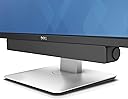
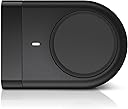
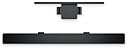
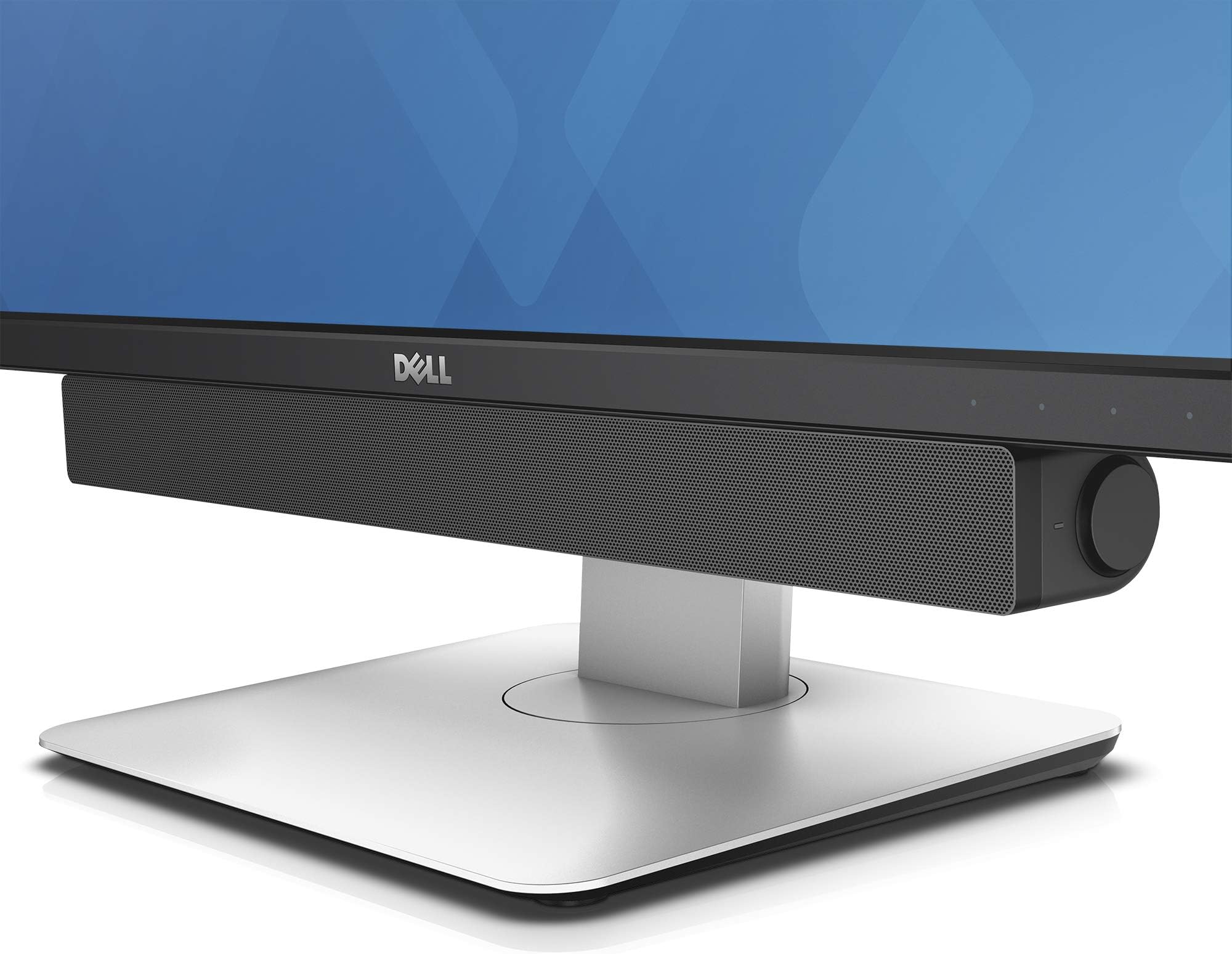
The Dell AC511M USB Soundbar is a sleek, compact audio solution designed for professionals seeking clear stereo sound without bulky speakers or cables. Powered entirely via USB, it mounts easily on compatible Dell monitors, delivering 2.5 watts of dynamic audio output with zero setup hassle. Ideal for calls, music, and productivity, it’s the perfect minimalist upgrade for your desk.


| ASIN | B07FZY2MJN |
| Age Range Description | Adult |
| Antenna Location | For Computers |
| Audio Driver Type | Dynamic Driver |
| Audio Output Mode | Stereo |
| Battery Average Life | 1 Hours |
| Best Sellers Rank | #388,320 in Electronics ( See Top 100 in Electronics ) #447 in Soundbar Speakers |
| Box Contents | Dell Stereo Soundbar – AC511M |
| Brand | Dell |
| Brand Name | Dell |
| Colour | Black |
| Compatible Devices | Laptop |
| Connectivity Protocol | USB |
| Connectivity Technology | USB |
| Control Method | App |
| Controller Type | Corded Electric |
| Customer Package Type | FFP |
| Customer Reviews | 4.2 out of 5 stars 2,953 Reviews |
| Enclosure Material | Plastic |
| Frequency Response | 20000 Hz |
| Global Trade Identification Number | 00884116311843 |
| Importer Contact Information | Divyasree Greens, Challaghatta Koramangala Inr Ring Road, Varthur Hobli Bangalore Karnataka 560071 |
| Is Electric | Yes |
| Is Waterproof | false |
| Item Dimensions D x W x H | 3.8D x 40.4W x 4.8H Centimeters |
| Item Type Name | Dell Stereo SoundBar- AC511M |
| Item Weight Unit of Measure | 454 g |
| MP3 player | No |
| Manufacturer | Dell Computers, Divyasree Greens, Challaghatta Koramangala Inr Ring Road, Varthur Hobli Bangalore Karnataka 560071 |
| Manufacturer Contact Information | Divyasree Greens, Challaghatta Koramangala Inr Ring Road, Varthur Hobli Bangalore Karnataka 560071 |
| Maximum Range | 20 metres |
| Model Name | Dell Stereo Soundbar – AC511M |
| Model Number | AC511M |
| Mounting Type | Tabletop Mount |
| Network Connectivity Technology | USB |
| Number of Audio Channels | 2 1, 2 1 channel |
| Number of Items | 1 |
| Number of Power Levels | 1 |
| Packer Contact Information | Divyasree Greens, Challaghatta Koramangala Inr Ring Road, Varthur Hobli Bangalore Karnataka 560071 |
| Power Source | Corded Electric |
| Product Features | USB Port |
| Speaker Maximum Output Power | 2.5 Watts |
| Speaker Size | 40.39 Centimetres |
| Speaker Type | Soundbar |
| Specific Uses For Product | personal, gaming, business |
| Subwoofer Connectivity Technology | Wired |
| Total USB 2.0 Ports | 1 |
| Tweeter Driver Diameter | 1 Inches |
| UPC | 884116311843 |
| Warranty Description | 1 Year |
| Warranty Type | Limited |
| Water Resistance Level | Waterproof |
| Wireless Technology Type | Bluetooth |
M**Y
Nice product
Worth for Money
M**U
Excellent speaker - must buy if you have a compatible Dell monitor
Received this USB soundbar for my Dell U2414H and it is a perfect match! I wonder why I didn't get this earlier and was using some small Logitech speakers which were clunky and didn't deliver great sound as well. Of course, there is no subwoofer here so do not expect the best deep bass, but makes for great overall sound for a PC monitor for calls and listening to music. Looks good to boot! Only buy if you have a compatible monitor.
O**R
Rs.400 F&D Speaker Sounds Much Better
Worthless piece by Dell. I purchased it because it fits just under my Dell Monitor. But found my old F&D Speaker V520 worth Rs.400 sounds much better. So it wasn't any upgrade, rather it was downgrade for such expensive price. Highs are worthless, Mids are somehow okay but Lows are ridiculous. There is no passive radiators hence no bass. No microphone is inbuilt for making calls. Only supports 16 bit 48000hz DVD Quality audio. Volume isn't much loud. For this price its much better to get a 2.1 ch system from any brand like Creative, Altech Lansing or F&D, that will sound million times better than this. Only get it for aesthetic purpose. Shame on Dell for making such bad hardware and sell it at such high price. Marketing just made their brand name, nothing else.
S**R
Dell Stereo SoundBar- AC511M
A VALUE FOR MONEY PRODUCT (& perfect combination with Dell 24 Ultra HD 4K Monitor: P2415Q)
A**R
Good sound & excellent bass
Good product, good design good sound. Every thing was good. dell user must buy this product
J**9
Not compatible with newer Dell monitor
Year 2022 stock not compatible with the Dell P2725H 27"/68.58cm FHD IPS monitor.
R**N
Good product
Very good purchase, deep bass and good volume. Good if placed as shown in images. Should have added rubber buds to prevent scratches if kept on table.
J**Y
Sound is superb
The sound control knob is a little difficult to use but it doesn't matter as its easily done using the 'puter.
D**G
Seamless attachment for instant better sound
Very easy to install, plugs into an USB slot at the back of the monitor and presto, the tinny laptop sound gets an instant upgrade. Maybe not theatre quality, but can't beat it for the price! Note the laptop has to be connected to the monitor via USB-C.
J**.
Works great with just a USB cable: No aux cable required!
I was hesitant to buy this speaker for my Dell U2415 monitor based on so many reviews that said it didn't work as advertised (i.e. that it needed both a USB connection for power as well as an aux cable for the sound signal "THAT ISN'T EVEN INCLUDED!!!). Some folks even said that it didn't work with both a USB and aux cable connected. But I wanted a speaker that wouldn't take up any space on my desk and I don't need disco club volume nor thumping base, so I went for it. I figured worst case I'd need to use an aux cable (or worst worst-case it wouldn't work for me at all and I have to return it, but hey, returning stuff is one of Amazon's strengths, right?) So anyway it delivered next day after ordering (the joys of living in a metropolitan area!), I pulled it out of the box and connected the speaker's USB cable into one of the monitor's USB hub outlets and voila, sound was coming out of the speaker even before Skype and all of the other annoying Microsoft bloat-ware had finished starting up after I powered my computer on. Absolutely no setup of any sort required from me on the computer side of things. See the attached picture to this review for how the computer shows the speaker in the audio output section after all is said and done. So easy and I'm running Windows 8 on this machine, for Pete's Sake! Which leads me to wonder; do people not realize that if you plug this speaker's USB plug into one of the monitor's USB ports that the monitor itself has to ALSO be connected to the computer independently via its own USB cord? Even if you don't have your monitor hub connected (or don't have a monitor hub at all), the attached USB plug on the speaker has quite a long cord so hypothetically it would easily plug directly into the computer itself. I haven't tried that, but am absolutely confident it would work just fine. Even better, theoretically, since plugging the speaker into the monitor USB port instead of the computer's means the audio has the extra complexity of going through the USB hub in the monitor. Not that I've noticed any problems at all with that but I suppose if you were doing high data-rate transfers through the hub the sound could take a hit because of it. Sound is perfectly fine, even great, for the size and price of this thing. Again, I don't need disco club volume nor thumping base nor battlefield realistic sound for my application so you may feel differently. Actually I had to lower the speaker, computer, and music app volumes all down to the lower ends of their respective sliders while playing some test tracks since my kid's bedroom is right next to my "office" and the sound output was pretty significant when I first plugged it in. My U2415 has two slots in the bottom of it that were covered up with some glorified tape pieces. Once I pulled the tape off with a mini-screwdriver the two tabs on top of the speaker slotted right into the monitor slots and it looks just like one of the photos Amazon has posted for this item. If you go to Dell's page for this speaker, click on the "Tech Specs" tab, and scroll down to "Compatibility" you'll see a long list of Dell monitors this speaker is designed to work with. I'd guesstimate 2 out of 3 or maybe even 4 out of 5 in that list don't need the included monitor stand mount (the list differentiates which do or don't). Mine was one of those that don't so I can't speak to people's issues with the monitor stand mount, but I'm wondering if their monitor is even on that list at all.
C**N
DELL AC511M Altavoz soundbar 2.0
Barra de sonido que se adapta perfectamente al monitor mediante unas pestañas o a la barra del pedestal del mismo mediante accesorio incluido, se tienen las dos opciones, en mi caso monitor Dell U2415. Buen sonido, sin exagerar, pero mucho mejor que si viniesen los altavoces integrados en el monitor. Excelente calidad de materiales.
C**E
Ausgewogener Sound, unauffällige Optik, leichtes Gewicht, simple Handhabung
Dieser Lautsprecher ist optimal zum "mit doppelseitigem Klebeband eine Soundbar unten an seinen Monitor kleben, der saumiese integrierte Lautsprecher hat". Es sei denn natürlich man hat den passenden Monitor von Dell dazu, dann muss man kein Klebeband verwenden:) Aber genau dafür ist diese Dell Soundbar gemacht und diesen Zweck erfüllt sie sehr, sehr gut. Und übrigens, falls ihr das in den Bewertungen gelesen habt: ja, der Lautsprecher rauscht wenn er eingeschaltet ist. Dieses Rauschen ist aber sehr, sehr leise und nur deutlich hörbar wenn man nahe mit dem Ohr rangeht. Und dann ist das genauso laut wie z.B. bei einer klassischen Hifi-Stereo-Anlage. Auch die hat immer ein wenig gerauscht, das hat analoge Lautsprecher-Technik so an sich und ist kein "No-Go" für mich. Die Vorteile überwiegen bei diesem Dell Lautsprecher deutlich, und das ist vor allem der sehr ausgewogene Sound. Ich hatte schon einige Soundbars und Bluetooth Lautsprecher in Nutzung, aber noch kein Gerät war so ausgewogen wie diese Dell Soundbar. Der Sound ist optimal, um bei leiser Lautstärke und naher Distanz, also wenn man vor dem Monitor zum Arbeiten sitzt, trotzdem noch einen tollen Klang zu haben, der zum Mit-Grooven animiert ohne dabei aber zu basslastig oder unangenehm spitz in den Höhen oder irgendwie muffig zu sein. Ich würde sogar sagen, der Klang ist bei leiser Lautstärke besser als wenn man voll aufdreht. Natürlich "kann die Soundbar auch laut", dann wird der sehr ausgewogene Sound aber "langweilig". Denn dann will man schon mehr Wumms im Bass, dann braucht man einfach mehr Power. Deshalb ist dieser Lautsprecher eine Top-Wahl für Leute, die nahe am Monitor sitzen und unten (oder oben) an ihrem Monitor eine sehr kompakte, leichte, unauffällige Soundbar montieren möchten, die bei Zimmerlautstärke einen richtig tollen, angenehmen Sound liefert. Keine blinkenden bunten LEDs, keine reflektierenden Logos auf dem Lautsprecher, einfach nur schwarz und unauffällig. Das macht die Dell Soundbar richtig, richtig gut. Nicht der "große Wumms", sondern die "feinen, leisen Töne" aus nächster Nähe. Nachteilhaft ist meines Erachtens nur, dass die Lautstärkeregelung am Gerät nur funktioniert wenn man direkt mit Windows verbunden ist. Die Lautstärkeregelung ist wohl digital und daher vom Windows-Treiber abhängig. Wenn man die Soundbar also per USB mit einer xbeliebigen Stromquelle verbindet und per 3,5mm Klinke Kabel z.B. mit dem Kopfhörerausgang des Monitors, dann muss man über den Monitor die Lautstärke regeln. Das ist aber OK und nur ein kleiner Nachteil, den ja nicht jeder Nutzer hat.
Trustpilot
3 weeks ago
2 weeks ago