๐ Power your Ryzen build with elite speed & style โ donโt get left behind!
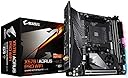
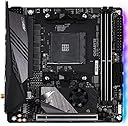
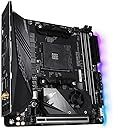
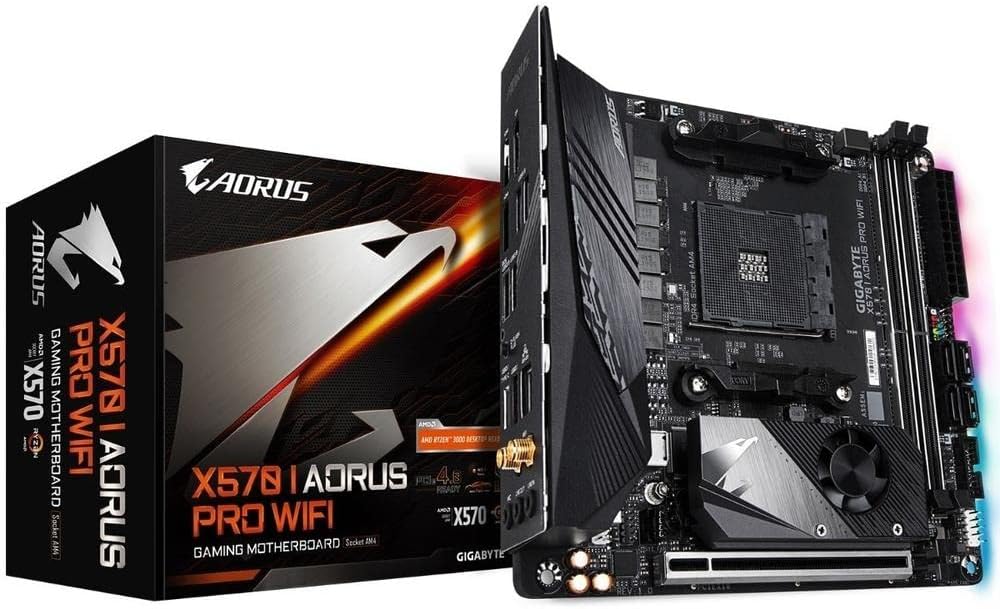
The GIGABYTE X570 I AORUS Pro Wi-Fi is a premium Mini-ITX motherboard designed for AMD Ryzen 2nd and 3rd Gen processors. It features dual PCIe 4.0 M.2 slots for ultra-fast NVMe SSDs, robust 8-phase VRM power delivery with advanced cooling, and integrated Intel Wi-Fi 6 and Bluetooth 5 for seamless wireless connectivity. With USB 3.2 Gen 2 Type-C, dual HDMI 2.0b, DisplayPort 1.4, and customizable RGB Fusion 2.0 lighting, it offers a compact yet powerful platform ideal for high-performance gaming and professional builds.


| ASIN | B07T9PC9ZZ |
| Best Sellers Rank | #2,201 in Computer Motherboards |
| Brand | GIGABYTE |
| CPU Model | Ryzen 3 |
| CPU Socket | Socket AM4 |
| Chipset Type | AMD X570 |
| Compatible Devices | Personal Computer |
| Compatible Processors | AMD 2nd Gerenration Ryzen , AMD 3rd Generation Ryzen |
| Customer Reviews | 4.4 out of 5 stars 971 Reviews |
| Global Trade Identification Number | 00889523018040 |
| Graphics Card Interface | PCI Express |
| Item Dimensions L x W x H | 9.25"L x 3.14"W x 10.43"H |
| Item Type Name | Gigabyte X570 I AORUS Pro WiFi (AMD Ryzen 3000/X570/Mini-Itx/PCIe4.0/DDR4/USB 3.1/Realtek ALC1220-Vb/DisplayPort 1.4/2xHDMI 2.0B/RGB Fusion 2.0/Gaming Motherboard) |
| Item Weight | 2.2 pounds |
| Main Power Connector Type | 24-Pin |
| Manufacturer | GIGABYTE |
| Memory Clock Speed | 4400 MHz |
| Memory Slots Available | 2 |
| Memory Storage Capacity | 1000 TB |
| Mfr Part Number | X570 I AORUS PRO WIFI |
| Model Name | X570 I AORUS PRO WIFI |
| Model Number | 889523018040 |
| Number of Ethernet Ports | 1 |
| Number of Items | 1 |
| Number of Ports | 14 |
| Platform | Windows 10, Windows 8, Windows 8.1 |
| Processor Socket | Socket AM4 |
| RAM Memory Technology | DDR4 |
| Ram Memory Maximum Size | 64 GB |
| S/PDIF Connector Type | Optical |
| System Bus Standard Supported | SATA 3 |
| Total Number of HDMI Ports | 2 |
| Total PCIe Ports | 1 |
| Total SATA Ports | 4 |
| Total Usb Ports | 4 |
| UPC | 889523018040 |
| USB 2.0 | 4 |
| Warranty Description | 3 |
T**.
Great Mother Board
System Gigabyte X570 I Aorus Pro Itx form factor, with AMD Ryzen 5600g and 32gb G-Skill RipJaws 2400 DDR4. First off, the memory would not run at the advertised 2400Mhz, downgraded automatically to 2133Mhz. I went into the Bios and implemented PMX 1st profile which was the advertised 2400Mhz rate and over clocked the cpu to 4gb. Woha, heat problems galore. Went back in Bios and downgraded back to 2133Mhz and 3.9 on the cpu. Still heat problems galore. I am using the Noctua NH-L9a-AM4 low profile cpu heat sink and fan. This may be my heating problem? I will change out for the stock cpu fan and see if my heat problem goes away. The problem is, the case, fan will not fit with cover, but can still see if it cures the heat problem. If not, I will be return this MoBo and the Noctua NH-L9a-AM4 low profile cpu heat sink and fan. And replacing with the Asus X570 ITX Mobo. Any way I look at it is either the fan, Mobo or case. I used a A09 case with the Asus X570, T force 3600 ram and stock fan and have no problems running at 4Ghz and 3600 on the ram, no overheating problems. I will update as the information comes available. Update: Problem was the Noctua NH-L9a-AM4 low profile cpu heat sink and fan. Just sitting there at an idle the heat would rise above 51c. And under a work load it would overheat. Took the Noctua NH-L9a-AM4 low profile cpu heat sink and fan out and replaced with the stock AMD Ryzen fan and whala, no more heat problems and the MoBo board runs cooler as well. 45/46c cpu and 41c system temp. Problem is, I cannot put the cover on the case due to the stock fan too high by 9mm. Well new case, which I had already ordered but takes 22 days to get here from Hong Kong and does not look as nice. Anybody know of a mini ITX case in the states that is deep enough to accommodate a stock fan? I sure cannot find one and have ordered many and have sent back. Update: I modified the case cover just a little by removing the tabbed in steel mesh and cutting away some of the steel to accommodate the AMD label out cropping on the fan's plastic cover. Hacksaw, pliers and file were all it took. made sure it fit by filing the metal and gave it about 2mm room on all sides. I had to modify the mesh screen a little by bending it up. Put the mesh screen back on and it fit perfectly and almost looks stock. From arm's length you cannot tell It has been modified. still runs a little hotter than my Asus X570 rig but does not overheat like it did with the low-profile heat sink and fan mentioned above.
E**Z
Best Motherboard I've had
I have had this thing for a while now and I got to say that it has done a great job. I have always had a good experience with Gigabyte Motherboards and this one didn't disappoint. I usually stuck to their lower end products until I bought this thing to prepare for the Zen 3 release a while ago. I really like the Wi-Fi antenna too since it isn't in the way of the other USB ports compared to other motherboards I've used. For $300 I say it was money well spent.
J**E
Solid 2 years and going!
Itโs coming up on two years since Iโve been running this board with a 3900X and itโs been rock solid. I see issues about removing the heatsink over the M.2 but mine has been removed for a year now due to GPU backplate interference and I havenโt had any stability issues or temperatures that look out of the ordinary. Not to say you wonโt have issues but people not experiencing that issue are likely not to report it being fine because why would they? So itโs possible it looks like itโs a bigger issue than it actually is. Cons: - Lack of fan headers - Starting to show itโs age with no USB C/3.2 header for cases with them. I have used it in two different ITX cases with no fitment issues and it is currently in a Thermaltake The Tower 100.
S**R
Beautiful board, but NVMe SSDs are very tricky to install and NVMe RAID drivers not online
This is a fantastic board value overall. It's featureset is robust and its build is solid, quite unlike the fragile boards of only a few years ago. That said, the new (M.2A/M.2B) sockets for NVMe SSDs are extremely tricky to install. It literally took me two weeks to get this board working. Here's why: The first thing to note is the size of the screws needed to do this. The first photo above shows the reverse side (M.2B) socket without the M.2 thermal pad installed. Note the scale of the screw compared to the index finger. It's small. You practically need a sewing-machine/cellphone sized phillips-head screwdriver to drive it. The second thing is that the manual is extremely unclear. One M.2 connector is on the front of the board hidden under a PCH heatsink module (see second photo). You have to remove it to install the SSD, and latch down your SSD NVMe board between the micro-sized standoff and the micro-sized screw. On my board, these were stuck together to the point where I initially didn't realize that they came apart. The manual says nothing about the standoff/mount point; you have to figure this out for yourself (and use a small pliers along with the even smaller screwdriver). The other M.2B connector is on the back of the board, but the manual puts a "(Note) The connector is on the back of the motherboard" just under the instructions for the M.2A connector. The way it is supposed to work is that the front side M.2A SSD gets cooled by the fan, while the back side M.2B SSD gets cooled by the thermal pad. This isn't made clear anywhere in the manual though. You have to just figure it out implicitly from the instructions. Finally, there are the drivers and support. I fully admit that this is partially my fault for not having a BluRay/DVD player handy to read the included CD. I just assumed that Gigabyte would have the correct drivers readily available on their website, as every other manufacturer does. But this assumption was wrong. They don't. This means that even if you set up RAID correctly for your board, if you fail to use the slipstream drivers only available on the CD you get with this board, the OS will fail to recognize it. Thinking I had a lemon, I spent two weeks trying to get support from Gigabyte's overloaded tech support. (You can wait 5 hours on hold or 5 days waiting for an online web response -- your choice.) But good news, after trying to install the Gigabyte drivers from their website and fiddling around with everything else, they sent me a copy of the correct drivers, and the thing worked like a charm. Admittedly, none of this will be an issue if you aren't trying to install RAID on your SSDs, or have a BlueRay/DVD handy, but if you are doing both those things for maximum performance -- fair warning. I have not gotten to the point of even considering any kind of overclocking. At this point I'm a bit too gun shy. But otherwise it's a beautiful board, clean, modern, and durable - especially for the price. In terms of "stars" that's what really matters, despite my poor unboxing experience.
D**.
Great board if you can work within its limitations
Gigabyte makes great boards and this is no exception. It ticked all the boxes at the time of purchase: - Newest processor(s) - Mini-ITX (for the case) - Sufficient ports for all the "stuff" I needed to plug in via USB - Sufficient PCI slots That said, I really wish this board had 4 memory slots. I get it's a tiny little thing, but there are other mini-ITX boards that support 4 DIMMS and that's my only real complaint. Other than that, it's a fantastic motherboard.
K**E
(UPDATE: CAUGHT FIRE) Great motherboard - defective Bluetooth/USB
UPDATE 2022: Today, while I was watching Netflix, my computer shut off. Thoughtlessly, I pressed the power button to turn it back on. Immediately, I was met with sparks and a literal flame coming out of the top vent of my computer case, then the smell of burnt electronics. After taking the whole thing apart and checking individual pieces, I found out the motherboard was what had caught fire, and now did so every time I tried to turn it on. Literally nothing had changed - this computer had been sitting on the same shelf, unmoved, for months. I have no idea what happened. ORIGINAL REVIEW: This motherboard has been great for me so far! I could talk about all the nice features, but the product page does a pretty good job of that. Only problem was that something appears to be wrong with my USB and Bluetooth connections. Windows sporadically ceases to recognize the Bluetooth module and temporarily disconnects all of the devices, and the same for my mouse and keyboard that plug in via USB. Something must be defective in the motherboard, since I've upgraded all the drivers and OS as much as possible (instructions on manufacturer's website). Because of this small problem, I'm returning mine for a replacement, which hopefully is super easy with Amazon as always. UPDATE: I thought it was just a defective unit, so I actually tore my computer completely down, returned the motherboard, and installed a new one -- just to find the exact same issues again. I've tried several versions of Windows (including reinstalling Windows from scratch), every Bluetooth driver I could possibly find, and a variety of other things to no avail. It turns out this problem is not uncommon - you can find many mentions of it on this motherboard and other Gigabyte boards across the internet, if you look. I'm very, very dissatisfied that a company as well-known as Gigabyte would let this happen for so long, across multiple products.
B**Y
This board is awesome for content creation!
Have no idea what all the negative reviews are all about but this little board is an absolute beast. I have the itx and atx versions and couldnโt be happier. Have been running these computers daily for close to a year now and am a content creator. They are made really well and with nvme gen4 on all m.2 slots and x16 slots it runs crazy fast with two Sabrent rocket nvme gen 4 ssds. And any new 3000 series or amd graphics cards that support pcie gen 4. I actually love the gigabyte bios and especially the @bios app to easily update bios and the other gigabyte apps like easy tune, siv, etc. 100% would recommend to anyone building a high performance Ryzen build. Runs the Adobe suite like a champ!
K**N
Worth the extra money to buy Aorus!
Great board. I had a RAM failure and this board was still running, it just turned off the slot with the bad stick and booted anyway which is actually kind of impressive. Features did not leave me wanting for more. WiFi antenna is a goofy little shark fin which made me chuckle during unboxing. It's magnetic and sticks to your case which is just helpful. They fit 4 SATA ports in this bad boi somehow as well. Nvme runs a bit hot and the chipset heatsink isn't very powerful, but I don't think I've exceeded 60ยฐC. Probably going to stick with Gigabyte for the forseeable future. Sorry, Asus!
G**O
De lo mejor para fotmato ITX
Excelente calidad y rendimiento de partes.
ใฆ**ใ
Couldn't ask for more.
A solid board all around, the vrm is insane for an itx board.
L**W
Problem galore
DIY builder of many mitx sets for decade and first time encounter this X570I that can't fit properly in any mitx case because of the metal backplate. Suspect the bios of this model resets itself EVERY time during boot as I encountered bootup hang at POST screen after installing win 10. Reboot and load optimized default and a few times later will boot to desktop. Subsequent restart again hang at bootup. The nightmare continues when one morning it just won't even load BIOS unless I clear the CMOS. Tried with several different approved RAMS, HDD and NVME and no solution. Finally had to return this
D**Y
Great ITX option for X570
Of course Asus X570 ITX board is still the best performance but this board is just greater value overall, and better availability. Everything just works, the M.2 fan keeps it cool and the BIOS is easy to use.
A**E
Really good X570 for mini build, but decided to return it.
I like the dark theme of the motherboard. It fits any color i put on my RGB Fans and RAM. The Wi-Fi Antenna is fitted with magnet and feels sturdier than what ASUS have. You can just fit and slap that thing in the side of your case or onto any surface with metal on it. The overall build quality feels sturdy and well machined. The LED position is better than other board that put them under the PCIe slot (where you can't see them when you use an RGB GPU like me). But sadly, i got a faulty unit. My windows 10 won't detect the bluetooth, front USB ports, and SATA. It won't even let me go past BIOS screen with SATA port plugged in. I spent my weekend trying to figure out what is wrong. Tried formatting my NVME and installed a fresh windows 10, updated driver and BIOS. Tried all of the hardware on my older B550M motherboard and it all works okay. Decided to return the board.
Trustpilot
5 days ago
3 days ago