Buy anything from 5,000+ international stores. One checkout price. No surprise fees. Join 2M+ shoppers on Desertcart.
Desertcart purchases this item on your behalf and handles shipping, customs, and support to Senegal.
๐ Power your productivity with speed, style, and seamless connectivity!
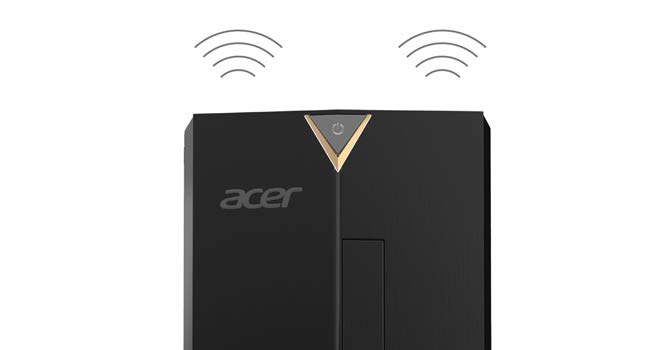
The Acer Aspire TC-885-UA91 desktop combines a 9th Gen Intel Core i3-9100 processor with 8GB DDR4 RAM and a 512GB NVMe SSD to deliver fast, reliable performance for everyday computing and light gaming. Featuring advanced connectivity options including USB 3.1 Type-C, 802.11AC WiFi, Bluetooth 5.0, and dual HDMI ports, it supports modern workflows and easy upgrades. The inclusion of an 8X DVD-RW drive and Windows 10 Home ensures compatibility with legacy media and a familiar OS environment, making it a versatile and cost-effective desktop solution for professionals and families alike.


| ASIN | B07R8WK8VP |
| Additional Features | Wifi |
| Aspect Ratio | 16:9 |
| Best Sellers Rank | #68,930 in Computers & Accessories ( See Top 100 in Computers & Accessories ) #2,473 in Tower Computers |
| Brand | Acer |
| Built-In Media | Desktop, Keyboad, Mouse, Power Cord |
| CPU Model | Core i3 |
| CPU Model Number | i3-9100 |
| CPU Speed | 4.2 GHz |
| Color | Black |
| Compatible Devices | [compatible with devices using USB, HDMI, VGA, and WiFi interfaces] |
| Connectivity Technology | Ethernet, HDMI, LAN, Wi-Fi |
| Cooling Method | Air |
| Customer Reviews | 4.5 out of 5 stars 1,211 Reviews |
| Display Resolution Maximum | 3840x2160 |
| Display Type | LCD |
| Global Trade Identification Number | 00193199282262 |
| Graphics Card Description | Integrated |
| Graphics Card Interface | Integrated |
| Graphics Card Ram | 0.1 GB |
| Graphics Coprocessor | Intel UHD Graphics 630 |
| Graphics Description | Integrated |
| Graphics Ram Type | Shared |
| Hard Disk Description | SSD |
| Hard Disk Interface | Solid State |
| Hardware Interface | Bluetooth |
| Human-Interface Input | Keyboard, Mouse |
| Item Dimensions | 13.78 x 6.42 x 13.39 inches |
| Item Type Name | Acer Aspire TC-885-UA91 Desktop, 9th Gen Intel Core i3-9100, 8GB DDR4, 512GB SSD, 8X DVD, 802.11ac WiFi, USB 3.1 Type C, Windows 10 Home |
| Keyboard Description | Standard USB Keyboard |
| Keyboard Layout | QWERTY |
| Manufacturer | Acer |
| Memory Storage Capacity | 512 GB |
| Model Name | TC-885-UA91 |
| Model Number | TC-885-UA91 |
| Model Year | 2019 |
| Native Resolution | 3840 x 2160 |
| Number of Component Outputs | 2 |
| Operating System | Windows 10 Home |
| Optical Storage Device | DVD-RW |
| Personal Computer Design Type | Computer Tower |
| Processor Brand | Intel |
| Processor Count | 1 |
| Processor Series | Core i3 |
| Processor Socket | LGA 1151 |
| Processor Speed | 4.2 GHz |
| RAM Memory Installed | 8 GB |
| RAM Memory Technology | DDR4 |
| RAM Type | DDR4 SDRAM |
| Ram Memory Maximum Size | 32 GB |
| Resolution | 3840 x 2160 |
| Screen Size | 0.1 |
| Security Features | Key Lock |
| Specific Uses For Product | Business, Multimedia, Personal |
| Style Name | AIO only |
| Total Expansion Slots Quantity | 4 |
| Total Number of HDMI Ports | 2 |
| Total Usb Ports | 7 |
| UPC | 193199282262 |
| Video Output | HDMI |
| Video Output Interface | HDMI, VGA |
| Video Processor | Intel |
| Warranty Description | 1 Year Parts and Labor Limited Warranty with Toll-Free Tech Support |
| Wireless Compability | 802.11ab |
| Wireless Network Technology | Wi-Fi |
| Wireless Technology | Bluetooth, Wi-Fi |
H**N
Great bang for the buck!
I did extensive research to buy this computer for my brother's family in April 2020. It came with 8GB of RAM occupying one of the two RAM slots, and I bought an identical 8GB stick of DDR4 RAM (see below for more information) to fill the second open slot for a total of 16GB. I figured having 16GB is a good idea for when users like to keep a bunch of browser tabs open and/or for playing games like ROBLOX that the kids love. Also, it can't hurt for future-proofing. Oh, and speaking of future-proofing, this thing came with a 512GB M.2 NVME SSD (made by Western Digital) and it is FAST - see the picture I included of the CrystalDiskMark transfer speeds. Basically, this "new" type of drive uses the faster PCI Express 3.x lanes (I believe in this case it is 2 lanes) instead of SATA. This drive is about the size of a stick of gum, has no moving parts, is mounted directly on the motherboard, and therefore leaves both of the hard drive bays open for installing (bottom mount 2.5") SSD or mechanical drives in the future. If you order a drive(s) to put in these expansion bays, make sure they are 2.5" and NOT 3.5" because of the dimensions of the mounting holes. For what it's worth, I found 4 screws included in the drive-mount platform, but they are too large for 2.5" drives. I'm guessing they are for larger 3.5" drives but I couldn't see a way to mount those larger drives with the holes provided. I have no clue what that is about, and suppose somebody in the Acer design department just messed up. Because my brother likes to save money on electricity, his house isn't exactly a cool room temperature during the summer. Therefore I decided it was best to purchase and install a case fan. It is IMPORTANT to note that the motherboard header used to connect the fan doesn't supply enough voltage to run a standard 12 volt 92mm case fan. I found this extremely odd, since the vast majority of fan headers are pushing 12 volts. I tried a 12 volt fan and it would only work for a couple seconds at computer startup. Oh well, it is what it is, and there IS a solution. I purchased a 5 volt fan and it works like a charm. Keep in mind that it will run constantly while the computer is on, and only at one speed since there is no way to use the BIOS to manipulate a case fan in any way. The particular fan I recommended (see below for more information) only makes a noticeable noise for 1-2 seconds when the computer starts up or resumes from sleep - other than that I can't hear it at all. IMPORTANT TO KNOW ABOUT CASE FANS: According to what I have read, if you install a 12 volt fan to a motherboard only pushing enough voltage to power a 5 volt fan, then the fan basically won't run (or at least won't run properly) and there is probably no harm done. However, if you REVERSE the scenario and put a 5 volt fan on a 12 volt source, you will melt the fan motor in short order (somewhere between a few seconds and maybe 20 minutes) and destroy the fan. I'm not sure if there would be a risk of fire, but why take that chance? The 5v fan on a 12v header shouldn't apply to this computer, so don't worry about it at this point. The only reason I mention it is in case you purchase a 5 volt fan for this computer, and then try to re-purpose it in another computer (which might likely have 12 volt headers) at some point in the future. Often, it is difficult or impossible to find the fan header voltage for a particular motherboard online, especially if it is in one of these pre-made systems. So, in my opinion, if you are unable to determine the motherboard header voltage try a 12 volt fan before trying a 5 volt fan. CASE FAN I RECOMMEND: https://www.amazon.com/Noctua-NF-A9-5V-PWM-Premium-Quality/dp/B07DXTN515/ref=sr_1_9?crid=3DGSXUZPNMEQD&dchild=1&keywords=noctua+5+volt+fan&qid=1590449172&s=electronics&sprefix=noctua+5+v%2Celectronics%2C172&sr=1-9 8 GB RAM THAT MATCHED WHAT CAME IN MY DESKTOP (It will really only run at 2400 MHz instead of 2666 MHz because my processor is an i3, and I'm perfectly okay with that): https://www.amazon.com/gp/product/B00XLXWD5S/ref=ppx_yo_dt_b_asin_title_o04_s00?ie=UTF8&psc=1 2TB WD 2.5" Hard Drive (I don't want to clog up the fast NVME drive with all my documents, pictures, and videos. You will likely need to get your own mounting screws since the 4 screws included with the main PC are the wrong size. That is weird.): https://www.amazon.com/gp/product/B079BQS5WQ/ref=ppx_yo_dt_b_asin_title_o04_s00?ie=UTF8&psc=1 In conclusion, I bought this PC, and added 8GB of matching RAM to make 16GB total, a 5 volt case fan, and a 2.5" mechanical hard drive for all my files, and a 27" Dell 1080p monitor. For everyday computing, this thing is a beast. Ultimately, I'm in for $420 for this PC, $39 for the extra RAM, $79 for the extra hard drive, and $200 for the monitor. When tax is included, my total investment is just under $800. I think that is pretty darn reasonable for this system which should provide many years of excellent performance. I hope you found my review helpful, and wish you good fortune in all your endeavors. Peace!
O**D
Good price and easy to upgrade
This computer was intended to be a "Roblox Gaming Machine" for my 8 year old's birthday. He was using a laptop with a 3500U and Vega 8, and was having some lag. So the idea was to build him a desktop and sell his laptop to recoup some money. Enter the Acer Aspire TC-885-UA91! I purchased the 4-core/4-thread i3-9100 variant, though the case itself is shared between models and is quite compact. This desktop is loaded with features like a dvd-rw drive (with DVD playing software), built-in wifi, etc. As far as memory goes, the motherboard came with a single stick of 8GB DDR4 2666MHz Samsung ram. -- UPGRADE: Threw in a second stick of 8GB ram for 30 bucks, for a total of 16GB (the perfect amount for this build) I was pleasantly surprised to see the SSD is a HP SN520 NVMe m.2, though it does not have a heatsink on it. -- UPGRADE: Added a 5 dollar m.2 ssd heatsink to help extend the life (case doesn't have the best airflow after all). The case itself is nice, it's nothing extravagant but it has a fairly large-sized square of holes in the removable side panel, offering good air flow into the case (being sucked in by the CPU fan). There is a single 3-pin sys_fan header available on the motherboard, as well as the standard mounting location for a 80mm case fan. You will have to purchase this separately because this computer does not come with a case fan -- it only comes with the CPU fan. -- UPGRADE: Added a 10 buck 80mm case fan that has orange LED lights, the holes in the side panel allow you to see in just enough to get that nice view. The power supply leaves a lot to be desired, as it is only rated to 300W and does not include 6-pin or 8-pin power for a graphics card. -- UPGRADE: Took out the 300W and threw in an EVGA 850W modular power supply which fit perfectly. Thanks to replacement PSU being modular, I only connected wiring for things that actually needed power. This would normally cost about a hundred and fifty bucks, but I had this as a spare laying around. If you do upgrade the power supply, and want to continue using your DVD drive, you'll likely need this adapter (I did): https://www.amazon.com/gp/aw/d/B07FK5G2TF?psc=1&ref=ppx_pop_mob_b_asin_title Last but not least, this isn't a gaming desktop out of the box. If you want to do ANY real gaming, you'll need to add in a graphics card. And remember, to do that, you'll have to also replace the power supply. -- UPGRADE: Bought a RX 5500 XT graphics card and slid it right into the PCIe slot. Plugged in the 8-pin power from my 850W power supply, and booted the computer up. Runs flawlessly. Installed all Windows 10 updates without any issue, installed the Adrenaline 2020 software from AMD for the graphics card, and this thing is handling my son's Roblox games like a champ! To recap the new configuration w/total cost of ~$620: - i3-9100 4-core cpu - 16GB ddr4 ram (+$30) - 512GB NVMe SSD w/heatsink (+5) - VisionTek Radeon RX 5500 XT 4GB GDDR6 graphics card (+$150) - EVGA 850W modular power supply - DVD burner/player (w/power adapter +$10) - 802.11ac wifi, gigabit ethernet, card reader - Windows 10 x64 I compared doing a home-built AMD 3200g box, however after you factor in the price of a Windows key, wifi & dvd drive, it ends up being more money and effort. In fact, the i3-9100 is 9% faster than the 3200g and it just made more sense for me to put forth minimal effort, save money and get a better cohesive, streamlined end result (the front of the case is actually pretty slick with its slim DVD drive). I would definitely buy this desktop and replace the components again, it was pretty hassle free. Just need a screwdriver and an hour of your time.
T**T
Computer Is Very Good, But Not The Peripherals
I am very happy about this computer, as this the best general purpose desktop PC that I can get at this price. The descriptions from Amazon was too simple, led me to believe that I was going to get a 2.5โ SSD, but when I received it, it was a pleasant surprise that itโs Western Digital SN520 M.2 NVME SSD. The performance of this 512GB SSD is fastest among the same model. Here are the pros and cons! PROS: Performance โ While the i3-9100 processor cannot be considered a top 25% CPU today, the combination with the Western Digital 512GB M.2 NVME SSD makes the general purpose performance very high. There are still many computers selling nowadays with higher grade CPUs but matched with 1 or 2 TB mechanical HDDs at 7200 RPM (some even at 5400 RPM) to drag down the performance. When new, the computer took just 5 to 6 seconds from power up to the login screen photo, and one second to shut down. After programs and browsers are all loaded, it takes about 9 seconds to login photo and 2 seconds to shut down. General operations in Windows 10 are almost instantaneous, with the exception of launching of browsers or inserting USB devices, that may take one second. The computer is capable of light duty video editing and not bad. Graphics(Without the Expectation of Heavy Gaming)โ There are one VGA and two HDMI ports, supporting three monitors altogether. The HDMI ports can support 4K resolution @ 60Hz. I have dual monitors and a 4K TV all connected and turn on at the same time, the 4K TV becomes monitor number three. I am extra happy about this feature as I do not need to crawl underneath the table two times a day to switch cables for streaming movies to the 4K TV and back to dual monitors. The graphics card of my other computer cannot support DVI port and HDMI port both live at the same time. If I donโt want to use a particular monitor or TV, I just turn the power off. Very Neat Interior โ Wires are arranged neatly inside the chassis. I was never able to arrange wires in such a tidy way for the several computers that I built. CONS: Chassis - The micro ATX form factor motherboard allows a small footprint of this computer. Because of this, I had to give up the ability to use mobile SSD dock when deciding to purchase this computer. This M.2 NVME SSD is the first SSD/HDD that I used in one decade that is not removable. If I insist on mobile capability of the M.2 SSD, a dock is available at $300+, which is not I would like to pay for. Manufacturers now give up functions for appearances. CD/DVD Drive โ The tray is super flimsy. I have to handle with very good care and apply very light force when using it. To avoid damages to the CD/DVD disk, I have to flip it over, laying it flat when using the drive. Some users complained about the DVD drive damaging disks, probably because they were using it in the normal upright position. This is particularly true when using those hardware driver small CDs. Keyboard โ I got a defective keyboard! For the first ten days I tried to figure out why I was not able to reach the boot menu by hitting F12 key(or even F2) while booting up. I had to change boot priority in BIOS Setup, should I wanted to boot Linux devices. However, the $1 keyboard that I bought from Frys Electronics and put on reserve solved the problem. The Acer keyboard was defective. I didnโt bother returning it, just not worth the effort! The Acer keyboard is hard to read in dim lighting condition anyway. Mouse โ Sometimes I definitely heard the click(s) sound but nothing happened. End up clicking again to get things done. The Acer mouse is now replaced with the one from my old computer. Documentations โ The user manual from Acerโs web site is just way too simple, just 45 pages. A lot of information cannot be found from there. For examples: I do not know whether the HDMI ports are HDMI 2.0, 2.0a or 2.0b? The PCIE expansions slots are PCIE 2.0 or 3.0? What are the twelve function keys on the keyboard? Does it allow overclocking? How to access the 5.1 surround sound? When I visited the Acer web site, nothing was found regarding the keyboards and mice, as if those are not Acerโs products. Incorrect Product Information โ Amazonโs product details indicates 1 USB 3.1 Type C Gen 2 port (up to 10 Gaps), I believe it means 10 Gbps. According to the user manual, this Type C port can support 5 Gbps only. This is a disappointment, as I was expecting a full featured USB Type C port, but indeed, it is not! I have reported this incorrect product information to Amazon for weeks, and still nothing changed for the product details. I am being lenient for just taking out one star for all the cons. Other customers just give one star for having bad peripherals. Some customers complained their Acer computer failed in just a few months. For now, long term reliability is my concern! EDIT: Previously I appreciated the cable management of this computer, making the interior real neat, however, I just found out there is a big trade off for that. As I tried to add a SSD to it, I found that the unused power wires cannot be pulled out easily. I had to remove the big piece of metal plate so my right hand can reach the front panel easier. This metal plate seemed to serve no purpose other than providing strength to the system against compression force from the top. It turned out that an unused SATA power connector tangled up with one of the wires connected to the front panel. Freeing it did not solved the problem, as there is another wire connected to the front panel was tied up to the unused power wires. The unused power wires were finally pulled out after freeing this front panel wire. Should I just pulled the wires by force, the front panel wires will be broken or at least detached from the sockets, that will create another problem. I originally planned to installed the SSD to the tray (which is the back side of the DVD drive), as an unused SATA power connector was positioned there (extremely short, kind of fixed there), obviously a SSD/HHD is suppose to go there. However, there are no appropriate screw holes. Even if there are screw holes, people have to take out the DVD drive to turn the screws, thatโs absurd! I used 2โ masking tapes to affix the SSD to that tray. That doesnโt look good of course! but it will work. While putting the useless metal plate back I noticed there are some imprints, โHDD1โ and โHDD2โ, then I know this is where the additional SSD/HDD should be installed. There are four spare screws attached to the metal plate but that did not fit my SSD. They are probably for those old style big HDDs. I ended up using a SATA power connector from the power wires that I struggled to pull out and installed the SSD on this metal plate. Being an experienced computer system builder, I feel ashamed for having turned an easily 2-5 minute job to end up more than one hour. I would say Acerโs cable management is partly to be blamed. I rather having untidy interior than a computer hard to service(getting access to the M.2 NVME SSD can be tricky too). That is why I take out another star from the original 4 star. My suggestion to non-technical people who want to add a SSD/HDD to the system is to use my โDUMBโ method by affixing the SSD to the tray with 2โ masking tapes or buying a 4โ SATA to SATA power connector extension wire and ignoring the other unused, hard to pull out power connector wires. At least you donโt risk breaking wires or detaching connectors from the front panel. Note1 โ Adding a Linux based SSD to the system further slow down the boot up to password photo time to 13 seconds. Note2 - In response to RSDNOโs comment on my original review, I read the user manual again. The user manual should not be considered a manual for this specific model. Information about HDMI port is basically what a HDMI port is. There are no information specific to this particular model, and there is not even a picture of this computer. In my opinion, the user manual should be entitled โAcer Desktop Computer General Informationโ to be appropriate. Those who do not believe can download the user manual from Acerโs web site to determine. 5/18/2020 EDIT (July 17, 2020): Last month I used the DVD drive to burn a disk for the first time. The noise level was more than two times higher than my air conditioning unit. I could not bear it and had to walk outside the room and closed the door. My wife was stunned and wondered what happened. Hard to imagine a small DVD drive can generate such loud noise. An Acer America employee commented on my review and insisted that the Type-C port has the speed of 10 Gbit/s. Now I have the hardware and software to run a benchmark test. I used a 10 Gbps enclosure with a PCIe 3.0 x4 SSD and the CrystalDiskMark program to test it. Results indicated the performance exceeded 5 Gbps and close to 10 Gbps. So, he/she was right. Also, Acer definitely did the right thing by putting the most powered and fastest ports at the front panel. While planning to build my next PC, I started looking for PC chassis, then I realized how difficult it is to find a low price chassis with USB 3.1 gen 2 ports at the front panel. Most manufacturers retain some USB2.0 ports at the front panel. Who cares about USB 2.0 when you can use USB 3.1 Gen 2 ports? Recently I added a 2.5โ WD 10,000 RPM VelociRaptor SATA3 spinning HDD to this Acer PC by mounting it to the big piece metal plate (I should say HDD tray). The 2.5โ 10K RPM HDD was mounted flat to the HDD tray together with another 3.5โ 7200 RPM HDD. The 2.5โ 10K RPM drive is a server drive and is expected to run hotter than regular 3.5โ HDD. However, the idle temperature for both drives were the same. I can see that the originally thought to be useless big piece metal plate (HDD tray) acted as a good heat sink for HDDs. I appreciate this feature now. Because of these two good features, I am revising the review back to four stars.
M**E
Good value for the money, standard medium performance desktop.
Good computer, bought it for my mother who is mostly browsing online and spends countless hours on YouTube, PInterest, shops online, listens to music on her multimedia speakers... Etc... I hooked up to 2x 24 inch monitors to it as she had it with her last setup.... This was an upgrade from a 4 yr old computer... It's a basic desktop that will perform well with no lag, has a solid state drive which further improves read/write speeds and allows it to boot much faster. If you're a gamer and need high end graphics card with lots of virtual memory (video ram) in order to max-out all your graphics settings, this may not be the computer for you.. Although you could easily play many games on it based on the performance of the latest generation Core i3 (which is similar to the performance of a Core i7 from a few years ago) paired with an SSD and 8GB DDR4 RAM... It is a great PC for the price.
A**B
Excellent desktop computer
I have typically bought and loved Dell Inspiron desktop computers for use with school and business purposes and have been very satisfied over the years. When we were told that we needed Windows 10, I tried to download it to my old Inspiron but was not successful because my Dell equipment was really too old for a successful install; I really love the Inspiron and Windows 7. In February 2020, I bought a new desktop and had a really stressful experience. There was something wrong with the configuration, and the tech support people could not get the computer to perform properly. After many hours online with tech support, the situation started to seem hopeless. The pandemic began to become worrisome both here and in India (tech support), and I returned the desktop for a fully refund. Last week I started again trying to find a desktop with Windows 10. I didn't want to spend a small fortune for a computer that I use primarily for shopping, email, browsing, and, rarely, online banking transactions. I found this Acer after reading good reviews. Since my current desktop is an I3 and has basically the same specs, I chose this computer rather than the I5. One of my siblings told me that Acer has a long history of excellent quality and that I would be pleased. He was right! This desktop is great. PROS: Comes with Windows 10 pre-installed. Plug it in. It's ready to go. Norton Security is pre-loaded with a 30-day trial period. The computer is extremely user friendly. I had no struggles with glitches with any of the programs. Bloatware is easy to recognize and easy to remove (a Windows 10 feature). CONS: There really are no cons except that the "feel" of the plastic components is not as hefty as some of the desktops that I have used in the past (other companies). The plastic casing of the tower, the keyboard, and the mouse are beautifully designed but not quite as heavy as prior desktops that I have owned. That isn't necessarily a "con," and I like the keyboard, mouse, and computer case. Very attractively designed. MY RATING: 5 STARS The price, the ease of use, the beautiful performance -- a great buy!
S**T
Great computer at a great price!
I have used this computer for about 10 days now and I am very happy with it. It is much faster, especially on shutting down, than my old Win 7 computer. I'm not a gamer, so I don't know how it would work for that. This machine is just fine for what I usually do; email, surfing, documents, photos and other routine things. I had planned to buy and add an 8GB RAM stick, but read that going from 8 to 16GB doesn't make much difference. Since I am happy as it is, unless I find a reason, I won't be adding RAM. This is a very good computer at a very reasonable price, and I recommend it.
B**B
Quick and cheap!
It's very snappy! Everything installed quick, and Windows Updates took 30-60 minutes, tops. I even edited a few basic videos today in the Photo app. In Minecraft, a CPU intensive game, I get a steady 60 fps at 12 render distance, maximum smooth lighting, all particles on, etc. I don't game much otherwise, so I'm not sure how it handles with more GPU intensive AAA titles. I suppose one day I could pop in a GTX 1650 for fun. Quick note: Sounds were incredibly soft at first. Usually, people fix this by enabling Loudness Equalization. However, the Sound Control Panel didn't have the Enhancements tab. I was super worried that the settings I needed weren't supported. Luckily, I followed a guide online to switch the Realtek driver to High Definition Audio Device. Switching it did give me a warning, so it's up to you if you wanna tinker with drivers. Once I switched it, however, the Enhancements tab appeared. I was able to fix my sound with Loudness Equalization!
R**T
Fast, quiet, works like a charm and I'm as happy as a clam at high tide!
I have not needed tech support and do not use it for gaming. It was a snap to set up right out of the box. I did not transfer everything from the old computer to this one, but with the cloud, all the data that I needed was there and ready to use. It boots in the snap of a finger and does its work in silence--it is absolutely quiet. The only thing I haven't done, and I am not sure how to do it and will have to look into it more is install my old SSD and reformat it to use as a backup. But that is for another day.
N**S
SUPERB PERFORMANCE
Have this desktop for three years, and have no issues. Loads and shutdown in less than 20 s, quiet, and does not occupy a lot of space. Had bought it at a really special price @ $610. The only caveat is that it came with a wired USB keyboard/mouse.
M**C
Excelente PC de escritorio
Llego a tiempo en muy buen estado y esta funcionando de maravilla. la recomiendo es un Aviรณn.
R**G
A great computer.
It is so quiet, and so far works great. Very happy with it.
L**S
Very happy with this computer and the price was right
Great computer
J**A
Good pc.
Came with 8 gigs of ram, 500 something ssd storage and no graphics card. I upgraded the pc to 16 gigs ram and gtx 1650 And a extra case fan. Had to install drivers too. Now I can game!
Trustpilot
4 days ago
1 day ago