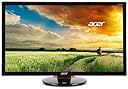
🚀 Elevate your game and workflow with buttery-smooth visuals that demand attention!
The Acer XB270HU bprz is a 27-inch LED-lit monitor featuring a sharp WQHD 2560x1440 resolution, a rapid 144Hz refresh rate, and NVIDIA G-SYNC technology for ultra-smooth, tear-free gaming and productivity. Designed with flicker-less and low dimming tech, it ensures comfortable long-term use. Equipped with 5 USB 3.0 ports and DisplayPort input, plus VESA mounting compatibility, it blends performance with versatile connectivity. Despite mixed customer service reviews, it remains a sought-after choice for gamers and professionals craving high refresh rates and crisp visuals.
| ASIN | B00UPVXDA8 |
| Adaptive Sync | G-Sync |
| Additional Features | Flicker-Free |
| Aspect Ratio | 1.78:1 |
| Best Sellers Rank | #1,053,941 in Electronics ( See Top 100 in Electronics ) #19,812 in Computer Monitors |
| Brand | Acer |
| Brightness | 350 cd/m2 |
| Color | Black |
| Connectivity Technology | DisplayPort, USB |
| Contrast Ratio | 1000:1 candela |
| Customer Reviews | 3.9 out of 5 stars 258 Reviews |
| Display Resolution Maximum | 2560 x 1440 pixels |
| Display Technology | LED |
| Display Type | LCD |
| Global Trade Identification Number | 00887899962059 |
| Hardware Connectivity | USB 3.0 |
| Image Contrast Ratio | 1000:1 candela |
| Included Components | DisplayPort cable, LED-backlit LCD monitor - 27", Stand |
| Item Weight | 17.4 pounds |
| Manufacturer | Acer Computer |
| Model Name | UM.HB0AA.001 |
| Model Number | XB270HU bprz |
| Mounting Type | Wall Mount |
| Native Resolution | 2560x1440 |
| Number of Component Outputs | 1 |
| Picture Quality Enhancement Technology | NVIDIA G-Sync, Flicker-Free, Low Dimming, Comfy View |
| Refresh Rate | 144 hertz |
| Resolution | QHD Wide 1440p |
| Response Time | 4 milliseconds |
| Screen Finish | Glossy |
| Screen Size | 27 inches |
| Screen Surface Description | Glossy |
| Shape | Rectangular |
| Specific Uses For Product | personal, gaming |
| Total USB 3.0 Ports | 5 |
| Total Usb Ports | 5 |
| UPC | 809392583692 887899962059 809199910486 |
| Unit Count | 1 Count |
| Viewing Angle | 170 degrees |
| Warranty Description | 3 years warranty |
| Warranty Type | 3 Years Manufacturer Warranty |
C**B
The perfect gaming monitor
Hearing about the ROG Swift specs is what gave me the itch to get a new monitor, and after a lot of research, I had it narrowed down to the Swift, the Acer 4k (60 Hz & G-sync), and this XB270HU. After seeing a lot of the quality issues with the Swift as well as what seems to be an innate issue with pixel inversion, I ended up actually trying out the Acer 4k. It looked nice, although a TFN panel, but very sharp picture. Unfortunately the smoothness just wasn't there to the level I wanted. Exchanged the 4k for this and I couldn't be happier. As soon as I started playing Battlefield 4 on it, it felt right. Couldn't look better and everything just flowed seamlessly. I couldn't say that for the 4k, even with a 980ti and G-sync enabled. I'm very impressed with this monitor. Going from 60 Hz to 144 Hz with G-sync is amazing. It really feels so smooth. The 2560x1440 resolution is crisp and looks great in games. I actually think the picture on the XB270HU is just as sharp-looking in games as the 4k monitor. Add the smoothness of 144 Hz + G-sync and you have an amazing gaming monitor. I'm not an expert on displays but to be able to have a gaming-grade IPS is very nice. Again, the picture looks amazing. As someone who agonized over which of the three monitors mentioned above to choose, I'm extremely happy with this monitor. I think it is the best gaming monitor available. I have zero dead pixels that I can see. I didn't see any backlight bleed/ips glow but I found a YouTube video of just a black screen to fill the whole monitor and made the room completely dark. Once I did that and I looked through my phone camera as if I was going to take a picture, I could see a little in the bottom right corner and a tiny bit in the left corner I think. But then when I looked with my naked eye it was barely noticeable even in a very dark room and pure black screen. Point is, I think some people are looking for an issue with the glow. The screen is beautiful and has no issues with dark scenes. I was a little scared based on reviews, but I really think people are LOOKING for and making an issue. And the camera on my phone made it look worse than it was in reality, so take the pictures posted with a grain of salt.
A**L
Outstanding Monitor, If You Have IPS Glow/Backlight Bleed Don't Fret! Accent Lighting Is Your Friend.
I bought this monitor a little less than a month ago, and wanted to go through my experiences with it. It's been a bit of an emotional rollercoaster, but in the end, I love my monitor. Pros: Wow. 1440p where have you been all my life? 1080p has had its run, but with smart phones and laptops really pushing the pixels, 1080p was starting to look dated. 1440p on the other hand really is the perfect density of pixels for a 27in desktop monitor. I can't notice pixels at all, which makes the windows desktop experience feel more premium and enjoyable. Gaming is also awesome at this definition, some games REALLY benefit from the higher resolution, BF4 to name one. The color contrast is also welcome, and I like that adjusting my head a bit wont distort the color like on my old TN panel. G-sync is also an amazing technology. I am running this with my 980ti, but even this card on certain games (like GTA5) can run into a few low moments depending on the environment at 1440p. G-sync really makes it so I dont even notice the FPS dipped, which makes for an immersive fluid experience. I also feel as though G-sync will get me an extra year or two out of my card because of how seamless the experience feels at lower FPS. Cons: Come nighttime my first day with the monitor, I decided to test for the infamous backlight bleed. Low and behold, I had a bit in the top left, middle, and bottom middle corners of the bezel. The monitor out of the box has the brightness set way too high (at like 60 I believe), so following the owners club advice I decreased brightness to 27. This helped A LOT to diminish the backlight bleed, but I could still notice it a bit on pure black screens which really irked me. Another thing about this monitor, is that it does have a lot of IPS glow; I sit probably a bit too close to it honestly. The optimum viewing distance would be likely 2-3 feet, but I am probably closer to 1.5 feet, where I notice IPS glow on the bottom right corner. I found that angling the monitor a bit up helped diminish this effect. So Did I return it? No! Now here is the thing, the backlight bleed is only noticeable in a pitch black room, with a pitch black image displayed on the screen. Playing games, or doing anything in a pitch black room with a monitor like this is terrible for yours eyes, but I still wanted a better solution that leaving the light in my living room. Enter accent lighting! I bought three RGB led strips that I mounted to the back of the monitor to add accent lighting to the image. Aside from limiting eye strain, having accent lighting also helps increase the contrast of the colors on the screen, and, you guessed it, eliminated any perceivable IPS glow or backlight bleed in a pitch black room. Now, I can have an enjoyable experience with my monitor, in the dark due to my accent lighting. And it looks awesome too! Also, it could be my imagination, but I feel as though the backlight bleed has gotten better over time? Apparently some people on the forums noticed this as well. Either ways, for the price of the monitor, I wish I didn't have this emotional roller coaster and it just worked flawlessly out of the box, which is why it gets 4 stars. Outstanding product with some quirks.
R**N
G-sync, 144hz, and WQHD!! This is the best monitor I could find on the market. Holy crap it's awesome.
So this is my second monitor I've bought recently and I must say it's the best monitor I've ever owned. I bought a 1080 version of this monitor before and I was really disappointed. (At the time I bought it to be a g-sync monitor for a laptop but something that isn't listed that you may want to know is that if you have a laptop that is an OPTIMUS system you may not be able to use g-sync) Anyway long story short for the money I would NOT buy the 1080 version of this product, but the WQHD version is amazing. The pixel density is just right and gorgeous, and it's about the right resolution where a high end build will give you at least 60+ fps for ultra settings at native WQHD resolution. The g-sync and 144hz make every game look SUPER fluid and smooth. It also lets you kill the stupid v-sync setting in games which can throttle your frames per second to half in some instances. So the positives include: gorgeous resolution, g-sync which eliminates screen tearing even without v-sync, and 144hz which lets you play games at up to 144 fps and the monitor keeps up so your graphics card can run free to it's maximum potential. I LOVE THIS MONITOR! I apparently also have a fondness for capitalizing letters when I shouldn't.
K**N
Don't think twice, this is the best gaming monitor you can purchase. Great size and performance.
Arrived early, and despite the warnings about quality issues etc. I got a perfect screen with no dead pixels or smudge in dark screens. Setup was a breeze through NVIDIA and G-Synch. I don't see any difference with G-Synch on, but I'm guessing this may only be visible when playing high res games. The monitor is a big difference for me as my previous monitor was much smaller and much lower resolution. If you want to purchase the best monitor out there today (Dec -2015) don't think twice and purchase this awesome monitor. 2560x1440 pixel resolution will give you incredible clarity. You're not even going to see the pixels as they are so small. Screen is ICP, so it is much better quality than TP. ICP has much better colors than TP and will let you have a wide angle of viewing, and you will see great even when looking at the screen from the side. 144 Hz refresh rate is more than twice as what you would get with older models. Makes a big difference when playing action games with a lot of movement. My video card is EVGA GTX970 and it just a great pleasure to work on my computer with this special monitor I plan to keep for many years.
H**R
Dont buy it
PROS: Honestly I love this thing because I hit the ticket. I got little to no back light bleeding even with 100 brightness and 70 contrast. The OSD has factory settings which are sick :). 8/10 color quality 4k being a 10. The Gsync IS worth the extra money, a type of flawless smoothness that you can only see after you get it. Make sure you have Nvidia card(s). Everything I wanted, Cons: HUGE driver issues. You need a secondary monitor to sort this out. By updating to the latest Nvidia drivers the monitor stopped responding, I checked to see if its my GPU or computer acting up by hooking it up to a different screen and wala, it worked. I had to revert to older drivers which worked the first time I turned on the monitor(when it worked). I found the correct working driver to be 355.98 5 Stars so people buy it and its a good screen , I would take one star off but I doubt they will have this problem later on with new drivers Edit, After 3 days of playing on this monitor i realized i made a huge mistake. Its a piece of ... you know. Anyway I didnt want a replacement because the only problem was the anti glare film completely killed the screen for me. It had to be removed. Removing it voids warranty but I hated it so much I didnt care, I went ahead to my boys in smarttvrepair.us and they removed it for me. Problem #2 arose, the anti glare is literally one with the polarized sheet. Once we removed the anti-glare we removed that sheet as well. I posted a picture of what the monitor looks WITHOUT the anti glare film and polarizer sheet. Magnificent may I add, its just a lot of headaches though going through all this. Now im getting a DBEF sheet that they put on 4k screen or maybe something else depending on the quality of the sheet when it comes in. Anyway, dont buy this until acer stops putting on antiglare.
R**A
June update: Two monitors bought, both sent back
UPDATE 2: A third monitor (May 2015 manufacturing date), and there is dust and multiple dead pixels on the panel. There is backlight bleed, however I find it acceptable (certainly worse than the images shown on the online review examples). Sorry Acer, but your QC is simply atrocious. 2 out of 3 panels have significant panel defects (dust and dead pixels), while the third had extremely bad backlight bleed. Even if someone could handle the backlight issue on the 2nd monitor, a 66% defect rate on having dust in the panel is shocking. Best of luck to anyone hoping to order this monitor, it truly is lottery. I would recommend waiting out the PG279Q from Asus, which is aimed at having the exact same monitor specifications, but hopefully they will put forward proper QC UPDATE: The first monitor arrived with multiple dead pixels, and dust under the panel. Complete no brainer and shipped back for a replacement product. The dead pixels I can understand slipping through QC (it may have have 3-4 in a grouping), however the dirt under the panel was a 3-4mm 'tear' in the screen. The second monitor arrived, this time the panel was flawless - no dead pixels or anomalies. I configured the brightness settings per TFT, updated the ICC profile (drops brightness), and the blacklight bleed was still beyond excessive. I have used IPS monitors for years so I am aware of standard glow, however this panel had 3 major bleeds (bottom right, top left, and right quadrant). In standard games it was not noticeable unless you looked for it, however in a dark room with a game with a black background it was extremely distracting. It was a close call, however spending $800 to settle was beyond my ability. I will say that the monitor is gorgeous, 144HZ, IPS with GSync was incredible to play on - it was tough to send back, but I will wait out competitors in this space, or wait for improve QC by Acer. I cannot help but feel that Acer could have a gold mine on their hands with some improved quality in the production process - hopefully the ASUS equivalent will make it right. I would happily pay more for a flawless panel with the above attributes.
T**T
Amazing monitor if you can find that unicorn (that lacks major issues)
I am very conflicted about this monitor!! It really is the best gaming monitor out there and is the only 1440p, IPS, G-Sync monitor released so far. It looks amazing and has wonderful picture IF (and that is a big IF on purpose), you can get one without all the glaring problems, which seem to be very common. I personally went through 5 of these before finally getting a good one on my 6th try. No one should have to go through returning so many of these to find one with minimal/no flaws, especially not for a monitor priced at $800! If you go for this monitor, you should know what you may be in for... For the record, the monitors I received were varying build dates of April, May, June, and July. The one I that I ended up keeping (the unicorn) was a July build date. Some common issues in the 5 imperfect monitors I witnessed: - Horrid light-bleed. So bad that over a 3rd of the screen was covered in flashlight-looking glow. - Yellow-tinted screen (unable to get fully get rid of a yellow tint on the screen). Perhaps it was some sort of film on the screen from manufacturing? Adjusting the color wasn't much of a help, but everything had a glaring yellow tint, ugh. - Dust and hair under the screen panel. I've never seen so much dust in my life under a monitor screen... I've also never seen hair under my screen. So jacked up! - Dead pixels galore. One of my screens had at least 10 dead pixels right near the middle. I thought it was some kind of dust ball at first, but upon further inspection it was a blotch of dead pixels. So, with all of these glaring issues, why on earth would I even give it 3 stars? Well, if you are lucky enough to find that unicorn, you will really enjoy it. The color is amazing. Gaming with G-sync is amazing. Everything is sooo smooth. The screen is a semi-matte which looks great and helps dampen glare some (especially over the gloss IPS screens). I really like the stand as well. It's a simple circle with an orangeish red ring... nothing crazy, but looks great in my opinion. Had I gotten the unicorn on my first or second try, this would have easily been a 5-star review. Instead, I dealt with shipping this back and forth for about a month. I received a total of 6 monitors split between Amazon and B & H Photo. I was ready to give up on the 5th, but decided I'd try one last time, bless the stars, I finally got lucky! If you go for this monitor, I hope you do too!
R**A
WQHD IPS @ 144hz, G-Sync, ULMB = Gamers Win
The battle and compromise between TN refresh rates and IPS color reproduction can finally be forgotten. With the Acer XB270HU, gamers finally get a monitor that does it both. The World's first 1440p IPS Panel with 144hz Refresh Rate, G-Sync, and ULMB. (Yes, those are some monster specs!) If you're going to buy this monitor, you should understand its technologies first, and actually use the monitor's features that you're paying for... Here is what I think about this beast... Let's start with the PROS: 27" 2560 x 1440p @ 144hz IPS Panel: Perfect pixel density with a very fast and fluid experience, thanks to the 4ms response time and 144hz refresh rate. IPS color reproduction and viewing angles that are far superior to any TN gaming panel. G-Sync = Nvidia's Adaptive Refresh Rate Gaming: This technology comes in handy when playing your favorite games Maxed out at Ultra Settings. To me, G-sync makes even more sense on higher resolution monitors, such as this WQHD Monitor and other 4K variants. G-Sync works by syncing your monitor's refresh rate to your GPU's frame rate... If you're hovering between 45-60 FPS it still feels super smooth. I was shocked the first time when I ran Valley Benchmark at Ultra (8x AA) and saw i was at 40-45PFS and the screen still appeared like a solid 60 FPS... (I recommend to use G-Sync in whatever games you prefer eye candy versus high frame rates) G-Sync is like going from DVD to Bluray... The smoothness is that evident, and you'll never want to play a demanding game without it again. ULMB (Ultra Low Motion Blur): This is a back-light strobing technology from Nvidia. (Strobe backlights eliminate motion blur on LCD displays) You can run this mode @ 85hz and 100hz on this monitor, and you cannot run G-sync at the same time. ULMB does makes your screen noticeably darker, however the stobing backlight reduces motion blur while gaming and will help you shoot people in the face easier when playing online shooters. To use ULMB you want to make sure you tweak your in-game graphics settings that will allow your PC to render that specific game at over 100 FPS consistently, (Or 85 FPS, if you're running ULMB at 85hz) otherwise you will not get the benefit from ULMB as intended. It may not be for you, but I recommend you give it a try when playing shooters in multiplayer. For me, I exclusively play shooters in ULMB even if it means turning down my settings to Medium to make sure I get 100+ FPS in game at 100hz with ULMB. (You would have to choose between G-Sync or ULMB for that specific game - You are able to configure this setting in the Nvidia Contol Panel to specify what games you want to run in G-Sync Mode or ULMB Mode exclusively. This comes in handy to avoid constantly changing settings on your Monitor's OSD between the both when playing certain games) Kudos Nvidia! Flicker-Less Technology: This monitor has Flicker-less technology which helps you avoid Eye Fatigue and Eye-Strain. I noticed it right away after replacing my 120hz Alienware Monitor. My eyes used to get tired on my Alienware monitor after 2+ hours of gaming. Not the case with the XB270HU! Now for the CONS: DisplayPort only - Make sure your Video Card has Displayport. The Base and Bezels are Glossy - Attracts dust and fingerprints. (Bezels are thin, so that's a plus) It's not a reason for me to take 1 star off, but worth noting if you think the glossy finish will bother you... Base/Stand feels like it should be sturdier for an $800 monitor. If your desk isn't very solid and you bump it, you might see the monitor wobble a little... (Again, not enough to deduct a star) Light Bleed on lower right hand side on any Black Screen (IPS Glow, not unusual for these panels) Mostly on right side of monitor on lower corner. Doesn't show when in game, therefore doesn't bother me a whole lot. No 3D Vision support on this Monitor despite the 144hz refresh rate. Evidently the 4MS response time is a tad bit slow to run 3D is what I've heard. ULMB runs at 100hz max only on this monitor. The ROG Swift runs ULMB at 120hz, but from what I've read people prefer to run ULMB at 100hz anyways to make sure the GPU can keep up at the consisent 100+FPS mark. (Also have read 120hz ULMB can introduce slight artifacts on other monitors, so it may be best at 100hz anyways) Final Thoughts: Feature loaded monitor that I'm enjoying. It's expensive yes, but you should understand it's the first of it's kind. You will have to decide if you will be using your monitor enough to justify such a purchase. This monitor is not plagued by the Pixel Inversion issues I've read about the ROG Swift, so I went ahead and went with the XB270HU... I recommend you read the TFTCentral's Review for the XB270HU if you have any other doubts about this Monitor. Comes with Acer's 3 Year Warranty, I hope it lasts a long time... If you're an Nvidia gamer and have the GPU horsepower to run this monitor I say go for it.
J**R
No me lo Creo
Estuve mucho tiempo a la expectativa de escoger el monitor ideal para dar el brinco de 1080p a una resolucion mayor, y vi como mejor opcion jugar a 2560x1440p ya que el 4k gaming es todavia muy muy demandante graficamente y se requiere un equipo excesivamente costoso,. Total estuve eligiendo entre el asus PG278Q y este acer XB270HU, confio mucho en asus ya que sus componentes nunca me han dado ningun problema, pero el monitor no me convencio debido a que el panel es TN y si vas a hacer la inversion por algo tan costoso mucho mejor un monitor con panel IPS, y el nuevo asus PG279Q aun no esta disponible nisiquiera en amazon USA con amazon como vendedor,. asi que no habia vuelta de hoja,. tenia que ser el acer, lo tuve en la mira varios meses pensando en comprarlo en usa, pero tuve la sorpresa a mediados de febrero que estaba disponible en la pagina de amazon mexico ya no habia peros. El envio venia por amazon estados unidos, escogi el envio mas economico y aun asi me parecio muy rapido, lo pedi un jueves y el lunes ya estaba en la aduana de monterrrey, se detuvo en la aduana y se comunicaron conmigo hacerca de unos papeles para liberar el envio, pero todo fue rapido y ese mismo dia lo liberaron para su envio a mi ciudad. Tengo que admitir que acer no es mi marca de referencia en el segmento gaming, pero los comentarios positivos en las paginas americanas y en youtube me dieron confianza, el paquete venia perfectamente sin muestras de mal manejo, las instrucciones son un poco cutres a la hora de decirte como armarlo pero solo es cuestion de sentido comun. Es importante mencionar que el monitor no incluye cable Display port, yo pensaba que si venia con el, pero no fue asi y tuve que dejar el monitor guardado un par de dias mas en lo que pedia un cable y llegaba a mi domicilio. Por fin tuve la oportunidad de conectarlo y realmente probarlo y fue muy impresionante ver la diferencia,. lo primero fue buscarle un wallpaper a la resolucion de 1440p y ver algunos videos en youtube tambien a 1440p y todo se ve increible la verdad mucho mejor de lo que esperaba, sobre todo que los angulos de vision son completos y no hay tantos reflejos de luz como con los otros paneles. En cuanto a videojuegos el primero con el que lo probe fue the wittcher 3 todo en ultra ssao activo, todo y la verdad es una experiencia mindblowing, los niveles de detalle son increibles, los efectos, particulas, sombras, todo se ve muy bien. En juegos FPS lo probe con star wars y bf4 y se juega a otro nivel, los detalles en explosiones, luces, todo esta a otro nivel. por el momento lo corro con una sola gtx 980 ti y creo va sobrado de poder. En general estoy muy satisfecho con el monitor, tenia mis dudas pero Acer se saco un 10 al entrar por la puerta grande al mercado gaming, sobre todo a un precio mas accesible en comparacion a los monitor ROG de Asus,. aun faltan detalles por checar por ejemplo no estoy muy familiarizado como funciona el gsync, pero con el tiempo si surge alto importante actualizo la reseña. un 10 a amazon mexico por traer a Mexico productos de esta categoria, ir a USA, para que si todo lo puedes pedir desde tu casa en Mexico.
J**.
Top notch gaming monitor
27", thin bezeled, 1440p, IPS, Gsync, ULMB (not with GSync), no flicker, and 144hz all wrapped into one package. Definitely a monitor that pulls no punches, at a price that beats out the ROG Swift to boot. I was somewhat concerned with the early adopters smaller percentage of reviews revolving around the quality control, but had heard the more recent shipments have become considerably better. I'm unsure if this is the case, but my monitor had zero stuck or dead pixels. Backlight bleed in the bottom right corner existed, but nevertheless was quite minor besides pitch black screens. After calibration (I recommend TFT's settings, they look perfect), this monitor has easily been one of my best purchases in the last few years and really tied the beast PC setup together. Admittedly the gloss for stand and bezel is a bit disappointing, but you won't notice it the moment the smooth, clear image with vibrant colour turns on. Your eyes will be hard pressed to look away. Easy to set up, easy to adjust, and easy to calibrate. No crazy gimmicks, just a great monitor. If you can fit this into your budget, I highly recommend it over anything else.
P**N
Muy bueno pero "parece" baraton
Muy bueno el panel y el g-sync, la calidad de los plásticos y el acabado brillante dejan un poco que desear, cómo que le baja la calidad al producto considerando sus características.
O**R
it is a beautiful display otherwise
The reason I gave this (beautiful) monitor 4 stars is, as everyone else has mentioned, Quality Control! While my monitor has no dead pixels that I can see, it does have the inherent light bleed in the bottom right corner but it REALLY is not a big deal. My problem is more due to a Software issue. For some reason, the menu is bugged on my Monitor. It thinks that ULMB is on when it is off and thinks its off when its on. Something is wrong internally with this thing. ULMB does not work at all in my case, all it does is make the screen darker when its "off" and brighter when its "on" (It is supposed to be reverse of that) So I was just shafted an entire selling point feature. However, it is a beautiful display otherwise, and G-Sync is amazing. It really is impossible to go back to non g-sync. I am running a GTX 970 and can Run GTA V and Witcher 3 on 1440p (high-ultra settings) and although im not getting 60+ FPS it is constantly butterysmooth and beautiful!
E**.
Excelente monitor para Gaming.
Es caro pero vale la pena. Me llego con 0 pixeles dañados y no le he encontrado ningún otro problema. Es la mejor combinación de calidad y performance que hay en el mercado.
Trustpilot
2 weeks ago
2 days ago