

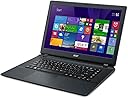


Acer ES1-511 ES1-511-C59V 15.6-Inch Laptop (Diamond Black)
Product ID: 1411535
Details
- Brandacer
- Model NameES1-511
- Screen Size15 Inches
- ColorDiamond Black
- Hard Disk Size500 GB
- CPU ModelCeleron
⚡2.16 GHz Dual Core
💻15.6" Display
🔋4.5 hr Battery
Unleash Your Potential with the Acer Aspire E15! 🚀
The Acer Aspire E15 (ES1-511-C59V) is a versatile 15-inch laptop powered by a 2.16 GHz Intel Celeron N2830 dual-core processor, featuring 4 GB of DDR3L SDRAM and a generous 500 GB HDD. With a sleek Diamond Black design, it offers a vibrant 1366 x 768 display and a battery life of up to 4.5 hours, making it perfect for on-the-go professionals.
| Asin | B00K2O4TI8 |
| Audio Output Type | Speakers |
| Automatic Backup Software Included | Webcam |
| Battery Average Life Standby | 4.5 hours |
| Battery Cell Type | Lithium Ion |
| Battery Life | 4.5 hours |
| Brand | Acer |
| Cache Memory Installed Size | 1 |
| Color | Diamond Black |
| Connectivity Technology | Wireless |
| Cpu Model Number | Celeron N2830 |
| Customer Reviews | 3.9 3.9 out of 5 stars (440) 3.9 out of 5 stars |
| Display Maximum Resolution | 1366 x 768 |
| Display Resolution Maximum | 1366x768 pixels |
| Display Technology | LED |
| Display Type | LED |
| Form Factor | Laptop |
| Graphics Card Ram | 64 MB |
| Graphics Coprocessor | Intel HD Graphics |
| Graphics Description | Integrated |
| Hard Disk Description | SATA |
| Hard Disk Rotational Speed | 5400 rpm |
| Hard Drive Size | 500 GB |
| Hardware Interface | Bluetooth, Ethernet, HDMI, Secure Digital Card, USB 2.0, USB 3.0 |
| Human Interface Input | Microphone |
| Item Weight | 5.3 pounds |
| Lithium Battery Energy Content | 32 watt-hours |
| Manufacturer | Acer Computer |
| Memory Clock Speed | 2.16 GHz |
| Memory Slots Available | 1 |
| Memory Storage Capacity | 4 GB |
| Mfr Part Number | ES1-511-C59V |
| Model Name | ES1-511 |
| Model Number | ES1-511-C59V |
| Native Resolution | 1366 x 768 pixels |
| Number Of Cells | 3 |
| Number Of Items | 1 |
| Number Of Ports | 2 |
| Operating System | Windows 8.1 |
| Operating System Family | Windows |
| Processor Brand | Intel |
| Processor Count | 2 |
| Processor Series | Celeron |
| Processor Speed | 2.16 GHz |
| Ram Memory Maximum Size | 8 GB |
| Ram Memory Technology | DDR3L SDRAM |
| Ram Size | 4 GB |
| Ram Type | DDR3 SDRAM |
| Screen Size | 15 inches |
| Specific Uses For Product | Personal |
| Total Usb Ports | 2 |
| Upc | 887899616853 |
| Video Processor | Intel |
| Voltage | 3.7 volts |
| Warranty Description | One-year International Travelers Limited Warranty (ITW) |
| Wireless Compability | 802.11bgn |
| Wireless Technology | Bluetooth |
User
Awesome, affordable laptop!
Okay, I just gotta unleash a quick rant based on a few reviews I read on here about this PC:Be a responsible buyer and READ the description of what's included to make sure you're buying something you really want. Too many complain about "oh, this didn't come with so-and-so, I'm so pissed off". If you read the info about the item, you probably wouldn't have a problem. That's why the seller takes the time to post what you need to know. Second, if you want a laptop that performs like a $10,000 laptop, then go out and BUY a $10,000 laptop rather than buying one for $250 and complaining about it for being cheap in reviews. I mean, common sense seems to be a lost skill in our society, it's a shame.Now I feel better...moving on to my review!I'm a college student and was looking for a cheap laptop to help me with school as well as other casual things like watching videos, emailing, and watching Netflix. I just received this recently and I'm already in love with it! The laptop is very lightweight and the perfect size. It's my first time using Windows 8 after years of using XP and Windows 7 so I'm still getting a feel for the software. All I needed was a computer that could handle my daily activities online, nothing fancy or overpriced and this Acer fits all my needs. You can't beat a laptop for under $250, it's a great deal!A few quick things: There is only one numerical pad at the top, none on the side of the letters like other computers. There's also no CD drive so you'll have to buy an external drive, use a flash drive, or download certain programs you need. Other than that, this laptop is perfect and I'm glad I got it. If you need a standard entry-level laptop for casual to moderate use, you can't go wrong with this one.BIG TIP as of 8/2/2014: I found a way to make the tiny sound speakers sound better! Go to the audio icon in the right-hand corner. LEFT-CLICK and go to PLAYBACK DEVICES. LEFT-CLICK on SPEAKERS and click on PROPERTIES. Go to ENHANCEMENTS tab and click box next to LOUDNESS EQUALIZATION. That should make the laptop sound much louder and fuller. Enjoy!
User
Solid laptop at a reasonable price
Use? DailyTech knowledge? Casual-Pros:Price ($250 as of this review)Quality 15.6 inch screenFeels sturdy/solidThe plastic casing doesn't have that glossy fingerprint hungry texture.Laptop battery isn't exposed (my previous acer laptop had the battery exposed and that eventually cracked)Good battery lifePowerplug (which plugs in from the back) has tight not remotely lose grip-Cons:No DVD driveKeyboard lacks numberpad (the numbers above the alphabet keys ARE included though)No keyboard lights (at this price it shouldn't be expected)Earphone plug located on the back. You get used to it. Losing some wire length and feeling your way around trying to plug it in while in a dark room are slight downsidesSpeakers have a muffled sound. Perfectly audible to me though.I use this as a regular web-browsing laptop and and it works very well for that purpose. No cd drive and no included restoration discs means you might have to find away make your own restoration discs (Anyone more knowledgeable want to comment?)I regularly watch 720p youtube videos without issue. I haven't tried 1080p yet except for the new 60 frames per second videos youtube has had for a few weeks now (regular is 30 fps). 1080p 60 fps made the page unresponsive. Touchpad was difficult at first but you get used to it quick. I haven't played with the touchpad settings yet though I plan to so that I can setup the page scrolling. Lots of pre-installed apps to delete. I'll update this review at some point.Ask me anything.For anyone new to windows 8 you should follow the advise that other people told me. "just treat it like it's a new thing and try to give it a chance". This video put me at ease:https://www.youtube.com/watch?v=0GvYwsYNBCE
User
Overall good
Many people are not happy because they got a $250 laptop expecting it to play video games. I wasn't, so I am happy I ordered this laptop. It's very nice, the build quality is what you expect for the price, and the processor is adequate for basic use. If all you plan to do is web browse and watch videos, this is perfect for you.Screen: The screen is very bright, colors are slightly washed out but not too noticable, and it's sharp enough for me. I think it's fine, not anything like the 4K laptop screens, but like I said, this is a $250 laptop.Keyboard: I used to hate Acer keyboards but the keyboard is actually very nice. It provides good feedback and feels quite nice to type on. Keys are mostly well spaced, although you'll need to get used to the number pad being gone, but that only takes a couple hours of use on this laptop.Build Quality: What can I say - it's plastic and it's a $250 laptop. It's not terrible, in fact it holds up well, but it's nothing like the high end metal laptops, of course.Sound: The sound on this laptop sounds fine if you're watching videos. But if you plan to listen to music, do get some headphones. The sound also gets muffled at certain stops if you have your laptop on your lap, but that is expected. It sounds better if you go into the sound icon and change the enhancements, but nothing incredible.Battery: Battery is overall good. I got 4-5 hours on low brightness and low power. Nothing incredible but for a secondary computer I'm completely okay with it.Processor: The Celeron N2830 is basically a rebranded and updated Atom. It's fine for basic things like browsing the web and watching videos, depending on the quality of the video. 1080p YouTube videos play well, depending on which browser you are using. Avoid Chrome as they are having problems with YouTube videos at the moment. I use Opera. Games are a sad story. Minecraft with everything on low, 10 FPS. But like I said, I didn't buy this with gaming in mind. Since this is a rebrand of the Atom, the computer is very very very quiet, in fact I hear the hard drive over the CPU fan, which surprised me. The chip also runs very cool so you will have a very very hard time overheating.Overall for $250, this is an absolute steal and it's perfect for basic needs.
User
Keyboard Quit working!
I did love it and would have given it 5 stars but the keyboard just quit on me while I was showing my neighbors what a good deal I got. I know it is the keyboard because I plugged in an external keyboard and that works, it still won't shut off going to start. I'm getting ready to call Acer in the hopes of getting a replacement keyboard since returning it is not really an option where I live. I will Let You all Know how it goes with Acer and perhaps Amazon. Right now I'm annoyed...............JUST CONTACTED ACER SUPPORT: Did as told with no results, I was disconnected while doing as I was told. I copied the dialog:John Britto: Hi, my name is John Britto. How may I help you?John Britto: Hi, Larry.John Britto: How are you doing today?LARRY WHITE: the keyboard on my 2 week old acer aspire just quit on meJohn Britto: I understand that the keyboard is not working in your brand new laptop.LARRY WHITE: I know it is the keyboard because I plugged in a usb and it workedLARRY WHITE: usb keyoard externalJohn Britto: Fine.John Britto: I really appreciate your efforts.LARRY WHITE: fineJohn Britto: Not to worry, Larry. I will heppJohn Britto: * help you.LARRY WHITE: thank uJohn Britto: It's my pleasure.John Britto: Whether any liquid spilled on the computer?LARRY WHITE: no and I'm the only userJohn Britto: Okay.John Britto: Are you chatting from the same computer?LARRY WHITE: Am I with the right dept?LARRY WHITE: no I am onmy desktopJohn Britto: yes, Larry.John Britto: Okay,LARRY WHITE: the comp is next to me and onJohn Britto: Fine.LARRY WHITE: just the keyboard is a little 1 for a tabletJohn Britto: Okay.John Britto: We will try with the power drain to check if it resolves the issue.LARRY WHITE: okJohn Britto: You can find a battery reset hole in the bottom of the laptop.LARRY WHITE: it is on but not online I cant control it enoughJohn Britto: Okay.LARRY WHITE: then do what ?John Britto: Insert a paperclip into the hole and press for four seconds to reset the computer (simulates removing and reinstalling the battery).LARRY WHITE: ok please be patientLARRY WHITE: do i turn it off?John Britto: Sure.John Britto: Turn it on and press the reset.LARRY WHITE: okJohn Britto: HYes, please.John Britto: * Yes, Please.LARRY WHITE: I have no paper clip but have a pin I tryed that if I had the right hole but did not feel it give when I pushed How hard should I push?John Britto: Oay.John Britto: http://global-download.acer.com/GDFiles/Document/User%20Manual/User%20Manual_Acer_1.0_A_A.zip?acerid=635410067153529968&Step1=NOTEBOOK&Step2=ASPIRE&Step3=ASPIREES1-511&OS=ALL&LC=en&BC=ACER&SC=PA_6John Britto: Please visit the above web link to download the user manual for your taltJohn Britto: * laptop.LARRY WHITE: I tested all the keys before hand/ and only a handfull work/ it also when I try to open a text goes to some program I have no Idea what it isJohn Britto: Okay.John Britto: Do you connect externla USB keybaord with your computer.John Britto: Larry, I am waiting for your repsonse.John Britto: Are we connected online?John Britto: I did not get any response, are you still connected online?John Britto: It has been several minutes since I have received a response from you. If you are having technical issues which prevent you from responding, please close the chat window and try contacting us again. I will need to close this session at this time. I apologize for any inconvenience.John Britto: Thank you for contacting Acer support. Have a great day.John Britto:Find solutions or advice from other Acer owners on the Acer Community! Give it a try today!John Britto: Take care, bye.John Britto has disconnected.I have had enough for one day. I managed to look foolish to the neighbors buying this. Telling them how good Amazon and Acer were. I will let you know how this goes.....
User
Great Deal
As many have said, this is an excellent computer for the price – actually an amazing deal. The only real question is how it will hold up. Time will tell.I use the machine as a desk computer, so I like the ports in the back, out of the way. One USB 3 port seems enough as I only use that port for backing up large files.The touch pad is a bit hard to use because it lacks the normal right and left buttons. I bought a MS bluetooth mouse which solved that problem.I would complain about all the useless and near useless software that Acer and MS have install but all computers, tablets and phones seem to be loaded with that stuff. It took several hour to delete what I didn't want.I use this computer mostly for writing and for business. It is more than adequate. The only program that I run that requires a lot of power, Handbreak, runs fine, if a tad slower that on my quad processor Acer.It is an all around great bargain computer. I recommend it.
User
Best budget laptop out right now.
Just a few words for this review. I have always been impressed with Acer computers. Build quality is an "A". Performance is good for what it is. The price.. nothing out there is better at this price. What I noticed mainly is the battery. The battery is built-in. You do not see it at all and can't change it unless you open up the laptop. Them being lipo batteries now, smaller and lighter, they have a longer life now and wont need changing for years to come. At this price, i'll deal with that. And the run time for this battery is also a mind blowing 6hrs on high performance settings. Most laptops only get 3hrs. Also this laptop is really thin! I love that. It has no optical drive but who really needs that theses days anyway. This saves weight as well as battery life. Just use a USB stick/hard drive to backup your Win8. So far i've found no negatives with this laptop. I love the rear ports as well. Most laptops force you to have everything sticking and poking out the sides. This laptop is perfect for net browsing, movies and light online games. Don't expect a $250 laptop ( my price ) to run full blown max graphic games. So in short, this Acer comes highly recommended by me. Buy it!
User
Great laptop minus a good touchpad
Okay. Here is the jist of it:Pros:-Great laptop for the price. Super fast compared to my other laptop I bought at Wal-Mart for more money.-Solid construction. Feels real sturdy. Not as flimsy as some HPs that I've had recently and in the past. The keyboard is more solid than most laptop keyboards.-HDMI port. Enough said.Cons:-The touchpad is not very good. I prefer the two buttons at the bottom. It can be very touchy. There is a fine line between the primary click function, and the right-click. If you don't hit it just right, it'll right click... or primary click, depending on what you're trying to do. The touchpad isn't good if you need speedy results. Use an external mouse.-The battery isn't user replaceable. If your battery dies or gets weak, and you require portability, then I guess you'll need a new computer.Note: This laptop doesn't have a disk drive, but I knew that when I bought it. Buy an external, it'll still be cheaper than most laptops at these specs. This laptop was purchased because I needed one overnight because I was in a serious bind for school.Note II: This review in no way reflects on the seller. They've done an outstanding job. I bought from Quality.Seller.
User
Better than the Chrome Book
I got this to replace the XP desktop that my wife uses for writing (Word), computing (Excel), printing and web surfing. Initially I was looking for a Windows 7 laptop, but after some research found out that Windows 8.1 will notice if the machine does not have a touch screen and will boot up directly to the classic desktop. So I set aside the Windows 7 option.Initially I considered a Chrome Book but set aside the thought because my wife likes to print a lot and I didn't want to take the risk of web printing implementation being iffy. Then I discovered this computer which price was very close to the Chrome Book. So it was a no-brainer, I bought this instead of the Chrome Book.The laptop does not come with a CD Drive and is quite light compared to my two year old Toshiba. It doesn't come with a lot of bloatware. I remember removing about three programs and that was it. The taskbar at the bottom has a button that looks like a house. Hovering the mouse over it shows 'Pokki Start Menu'. It lets you access your computer drives, the Control Panel, and the Search box. Right clicking over the bottom left corner of the screen lets you access the Run box, Task Manager, and several other items familiar to us in the previous versions of Windows.To be able to read/write Word and Excel documents, I didn't want to subscribe to Microsoft's Word, so I downloaded OpenOffice. The download and installation was relatively fast and hassle free.My wife has been using the laptop for almost a month. So far there is no problem.
Trustpilot
2 months ago
5 days ago