Desertcart purchases this item on your behalf and handles shipping, customs, and support to Senegal.
๐ฎ Dominate the game with speed, clarity, and precision!
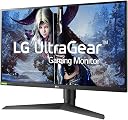
The LG 27GL850-B is a 27-inch QHD Nano IPS gaming monitor featuring a blazing 1ms response time and a 160Hz refresh rate with NVIDIA G-Sync compatibility. Designed for competitive gamers, it offers vivid HDR10 color accuracy, ultra-wide viewing angles, and advanced features like Dynamic Action Sync, Black Stabilizer, and Crosshair for enhanced gameplay precision. Ergonomically adjustable and equipped with versatile connectivity options, it delivers a smooth, immersive, and comfortable gaming experience.


| ASIN | B07TD94TQF |
| Adaptive Sync | G-Sync |
| Additional Features | Height Adjustment, Pivot Adjustment, Tilt Adjustment |
| Aspect Ratio | 16:9 |
| Best Sellers Rank | #144,426 in Electronics ( See Top 100 in Electronics ) #3,051 in Computer Monitors |
| Brand | LG |
| Brightness | 350 |
| Color | Black |
| Color Gamut | 98 |
| Compatible Devices | NVIDIA G-SYNC Compatible |
| Connectivity Technology | HDMI Yes x 2DisplayPort Yes x 1 Headphone Out YesUSB Up-Stream (ver 3.0) Yes (1ea/ver3.0) USB Down-Stream (ver 3.0) Yes (2ea/ver3.0) |
| Contrast Ratio | 1000:1 |
| Customer Reviews | 4.7 out of 5 stars 4,276 Reviews |
| Display Resolution Maximum | 2560 x 1440 pixels |
| Display Technology | LED |
| Display Type | LED |
| Global Trade Identification Number | 08806098614707 |
| Hardware Connectivity | HDMI |
| Image Contrast Ratio | 1000:1 |
| Included Components | Monitor |
| Item Dimensions D x W x H | 10.8"D x 24.2"W x 22.6"H |
| Item Type Name | Gaming Monitor |
| Item Weight | 13.5 pounds |
| Manufacturer | LG |
| Model Name | 27GL850-B |
| Model Number | 27GL850-B |
| Mounting Type | VESA Compatibility - Mountable: 100 x 100mm |
| Native Resolution | 2560x1440 |
| Number of Component Outputs | 2 |
| Picture Quality Enhancement Technology | Nano IPS, HDR 10, NVIDIA G-SYNC, high color gamut and depth, and fast response time |
| Refresh Rate | 160 hertz |
| Resolution | QHD Wide 1440p |
| Response Time | 1 milliseconds |
| Screen Finish | Hard coating (3H) |
| Screen Size | 27 inches |
| Screen Surface Description | Hard coating (3H) |
| Shape | Rectangular |
| Specific Uses For Product | Gaming, Personal |
| Total Number of HDMI Ports | 2 |
| Total USB 3.0 Ports | 2 |
| Total Usb Ports | 3 |
| UPC | 719192633087 |
| Viewing Angle | 178 degrees |
| Voltage | 110240 volts |
| Warranty Description | Limited: 1 Year Parts & Labor |
| Warranty Type | Limited |
R**3
LG Delivers Much Needed Quality Control to the Realm of 144 Hz, 2560x1440, IPS-type Displays
I write this review as the former owner of 3 Asus PG279Qs and one PG279QZ. I was drawn to this realm of the monitor market because I do not believe that 4K displays are worth it at this particular point in time. As far as I see it, the majority are a compromise as the bandwidth requirements for running 4:4:4 chroma subsampling, an extended color gamut, a refresh rate of 144 Hz and beyond, and a resolution of 3840x2160 all at the same time will be much better served by DP 1.5 or HDMI 2.1 (proper HDR wouldn't hurt either). Although it could be argued that achieving 144 frames at 1440p is more resource intensive than 60 frames at 2160p, I believe the experience to be the most immersive, at least until 144+ frames becomes viable at 4K. Unfortunately, based on the price to performance ratio trend of the current generation of graphics cards (Nvidiaโs in specific), it is going to be a long, long time until that is achievable at a reasonable price. All things aside, I can state with confidence that Iโve found my sweet spot for monitors in the form of LGโs 27GL850. It has addressed all of the quality control concerns that Iโve experienced throughout my quest of trying to obtain a high refresh rate, 1440p IPS-type display. Seeing as this is an LG product, the monitor can rightfully be referred to as having an IPS (In-Plane Switching) panel as this is their proprietary term for the technology that produces the wider color gamut and viewing angles. I did not buy this display because I am a hardcore gamer; I bought it because I wanted a quality monitor with good color reproduction, a uniform panel, and good response time. My purchase was based solely on the off chance of LG producing a monitor where quality control wasnโt an after-thought. Now that it has finally arrived, I am proud to report that this monitor delivers. The display has zero backlight bleed and excellent uniformity, contrast, and response time. White uniformity is even across the entirety of the screen while the factory calibrated colors appear accurate even next to my calibrated Dell. Outside of sRGB mode, the colors do come off as over-saturated, although some may prefer the added vibrancy of the Nano IPS technology (I did not). Black levels are on par with most other IPS-type displays that Iโve used despite the specified measurement coming in at a somewhat lower figure than similar displays. As for response time, it seems universally accepted by the monitor community that the fast setting is adequate in preventing overshoot. The faster and fastest settings produce undesirable artifacts known as coronas. Despite this monitor not having variable overdrive, I have had no perceivable issues when it comes to gaming as I do tend to binge on CS:GO from time to time. If I had to nit-pick, and I do because this is a review where transparency informs prospective buyers, I will say that the strength of the presence of IPS glow on my display falls on the moderate end of the spectrum. This could be due to the fact the panel is 27 inches, which is a decent amount of real estate for this phenomenon to occur. It is also important to keep in mind that this is something that varies on a per panel basis. Without a doubt, it is a consequence of choosing to utilize an IPS panel for oneโs computing purposes. Regardless, it is nothing unexpected or anything that cannot be addressed by adjusting the brightness level as well as the viewing distance, height, and angle. Besides simply turning down the brightness, placing the monitor further away is one way to remedy the matter. Another way to minimize the glow is to position the screen in such a way that oneโs gaze meets the center of the screen as IPS-type displays fare better when the height of the top bezel is of equal height or greater in relation to oneโs eyes. A final tip is to manipulate the screenโs tilt angle as oftentimes angling it upwards reduces glow. By applying these adjustments, I can easily say that this is overall the best monitor that Iโve used to date. I will not sit here and bash Asusโ most recent iteration of their high refresh rate, 1440p IPS-type display, the PG279QZ, as one can refer to the top review of the PG279QZ to see what types of problems plague those monitors. What I will say is that itโs a breath of fresh air to see that quality control still exists in consumer-grade monitors. Realistically, no manufacturing process is going to produce near perfect monitors all of the time; however, this purchase has instilled confidence in me when it comes to the LG brand. I imagine that this model will provide all disillusioned monitor buyers a glimmer of hope when it comes to having a fighting chance at obtaining a quality monitor in this realm of the market. ***As per a request in the comments, I've attached pictures of the monitor at brightness of zero, 50%, and 100%. I also managed to track down another monitor from Micro Center, so I posted the same array of shots for this sample too. The results were very similar; however, a small circular area of bleed does exist in the top left corner. It is somewhat noticeable on a black screen unless I increase the height of the stand. To identify the pictures of the second monitor, please see the pictures without the headphones in them. Despite trying several approaches and platforms, the photo uploader refuses to retain the sequence in which I had originally ordered them).***
A**.
Stunning Display, TN Like Performance Without The Drawbacks
After playing the panel lottery on a few displays I believe I've found the holy grail. I knew this monitor would handle motion very well from reviews but what I didn't expect is how impressive the colors and image quality would be. My normal "Eww" reaction to a brand new monitor as I reach for the setting was replaced my a "holy $%*#" and it only got better once I fired up a game. I had my 14 year old daughter who's obsessed with Overwatch hop on and she had a smile from ear to ear about how smooth the experience was. To be fair I don't notice the difference from 75hz to 144hz as much with the slower paced games I normally play, like I did going from 30hz to 60hz, but the difference is still there. I think that most people could tell the difference though if you switched back and forth. Now this monitor does not really have a 1ms response time, but this marketing strategy of slapping on a bogus response time isn't unique to this monitor. Most TN panels don't really have a true 1ms response time either. The true response time on the fast overdrive setting is 4.08 with 100% of the transitions falling under the 6.94ms window to get a true 144hz. This is excellent. Now I had originally planned on getting the cheaper 27gl83a-b, just thinking that the color gamut was the only difference. After doing some deeper digging I found the the response time on the 27gl83a-b is slightly slower as well. It was worth coughing up an extra $100 for the LG 27GL850 for me. The only thing I'm not a huge fan of is the red accents on the stand, as I prefer my setup to be blacked out. To be honest it looks a bit better in person, and if you're sitting on wall you'd only see a sliver of red on the top of the V base of the stand. It is also Vesa mountable, so I may do that at some point if my OCD acts up. Now I have used TN, VA and IPS monitors. TN panels are just too washed out and the viewing angles are awful. VA has better viewing angles and contrast, but they still look too washed for me and the ghosting is a sin for gaming. IPS especially now that they have high refresh rate models will be the only technology that I buy and recommend. As for aspect ratios, my last monitor was an ultrawide. Now as much as I love the 21:9 aspect ratio for gaming, I feel as if the gaming industry does not, as its not as widely supported as 16:9. It drove me crazy to buy a new game and have to play with black bars on the sides effectively shrinking my display or an extended FOV where the sides would look stetched or the hud wouldn't support 21:9. The problems go on and on and the support hasn't gotten better imo I couldn't more highly recommend this and after almost 40 years of gaming I put this monitor up there with my favorite, next level upgrades within the likes of my Super Nintendo, PS2 and my first graphics card that pushed me to 60fps.
S**Y
Worth Every Penny
I should start by saying I upgraded to this monitor from a simple 1080p TV setup and was on the fence about making the jump to full 4K for my gaming rig but I'm glad i decided to go with this beautiful 27 inch 1440p LG Ultragear and it has surpassed my every expectation. I've played my PS4 Pro on a 4K 60hz TV but this is the first gaming screen I've personally owned above 1080p and to me this monitor has far better picture quality. To be fair I have it connected to a pretty good build (i7 10700K, GTX 2070 Super, 16GB RAM) but to stay that this was an improvement over my TV+ Xbox One is a huge understatement. I play a lot of Destiny 2 and now it's like it has become an entirely different game. Everything on this monitor is so smooth and just explodes with color. When running graphically demanding games with g-sync or freesync like Destiny 2, Gears of War 5/Tactics, Dishonored 2 this screen really shines. It's extremely noticeable when any game you've spent a ton of time playing on console, for me Destiny 2, is now let lose from its frame rate cap and rendered in flawless 1440 at 144hz on this monitor. It was truly a "i was blind but now i see" moment. As other reviewers have noted the 1ms response time is really just a marketing gimmick. The monitor technically can achieve that response but the image quality falls off a cliff. It runs just fine at a slightly lower rate. Around 4 or 5ms if memory serves for the next fastest setting. Assembly was a breeze. There is one screw in the entire set up and the base easily and snugly sits right into a slot on the back of the monitor held in place by clips operated with one easy button. Once you have it assembled, it feels pretty sturdy once you start to spin the monitor around and push and pull the top to your exact desired angle. If you want the screen higher or shorter you simply lift or press down but It's worth noting that while the screen does pivot on its X-axis it does not on its Y-axis. Only a problem if your monitor is not on a flat smooth surface. Its also important to know that when tilting the screen 90 degrees to its vertical display the screen only pivots one direction. Be careful not to torque the thing the wrong way when adjusting it this way though the casual user will probably not need to do this. The display does not pivot to follow the screen the way your smart phone does so unless you're going to buy a couple of these things and chain them together vertically you will likely be keeping it horizontal. The monitor also offers some additional features for gamers that can overlay on whatever game you're playing in case you want to easily capture some game play recordings, screen shots, or see your FPS. It can even add an artificial set of cross-hairs to any game that may not display them for you for one reason or another. It looks sharp even when not running. The red accents do make the monitor look cool though I wish they would have made the edges of the screen red as well since It's not really noticeable from the front. There are also no speakers on this monitor which wasn't a con for me but should be noted. $500 is a lot for a monitor and my review might be a bit biased since i was coming from such a poor previous setup. I cant tell you if this monitor is better than any other 1440p monitor or how it would compare to a solid 4K monitor. I also don't know how this monitor would work with an Xbox Series S's 1440p support using HDMI instead of Display Port. I'm also hesitant to speak on the brightness of this monitor because I don't really have anything to fairly compare it to. Its plenty bright even in quite a bit of sunlight though I've heard HDR 400 is a bit low compared to some other high resolution monitors in this class. All in all If you happen to be like me and are making the jump up from 1080p for the very first time then you will not at all be disappointed with the experience this monitor delivers. Just know you wont ever be able to go back to your 1080p console setup without great resentment.
J**Y
Switched from 4k/60Hz; no regrets
I went back forth for a while on what type of monitor to get. I was coming from a 4k display, but a pretty cheap 60 Hz TN panel that I got on a Black Friday sale years ago. High-refresh 4k panels are too pricey (and I don't think my graphics card could cut it), but I wasn't sure if I wanted to commit to trading resolution for framerate. My initial impression after using the 27-GL850-B for a couple of hours is that I absolutely made the right decision. The picture quality blows my old monitor out of the water โ the better colors and viewing angles more than compensate for the lower resolution. I have to really lean-in and look hard to notice the pixel edges, and I sit fairly close to the screen. Movies/shows/videos look amazing, as well. >99% of the content I watch isn't available in 4k, anyway, so for those things the monitor is just an improvement in every way over my old one. Screen real-estate is obviously less, though, which, depending on what you do, can impact productivity (which is why I brought the old 4k monitor to the office!). Initial impressions for the high-refresh are very positive. I'd never gotten to use a high+variable refresh rate monitor for an extended period of time, and honestly didn't think the difference would feel as stark as it did. Games like CS:GO are lightning-quick, and even moving the cursor across the screen feels buttery smooth compared to the 60 Hz (probably garbage input lag) panels that I have as my secondary and tertiary displays. Even for non-competitive or not-as-fast-paced games, I appreciate the snappiness over a 60 Hz display. Variable refresh works great out of the box (on Windows 10, at least โ intending to test with Arch Linux soon, and might update this review). Some other reviews have mentioned the recessed VESA mounting point being a problem. This recess is 12cm x 12cm and roughly ~0.65 cm deep. I was worried that I was going to run into an issue here, but my monitor stand's (Monoprice #15708) VESA mounting brackets just barely cleared and were able to fit into said recess. I strongly suspect that, even if one's VESA mounting bracket is too large, as long as it is symmetrically so, then one could just use longer M4 screws than the ones provided (this will put extra radial torque on the screws, which screws aren't really designed to handle. In theory, the monitor is light enough that it should be fine, but don't blame me if you break something). Some minor complaints: * Every "preset" other than the default "Gamer 1" preset grays-out many picture options except brightness. For example, if I want to use the clamped-gamut sRGB mode (which is accessed as a "preset" in the OSD), then I'm prevented from adjusting the white point. * I/O (particularly the DisplayPort) is along the vertical center of the monitor, which results in interference between DP cable/plug and my monitor stand. Mine might be an uncommon situation, but it still could've been avoided. * "HDR" support is token.
B**O
Good purchase in the current market, well-suited to gaming
It's a decent monitor, it does what it says, and it's defect free. It's not as nice as my old Shimian QH270, which I bought for a similar price in 2013. That also used an LG produced screen from that time. Unfortunately, that monitor died and I had to replace it at an inopportune time. Right now there are a plethora of options for 1440p+ monitors available, but that's only due to corner cutting in quality control and using lower quality panels to meet the induced demand. This LG panel, like many others available, does boast an impressive refresh rate and responsiveness that puts those old panels to shame. This makes it a good purchase if your focus is on gaming. However, the color has not noticeably improved over the past decade from other IPS monitors. Moreover, the contrast ratio is quite bad, certainly noticeable worse than my old screen, a bad feeling for a product with eight year's advantage. Overall, I would recommend this product. The fact of the matter is, there aren't a lot of options better than this at the price. LG is a quality manufacturer still, so you can trust you'll get a screen in good working order, which is better than you can say for many other options. Comparing with its contemporaries, that makes it a worthy purchase. I just lament that I had to buy something during this trough, but hopefully screens will get better in the future, rather than just easier to find.
T**E
Accurate color, plenty of input slots. Display port version needs to be set to1.2
You do need display port to fully take advantage of the capabilities of this monitor, however it comes with both a mid quality hdmi and display port cable so its ready to go out the box. A display port, 2 hdmi, and a dvi port are the slots available here, so plenty of room for other devices. It auto detects devices very well that are on too so no manual switching either. Very bright and clear colors at any brightness, I experience almost zero glare from a bright window behind me at full brightness. Even direct sunlight the glare is not too bad. I experienced colors very slightly being off and slight ghosting out the box on initial set up using display port, however setting display port version to 1.2 instead of 1.4 fixed this issue. Another reviewer reported this issue also, not sure what is really changing here. Possibly the cord provided but not sure, this monitor cant use any of the features that DP version 1.4 has, so 1.2 is plenty adaquate. To set this its located deep in the settings somewhere, good luck. The many settings are moderately confusing to navigate as some settings are only available on some modes with pleny of sub menus, however game modes allow the most settings and you can make it perfect as you see fit. The response time is very impressive, I turned it down to low response to 100% eliminate any ghosting or visual artifacts and it is still very fast. Blows my 8 year old LCD "gaming monitor" out the water in every metric. The software G sync works great with my RTX 2080 super, however the frame rate is 5-15 fps lower than it would be with conventional V sync. So if you are pushing the limits of your graphics card you may experience some studdering or delay. Above 75 fps the monitor was smooth and fast. If you cannot maintain 75+ fps at 1440p then I would not intend on using G sync or lower the graphics settings, as it is software G sync and does have some processing to do so the higher the average framerate the better. Doing full rgb colors reduced the max from 144hz to 120hz, but makes it look that much better. If I get into a game that my 2080 decimates I may change this back. I sucessfully overclocked to 165 hz without issues (set custom resolution in Nvidia control panel with a higher hz), however I dont see the need as its so smooth already at 144hz there is little difference going higher. My experience is it doesnt really look smoother than 144hz until you get into the 200s, which unfortunately this monitor cannot do. If you have a great graphics card that cant quite do 4K, get this monitor you wont regret it. Easily the best in this price range.
B**E
Awesome, coming from another 144hz IPS 2k monitor
About 6 or 7 years ago (might not be exact to be honest), I purchased one of Acer's 1st 144hz, 2k, IPS gaming monitors the first or one of the first of Acer's Predator line. The Acer monitor has been great, but lately I've been craving something a little more for the monitor space, since it's been quite a while since i've had this monitor (actually a pretty good monitor even for today's standards). I decided to go with LG's 850b Nano IPS monitor since i really enjoyed a new LG Nano Cell TV I just purchased recently. Once I turned on the monitor, calibrated, and turned on the correct settings I was blown away by the noticeable difference from my previous 2k, IPS, 144hz monitor. There's a distinct characteristic I like about Nano cell displays in particular, where the colors are more vivid than other displays. The images also appear to be more smooth than my previous display although it is running at the same 144hz. I can easily see this monitor being one of the best for the price point although I haven't tested other monitors. The display that I got came with no issues, no dead pixels, and the backlight bleed does not bother me much if at all during normal use. With the recent Nano cell TV I purchased, and this monitor, LG has truly one my heart over for their display technologies. I have a Samsung QLED TV as well, and the Nano cell TV (which was way cheaper) was a much better deal and better quality. LG has done a spectacular job in the creation of this display and their recent line of TVs and offer a competitive price for the quality. A+
K**D
It's a good gaming monitor, with minor flaws
EDIT: I bought a second 27GL850-B manufactured 7/2021 as "used like new" (it was brand new in a damaged box, 0 hours power on time). It's great to have matching monitors for work, and it says a lot about the quality of this panel that I bought a second. Pros: Well reviewed panel, Freesync works on Nvidia/Intel now + low framerate compensation means the display doesn't tear below 48 FPS, ICC profiles exist for download (TFT Central), only needed minor tweaks out of box to make the display really pop, panel supports 10 bit, display is light - perfect for VESA mounting. Backlight bleed is minimal, very pleasant surprise. Movies and Youtube look fine on this gaming display, just a shame that 1440p/4k haven't began to replace 1080p video as default. Amazon doing monthly payments on this is a great deal. Cons: I had to exchange the first panel I received. First panel had one dead pixel out of the box, and the vertical edges of the display were much dimmer than the rest of the screen on light backgrounds. Replacement panel is fine. USB hub on the monitor is unpowered, limiting what can be plugged into it. Very odd choice by LG to save a few cents on the USB hub, my Logitech G910 keyboard wouldn't even power up connected to it - HDR on this screen is terrible, leave it off. Notes: The USB hub is used for firmware upgrades - keep the cable handy no matter how useless the USB hub is. I upgraded from an Asus ROG Swift PG278QR - that display came with about 5 dead pixels and always looked washed out. It also has a firmware bug that affects the display, and backlight bleed was an issue too. And it even cost more than this LG panel! The LG 27GL850 is a huge upgrade in quality! Watch some reviews before you buy - Hardware Unboxed goes over this display very nicely. This monitor uses DisplayPort 1.4 - you may need to update the firmware of your graphics card to support it or you will not have POST/boot output on the screen. Nvidia has a download for updating older cards - I had a 1080 Ti when I bought my first LG and it was painless to run the upgrade. If you cannot upgrade, you can change the monitor to DP 1.1 or 1.2 via the on screen menu. I'm still trying to find the optimal brightness - TFT Central recommends brightness of 23 with a boost to red - it was too dim and way too red, so I'm guessing LG has adjusted out-of-the-box calibration on these panels since launching them. To enable 10 bit support, use the Nvidia control panel (or AMD's equivalent) and leave HDR off in Windows. My current display calibration: Gamer 1, Adaptive Sync On, Response Time Fast, Brightness 35, Contrast 70, Gamma Mode 2, Color Temp Custom, RGB all 50, DFC Off, Smart Energy Saving Off. I'm using the TFT Central ICC profile in Windows 11.
F**O
El monitor es una maravilla pero tiene algunos contras
Se ve de maravilla, yo tenรญa el 24GL600F y la verdad es un mundo de diferencia, los colores son mucho mas vivos y la calidad de imagen tambiรฉn es muy buena. No todo es bueno, hay detalles. El monitor tiene diferentes tiempos de respuesta y el FASTER que viene siendo 1 ms, no lo recomiendo, lo dejarรญa en FAST que creo son como 3-5ms. Tambiรฉn por lo que entiendo es que es compatible con G-Sync pero en si no tiene el hardware para hacerlo. Entonces en teorรญa tiene 1ms, G-Sync y HDR pero no funcionan al 100%. Que aun sin eso el monitor es excelente la verdad. Para mas informaciรณn, hay una reseรฑa de LinusTechTips sobre este monitor menciona a todo lo bueno y malo de este modelo.
F**Z
Item arrived in good condition within 10 days of ordering
Outer box seems to have dropped, but the monitor seems OK and itโs working perfectly (hopefully).
M**A
27 inches, 1440p, IPS, 144hz, G-Sync - what's not to like?
Just like you, I have been taking my sweet sweet time watching and reading reviews from both sponsored and non-sponsored content creators. Also visited reddit to validate everything I know about this monitor. Long story short, it all comes down to gaming preference. Do you have a powerful GPU card and have the resources to buy a 4k gaming monitor? This is not for you. Do you have a powerful GPU card and have the resources to buy an Ultrawide 1440 gaming monitor? This is not for you. Do you want to upgrade your gaming experience and you have a GPU that can run the games you play in 1440p with frames higher than a 100hz? Then this is for you! Gone are the days where you have to get a TN panel to enjoy shooters and RTS games. This is an IPS panel with a high refresh rate! It's great for all game genres and I mainly play DOTA 2, Counter-Strike: Global Offensive and Call of Duty: Modern Warfare. Even before calibration the colors are great and vibrant but after calibration, it is way better. Search in Reddit for suggest color calibration which you can then download and manually configure in the monitor's menu. This is my best purchase for this year and I would highly suggest gaming monitors from LG! They're great and sturdy! I did not notice any backlight bleed or issues from my panel. Happy kid here. :) Edit 14-Sep-2021 A year after and I am still enjoying this monitor a lot. After upgrading to RTX 3080, I now can appreciate games more when played with Ray Tracing and it is very noticeable on this monitor. 4k monitors are still costly so sticking to this resolution will be my norm for maybe 2-3 more years. No issues with the monitor, still great. I highly recommend!
A**K
Incredible Monitor
many reviews might already speak about the gaming aspects of it. me not being a hardcore gamer I can give my review in terms of being a professional designer + hobbyist gamer. I bought this for both work + gaming. from a gaming perspective I have played several games on this and the monitor works fantastically. Great visual quality, colours and refresh rate. very responsive. from a designer perspective (used with Macbook pro): What I like - 1. Fairly colour accurate screen on calibration. Covers most of the sRGB space. out of the box factory calibration was not up to the mark. not having hardware calibration device with me had to do manual calibration both with monitor settings as well as colour profiles on the mac display settings. Do check rtings channel for calibration profiles. 2. good amount of IO: has a USB throughput which helps you connect your accessories like mouse and keyboard which helps in cable management 3. Anti reflective coating on screen makes it less distracting to work on 4. Pretty bright. Thought around 300-350 nits of brightness will be less compared to what I have on my mac. but believe me based on the size on the screen it is pretty bright. i never go above 15-20% while working. 5. Works with Mac's true tone technology as well when Mac is not kept in clamshell mode. Though it feels a little finicky I have kept True tone off. 6. Size and aspect ratio is perfect for split screen working. makes me very productive. 7. Fairly adjustable viewing modes. What I dont like: 1. Text is not as crisp as I expected. Had to increase monitor sharpness to reach desired. 2. Stand design takes a lot more space in desk which allows for lesser space for keyboard and mouse. Overall: Very satisfied with my purchase :) makes for a great monitor to work on, game and view videos.
A**R
Great for gamers looking for better pic quality than TN panel with nearly same performance.
Gorgeous picture quality while still retaining snappy response times. For a primarly MMORPG player, there is no better monitor in this price category. 1440p gives you a large overview of the scenery/battle area, while the IPS keeps that scenery looking gorgeous instead of washed out. Meanwhile the response times are still good enough for most FPS gamers, and the 144 HZ refresh rate is also good enough for most gamers as well (hugely noticeable difference from 60fps). My only caveat is, now that I've gone from 60-144 HZ, I'm thinking if I one day change monitor in future, I think 240 HZ might very well be worth it. However, I enjoy my picture quality too much to switch to an TN panel just yet. Regarding choosing a 1440p monitor over a 1080p monitor, keep in mind that older graphics cards may struggle to give high FPS on a beefy 1440p monitor. However, the latest generation models (2060-2080, or 1070-1080 NVIDIA cards) should have no problems running 100+ fps on most games in high or ultra high graphics for this monitor. The stand is quite nice to use. Super adjustable. Looks decent. Does what it needs to do lol. You've probably been asking yourself for days, TN or IPS panel? And probably you just can't make up your mind. And after doing a lot of my own research, I finally crystalized my thinking on it, and perhaps what I concluded can help you too. Your choice will depend on the type of gaming you prefer. If you are a *primarily* FPS-gamer, I'd stay with mid to upper-range TN panels for now. Sure, the colors will be a little more washed out, but those super-low response times and input lag combined with 240HZ (or better) will be what you want. However, if you play a mix of FPS and adventure/mmorpg/other games, and/or you want to watch videos/pictures/etc and have them look amazing, this particular IPS panel is fantastic. The colors are undeniably better than TN panel with the performance coming startlingly close to that of a TN panel---perhaps close enough that only a professional FPS player might be able to tell the difference. And finally, if you don't play FPS at all, then this monitor is also suitable, though perhaps even more than what you need. (As a non-gamer, you might consider VGA for the most true-to-life color representations, though the response times/input lag make them not really that suitable for gaming). Hope that helps. Do recommend this monitor, though not to those on a budget. But I consider it worth the money I spent. If you are on the fence, try shopping for it around Black Friday/Cyber Monday and see if you can snap up a deal! Picture shows new monitor in middle, 27''. On right is an old, 18.1'' alienware laptop screen for comparison. On left is meshify S2 computer case.
Trustpilot
1 month ago
1 month ago