๐ Elevate Your Wi-Fi Game!
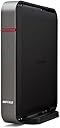
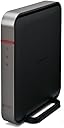
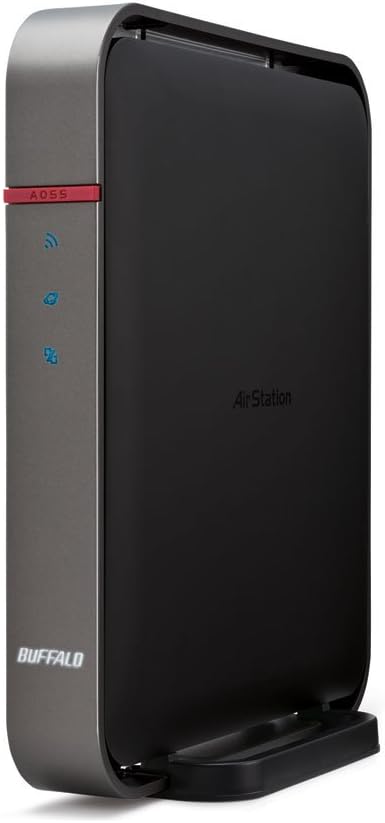
The Buffalo AirStation Extreme AC1750 is a high-performance dual-band wireless router featuring cutting-edge 802.11ac technology, delivering speeds up to three times faster than its predecessor, 802.11n. With an 800MHz dual-core processor and 512MB of RAM, it ensures smooth operation even under heavy loads. The router comes pre-installed with Open Source DD-WRT firmware, offering advanced features and customization options. It also includes robust QoS controls, VLAN support, and a 3-year warranty with 24/7 customer support, making it a reliable choice for both home and office environments.
| ASIN | B00I2N6O0W |
| Antenna Location | Home |
| Brand | BUFFALO |
| Color | Black |
| Compatible Devices | Personal Computer |
| Connectivity Protocol | Wi-Fi |
| Connectivity Technology | wireless |
| Control Method | App |
| Controller Type | Switch |
| Coverage | Standard coverage for a dual-band router |
| Customer Reviews | 3.7 out of 5 stars 122 Reviews |
| Data Transfer Rate | 54 Megabits Per Second |
| Frequency | 800 MHz |
| Frequency Band Class | Dual-Band |
| Global Trade Identification Number | 00747464128504 |
| Is Modem Compatible | No |
| Item Weight | 1.3 Pounds |
| LAN Port Bandwidth | 10/100/1000 (Gigabit) |
| Manufacturer | BUFFALO |
| Maximum Upstream Data Transfer Rate | 1300 Megabits Per Second |
| Mfr Part Number | WZR-1750DHPD |
| Model Name | WZR-1750DHPD |
| Model Number | WZR-1750DHPD |
| Number of Ports | 4 |
| Operating System | DD-WRT |
| Other Special Features of the Product | QoS, WPS |
| RAM Memory Installed | 512 MB |
| Security Protocol | WPA, WPA2 |
| Special Feature | QoS , WPS |
| UPC | 747464128504 |
| Warranty Description | 3 years |
| Wireless Communication Standard | 802.11ac |
| Wireless Compability | 802.11ac |
A**3
Best router I have ever had
I have tried many routers and updated DD-WRT software to my Linksys router before so when I am ready to upgrade my router I am excited with this Buffalo with pre-installed DD-WRT software. Getting it working is pretty easy for me since I configured many routers before and got good help from internet. The instruction is very simple, default IP address is 192.168.11.1, user ID: admin, and password: password. But after that, I am on my own. I use cable modem, so my connection type is default (Automatic Configuration - DHCP). First, I change my router password; second, the wireless security and that's it. Usually I apply settings before save, but some people rather save before apply settings. I think if you apply settings but do not hit save, then the change will be wiped out next time you reboot the router. I want to see if the new settings causing any problem before actually save it. If it doesn't work out, then I still have my old configuration. I have not tried it yet, I could be wrong about this. Anyway, if you are new to DD-WRT, don't be afraid because it is very simple to configure it as you only need to wireless access with encryption and change default password. Further explorer this router, I like some special features. The first one is vpn server. I can now set up my own vpn server so I can securely access my home network or browse safely using home vpn if I am at public place like McDonald or Star Bucks ... The second feature is keep alive. WDS\connection Watchdog is a nice feature that automatically reboots the router itself if it detects no internet connectivity within a pre-set interval ( I set 360 seconds, equal 6 minutes. It checks Google web site every 5 minutes for connection, and reboot if Google is unreachable). My old router did not have the keep alive feature, sometimes the cable company (ISP) did something on its end causing no internet traffic until my router reboots again. This feature alone is already worth my upgrade. Usually, I have to manually turn the router off and switch it back on. With this feature ready in the router, I don't have to think about the router anymore. It's just like "set and forget". From now on, if I do not have internet connection, I don't have to reboot the router anymore but I will find my ISP customer support number so they have to fix on their end. I will let you know later how it goes, but so far, so good. It's an amazing product that I should have bought long time ago. But, being late still better than never. For setting up wireless, I use same SSID for 2.4GHz and 5 GHz and let devices pick whatever better connection. --------- Some people reported about getting it bricked first day. I think it must be something wrong or some special configurations that average users do not need. I don't care when the WIFI is on 2.4GHz or 5 GHz; As long I have the wireless connection, I am happy. --------- 2015-11-11 (update) It works flawlessly last 7 days. I did the test on speedtess.net and it shows my downlink locked at 21.17 Mbps which makes sense as my plan is 20 Mbps downlink. It does not reduce its speed so I have no reason to touch it. It does have options to add virtual wireless connection for guest which is separated with your home network. This is a plus because no-one will be able to mess with my network even when you give away the wifi password to my guests. It looks simple to setup, I found some instructions on the internet and I think you can too. ---------------------- 2015-11-25 (update) I used to reboot every several days, so far, it has gone 20 days without any hiccup. ---------------------- 2016-01-26 I accidentally upgraded firmware downloaded from Buffalo Tech website. The firmware was intended for WZR-1750DHP (not WZR-1750DHPD). It went smoothly, but then erased my firmware and downgrade to WZR-1750DHP. I could not get it back to original form so I contacted technical support. Within a day, I got response from tech team and I was instructed to download file from a link to recover. All I can tell is the technical support team was great and took care of my problem in no time. Lesson learned, do not upgrade if the router is working normally. :). ----------- 2017-10-20: The router is working perfectly after 2 years. Whenever there is internet problem, I know it has nothing to do with this router.
T**K
Great Router and solid performer
I have been using the Buffalo Airstation Extreme AC1750 router for quite sometime before writing this review. There were reports of an issue with this series of routers a long time ago which made me hesitant to purchase it, but after seeing reports of the issue being resolved I took a chance. Personally I hate the idea of buying a new router and want them to last as long as possible, my last router was a CISCO that after 2 years became unstable. This router has all the features I was looking for including: support for AC (the new and fastest wireless standard), Gigabit Ethernet connections and even USB ports to support shared hard drives. The open source DDWRT software comes pre-loaded on the router, this software allows you the most flexibility in customizing your network, I even use it in business settings. The power of DDWRT and all it's options would make it really intimidating for a novice but this router also comes pre-configured for someone who wants an easy setup. After using this router for several months, I can say it really is fantastic and I've had no problems that weren't from the cable internet provider. This router has no external antennas so it's possible in a large home or very thick walls you may have some signal issues, but I've had no problems at all. Although I stream movies (Netflicks, Youtube, etc) and even do wireless gaming (not recommended for many games ) they all work great. My internet provider informed me that this router will support a much faster modem than they provided, so I can get even more speed. TIP: I recommend setting your router to restart itself about once a week, this gives it a chance to clean up and keep running smooth. I'm very happy with this router and hopefully won't have to use it's 3 year warranty but it's nice to know it's there.
S**W
No brick here yet, just stable internet and lots of features
After having intermittent drop outs (having to reboot to regain internet access) from the top two routers out there, Netgear R7000 and Asus AC68U, I sent them both back and waited for this DD-WRT AC router from Buffalo. Maybe I'm just lucky, but I've made many configuration changes and done many reboots without the "bricking" issue being reported here. I've only had it five days, but I haven't lost or seen degraded WiFi or wired connections, and I have MANY. I have discovered two problems so far though. First, the default WiFi security settings don't seem to work (couldn't connect). I believe they were a WPA/WPA2 auto type (sorry, not at home to look up the setting). When I switched to WPA2 AES, I was good to go. Second, probably due to the internal antennaes (ugh!), the 5ghz range isn't ideal. However, it does cover my 3000 sqft house, but I noticed that I only get 1 bar at the farthest points. The good news is that that one bar seems to be pretty stable and speed is fine as well. 2.4 easily covers the whole house into the yard. I'm running both AC and N devices without issue on both bands. I replaced my old Netgear WNR854T due to frequent WiFi drops. I went with this model for the DD-WRT support in an AC router with enhanced features over stock DD-WRT. I wanted the DD-WRT community support, stability, and feature set. I figured that even if a few glitches are discovered, that the DD-WRT firmware would be fixed faster than proprietary firmware especially after the model is out of production. So far, so good with the Buffalo, but it is still early. Will update when I get few months of use in. UPDATE: 5/28/14 Ok, had this router for a few months now and NOT ONE DROP OFF! My Netgear router would have been rebooted at least three times in that same period. Just did a firmware update and it rebooted fine. I haven't had the bricking issue that others have mentioned. Been very stable and haven't noticed any speed degradation. NOTE: If you're getting this router for its 5ghz capability, you may want to look elsewhere. Range on the 5ghz is lousy. However, 2.4ghz range is better than my old Netgear. I still highly recommend this router for several reasons. It seems very stable and it has every option under the sun (thank you DD-WRT!). I do realize that 5ghz range is normally not as good as 2.4, but I'm referring to in comparison to other 5ghz routers. The Netgear R7000 and Asus AC68U both had longer range. Again, this is probably due mostly to the internal antennas. UPDATE: 8/14/14 Best. Darn. Router. I've. Ever. Had. Have not had one drop off since installing this router. Only had to reboot it once for a firmware update. It just works. Very stable.
G**N
Junk. The software is okay, but both the range and connection stability is miserable. Truly disappointing.
Thing sucks. It's easy to setup. But he range makes it almost useless, especially 5ghz. I got about 35 feet. Inside that 35 feet, it was great. Oh, and it randomly drops Internet connection. The wifi stays connecred, but it loses everything. Had to reboot it already, been 48 hours. I have the most current firmware, it's even running on default settings. Even if the 5ghz range wasn't a complete joke, the inability to keep a connection for more than a few hours is a deal breaker.
N**H
Started out great, traffic load killed it.
Purchased this product in December 2015. All started well, played around with settings and had to reset (because I wanted to start over from scratch) a few times. Got it setup the way I wanted and forgot about. Then the day came when I decided to switch from cable tv to all internet with a Smart TV and Apple TV and the problems began. I would leave the Apple TV stream 24/7 and use the computer and the router began to periodically reboot its self. I have been hitting roughly 50 GBs a day and 99% would be streaming and when I cut streaming all day, the router would remain stable. This is very disappointing for me because I really enjoyed using this router, for $120 dollars you cant beat it, however; I cannot continue to use it and risk it failing as I rely heavily on internet for work and it is now my source of entertainment and cannot afford to have downtime. I have already picked a new router and look forward to installing it.
D**.
Excellent WiFi Router
This router is easy to setup and has a strong WiFi signal. We two previous routers that I have used over the years there were dead spots in the far end of my house - not a problem with this one. I have three bars where I used to get none or just one. It's throughput speed so far is consistent with what I expected on wire and on wireless. I especially like that I don't have to flash it with DD-WRT - it comes pre-loaded.
R**H
Works great... if and when it workd
This router is awesome, so many features! So many awesome things you can do with it! If you know your stuff, this router has everything you want. But there's a catch... Apparently they all seem to break after rebooting at some point. Mine was working awesomely for a little over a month. No hiccups, everything was solid, and I was very happy with the performance of the router. Then, tonight, when I needed to reboot, I powered it off, then powered it back on, and it hasn't functioned since. Upon checking this page, my worries were confirmed, apparently this has happened to a lot of these first release routers. Like another reviewer said, when the firmware for this router is tweaked and they release a more stable version, it'll probably awesome. But until then, stay far far away unless you want to be left waiting on buffalo support to send you a new unit. As for me, I've initiated an RMA process with buffalo and I'm hoping they don't take too long to get me a new router :/
C**E
Where's the Beef? it's a Buffalo!
Awesome router, actually a nicely designed router that looks good - easy to get it up & running & in use - in less than 30 minutes (including the time it took to remove it from the box) the unit was installed & passing traffic - the WIFI function has a good signal radius & the setup is user friendly. the DDWRT S/W is easy to use & setup. well worth the money
M**N
Having run this for a few years I am pretty happy with router
Having run this for a few years I am pretty happy with router. My wired speeds are consistent and my wlan speeds have been excellent. Configuring was an easy task and later resetting to factory defaults quick and trouble free.
M**N
Pretty Good DD-WRT firmware
This is my second DD-WRT Buffalo router. First one was single band. Not bad. Firmware needs to improve a bit. When the AC Power is off, keeps returning to setup Internet after AC Power on screen from the Router GUI console, small bug but retains existing information. The firmware still saying WZR-1750DHP instead of WZR-1750DHPD (could be some re-fix of the version 1) So far no issues with the router and speed is not bad.
V**E
Good, but needs tech knowledge to fully take advantage of it
Although it performs as expected, I needed to go through a lengthy and bumpy process in order to enable an AC-only network and to configure it. I do not know if this issues are dued to my physical configuration, the number of networks around me (not that many) or the unit itself. So far, so good!
J**E
Beware!
Not sure yet, will update. However, this router does NOT work out of the box with the recommended firmware driver on the Buffalo website. You have to upgrade with the firmware on the DD-WRT website.
G**Y
Fancy lights and DD-WRT do not a router make.
I have puttered with open source firmware for years and have had good results with DD-WRT in older routers. I thought I'd give 802.11ac a try (via an already installed PCE-AC66 adapter) with the Buffalo (DD-WRT already on board with this model). Your mileage may vary of course, but throughput was worse that with my (outgoing) Asus "n" router and no amount of fiddling with security (WP2 / AES required) and other settings improved matters. First and last Buffalo product for me (and my first Amazon return). I have since pulled a TP-Link Archer C7 out of mothballs. It too was rushed out the door too quickly and it sat in my equipment closet for months. A recent firmware update has rendered the TP stable and speedy at near-ac speeds. That's what I was expecting from the AirStation.
Trustpilot
1 day ago
3 weeks ago