Desertcart purchases this item on your behalf and handles shipping, customs, and support to Senegal.
🖥️ Elevate your space, mount with confidence!
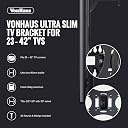
The VonHaus TV Wall Mount is a sleek, heavy-duty bracket designed for 23-42 inch TVs, supporting multiple VESA standards (75x75 to 200x200). Crafted from high-strength steel, it safely holds up to 30kg and offers 20° tilt and swivel for optimal viewing angles. Easy to install with included hardware and instructions, it’s perfect for professionals seeking a clean, modern setup backed by a 2-year warranty.
| ASIN | B005MX3958 |
| Best Sellers Rank | #210,910 in Electronics ( See Top 100 in Electronics ) #2,037 in TV Wall & Ceiling Mounts |
| Brand Name | VonHaus |
| Color Name | Black |
| Customer Reviews | 4.5 4.5 out of 5 stars (4,072) |
| Date First Available | May 3, 2012 |
| Is Discontinued By Manufacturer | No |
| Item Weight | 2.5 pounds |
| Item model number | 3005027 |
| Product Dimensions | 9.21 x 9.21 x 3.94 inches |
| Specification Met | certified frustration-free |
C**N
Easy to install
Easy to install, damn good price. I've had my flat screen 3+ years and finally decided to wall mount it rather than let it sit on the dresser, I needed the real estate. Compared to the $100 + mounts the stores try to sell you when you buy a new tv, even at a place like Costco, for the majority of us, this is all you need. The installation instructions were pretty clear, and anyone who know how to use a drill and screw driver can install this yourselves, you don't need to pay someone $105 to install it for you. Here's the easy do it yourself version of the instructions (editor's note, just like hanging a picture, it helps to have a 2nd person who can stand back and tell you up/down/left/right to help position the tv). Your first instinct is going to be to attach the mount to your TV, DON'T do this. You need to position the mount on the wall to know where to drill. After the marking and drilling, then attach the bracket to your TV, 3 hole side up, single hold side down. Step 1: Locate a stud (2x4); easier than using a stud finder, locate an electric (preferred) or light switch. The gang boxes these switches sit in are always attached to a stud, it may be on the right or left side of the gang box, but there's your stud. In the US, studs are 16" apart, standard construction, in Mexico, it's 24" apart. The point of this is if your plug outlet is closer to one end of the wall, and you want your TV mounted center or vice versa, from the outlet stud, just measure 16" to the left or right and you'll be on the next stud. Step 2: Just like you would hang a picture, have somebody stand away from the wall to help you position the TV where you want it. If you don't have help, you can use a piece of brown butcher paper or newspaper cut to the size of your TV, and tape it to the wall. Don't worry if it is not level, you are just eyeballing the placement on the wall. You'll use a level when you're ready to attach the bracket to the wall. With a pencil, mark the wall at the bottom of the TV, two simple 1" marks on the left, center or right will suffice. Also make a vertical 1" mark on the wall on the below the center of the TV. This will help you to position the bracket at the correct height and right/left location on the wall. Youu want to make faint lines so they are easy to wipe off later. Step 3: Place, but do not attach, the bracket on the back of the TV at the attach points. Now measure from the bottom of the bracket to the bottom of the TV. This will tell you how far above the lines you marked on the wall in Step 2 to attach the bracket to the wall. In my case, it was 8". Step 4: From where you measured & marked the bottome of the TV in Step 2, now measure above that line by the measurement in Step 3. This is where the bottom of the bracket should go. You can eyeball the center of where the bracket should go using the vertical line you drew in Step 2. This is where you want a level to make sure the bracket is being mounted correctly, mark the wall again with a pencil on the left and right side. Step 5: Drill two holes in the wall, 3" apart, one above the other. I like to use a small drill pit 1/8 or 1/16th to create a pilot hole. Place the bracket over the pilot holes to ensure they are equally spaced to the wall mounting holes on the bracket. Assuming you've done everything right this far, after measuring and checking again, use a 3/16th drill pit to widen the pilot holes. You want to drill at least 1 1/2" into the stud, probably a bit more, that's okay. Again, this is the one step that it is critical that the holes be perfectly vertical to each other and the correct distance apart. Step 6: Take two of the long silver screws and install them into the holes you just made in the wall. I strongly recommend using a power drill, but the old brute force method using a philips screwdriver and wrench works too. You want to insert the screws until only about 1/2 of the smooth area near the head is showing. Step 7: Here's what you've been waiting for. The package comes with 3 different sizes & sets of screws to attach the bracket to your TV. This will be easy to figure out. Place the mounting bracket on the back of your TV. Take one of the included washers ( the thin round discs), insert the screw through it and then screw the bracket into place. Again, make sure the 3 hole side of the bracket is facing the top of the TV and single hole is pointing towards the bottom. You might be wondering why, what does it matter if the wall mounting screws are vertical anyway It matters because this will provide your TV with the most secure attachment to the wall. You also do this for easy access to adjust the vertical or horizontal tilt of the TV. Step 8: You're ready to hang the TV up on the wall. Again, just like hanging a picture on the wall, gentally place the 'fat' part of the bracket holes over the screws you put in the wall. You want to do this gently so you don't create extra scuff marks on the wall, even thought they will be hidden behond the TV. ( Use the center hole on top. The 'fat' part of the holes fit over the head of the bolt. The weight of the TV will settle onto the 'skinny' part of the bolt, safely and securely mounted on your wall. Step 9: Congratulate yourself on a job well done and having saved yourself $105 to have a 'professional' do the installation by cracking open a nice cold one or your beverage of choice.
C**L
Solid TV mount, well made, complete with everything you need and clear instructions. Overly optimistic weight rating, though.
Surprisingly well-made and complete product, with excellent documentation, very solidly packaged, low cost. Fits a wide variety of TVs, including those with VESA-standard bolt patterns of 75x75mm, 100x100mm, 200x100mm and 200x200mm. A complete set of mounting screws to fit most TVs (M4, M5, M6 and M8 sizes), as well as washers and spacers are included, along with high-quality wall anchors and screws for use with drywall. A real, honest-to-God, old-school, offset-printed instruction manual, with plenty of clear, high-resolution illustrations, is provided. "Slim profile" mounts like this one are intended as an inexpensive compromise between flat brackets, which are especially stable but typically offer limited if any adjustment, and articulated mounts, which extend from the wall on an arm and usually offer a wide range of adjustments, including tilt, swivel, height, and rotate. This particular bracket stands off 90mm from the wall, or roughly 3.5". Bear in mind that this measurement will change if the bracket is tilted or swiveled past 0º. I do have a couple of cautions for potential purchasers: Make sure your TV has mounting holes in one of the supported VESA patterns. Next, measure a 200x200mm square in the center of your TV and check to see if any of your inputs or outputs are likely to be covered by the bracket. If you find this bracket too large, in that one or more of your inputs might be covered by the mounting plate, consider the VideoSecu ML411B, available here: VideoSecu ML411B Adjustable Tilt Swivel Rotation TV Wall Mount Bracket for LCD LED TV and Monitor (Max 44 lbs, VESA 100/75) Black 1FF . It fits TVs with 75x75 and 100x100 mounting patterns, but it's more lightly constructed and I'd only use it for the smallest sets. The VonHaus product is marketed as suitable for TVs weighing up to 66 pounds. Personally, I would not use this mount for TVs weighing much over 25 or 30 pounds. I used it to install a nine-pound TV, and I would describe it as perfect for my application. Even so, it feels a bit "wobbly". That's because this is a fairly versatile mount, it can swivel (up to 90º in theory, limited in practice by the size of your TV) and tilt (up to 20º up or down). The swivel function can be restricted by tightening a large bolt that passes vertically through the center of the mount. The tilt function is made possible by use of a polyethylene "cup" or sleeve, and once you get the angle you prefer, you can tighten a (somewhat difficult to reach and grip) knurled plastic knob that, in turn, pinches the "cup" to lock the tilt angle in place. It works well, but if you grab or bump the TV, it still moves very easily and doesn't seem especially stable. To be fair, that's true of most smaller swivel TV mounts and it's not meant as criticism of this product. I recommend it for modern, lighter TVs. However, if you have an older unit weighing 30 or 40 pounds, I would suggest spending a little more and looking for a more heavily-built mount. Keep in mind also that this bracket does not "lock" securely in any position and isn't suitable for installation in a camper, boat, RV, or any other vehicle.
T**S
Decent for the price
To be clear, this mount worked just fine and was pretty easy to install. However, most mounts have a 2 step system, you mount a base unit to the wall, a separate mount piece to the TV, and then slide the TV onto the wall mount. This unit is all one piece that isn't made to detach into 2 separate pieces. Although you can do it that way, that's not the way the instructions tell you how to mount it. Luckily, the TV I put this on was extremely light. Otherwise, it would have been difficult to mount by myself. If you purchase this, keep in mind the weight of your TV (as with all mounts) and I recommend having 2 people help put it on the wall. Overall, I am pretty satisfied with this product and would purchase this again.
N**J
Solid product, horrible directions
Product was exactly as stated, works just fine, The mount fit the screw holes in the back of the TV without even checking TV Make or Model prior to purchase. I spent 30 minutes ensuring the mounting bracket was level on the wall but because the mount allows for the TV to adjust both vertical and horizontal you really don't have to be that precise. Simply put the mount up and a simple twist on the TV to make it straight and perfect. ONLY issue is the instillation instructions were not only confusing but flat out wrong. The product is absolutely worth buying but take some advice, either find the stud in the wall to attach or if you have to mount to drywall get much more secure hardware...otherwise your bracket will pull right out.
A**G
It's brilliant for a 32 inch TV and it's light and stable very good size and also got a very good gap between the wall and the TV so you can have space to put all the cable and wires or usb sticks in as it's a hand gab between and alowing you to move the TV Angle up or down or angle to the left Or right It's very good I have walked into the TV and the wall mount took the shock buy the swivel action alowing the knock to be took by the actions of the swivel to the left or the right Really easy to put up or take down and move
N**U
Parfait ce petit support pour notre téléviseur dans la chambre ! Il supporte parfaitement un petit téléviseur de 51 cm. Il pivote, s'incline, c'est parfait pour l'usage que nous en avons. Il est vraiment solide et facile d'installation ! Vraiment top ! J'espère que ce commentaire vous aura été utile
C**O
Bella e robusta.
E**I
Facil de montar. Ajuste perfecto y buen angulo de giros. Recomendable para TV’s pequeñas de menos de 32”.
N**X
Mounts or brackets for flat screen TVs can be expensive, however the VonHaus Swivel and tilt wall mount is not an expensive option and offers simplicity, quality and functionality. Ideal for my 26" LCD Screen. The pre-manufactured attachment holes makes it simple to mount using the assorted screws and wall bolts based upon varied requirements, easily fitten to LCD TV and took me up to 10 minutes to place my TV attached and in position on the wall. The tilt and side by side movement is totally adequate for any comfortable viewing and the movement is sturdy or robust. The VonHaus Swivel and Tilt Wall Mount is good value and delivery was fast from Amazon.
Trustpilot
1 month ago
3 days ago