Buy anything from 5,000+ international stores. One checkout price. No surprise fees. Join 2M+ shoppers on Desertcart.
Desertcart purchases this item on your behalf and handles shipping, customs, and support to Senegal.
❄️ Keep your cool, stay ahead of the pack!
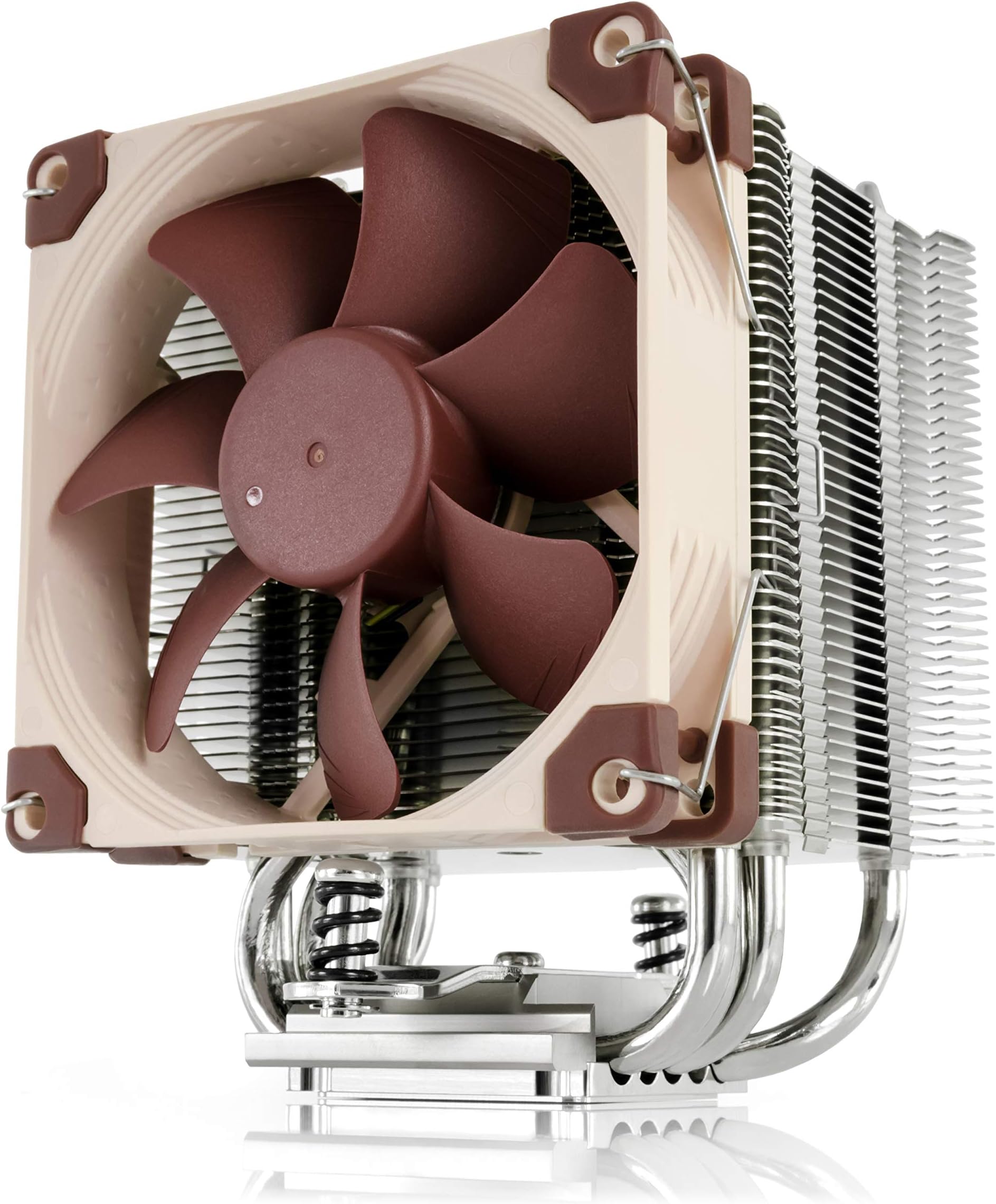
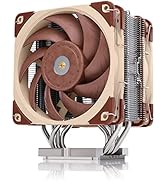
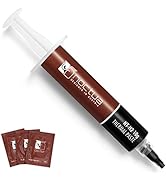
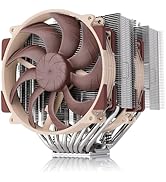
The Noctua NH-U9S is a premium, compact single-tower CPU cooler featuring a highly optimized 92mm NF-A9 PWM fan for ultra-quiet, efficient cooling. Its 125mm height ensures compatibility with small form factor builds without obstructing RAM or PCIe slots. Equipped with the SecuFirm2 mounting system and high-end NT-H1 thermal paste, it supports a wide range of Intel and AMD sockets. Renowned for its build quality and backed by a 6-year warranty, the NH-U9S delivers reliable cooling performance for demanding Intel Core Ultra and AMD Ryzen processors.


| ASIN | B00TBHYYFK |
| Best Sellers Rank | #44 in Computer CPU Cooling Fans |
| Brand | Noctua |
| Brand Name | Noctua |
| CPU Socket | AMD Socket AM2/AMD Socket AM2+/AMD Socket FM2+/Intel LGA 1150/Intel LGA 2011-v3 |
| Cooler Heatsink Compatibility | Intel LGA1851, LGA1700, LGA1200, LGA1156, LGA1155, LGA1151, LGA1150 and AMD AM5, AM4 |
| Cooler Heatsink Material | Copper |
| Customer Reviews | 4.8 out of 5 stars 1,820 Reviews |
| EU Spare Part Availability Duration | 6 Years |
| Global Trade Identification Number | 04716123315575 |
| Item Dimensions L x W x H | 4.92"L x 3.74"W x 4.72"H |
| Item Weight | 618 Grams |
| Manufacturer | Noctua |
| Model | NH-U9S |
| Mounting Type | Chassis Mount |
| Part Number | NH-U9S |
| Product Dimensions | 4.92"L x 3.74"W x 4.72"H |
| UPC | 809395428884 801947306633 842431012463 782386488787 |
| Unit Count | 1 Count |
| Warranty Description | 6 year manufacturer’s warranty |
S**N
My First Noctua Purchase Won't Be My Last - UPDATE 2 Years After Purchase
My Dell Studio XPS 9100 desktop's cooler was not keeping my CPU cool - due to the well-known plastic tabs breaking on the cooler - keeping the cooler from making solid contact with the CPU. I tried to order a replacement from Dell for a perfect-working computer...but Dell no longer sells a cooler for that model. Planned obsolescence, I presume even though my XPS runs perfect in all other regards. So i checked a few aftermarket coolers that some said "might work" and after viewing some YT videos, this Noctua U9S cooler seemed to be my best option. Before, my core temps were almost "off-the-charts" reaching 90-100 Celsius regularly with very little load. After (easily) installing this cooler, my minimum core temps went from 50c to under 25c in all six cores. My maximum core temperatures decreased from over 95c in all six cores to about 55c. And the fan that comes with the cooler is much quieter than the OEM fan provided by Dell. All the positive reviews I've read about Noctua, turned out to be 100% true. To make this work, Noctua had to send me a modification kit for my Intel 1366 motherboard. I just had to provide proof of purchase of the U9S and my dell 1366 socket. Once I did that, Noctua customer support mailed me the kit I needed. Just great customer support. And my computer is now running cool and calm. Should help me get another year, or two, out of Michael Dell's computer. ****UPDATE - I bought this Noctua CPU Cooler Feb. 2022. March 2024 it is still working like new. My CPU never runs hot and the fan is extremely quiet. One of the best Amazon purchases I've made in the last 15 years. Good company to work with, too.
J**E
It fixed my overheating problem with my 13th gen i7!
I was recommended this cooling system for my 13th gen i7 because it was overheating real bad i was not sure about a air cooled when people tell you that the only way to go is liquid cooled but i do have to give it to this cooler i play lots of games and my temps used to go up to almost 100c and now under load the max i see is around 50c to 70c max and its super nice when gaming. I have had my system for a couple of years now and it works great for the price point and compatible with most fans. It fits in the case and super quiet. The build quality is nice and should stand the test of time. All round great solution when on a budget.
V**N
CPU temp went from 50 / 80+ down to 30 / 40 😮!! (NOT a gamer)
I usually wait a while before coming back to review a product, to see how things work out over time. This time I'll make an exception ... I have a i3 Skylake build for my home office. My CPU monitor was consistently pinging me that my temps were going over 80c under normal use...under idle, it usually hovered around 50 to 60. The case was free of dust and temps in the room were always not nearly hot enough to explain it. Opened my case up yesterday to install a new vid card and decided to also get rid of the original Intel fan and get a better solution. I searched Amazon and this option popped up on top of the list. The reviews and feedback were so good I only scanned a few other options before coming back to this one and pulling the trigger. Same day delivery was an added bonus! Installation is a bit of a project, but nothing anybody with a bit of experience with this kind of thing can't handle. On most mobos you will need to remove the whole board to get the included mounting bracket on the back. As a bonus its nice they include a (necessary) long screwdriver for the main mounting screws, and some quality thermal paste. The entire kit is very solid, quality materials. I mounted mine so the fan directly faces the rear fan in my case. That way the cooling fan pulls air through the block across the CPU, and the rear fan sucks it out the back of the case. Super quiet I hardly know its even on. I recommend searching YouTube for tutorials, I found a couple of guys that walked through the details of how they got it installed with minimal hassle and no errors. Always a huge help and makes it go that much smoother. Immediately after installation I booted up and checked the CPU monitor. CPU temp now hovers under 30c (27 / 29) at idle. In fact, with about 10 Brave tabs open and normal clicking around / typing, its *still* right there at the same temp. Does not even rise at all! Running 3 YouTube videos in separate tabs ... still does not even budge. I haven't tried any rendering or anything that seriously taxes the CPU yet but for normal every day use this thing is doing its job like a champ! Can't speak to long term use but based on all the positive reviews I'm confident its most likely going to continue to do so!
D**Y
Air Cooling in Tight Spaces - A must have!
I have been building PC's for over 30 years. So I have seen it all. Done it all. And went through all the trends with cooling, performance bumps and efficiency. Cooling is one of those things that things can go wrong even when all else is right. I bought a couple of these Noctua NH-U9S coolers because they were the best cooling for the footprint I had to work with (4U Size Server Rack Cases). These perform well IF you get a second fan for a push / pull configuration. Sure 1 fan is fine, but you really need to ensure your airflow is optimal. And believe me the extra money for a second fan is well worth it for this package size. If you do that this is a decent cooler. You cannot OC on this cooler, and in some cases even stock CPU speeds will be throttled a bit depending on how long you keep cycles pegged. It's a solid buy. If you do have room for something taller, Noctua makes other products better suited for a case with more room which you should definitely do.
E**G
Good stuff
So far, so good. Been using Noctua fans with my rig for years and have never had any issues. I figured I'd replace the crappy stock cooler that came with my HP Omen, and it appears to be worth it. Install was a bit of a pain because I had to remove the mobo. Also, the stock rear plate was glued in, so that took some patience to remove. In the end, I think it was worth it. CPU is running much cooler, and best of all—it's quiet! Good, quality product. Thanks!
E**C
Great cooler for a small case, and even keeps up with my previous AIO with less room for airflow
Before I start the review, I want to list the components I have installed in my computer: Case: Silverstone GD08 Motherboard: Gigabyte GA X99 Ultra Gaming CPU: Intel Core i7 5820K @3.3GHz RAM: 16GB (4x4) Corsair Vengeance LPX GPU: Gigabyte G1 Gaming GTX 1070 Boot SSD: Samsung 960 EVO 250GB Gaming SSD: Mushkin Reactor 1TB HDD: 3x WD Red 4TB Bluray Drive: Asus BW-16D1HT Bluray Drive: LG WH16NS40 For the last few years, I've had a large case (Fractal Define XL R2) sitting on our TV stand. It was an eyesore to have sitting out under the TV (beautiful case, but ugly in the living room), but it was incredibly spacious with great cable management, and housed all of my components with no issues. In that case, I was using an ARCTIC Liquid Freezer 240 to keep my CPU cool. The computer is a work horse (gaming, video encoding, Plex server, etc.), so having a quality CPU cooler is a must. I was finally able to find a quality case that would fit all of my components while fitting in to the TV stand, and also blending in (SilverStone GD08B). However, the smaller case meant that I would no longer be able to use a 240mm cooler for my CPU. It's HTPC form factor also limited my choices for a new cooler because of its height limitations. I did a great deal of research on low height coolers, and finally settled on the NH-U9S. I knew I wasn't going to get the same cooling performance I got with my AIO, and I knew the air flow in the new case was not going to be great with the number of drives in place. I was maxing out at about 62°C under full load with my old setup. Installation of the heatsink was incredibly easy; I was done in less than five minutes. Once I got everything installed in the new case and fired it up, I immediately saw an increase in idle temps. Where I was getting 28°C-35°C before, I was now seeing 39°C at the low end, but averaging in the low 40s at idle. Not great, but expected. Once I started encoding my first video, I saw temps shoot up to the high 70s, and reaching into the low 80s at some points, which was less than ideal. But, I knew the tradeoffs with the new setup, and it was still in the safe range, so I was ready to deal with it. I decided to try and manually adjust the fan speeds and curves to try to improve the cooling a bit, so I went into my bios and looked at the fan setup. For some reason, it was reporting my CPU fan at 0RPM, no matter how I adjusted it. So I cracked the case open, expecting that I did something stupid like I forgot to plug in the header, and found out that one of my SATA cables was stopping the fan (anyone who has used the GD08 with both optical drive bays and SSDs installed knows that cable management is tough). So i pushed it back, and the fan started spinning again. I booted back into Windows to see if that made a difference. Sure enough, I was now seeing idle temps down in the mid 30s (I set up the fan curves to run at 20% even at idle). Major difference. I saw even more improvements under load. I've been encoding for the last 4 and half hours (95-100% load the whole time), and the CPU has been sitting in the mid 60s for the most part, with only one core hitting 70°C at max (but averaging around 68°C). So in other words, without a fan on this heatsink, my CPU was kept under or at 80°C under full load, and now I'm seeing just a few degrees more than I was with my old AIO. I may even be able to (very moderately) overclock my CPU even in the new case. I am incredibly happy with how well this cooler is working out, considering the space limitations I was working with and the limited airflow inside the case due to how much I've crammed in there. I would definitely recommend this cooler for anyone looking for a low height or small form factor cooler.
K**N
Best 92mm air cooler on the market but pretty expensive
I had test this cooler with my Ryzen 9 5900x with old Thermalright Silver Soul 110 White CPU Cooler Dual Towers and the different is noticeable. The Thermalright I have always reach above 60*c when I just scrolling website and went to nearly 80*c when play my favorite game Helldivers 2; but with this Noctua cooler, the temperature has significantly decrease down from 46*c in normal mode (watching youtube, working photoshop, etc), and 70*c when playing Helldivers 2 in 1440p. However, the price is what holding me back cause it is one of the most expensive 92mm air cooler on the market and I have to consider a lot if I want to purchase another one for my friend for his birthday present. Conclusion, the Noctua NH-U9S is the best 92mm air cooler for big improve performing for small pc case that couldn't fit with 120mm air cooler but you have to considering for its high prices (for this big improvement, I'm not complaining much, you get what you buy).
J**F
Silent & more efficient even with a lower max RPM compared to stock
Using this together with an additional NF-A9 rear fan on a Predator Orion 630 i7. On load, cpu temp min 61C, avg 65C and max 74C, running auto in predator sense which is a significant improvement over stock cooler at 80-90C on auto. Previously I have to run both the stock cooler+rear fan and intake at 60% custom speed to keep it under 85C but it was loud, even more annoyingly loud if I were to switch to gaming mode. I do not have to mess around with predator sense config file after the swap. Installation was easy. Note that the stock rear fan has a higher RPM(3k+, 2 female plug) than NF-A9 (1967, 1 female plug, 1 low noise, 1 Y and an extension cable). This package comes with thermal paste as well. You will need m3 x 12mm screws x 4 pieces and thermal compound remover not included.
Trustpilot
4 days ago
1 month ago